
Empire City - Build Your Ancient Empire - Simulation Game
 Subscriber only
Unreal Dungeon Crawler
Build a playable Unreal dungeon crawler, combat-ready.
 FPS
FPSZombie Horror Survival
Build a tense zombie horror survival with map progression.
 Subscriber only
Unreal FPS/TPS Shooter
Create a complete UE 5.5 FPS or TPS shooter with combat, UI, and replay.
 Unity
UnityCastle Devour Quest
Build a Unity castle quest with risky rooms and a win goal.
 Subscriber only
Unreal Landscape Tour
Tour photoreal Unreal landscapes with cinematic camera work.
 Arcade
Pumpkin Night Adventure
Build a Halloween grid-arena survival romp.
 Adventure
Character Adventure Sim
Build a 3D character explorer with traversal and interactive zones.
 Unity
UnityCupid's Arrow
Build a Unity archery game of timing and matchmaking.
 Action
Open World City Action
Build an open-world city romp with driving and police chases.
 Shooter
Rail Shooter Ride
Build a roller-coaster rail shooter that aims as you ride.
Subscriber onlyUnreal Dungeon Crawler
Build a playable Unreal dungeon crawler, combat-ready.
FPSZombie Horror Survival
Build a tense zombie horror survival with map progression.
Subscriber onlyUnreal FPS/TPS Shooter
Create a complete UE 5.5 FPS or TPS shooter with combat, UI, and replay.
UnityCastle Devour Quest
Build a Unity castle quest with risky rooms and a win goal.
Subscriber onlyUnreal Landscape Tour
Tour photoreal Unreal landscapes with cinematic camera work.
ArcadePumpkin Night Adventure
Build a Halloween grid-arena survival romp.
AdventureCharacter Adventure Sim
Build a 3D character explorer with traversal and interactive zones.
UnityCupid's Arrow
Build a Unity archery game of timing and matchmaking.
ActionOpen World City Action
Build an open-world city romp with driving and police chases.
ShooterRail Shooter Ride
Build a roller-coaster rail shooter that aims as you ride.
Prompt

Games are fun. Creating them is even better.
Game Introduction
About Empire City
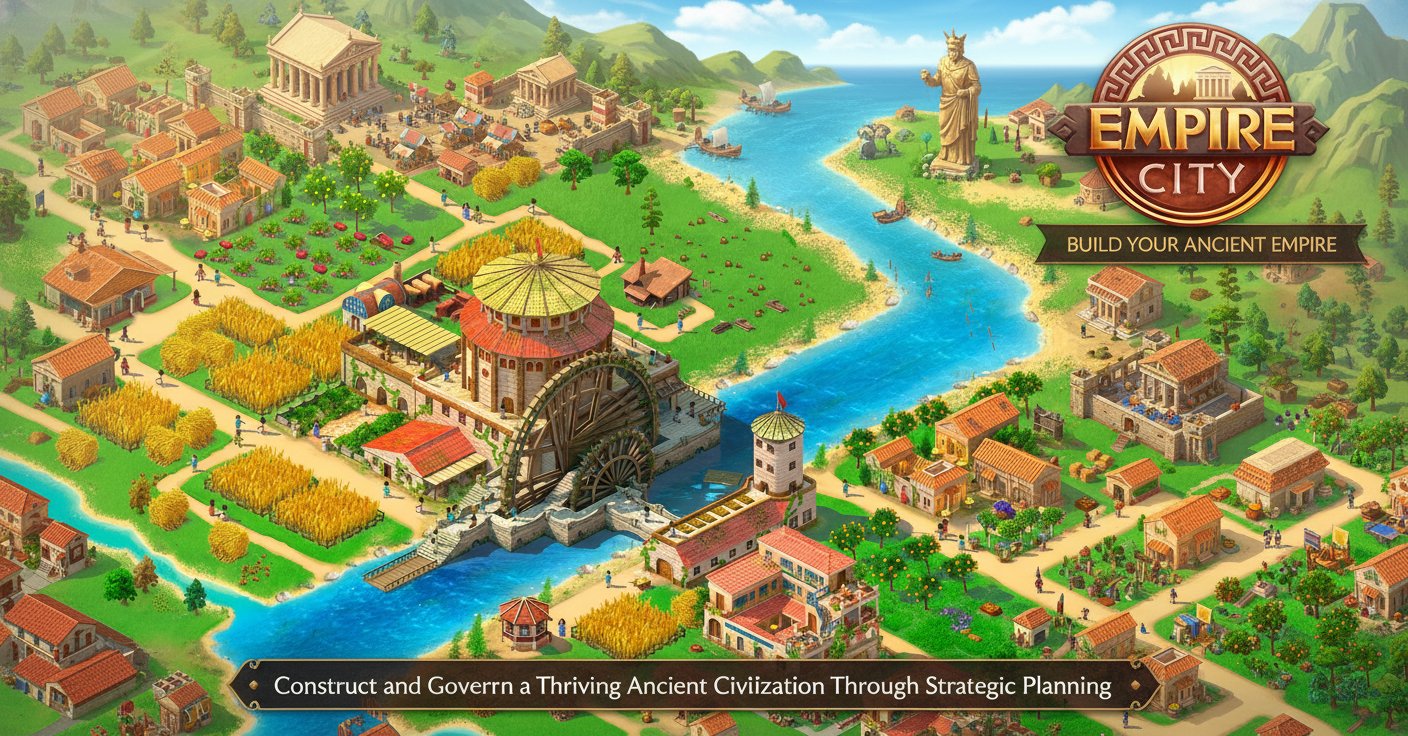
Empire City is an engaging strategy and management game that puts you in control of building an entire ancient civilization from the ground up. Set in classical antiquity, this browser-based city builder challenges you to transform empty land into a bustling empire complete with residential areas, workshops, waterways, and magnificent structures.
With helpful advisors Julia and Flavius guiding your journey, you'll learn the intricacies of urban planning, resource management, and strategic decision-making. The game combines casual accessibility with deep strategic gameplay, making it perfect for both newcomers to the genre and experienced city builders.
Core Features
Complete City Building Experience
Start with a blank slate and construct every aspect of your empire, from basic roadways to grand monuments. The game offers comprehensive building mechanics that let you design your city layout according to your strategic vision.
Resource Management and Production
Develop complex supply chains by mining clay, producing building materials, and managing workshops. Strategic resource allocation is crucial for expanding your empire and upgrading structures.
Expert Advisor System
Julia, the knowledgeable innkeeper, and Flavius, the skilled architect, provide ongoing guidance throughout your empire-building journey. Their tutorials and advice help you master the game's mechanics while adding personality to the experience.
Progressive Gameplay
Advance from simple residential buildings to complex multi-story structures. Unlock new building types, upgrade existing facilities, and expand your influence across the landscape.
Cross-Platform Accessibility
Play seamlessly across desktop and mobile browsers without any downloads required. The game is optimized for both mouse and touch controls, ensuring smooth gameplay on any device.
Game Mechanics
Construction and Upgrading
Every building must be connected to roads, creating strategic planning challenges as you expand. Upgrade houses to accommodate more citizens, and construct specialized workshops to produce advanced materials like clay mixture.
Trade and Diplomacy
Engage in diplomatic relations and trade agreements to expand your empire's influence. Make historic discoveries and build wonders that will define your civilization's legacy.
Cultural Development
Create a unique culture for your empire through your building choices and strategic decisions. Each playthrough offers different paths to greatness.
Operation Guide
Basic Controls
- Left Mouse Button : Primary interaction for all game elements
- Click and Drag : Navigate the game world and select building locations
- Menu Navigation : Access building options, resources, and advisor guidance
Getting Started
- Follow Julia and Flavius through the comprehensive tutorial
- Build your first road and residential building
- Establish resource production by repairing the clay quarry
- Connect production sites to your city with roads
- Collect resources and upgrade buildings progressively
Advanced Strategies
- Plan road networks efficiently to minimize construction costs
- Balance residential, commercial, and industrial development
- Prioritize resource production to support continuous expansion
- Use gems strategically to accelerate critical projects
Why Play Empire City
Empire City offers the perfect blend of strategic depth and casual accessibility. Whether you're a fan of city builders, strategy games, or management simulations, this game provides hours of engaging gameplay. The charming ancient setting, helpful advisor characters, and progressive difficulty curve make it an ideal choice for players seeking a rewarding city-building experience.
The game's free-to-play model with optional premium perks ensures that all players can enjoy the full experience while choosing their level of investment. With regular updates and cross-platform support, Empire City continues to evolve and improve the player experience.