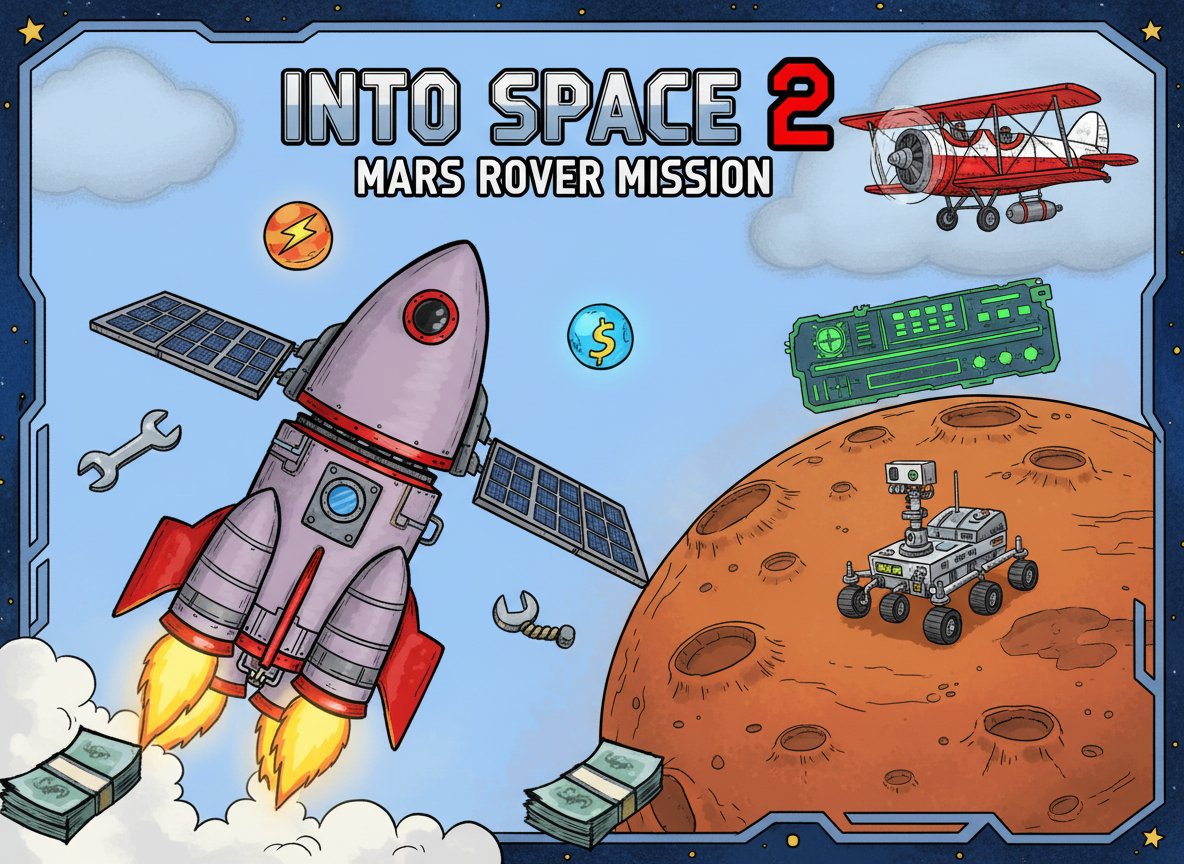
Into Space 2 - Mars Rover Mission

Seele01-Flash
By
Into Space 2 is an engaging space strategy game where you build and launch multi-stage rockets to reach Mars. Manage fuel, collect powerups, and strategically upgrade your spacecraft to complete the ultimate Mars rover mission.

Prompt

MODEL: Seele01-Flash
Please use Three.js to generate a **mobile-first game** with the theme "**Into Space 2: Mars Mission**". Please read the following detailed game design requirements first, and then generate the code accordingly: ### 1. Assets & Environment * **Visual Style**: Use a **Low-Poly Toon / Cel-Shaded** aesthetic (using `MeshToonMaterial` or custom shaders) to mimic the original 2D cartoon style in a 3D space. Colors should be vibrant and highly saturated. * **The Rocket**: A multi-stage rocket model. It should have a distinct "modular" look (body, fins, nose cone) to represent upgradeable parts. Use a simple particle system (`BufferGeometry` particles) for the exhaust trail (fire and smoke) that changes size based on thrust power. * **The World (Vertical Scrolling)**: * **Skybox**: A dynamic gradient background that transitions smoothly based on altitude: Grass Green (Ground) -> Light Blue (Troposphere) -> Dark Blue (Stratosphere) -> Starry Black (Space). * **Atmosphere Elements**: Generate procedural clouds (white low-poly blobs) at lower levels. * **Obstacles**: Red biplanes (as seen in the screenshot), hot air balloons, and later satellites/asteroids. These should move horizontally across the screen. * **Collectibles**: Floating money bundles (green rectangles) and Fuel tanks (red canisters) rotating slowly. * **Optimization**: Use instanced meshes for repeated objects (clouds, coins) to maintain high FPS on mobile browsers. ### 2. Audio Requirements * **BGM**: A heroic, orchestral adventure track that starts minimal at the launchpad and builds up in intensity and tempo as the rocket reaches higher altitudes. * **SFX**: * **Rocket Thrust**: A continuous low-frequency rumble that loops while the engine is active. * **Pickup**: A satisfying high-pitched "Cha-Ching" for money and a liquid "Glug" sound for fuel. * **Impact**: A metallic "Clang" or "Boom" when hitting obstacles. * **Wind**: White noise that increases in volume with vertical velocity. ### 3. Gameplay Loop * **Phase 1: The Hangar (Tycoon/Strategy)**: * A static UI scene where the player spends collected money to upgrade stats: **Fuel Capacity**, **Engine Thrust**, and **Hull Armor**. * A "Launch" button to start the flight. * **Phase 2: The Flight**: * The rocket launches automatically. * **Fuel Mechanic**: Fuel decreases constantly over time and faster when boosting. If fuel hits 0, the engine cuts off, and the rocket falls back to Earth. * **Collision Logic**: * **Good**: Hitting Money adds currency. Hitting Fuel restores the fuel bar. * **Bad**: Hitting obstacles (planes) reduces speed drastically and damages the hull. * **Goal**: Reach the highest possible altitude. The ultimate goal is to reach Mars (a specific altitude threshold). * **Phase 3: Results**: * When the rocket crashes or stops, show a summary screen: "Altitude Reached", "Money Collected", and a "Return to Hangar" button. ### 4. Mobile Controls & Interaction * **Touch Controls**: * **Steering**: Implement a **"Touch and Drag"** mechanism. The player drags their finger anywhere on the screen left or right to steer the rocket horizontally. The rocket should have slight inertia (physics-based movement) rather than snapping instantly to the finger position to simulate weight. * **Boost (Optional)**: A double-tap on the screen could activate a short "Speed Boost" at the cost of extra fuel. * **Screen Orientation**: Portrait Mode (Vertical) is mandatory to emphasize height. * **UI & HUD**: * **Placement**: Top-left for Altitude, Top-right for Money, Bottom-center or Right-edge vertical bar for **Fuel Gauge**. * **Touch Feedback**: Add a subtle `navigator.vibrate(20)` when collecting items and a stronger vibration `navigator.vibrate(200)` when hitting obstacles. * **Responsiveness**: Ensure all buttons (Pause, Upgrade, Launch) are at least 44x44 pixels for easy tapping. Do not ask for clarification. Do not request confirmation. Directly execute the generation task based on the given instructions.

Game Introduction

About the Game

Into Space 2 is a captivating space exploration strategy game that challenges you to build and pilot rockets capable of reaching Mars. With a solid 3.84/5 rating from space game enthusiasts, this free browser-based adventure combines strategic planning with thrilling rocket piloting action. Your ultimate goal is ambitious yet achievable: successfully land a rover on the Red Planet.

Core Features

Strategic Rocket Building

Design and construct multi-stage rockets with careful consideration of weight, fuel capacity, and aerodynamics. Every component choice affects your mission's success, from engine types to fuel tanks and navigation systems.

Resource Management System

Efficiently manage fuel consumption, collect money during flight, and gather valuable powerups that enhance your rocket's performance. Strategic resource allocation is key to reaching higher altitudes and eventually Mars.

Progressive Upgrade System

Earn money from successful flights to purchase advanced rocket components. Upgrade engines for better thrust, improve fuel tanks for extended range, or enhance navigation systems for better control.

Challenging Space Physics

Experience realistic space flight mechanics including gravity effects, atmospheric resistance, and orbital dynamics. Master these physics to optimize your flight paths and conserve precious fuel.

Game Mechanics

Multi-Stage Rocket Design

Build rockets with multiple stages that separate during flight, allowing you to shed weight and maintain momentum. Plan your staging carefully to maximize altitude and distance.

In-Flight Powerups

Collect various powerups during your ascent including extra fuel, speed boosts, and money bonuses. These items can make the difference between mission success and failure.

Mission Progression

Start with basic rockets and gradually work toward the Mars mission. Each successful flight provides resources and experience needed for more ambitious launches.

Operation Guide

Mouse Controls

The game uses intuitive mouse controls for all interactions: - Click and drag to build and arrange rocket components - Mouse movement controls rocket direction during flight - Left click activates stages and special functions - Right click accesses upgrade menus and options

Flight Strategy

Successful missions require careful planning: 1. Pre-flight : Select appropriate rocket components based on mission goals 2. Launch phase : Control initial trajectory and stage separation timing 3. Mid-flight : Collect powerups while managing fuel consumption 4. High altitude : Navigate space environment and plan for Mars approach

Upgrade Priority

Focus upgrades on: - Engine efficiency for better fuel economy - Fuel capacity for extended range - Navigation systems for improved control - Structural integrity for higher altitude capability

Why Play Into Space 2

Perfect Blend of Strategy and Action

Combines thoughtful planning with exciting real-time rocket piloting. Every decision matters, from initial design choices to split-second flight maneuvers.

Accessible Yet Challenging

Easy to learn mouse controls make the game immediately playable, while deep strategic elements provide long-term engagement and replay value.

Free Space Adventure

Experience the thrill of space exploration without any cost. Play directly in your browser with no downloads required.

Educational Value

Learn basic principles of rocket science, orbital mechanics, and space exploration while having fun. Great for anyone interested in aerospace and astronomy.

Suitable for All Ages

Rated for all ages, making it perfect for family gaming sessions or educational environments. Clean, engaging gameplay without inappropriate content.

Frequently Asked Questions (FAQ)