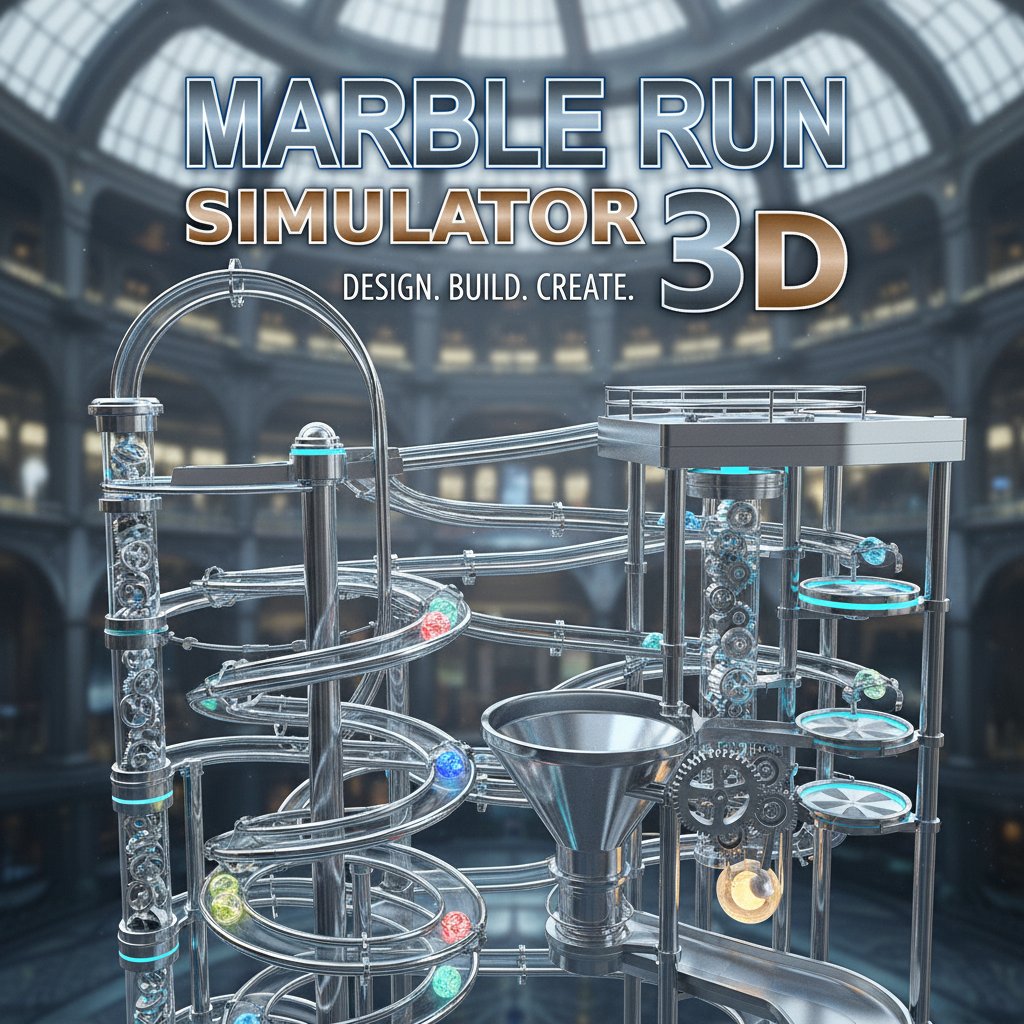
Marble Run Simulator 3D

Seele01-Flash
By
Marble Run Simulator 3D is a creative construction game where you design and build intricate marble tracks. Use various components like ramps, turns, and elevators to create amazing marble machines that come to life.

Prompt

MODEL: Seele01-Flash
Please use Three.js to generate a **mobile-first game** with the theme "Marble Run Simulator 3D". Please read the following detailed game design requirements first, and then generate the code accordingly: ### 1. Assets & Environment * **Visual Style**: Technical, sleek, and industrial aesthetic. Use a "Dark Mode" theme with a deep black/charcoal gradient background to make the tracks pop. * **Track Models**: The tracks should resemble "ladder-style" roller coaster rails (two parallel thin rails connected by cross-ties). Use low-poly tube geometries for the rails. * **Materials**: High-contrast metallic materials. * *Tracks*: Silver/Chrome `MeshStandardMaterial` with high `metalness` (0.8) and low `roughness` (0.2). * *Support Beams*: Matte dark grey or copper. * *Marbles*: Shiny glass or polished steel spheres with reflection mapping. * **Lighting**: Use a high-contrast Studio HDRI environment map for realistic metallic reflections on the rails and marbles. Add a subtle rim light to separate the dark tracks from the dark background. * **Mobile Optimization**: * Use **InstancedMesh** for repeated track segments (straights, curves) to maintain 60 FPS on mobile devices. * Implement an infinite grid floor (`GridHelper`) with fading edges to assist with spatial alignment without rendering heavy terrain. ### 2. Audio Requirements * **BGM**: A chill, minimal "Focus" or "Zen" electronic track. Think low-tempo Lo-Fi beats or ambient synthesizer pads that encourage creativity and concentration. * **Sound Effects (SFX)**: * *Building*: A satisfying mechanical "Click" or magnetic "Snap" sound when track pieces connect correctly. * *Physics*: A continuous, velocity-dependent "rolling hum" sound when the marble is on the tracks. * *Impact*: Metallic "clinks" and "tings" when the marble hits a wall or lands after a jump. * *UI*: Soft "bop" sounds for button presses. ### 3. Gameplay Loop * **Build Mode**: The player starts with an empty grid or a starter ramp. They select track pieces (Straight, 90° Turn, U-Turn, Spiral, Elevator, Drop) from a bottom UI tray. * **Placement Logic**: * **Grid Snapping**: Essential for mobile precision. Parts must automatically snap to the connection points of existing tracks. * **Validation**: Invalid placements (overlapping objects) should show a red "ghost" preview; valid placements show green. * **Simulation Mode**: Player hits a "Play" button. Gravity turns on. Marbles spawn from the "Start" piece. * **Physics**: Use a physics engine (like Cannon.js or Ammo.js). The marble must react to gravity, momentum, and centrifugal force on curves. * **Goal**: There is no "Game Over." The goal is creative expression—building the longest, most complex loop that keeps the marble moving without falling off. ### 4. Mobile Controls & Interaction * **Camera Controls (Touch)**: * *One-finger drag*: Rotate camera (Orbit around the structure). * *Two-finger pinch*: Zoom in/out. * *Two-finger pan*: Move the camera focus point (essential for large builds). * **Building Interactions**: * **Drag & Drop**: Drag a part from the UI palette into the 3D scene. * **Gizmo System**: When a placed part is tapped, show a simplified 3D Gizmo (Arrows) to Move or Rotate the piece. Buttons for "Delete" and "Duplicate" should appear near the selected object. * **Screen Orientation**: Lock to **Landscape Mode** to maximize the horizontal building space. * **UI/UX**: * UI buttons (Play, Reset, Part Palette) must be at least 48x48dp for touch accessibility. * **Haptic Feedback**: Trigger a short vibration when a track piece successfully snaps into place. Do not ask for clarification. Do not request confirmation. Directly execute the generation task based on the given instructions.

Game Introduction

About the Game

Marble Run Simulator 3D is an engaging construction and simulation game that unleashes your creativity through marble track building. This innovative 3D game allows you to design complex marble machines using a variety of track components, from simple ramps to sophisticated elevators. Watch your creations come to life as marbles roll through your custom-built tracks.

Core Features

Complete Creative Freedom

Design marble runs limited only by your imagination. The game provides an extensive library of track pieces including:

  • Curved ramps and straight tracks for basic marble flow
  • Sharp turns and loops for dynamic direction changes
  • Elevators and lifts to create multi-level marble systems
  • Complex junctions for advanced track splitting and merging

Interactive 3D Environment

Experience your marble machines in full 3D with complete camera control. Rotate your view to observe your creation from every angle, watching marbles flow through your intricate designs in real-time physics simulation.

Educational and Entertaining

This game combines entertainment with STEM learning, teaching basic physics principles like gravity, momentum, and kinetic energy through hands-on experimentation.

Demo Inspiration

Explore professionally crafted demo tracks to spark your creativity. These well-designed examples showcase advanced building techniques and inspire your own marble run masterpieces.

Game Mechanics

Building System

The intuitive drag-and-drop interface makes construction accessible to players of all ages. Simply click to select track components and drag them into position to build your marble run.

Physics Simulation

Realistic physics engine ensures marbles behave naturally, rolling down slopes, maintaining momentum through turns, and responding to gravity authentically.

Endless Possibilities

With no time limits or restrictions, you can continuously modify and improve your marble tracks, creating increasingly complex and spectacular designs.

Operation Guide

Basic Controls

  • Mouse Click : Select different track components from the building palette
  • Drag and Drop : Move selected pieces to desired positions
  • Mouse Wheel : Zoom in and out for detailed building or overview perspective
  • Right-Click Drag : Rotate camera to view your marble run from different angles
  • Play Button : Start marble simulation to test your track design

Building Tips

  1. Start with simple designs before attempting complex multi-level systems
  2. Test your tracks frequently to identify and fix flow issues
  3. Use elevation changes to maintain marble momentum
  4. Experiment with different track combinations for unique effects

Why Play This Game

Marble Run Simulator 3D offers the perfect blend of creativity, education, and entertainment. Whether you're a student learning physics concepts, a parent seeking educational games for children, or simply someone who enjoys building and creating, this game provides endless hours of engaging gameplay.

The game's completely free access through web browsers means you can start building immediately without downloads or installations. Its cross-platform compatibility ensures you can continue your marble building projects whether you're on a desktop computer, tablet, or smartphone.

The satisfaction of watching your custom-designed marble track successfully guide balls from start to finish creates a rewarding experience that encourages experimentation and iterative improvement.

Frequently Asked Questions (FAQ)