Pepi Hospital: Learn & Care

Seele01-Flash
By
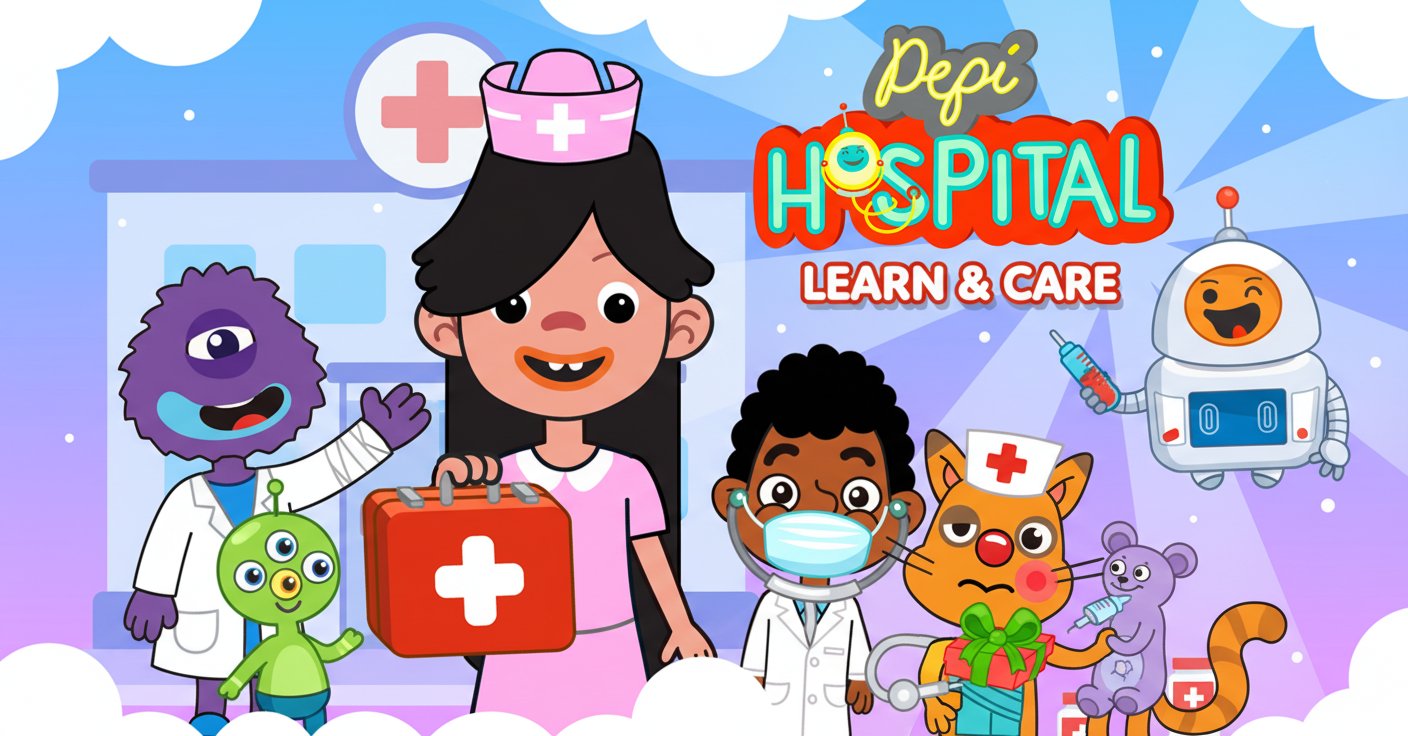
Pepi Hospital: Learn & Care is an engaging educational game where kids can explore a colorful hospital as doctors, patients, or curious explorers. With no scoring pressure and endless interactive possibilities, it's perfect for sparking children's interest in medical concepts.

Prompt

MODEL: Seele01-Flash
Please use Three.js to generate a **mobile-first game** with the theme "Pepi Hospital: Learn & Care". Please read the following detailed game design requirements first, and then generate the code accordingly: ### 1. Assets & Environment * **Visual Style**: 2.5D "Paper Doll" aesthetic. Use an **Orthographic Camera** to create a flat, side-scrolling cross-section view of a multi-story hospital. * **Models/Sprites**: Use `THREE.PlaneGeometry` with transparent PNG textures for characters and furniture to mimic high-quality vector art. Characters (Nurse, Monster, Robot, Cat) should be flat planes that face the camera. * **Color Palette**: High saturation and brightness. Dominant colors: Cyan (#00FFFF), Pastel Pink (#FFC0CB), Bright Red (#FF0000) for medical crosses, and soft blue gradients for the background. * **Environment Layout**: Create a vertical slice of a building with at least 3 visible floors (Reception, X-Ray Room, Ward). Floors should be connected by a functional visual "Elevator" shaft on the left or right side. * **Performance Optimization**: * Use a Texture Atlas for all UI icons and character sprites to reduce draw calls. * Limit scene lighting; use `MeshBasicMaterial` (unlit) for sprites to save GPU resources, relying on the texture art for shading. * Implement "Frustum Culling" to stop rendering floors currently off-screen. ### 2. Audio Requirements * **BGM (Background Music)**: A playful, looping instrumental track featuring pizzicato strings, woodwinds, and a light marimba beat. Tempo should be moderate (approx. 100 BPM) to encourage relaxed exploration. * **Sound Effects (SFX)**: * **Interaction**: Soft "Pop" or "Bubble" sounds when picking up objects. * **Success**: A "Sparkle" or "Ta-da" chime when a medical tool is correctly applied to a patient. * **Machines**: Comical buzzing or whirring noises for the X-ray machine and elevator movement. * **Voices**: Non-verbal gibberish or happy giggles from characters when tapped. ### 3. Gameplay Loop * **Sandbox Core**: There is no win/loss state. The loop is: Spawn Character -> Explore Floor -> Interact with Objects. * **Drag & Drop Mechanic**: Players can drag items (stethoscopes, bandages, food) from shelves and drop them onto characters. Characters should visually react (e.g., change texture to "Happy" or "Bandaged") if the item is appropriate. * **Elevator System**: A functional elevator that moves characters between floors. Players drag a character into the elevator box, press a button (Up/Down arrow), and the camera pans vertically to the new floor. * **Character Spawning**: A "Character Menu" button on the bottom left allows players to drag new actors (patients, doctors, pets) into the scene at any time. ### 4. Mobile Controls & Interaction * **Touch Input handling**: * Use `THREE.Raycaster` mapped to touch events (`touchstart`, `touchmove`, `touchend`). * **Tap**: Activates switches (lights, machines) or opens doors. * **Long Press & Drag**: Picks up characters or handheld items. The object should scale up by 1.1x and float slightly above the finger to ensure visibility under the user's thumb. * **Camera Navigation**: * **Vertical Pan**: Tap elevator buttons. * **Horizontal Pan**: One-finger swipe on the background (non-interactive areas) to scroll through wide rooms. * **UI Layout**: * Place the "Character Drawer" toggle in the bottom-left corner (min 60x60px touch target). * Place "Floor Navigation" buttons on the side of the screen. * **Feedback**: Implement `navigator.vibrate(50)` (Haptic Feedback) when an item successfully snaps to a target (e.g., placing a hat on a head). Show a particle burst (hearts or stars) upon successful treatment interaction. Do not ask for clarification. Do not request confirmation. Directly execute the generation task based on the given instructions.

Game Introduction

About the Game

Pepi Hospital: Learn & Care is a delightful educational simulation game designed specifically for children who are curious about the medical world. This colorful, interactive hospital environment allows young players to step into various roles - whether as a caring doctor, a patient receiving treatment, or simply an explorer discovering how hospitals work.

The game features a vibrant, child-friendly hospital setting with multiple floors to explore, each packed with medical equipment, friendly characters, and countless interactive elements. From X-ray rooms to dental clinics, every area offers unique learning opportunities while maintaining a fun, stress-free gaming experience.

Core Features

Safe Educational Environment

  • Completely free to play with no hidden costs or in-app purchases
  • No scoring system - pure exploration and learning without pressure
  • Child-safe design with age-appropriate content and interactions
  • Cross-platform compatibility - play on computers, tablets, or smartphones

Rich Interactive Experience

  • Multiple hospital floors accessible via elevator with engaging characters
  • Diverse medical equipment including X-ray machines, dental tools, and more
  • Dynamic character system with ambulances bringing new patients regularly
  • Drag-and-drop functionality making every object interactive and engaging

Educational Value

  • Medical concept introduction teaching basic healthcare knowledge
  • Role-playing opportunities as doctors, nurses, patients, and hospital staff
  • Problem-solving scenarios helping characters with various ailments
  • Social interaction learning to care for others and understand empathy

Game Mechanics

The beauty of Pepi Hospital lies in its open-ended exploration model. Players can freely navigate between eight different areas including six specialized rooms, the emergency department, and reception area. The helpful Pepi Bot and other colorful characters guide young explorers through their medical adventure.

Character Interaction System

The game features a robust character creation system where players can add multiple friendly characters to their hospital experience. These characters arrive via ambulance and present various medical conditions, from simple runny noses to more complex scenarios, each providing guided learning opportunities.

Operation Guide

Getting Started

  • Desktop : Use left mouse button for all interactions
  • Mobile/Tablet : Simple tap controls for touch devices
  • Character Management : Use the 3-person icon to add new characters
  • Floor Navigation : Access elevator to move between hospital levels

Exploration Tips

  • Interactive Elements : Flip light switches, open doors, press buttons
  • Object Manipulation : Drag and drop any visible object
  • Character Movement : Move characters freely around each floor
  • Medical Equipment : Experiment with X-ray machines, dental tools, and more

Why Choose This Game

Pepi Hospital: Learn & Care stands out as an exceptional educational tool that combines entertainment with valuable learning experiences. The game's no-pressure environment encourages natural curiosity and exploration, making it perfect for children who might be anxious about medical settings in real life.

The absence of time limits, scores, or failure conditions creates a safe space for learning and creativity. Children can repeatedly explore scenarios, helping them build confidence and understanding about healthcare environments. This makes it an excellent choice for parents seeking educational entertainment that promotes empathy, problem-solving, and medical awareness.

The game's colorful 2D graphics and intuitive interface ensure that even very young children can navigate and enjoy the experience independently, while still providing enough depth to engage older kids and even adults who want to play alongside their children.

Frequently Asked Questions (FAQ)