
Teacher Simulator - Interactive Teaching Experience Game - Simulation Game
 3D
3DThird Person Explorer
Build a third-person explorer with swappable scenes and a live minimap.
 SEELE02 CORE
Game Generator
Turn a one-line idea into a playable game demo.
 Subscriber only
Unreal Dungeon Crawler
Build a playable Unreal dungeon crawler, combat-ready.
 Subscriber only
Unreal City Tour
Explore a photoreal Unreal city with terrain and live weather.
 FPS
FPSZombie Horror Survival
Build a tense zombie horror survival with map progression.
 Unity
UnityStrawberry Grove Adventure
Build a cozy Unity pixel grove of exploration and collectibles.
 Subscriber only
Unreal FPS/TPS Shooter
Create a complete UE 5.5 FPS or TPS shooter with combat, UI, and replay.
 New
New3D Block Puzzle
Build a 3D falling-block puzzle with rotations and row clears.
 Shooter
Dead City Shooter
Build a third-person zombie shooter in a ruined city.
 New
NewUnderwater Puzzle
Build an underwater puzzle: restore coral, dodge crabs.
3DThird Person Explorer
Build a third-person explorer with swappable scenes and a live minimap.
SEELE02 COREGame Generator
Turn a one-line idea into a playable game demo.
Subscriber onlyUnreal Dungeon Crawler
Build a playable Unreal dungeon crawler, combat-ready.
Subscriber onlyUnreal City Tour
Explore a photoreal Unreal city with terrain and live weather.
FPSZombie Horror Survival
Build a tense zombie horror survival with map progression.
UnityStrawberry Grove Adventure
Build a cozy Unity pixel grove of exploration and collectibles.
Subscriber onlyUnreal FPS/TPS Shooter
Create a complete UE 5.5 FPS or TPS shooter with combat, UI, and replay.
New3D Block Puzzle
Build a 3D falling-block puzzle with rotations and row clears.
ShooterDead City Shooter
Build a third-person zombie shooter in a ruined city.
NewUnderwater Puzzle
Build an underwater puzzle: restore coral, dodge crabs.
Prompt

Games are fun. Creating them is even better.
Game Introduction
About Teacher Simulator
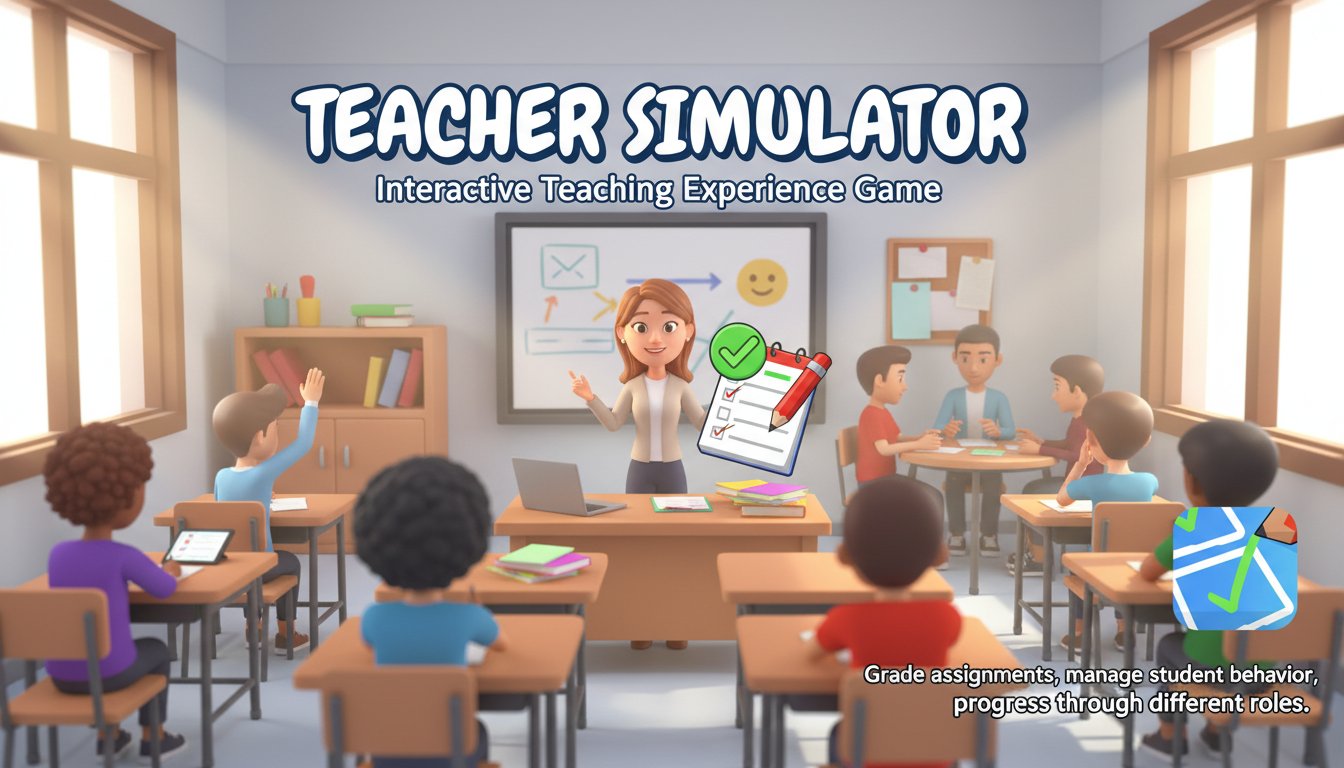
Teacher Simulator is an immersive 3D simulation game that lets you experience life from the other side of the classroom desk. Instead of being the student, you're now the one in charge of managing an entire classroom full of energetic students. This engaging casual game combines education, management, and humor to create a unique gaming experience that's both entertaining and surprisingly realistic.
The game offers a fresh perspective on school life, allowing players to understand the daily challenges teachers face while providing plenty of laughs along the way. With its intuitive mouse controls and colorful 3D graphics, Teacher Simulator makes classroom management accessible and fun for players of all ages.
Core Features
Multiple Teaching Game Modes
Teacher Simulator offers four distinct gameplay modes that capture different aspects of teaching:
Question & Answer Sessions : Lead interactive classroom discussions where you ask students essential life questions like "What does LOL mean?" Students raise their hands with answers, and you decide whether their responses are correct or incorrect. This mode tests your knowledge while keeping the classroom engaged.
Assignment Grading : Sharpen your virtual pencils to the perfect point and dive into marking student work. Review each answer carefully and place ticks or X marks based on correctness. This mode captures the meticulous nature of academic assessment.
Cheating Detection : Keep a watchful eye on your students during exams. Some clever pupils will attempt to copy answers from their neighbors, but it's your job to catch them in the act and maintain academic integrity.
Classroom Discipline Management : Handle misbehavior, fights, and disruptions with creative disciplinary measures. The game adds humor with unconventional tools like fire extinguishers and stun guns to restore order when students get out of line.
Career Progression System
Advance through different teaching positions by excelling in your current role. Start with basic subjects and unlock opportunities to teach specialized classes including: - Film studies - Business education - General knowledge - Advanced academic subjects
Each new position offers better compensation and more challenging classroom scenarios, providing long-term goals and replay value.
Realistic School Environment
The 3D graphics create an authentic school atmosphere with detailed classrooms, hallways, and student interactions. The visual design captures the chaos and energy of a real educational environment while maintaining a lighthearted, cartoonish style.
Gameplay Instructions
Basic Controls : The entire game is controlled using only your mouse's left button, making it incredibly accessible for players of any skill level.
Starting Out : Begin each session by selecting your preferred game mode. New players should start with question sessions to get familiar with the interface and classroom dynamics.
Student Management : Pay attention to student behavior indicators. Raised hands signal participation, while suspicious movements might indicate cheating or misbehavior.
Grading Strategy : Take time to read each answer carefully before marking. Accuracy in grading affects your teaching performance and career progression.
Discipline Timing : Act quickly when you spot misbehavior, but choose your disciplinary actions wisely to maintain classroom respect while keeping the atmosphere fun.
Why Play Teacher Simulator
Educational Value : While entertaining, the game provides insight into the real challenges educators face daily. Players develop appreciation for teachers and understanding of classroom dynamics.
Stress-Free Environment : Unlike real teaching, mistakes in the game have no serious consequences, allowing for experimentation and learning without pressure.
Universal Appeal : The game appeals to former students curious about the teaching experience, current educators looking for lighthearted entertainment, and anyone interested in management simulation games.
Accessibility : Being completely free and browser-based means anyone can jump in immediately without downloads or installations. The simple mouse controls ensure that technical barriers don't prevent enjoyment.
Replay Value : Multiple game modes, career progression, and varying student behaviors ensure that each session offers something new and engaging.