
The Final Earth 2 - Vertical City Building Space Colony Game - Simulation Game
 New
NewHook a Fish Arcade
Build a fishing arcade where catches buy you more time.
 Puzzle
Box Robot Puzzle
Build crate-pushing puzzles with vehicles and physics timing.
 Subscriber only
Unreal Dungeon Crawler
Build a playable Unreal dungeon crawler, combat-ready.
 New
NewCharacter Physics World
Build a third-person physics world with day-night and props to touch.

Time-Attack Racer
Build a no-physics finish-gate racer with nitro, minimap guidance, and synthesized audio.
 FPS
FPSZombie Horror Survival
Build a tense zombie horror survival with map progression.
 Subscriber only
Unreal FPS/TPS Shooter
Create a complete UE 5.5 FPS or TPS shooter with combat, UI, and replay.
 FPS
FPS3D FPS Game
Build a desert FPS with weapon switching and a retro HUD.
 New
NewUnderwater Puzzle
Build an underwater puzzle: restore coral, dodge crabs.
 Subscriber only
Unreal Mountain Tour
Tour a third-person Unreal world of mountains and water.
NewHook a Fish Arcade
Build a fishing arcade where catches buy you more time.
PuzzleBox Robot Puzzle
Build crate-pushing puzzles with vehicles and physics timing.
Subscriber onlyUnreal Dungeon Crawler
Build a playable Unreal dungeon crawler, combat-ready.
NewCharacter Physics World
Build a third-person physics world with day-night and props to touch.
Time-Attack Racer
Build a no-physics finish-gate racer with nitro, minimap guidance, and synthesized audio.
FPSZombie Horror Survival
Build a tense zombie horror survival with map progression.
Subscriber onlyUnreal FPS/TPS Shooter
Create a complete UE 5.5 FPS or TPS shooter with combat, UI, and replay.
FPS3D FPS Game
Build a desert FPS with weapon switching and a retro HUD.
NewUnderwater Puzzle
Build an underwater puzzle: restore coral, dodge crabs.
Subscriber onlyUnreal Mountain Tour
Tour a third-person Unreal world of mountains and water.
Prompt

Games are fun. Creating them is even better.
Game Introduction
About The Final Earth 2
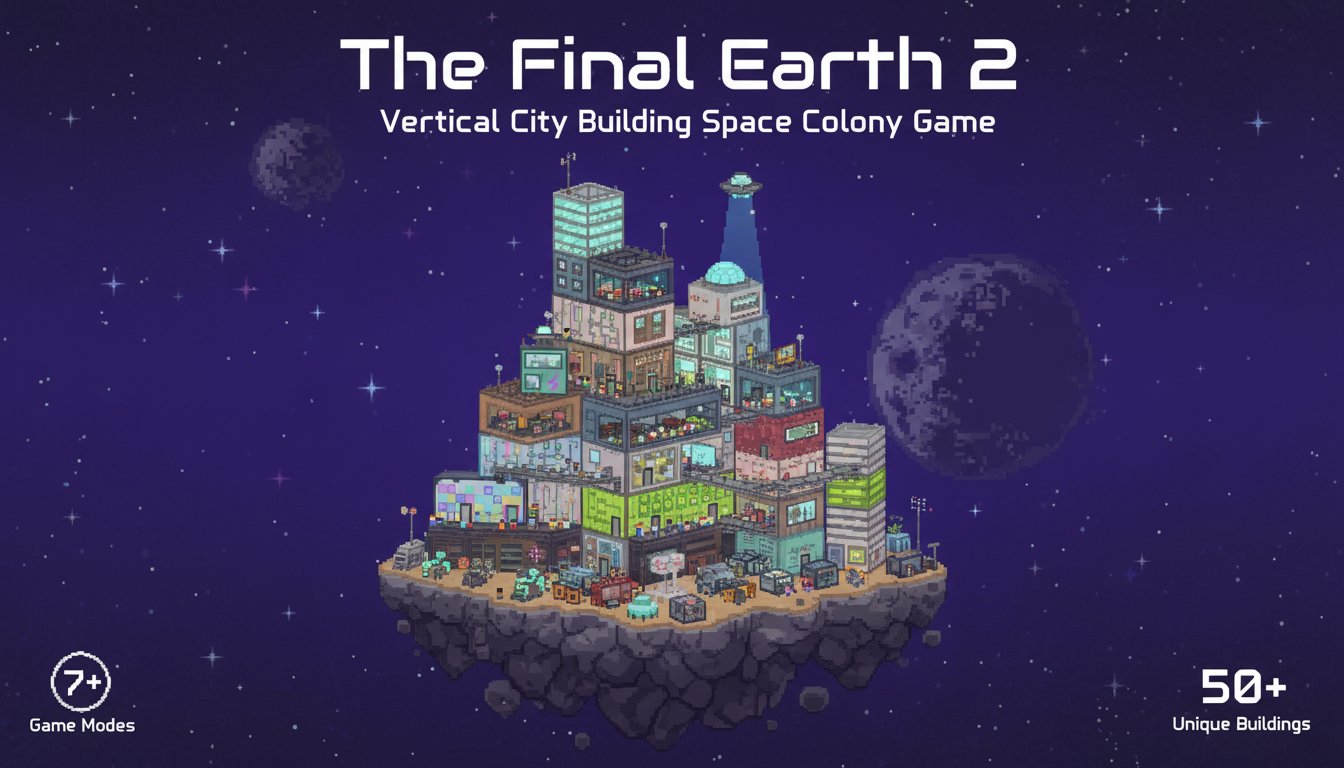
The Final Earth 2 is a captivating vertical city building game that takes urban planning to new heights - literally! Set in the year 2142 after Earth has become uninhabitable, you'll embark on an extraordinary journey to build thriving space colonies on tiny asteroids floating in the cosmos.
This innovative pixel art city builder challenges you to construct upward rather than outward, creating towering metropolises that defy gravity. With its unique vertical building mechanics and space setting, The Final Earth 2 offers a fresh take on the classic city building genre that has captivated thousands of players worldwide.
Core Features
Vertical City Building Revolution
Unlike traditional city builders that expand horizontally, The Final Earth 2 pioneered the vertical city building concept. You'll stack buildings on top of each other, creating spectacular skylines that stretch toward the stars. This innovative approach maximizes limited space on small asteroids while creating visually stunning urban landscapes.
Extensive Building System
Discover and unlock over 50 unique building types as your civilization advances. From basic farms and housing to advanced research facilities and entertainment complexes, each structure serves a specific purpose in your growing colony. The progression system ensures continuous engagement as you unlock new possibilities.
Multiple Game Modes for Every Player
Choose from 7 distinct game modes to match your preferred playstyle:
- Story Mode : Follow the narrative from "A New Beginning" as humanity seeks a new home
- Mega World : Build massive cities on enormous asteroids
- Random Archipelago : Manage colonies across randomly generated asteroid clusters
- Empty Canvas : Start with resource-rich environments for unlimited creativity
- Divided : Overcome challenges with separated resource types
- Random Mini Worlds : Expand across countless tiny asteroids
- Archipelago Classic : Traditional multi-world colony management
Advanced Population Management
Your citizens aren't just numbers - they're living, breathing inhabitants with evolving needs. As your civilization advances, citizen requirements become more sophisticated. Balance housing, food, entertainment, and employment to maintain a happy, productive population that can number in the thousands.
Gameplay Mechanics
Resource Management and Economy
Master the delicate balance of resource production and consumption. Assign your workforce strategically based on current needs - prioritize stone production for construction phases or focus on food during population booms. The dynamic economy system responds to your decisions in real-time.
Technology and Research
Utilize the exploration center to unlock groundbreaking technologies. Research new equipment for your workforce, discover advanced building types, and develop technologies that will help your colony thrive in the harsh environment of space.
Multi-World Colonization
Once you've established a successful colony, expand your influence by traveling to other asteroids in your spaceship. Each new world presents unique challenges and opportunities, allowing you to build a vast interplanetary civilization.
Operation Guide
Basic Controls
- Mouse : Navigate menus, select buildings, and place structures
- Left Click : Select buildings and interface elements
- Right Click : Cancel actions or access context menus
- Mouse Wheel : Zoom in and out for better city overview
- Ctrl + Click : Follow individual citizens to observe their daily lives
Getting Started Tips
- Begin with Essentials : Start by building farms for food production and housing for population growth
- Plan Vertically : Consider how buildings will stack when planning your city layout
- Monitor Happiness : Keep an eye on citizen satisfaction levels through the happiness indicators
- Balance Resources : Don't focus on just one resource type - diversification is key
- Unlock Technologies : Prioritize research to access more advanced buildings and capabilities
Why Play The Final Earth 2
Completely Free Experience
Enjoy the full game experience without any cost. No hidden fees, no premium content locks, no advertisements interrupting gameplay. The Final Earth 2 delivers a complete city building experience accessible to everyone.
Cross-Platform Accessibility
Play seamlessly across all devices - desktop computers, laptops, tablets, and smartphones. The game runs directly in your web browser without requiring downloads or installations. Your progress saves automatically, allowing you to continue building your space empire from any device.
Perfect for City Building Enthusiasts
Whether you're a veteran city builder or new to the genre, The Final Earth 2 offers the perfect blend of accessibility and depth. Simple enough to learn quickly, yet complex enough to provide hundreds of hours of engaging gameplay.
Unique Space Setting
Tired of building the same earthbound cities? The space setting provides a refreshing change of pace with unique challenges like limited space, resource scarcity, and the need to create self-sufficient colonies in the void of space.