Traffic Control 2

Seele01-Flash
By
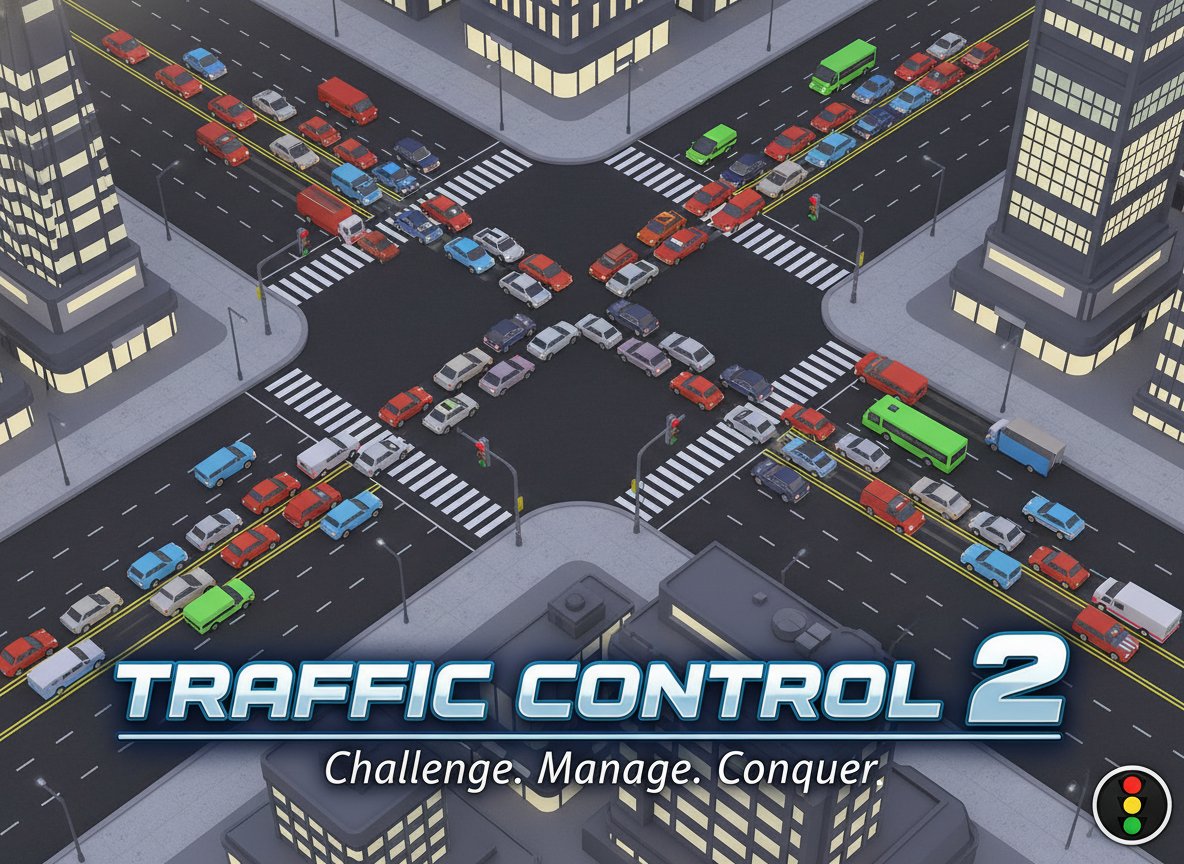
Traffic Control 2 is a challenging traffic management simulation where you control stoplights to keep city traffic flowing smoothly. Prevent jams while handling increasing traffic volume in this addictive strategy game.

Prompt

MODEL: Seele01-Flash
Please use Three.js to generate a **mobile-first game** with the theme "**Traffic Control 2 - City Gridlock Manager**". Please read the following detailed game design requirements first, and then generate the code accordingly: ### 1. Assets & Environment * **Visual Style:** Use a **Low-Poly / Voxel 3D style** but rendered with an **Orthographic Camera** (top-down view, slight angle) to mimic the classic 2D look while adding depth. * **City Layout:** Create a procedural grid of city blocks. * **Roads:** distinct dark asphalt texture with yellow "Box Junction" cross-hatching markings at every intersection. * **Buildings:** Simple rectangular geometries representing hospitals (H symbol), parks (green), and commercial buildings to fill the negative space between roads. * **Entities:** * **Cars:** Low-poly rectangular block meshes in varying colors (red, blue, yellow) to distinguish individual vehicles. * **Traffic Lights:** clearly visible spheres at each corner of an intersection. Use `MeshBasicMaterial` with distinct Red (#FF0000) and Green (#00FF00) colors that switch instantly. * **Performance Optimization:** Use `THREE.InstancedMesh` for repeated assets like road tiles, decorative trees, and buildings to ensure 60FPS on mobile browsers. Shadows should be baked or disabled; use simple directional lighting. ### 2. Audio Requirements * **BGM:** A light, rhythmic, "Sim-style" background track (jazz or minimal techno) that conveys a sense of busy city life without being distracting. * **Sound Effects (SFX):** * **Light Switch:** A satisfying mechanical "click" or whistle sound when the player toggles an intersection. * **Traffic:** A low-volume ambient city hum (engines, distant sirens). * **Scoring:** A pleasant "ping" or "cash register" sound when a car successfully exits the screen. * **Warning/Fail:** Agitated "Honking" sounds when cars have been stationary for too long. A chaotic "horns blaring" sound effect for Game Over. ### 3. Gameplay Loop * **Core Mechanic:** Cars spawn from the edges of the map and travel towards a random exit point. They automatically stop at red lights or behind other cars. * **Player Action:** The player cannot control cars directly. The player taps/clicks an intersection to toggle the traffic lights (switching Green from North-South to East-West). * **Traffic Logic:** * Implement a simple waypoint system. Cars follow the road lanes. * **Collision Avoidance:** Cars must detect the car ahead (using simple distance checks) and brake to avoid clipping. * **Gridlock Rule:** Cars cannot enter the yellow "Box Junction" unless the exit is clear. * **Progression & Difficulty:** * **Score:** +1 point for every car that leaves the map. * **Ramp-up:** As the score increases, decrease the spawn interval (more cars appear faster). * **Game Over Condition:** If a traffic queue backs up all the way to a spawn point (edge of the screen), or if the total number of stationary cars exceeds a threshold (Gridlock), the game ends. ### 4. Mobile Controls & Interaction * **Touch Controls:** Implement a `Raycaster` for interaction. * **Hitbox Expansion:** The touch-sensitive area for an intersection must be significantly larger (e.g., 2x) than the visual traffic light model to accommodate "fat finger" errors on mobile screens. * **Feedback:** * **Visual:** When an intersection is tapped, trigger a subtle scale bounce animation on the traffic lights to confirm input. * **Haptic:** If supported, trigger `navigator.vibrate(10)` on every successful light switch. * **UI/UX:** * **Orientation:** Force or design for **Landscape** mode to maximize the view of the road network. * **HUD:** Display the Score in the top-left corner using a large, readable font (sans-serif). * **Restart:** On Game Over, display a large, centralized "Replay" button (minimum 44x44px touch target). Do not ask for clarification. Do not request confirmation. Directly execute the generation task based on the given instructions.

Game Introduction

About the Game

Traffic Control 2 is an engaging traffic management simulation that puts you in charge of a busy city's traffic flow. With a solid rating of 3.2/5, this challenging game tests your strategic thinking and quick decision-making skills as you control traffic lights at various intersections throughout the city.

The game's deceptively simple concept - controlling stoplights - becomes increasingly complex as traffic volume grows. Your mission is to ensure smooth traffic flow while preventing costly traffic jams that could bring the entire system to a halt.

Core Features

Strategic Traffic Management

Take control of multiple intersections simultaneously, making split-second decisions about when to change traffic lights. Each decision impacts the entire traffic network, requiring you to think several moves ahead.

Progressive Difficulty System

Start with manageable traffic flow and watch as the challenge intensifies. As your score increases, more vehicles enter the city, creating increasingly complex traffic patterns that demand expert management skills.

Real-Time Scoring System

Earn points for every vehicle that successfully crosses the city. The scoring system encourages efficient traffic flow while rewarding players who can handle high-volume traffic without creating bottlenecks.

Intuitive Click Controls

Simple yet precise controls allow you to focus on strategy rather than complex mechanics. Click on intersections to change traffic lights instantly, giving you direct control over traffic flow.

Challenging Puzzle Elements

What appears straightforward quickly becomes a complex puzzle requiring careful planning and timing. Balance competing traffic flows while preventing the dreaded gridlock that ends your game.

Gameplay Mechanics

The game operates on a simple but effective principle: maintain traffic flow to maximize your score. Each car that successfully passes through the city adds one point to your total. However, as your score climbs, the challenge escalates with increased traffic volume.

Traffic lights respond instantly to your clicks, but timing is everything. Change lights too early and you'll stop flowing traffic unnecessarily. Wait too long and you risk creating backups that can spiral into game-ending jams.

Operation Guide

Basic Controls

  • Mouse Click : Click on any intersection to toggle the traffic light
  • Traffic Light States : Red stops traffic, green allows movement
  • Intersection Management : Monitor multiple junctions simultaneously
  • Visual Feedback : Watch traffic patterns to identify potential problem areas

Winning Strategies

  1. Observe Traffic Patterns : Study how vehicles move through your city before making changes
  2. Plan Ahead : Consider how current light changes will affect future traffic flow
  3. Prevent Bottlenecks : Identify intersections that tend to create backups and manage them proactively
  4. Balance Flow : Ensure no single direction dominates traffic light timing
  5. Stay Alert : As traffic increases, be ready to make rapid adjustments

Common Mistakes to Avoid

  • Changing lights too frequently without observing results
  • Focusing on one intersection while neglecting others
  • Allowing traffic to build up in one direction
  • Panicking when traffic gets heavy instead of making calculated decisions

Why Play Traffic Control 2

This game offers a unique blend of strategy and reflexes that appeals to puzzle enthusiasts and simulation fans alike. Unlike action-packed games, Traffic Control 2 rewards patience, observation, and strategic thinking.

The game's progressive difficulty ensures that both newcomers and experienced players find appropriate challenges. Start with basic traffic management and gradually develop the skills needed to handle complex, high-volume scenarios.

Perfect for quick gaming sessions or extended play, Traffic Control 2 provides satisfying gameplay that improves with practice. Each session teaches valuable lessons about traffic flow dynamics and strategic planning.

The browser-based format means you can play anywhere without downloads or installations, making it an ideal choice for office breaks or casual gaming sessions.

Frequently Asked Questions (FAQ)