
Flicking Soccer - Sports Game
 Unity
UnityEgg on the Car Roof
Build a Unity challenge: keep a fragile egg on a moving roof.
 Sandbox
Voxel Sandbox Builder
Build a voxel sandbox for placing and breaking blocks freely.
 Arcade
Pumpkin Night Adventure
Build a Halloween grid-arena survival romp.
 Adventure
Character Adventure Sim
Build a 3D character explorer with traversal and interactive zones.
 Unity
UnityCrimson Illusion Battle
Build a Unity fantasy battle through a crimson illusion realm.
 FPS
FPSNight Mission Survival
Build a first-person night survival with flashlight combat.
 Unity
UnityCupid's Arrow
Build a Unity archery game of timing and matchmaking.
 Subscriber only
Unreal City Tour
Explore a photoreal Unreal city with terrain and live weather.
 New
NewRiver Raid Survival
Build a River Raid-style flight survival run with fuel pressure.
 New
NewFirst-Person Horror Survival
Build a first-person horror survival with exploration and enemies.
UnityEgg on the Car Roof
Build a Unity challenge: keep a fragile egg on a moving roof.
SandboxVoxel Sandbox Builder
Build a voxel sandbox for placing and breaking blocks freely.
ArcadePumpkin Night Adventure
Build a Halloween grid-arena survival romp.
AdventureCharacter Adventure Sim
Build a 3D character explorer with traversal and interactive zones.
UnityCrimson Illusion Battle
Build a Unity fantasy battle through a crimson illusion realm.
FPSNight Mission Survival
Build a first-person night survival with flashlight combat.
UnityCupid's Arrow
Build a Unity archery game of timing and matchmaking.
Subscriber onlyUnreal City Tour
Explore a photoreal Unreal city with terrain and live weather.
NewRiver Raid Survival
Build a River Raid-style flight survival run with fuel pressure.
NewFirst-Person Horror Survival
Build a first-person horror survival with exploration and enemies.
Prompt

Games are fun. Creating them is even better.
Game Introduction
About the Game
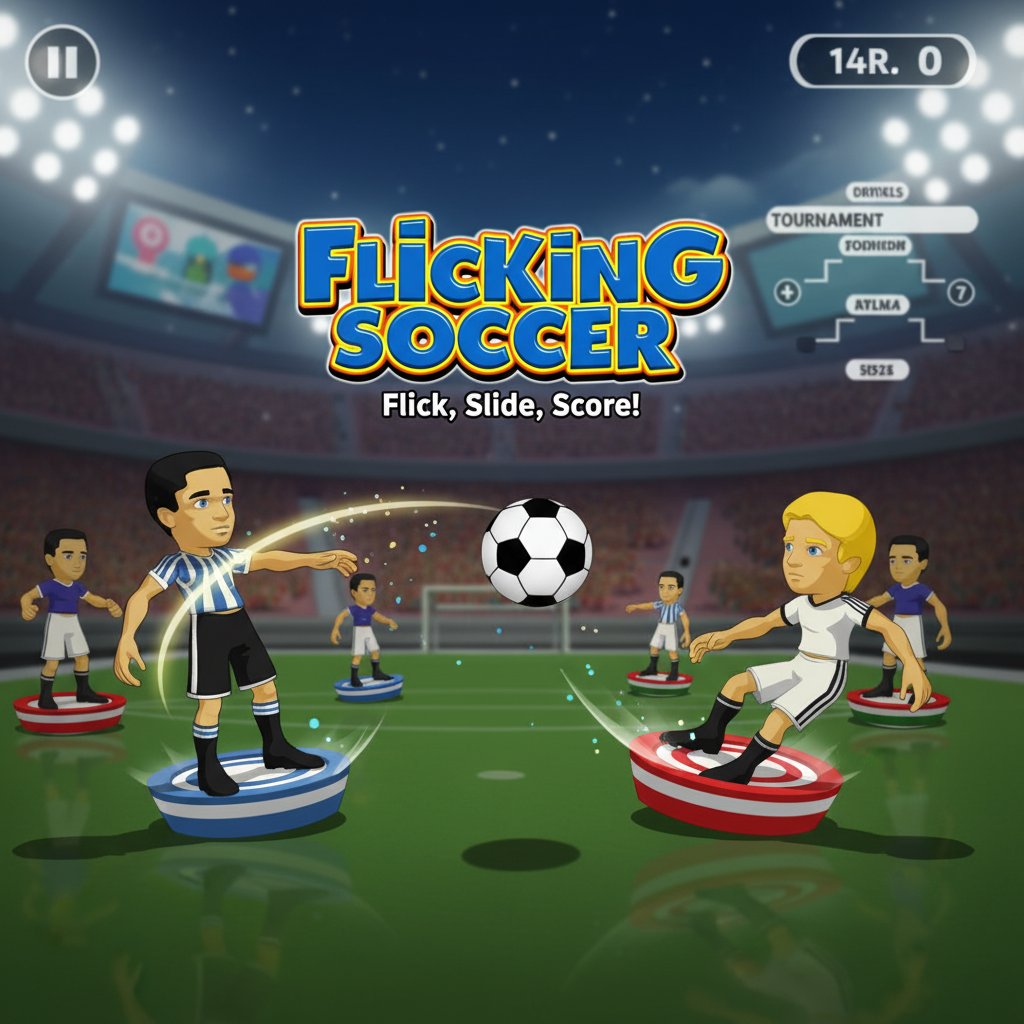
Flicking Soccer is an innovative take on the classic soccer experience, combining strategic gameplay with intuitive finger-flicking controls. This free-to-play browser game transforms traditional soccer into an accessible, skill-based sport where precision and timing are everything. Perfect for soccer fans and casual gamers alike, the game offers quick matches and tournament play that can be enjoyed anywhere, anytime.
Core Features
Unique Flicking Gameplay
Unlike traditional soccer games, Flicking Soccer uses an innovative control system where you physically flick your players across the field. This creates a tactile, engaging experience that feels more like playing with real miniature figures than controlling digital characters.
Tournament Mode
Compete in exciting tournament brackets where you'll face increasingly challenging opponents. Choose your favorite team and work your way through multiple rounds to become the ultimate flicking soccer champion.
Strategic Team Play
Even though you can only move one player at a time, the game requires careful planning and strategy. Position your players wisely, anticipate your opponent's moves, and create scoring opportunities through tactical gameplay.
Instant Browser Play
- Completely Free : No payment required, full game access from the start
- No Download Needed : Play directly in your web browser
- Cross-Platform Compatible : Works on computers, tablets, and smartphones
- Quick Sessions : Perfect for short breaks or extended gaming sessions
Colorful Visual Style
The game features bright, cartoonish graphics with clearly defined players and field elements. The visual design makes it easy to track the action while maintaining an appealing, family-friendly aesthetic.
Game Controls
Basic Movement
- Click and Drag : Select a player and drag to aim your flick
- Release : Let go to send your player sliding toward the ball
- Power Control : The length of your drag determines the force of the flick
- Precision Aiming : Carefully angle your flicks to control ball direction
Strategic Tips
- Only one player can move per turn, so plan your actions carefully
- Use the momentum of your flicks to chain movements and create plays
- Position defensive players to block opponent shots
- Time your offensive moves to catch the opponent off guard
How to Play
- Team Selection : Choose your preferred team from the available options
- Tournament Entry : Enter the tournament mode to compete against AI opponents
- Turn-Based Play : Take turns with your opponent, moving one player at a time
- Scoring Goals : Flick your players to kick the ball into the opponent's goal
- Win Matches : Score more goals than your opponent to advance in the tournament
Why Play Flicking Soccer
Perfect for All Ages
The simple flicking mechanism makes this game accessible to players of all skill levels. Children can easily understand the controls, while adults will appreciate the strategic depth and precise timing required for advanced play.
Unique Soccer Experience
This isn't your typical soccer video game. The flicking mechanic creates a fresh, engaging way to experience the beautiful game, combining elements of table football with digital gaming convenience.
Skill Development
Playing Flicking Soccer helps develop: - Hand-eye coordination through precise flicking controls - Strategic thinking by planning multi-move sequences - Timing and patience as you wait for the perfect moment to strike - Spatial awareness when positioning players on the field
Social and Competitive Fun
While featuring single-player tournament mode, the game's simple concept makes it perfect for sharing with friends and family. Challenge others to beat your tournament scores or take turns on the same device.