
Mini Putt - Classic Mini Golf Game - Sports Game
 Unity
UnityCity Eater
Build a Unity game where a growing blob devours the city.
 Unity
UnityCupid's Arrow
Build a Unity archery game of timing and matchmaking.
 Puzzle
Magic Cube Puzzle
Build an interactive Rubik's Cube with scramble and reset.
 Puzzle
Box Robot Puzzle
Build crate-pushing puzzles with vehicles and physics timing.
 Unity
UnityBattle of Balls
Build a Unity arena where rolling balls collide and grow.
 Unity
UnityEgg on the Car Roof
Build a Unity challenge: keep a fragile egg on a moving roof.
 FPS
FPSNight Mission Survival
Build a first-person night survival with flashlight combat.
 Roguelike
Dungeon Survivors
Build a Vampire-Survivors-style dungeon arena with hero picks.
 Subscriber only
Unreal Mountain Tour
Tour a third-person Unreal world of mountains and water.
 Arcade
Pumpkin Night Adventure
Build a Halloween grid-arena survival romp.
UnityCity Eater
Build a Unity game where a growing blob devours the city.
UnityCupid's Arrow
Build a Unity archery game of timing and matchmaking.
PuzzleMagic Cube Puzzle
Build an interactive Rubik's Cube with scramble and reset.
PuzzleBox Robot Puzzle
Build crate-pushing puzzles with vehicles and physics timing.
UnityBattle of Balls
Build a Unity arena where rolling balls collide and grow.
UnityEgg on the Car Roof
Build a Unity challenge: keep a fragile egg on a moving roof.
FPSNight Mission Survival
Build a first-person night survival with flashlight combat.
RoguelikeDungeon Survivors
Build a Vampire-Survivors-style dungeon arena with hero picks.
Subscriber onlyUnreal Mountain Tour
Tour a third-person Unreal world of mountains and water.
ArcadePumpkin Night Adventure
Build a Halloween grid-arena survival romp.
Prompt

Games are fun. Creating them is even better.
Game Introduction
About Mini Putt
Mini Putt is the iconic mini golf game that captured the hearts of millions during the golden age of browser gaming. This timeless classic combines simple controls with challenging physics-based gameplay, making it accessible to beginners while offering depth for serious golf enthusiasts. The game features clean 2D graphics, intuitive mouse controls, and progressively challenging courses that test your precision and strategy.
Core Features
Classic Mini Golf Experience
Mini Putt delivers an authentic mini golf experience with realistic ball physics and carefully designed courses. Each hole presents unique challenges, from simple straight shots to complex multi-bounce scenarios that require careful planning and precise execution.
Physics-Based Gameplay
The game's physics engine creates realistic ball movement, accounting for momentum, surface friction, and obstacle interactions. Players must master the relationship between shot power and ball trajectory to achieve optimal scores.
Progressive Difficulty
Courses are designed with increasing complexity, starting with straightforward holes and advancing to intricate layouts featuring multiple obstacles, tight corners, and strategic challenges that demand skillful shot placement.
Score Competition System
Track your performance across all courses and compare final scores with friends. The game encourages competitive play by maintaining clear scoring records and promoting friendly competition among players.
Cross-Platform Compatibility
Originally a Flash game, Mini Putt has been updated to HTML5, ensuring compatibility with modern browsers on both desktop and mobile devices without requiring additional downloads or plugins.
Game Mechanics
Shot Placement and Aiming
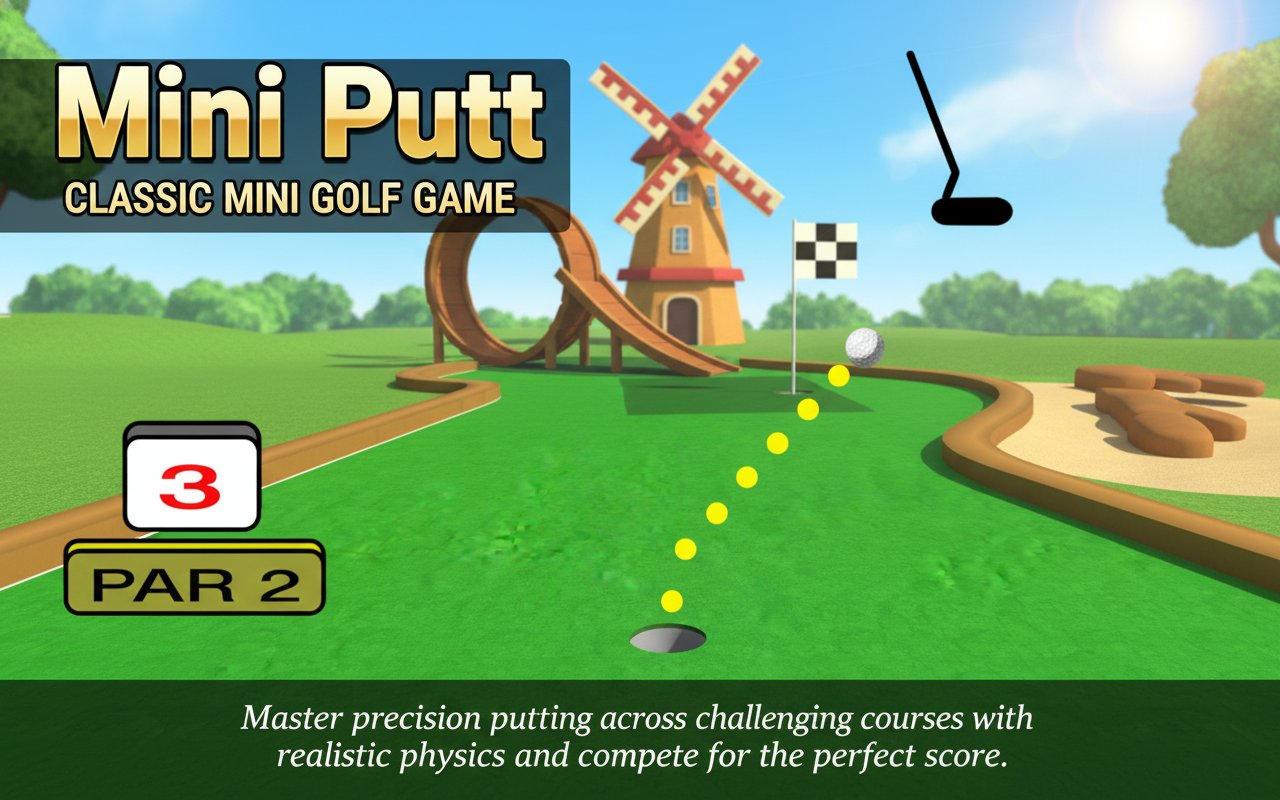
Begin each hole by positioning your ball at the optimal starting location. Use the yellow trajectory line to aim your shot, considering obstacles, walls, and the hole's position to plan the most effective path.
Power Control System
Adjust shot power by extending or shortening the aiming line. Longer lines generate more powerful shots, while shorter lines provide gentle, controlled putts. Mastering power control is essential for navigating tight spaces and avoiding overshooting.
Course Navigation
Each course presents unique layouts with various obstacles, including walls, barriers, and strategic pathways. Success requires understanding how the ball will interact with different surfaces and planning multi-shot strategies for complex holes.
Controls and Interface
Simple Mouse Controls
The game uses intuitive mouse-only controls. Click and drag to position your ball, aim using the yellow guide line, and click to execute your shot. The streamlined control scheme ensures players can focus on strategy rather than complex input combinations.
Visual Feedback System
Clear visual indicators help players understand shot power, trajectory, and course layout. The yellow aiming line provides immediate feedback on shot direction and approximate power level.
Why Play Mini Putt
Timeless Appeal
Mini Putt represents the golden age of browser gaming, offering pure gameplay without unnecessary complications. Its enduring popularity stems from perfectly balanced difficulty and rewarding skill progression.
Skill Development
The game develops spatial reasoning, precision control, and strategic thinking. Players naturally improve their ability to judge angles, power, and physics interactions through repeated play.
Social Competition
Compare scores with friends and family to determine the ultimate Mini Putt champion. The competitive element adds replay value and encourages skill improvement.
Accessibility
Free to play, requires no downloads, and works on virtually any device with a web browser. This accessibility has made Mini Putt a favorite for casual gaming sessions across different platforms and age groups.
Perfect for Quick Sessions
Each course can be completed in just a few minutes, making Mini Putt ideal for short breaks, casual entertainment, or competitive challenges with friends and colleagues.