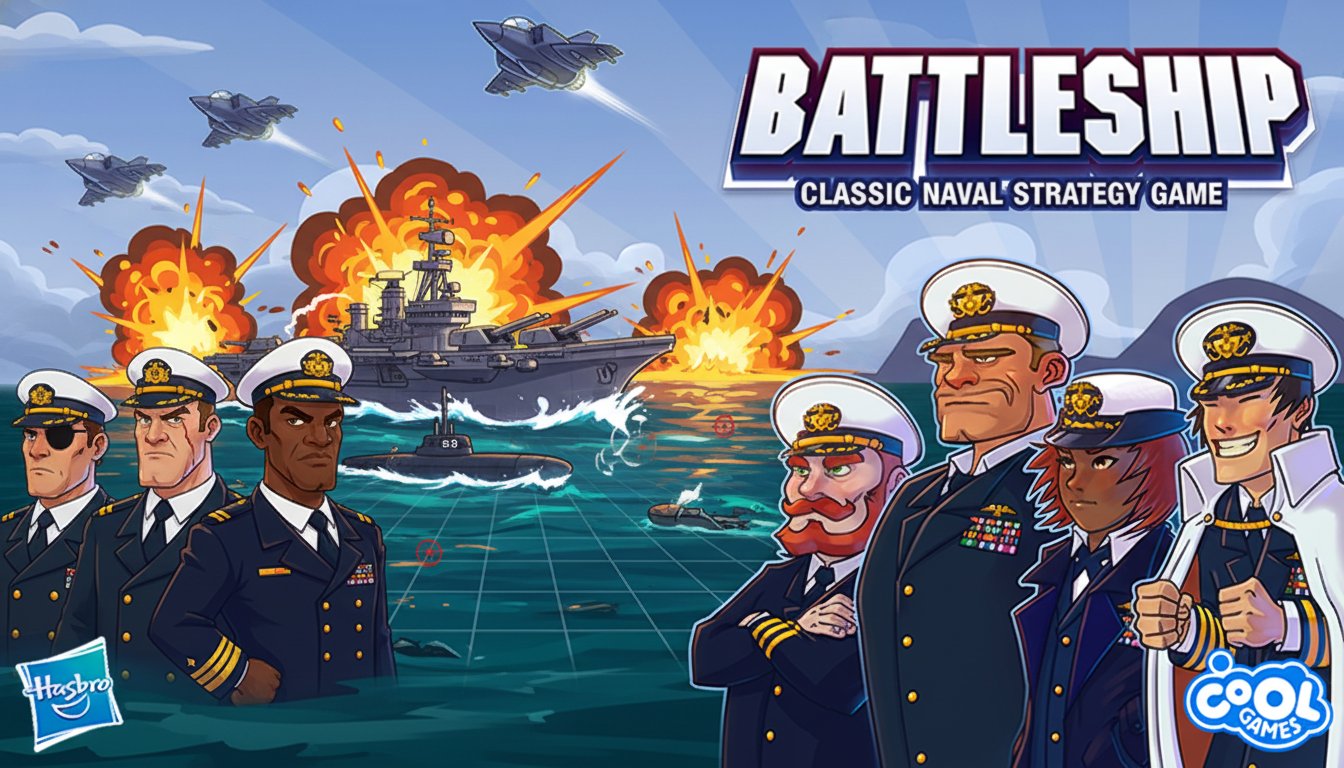
Battleship - Classic Naval Strategy Game

Seele01-Flash
By
Battleship is the timeless naval strategy game where you command a fleet of warships in tactical grid-based combat. Place your ships strategically, take turns guessing enemy positions, and be the first to sink the opposing fleet to claim victory.

Prompt

MODEL: Seele01-Flash
Please use Three.js to generate a **mobile-first game** with the theme "**Battleship Commander**". Please read the following detailed game design requirements first, and then generate the code accordingly: ### 1. Assets & Environment * **Visual Style:** Stylized, semi-cartoonish 3D aesthetic (inspired by the promotional art). Use bright, saturated colors. Materials should use `MeshToonMaterial` or `MeshLambertMaterial` for a clean, non-photorealistic look. * **The Sea:** Create a dynamic ocean surface using a plane with a custom shader or a moving normal map to simulate gentle waves. Color should be a vibrant deep blue. * **The Grids:** Two distinct 10x10 grids. * **Player Grid (Bottom):** Where the player's ships are placed. * **Radar Grid (Top):** Where the player targets the enemy. This grid should look like a tactical holographic overlay or a fog-of-war map. * **The Fleet:** Create low-poly representations of 5 standard ship types for each side: Carrier (5 cells), Battleship (4), Cruiser (3), Submarine (3), Destroyer (2). * **VFX:** * **Miss:** White splash particle effect. * **Hit:** Orange/Red explosion particles and smoke rising. * **Sunk:** The ship model should turn dark gray or tilt slightly into the water. * **Camera:** Fixed perspective, slightly angled top-down view optimized for Portrait Mode, ensuring both grids are visible without zooming. ### 2. Audio Requirements * **BGM:** A heroic, military-style marching tune (snare drums, brass) that loops. It should be energetic but not distracting. * **Sound Effects (SFX):** * **Select/Tap:** Electronic "blip" or sonar ping. * **Fire:** Cannon blast or missile launch whoosh. * **Splash (Miss):** Water splashing sound. * **Explosion (Hit):** Heavy metallic impact and boom. * **Win/Lose:** A short triumphant trumpet fanfare for victory; a slowing-down, sad trombone or sinking bubbling sound for defeat. ### 3. Gameplay Loop * **Phase 1: Deployment:** * The player drags and drops their 5 ships onto the bottom grid. * Include a "Rotate" button to toggle ship orientation (Horizontal/Vertical) during placement. * Include an "Auto-Deploy" button for quick starts. * **Phase 2: Battle (Turn-Based):** * **Player Turn:** The player taps cells on the Top (Radar) Grid to mark targets. As per the description, allow for a "Volley" mechanic (e.g., 3 shots per turn, or specialized AOE weapons unlocked later). * **Fire:** Player presses a "FIRE" button to confirm targets. * **Resolution:** Camera focuses briefly on the target area. Projectiles animate. Reveal Hit (Red Peg) or Miss (White Peg). * **Enemy AI Turn:** The AI fires back at the Player's grid immediately after. The AI should have basic logic (if a hit is scored, target adjacent cells next turn). * **Win Condition:** The game ends when one side sinks all 5 enemy ships. * **Progression (Simplified):** Display a score/XP bar that increases with every hit and victory. ### 4. Mobile Controls & Interaction * **Orientation:** **Portrait Mode (Vertical)** is mandatory to fit two grids on a phone screen comfortably. * **Touch Controls:** * **Grid Interaction:** Raycasting for touch detection. Tapping a cell toggles the selection. * **UI Layout:** Large, thumb-friendly buttons at the bottom of the screen (min height 50px). * **Haptic Feedback:** Trigger `navigator.vibrate(50)` on a Miss, and `navigator.vibrate([100, 50, 100])` (heavy vibration) on a Hit/Explosion. * **Camera Shake:** Implement a subtle screen shake effect (`camera.position` jitter) when a ship is hit to enhance impact. * **Visual Feedback:** Highlight selected grid cells with a green outline before firing. Invalid placements (overlapping ships) should flash red. Do not ask for clarification. Do not request confirmation. Directly execute the generation task based on the given instructions.

Game Introduction

About the Game

Battleship brings the beloved classic board game to your web browser with enhanced graphics and engaging naval warfare action. This strategic two-player game puts you in command of an elite naval fleet, challenging you to outmaneuver and outsmart your opponent in tactical grid-based combat. With its simple yet deep gameplay mechanics, Battleship offers endless strategic possibilities that have captivated players for decades.

The digital version maintains all the tension and excitement of the original while adding modern conveniences like automated scoring, visual hit indicators, and progressive weapon unlocks that enhance the traditional experience.

Core Features

Strategic Fleet Placement

Position your naval units across a tactical grid with careful consideration. Each ship occupies multiple squares and can be placed horizontally or vertically. Smart placement is crucial - spreading your fleet makes it harder for enemies to locate and destroy your ships once they score their first hit.

Turn-Based Combat System

Engage in methodical warfare where each player takes three guesses per turn. When you successfully hit an enemy vessel, the targeted square clearly indicates your success, allowing you to narrow down ship locations and plan subsequent attacks.

Progressive Weapon System

As you complete battles and gain experience, unlock powerful new weapons that can target larger areas simultaneously. This progression system adds depth and gives experienced players additional tactical options in combat.

Cross-Platform Accessibility

Enjoy seamless gameplay across desktop computers and mobile devices through any modern web browser. No downloads or installations required - simply load the game and start commanding your fleet.

Game Mechanics

Fleet Composition

Every player begins with an identical naval force consisting of ships of varying sizes. Understanding ship dimensions is crucial for both placement strategy and enemy hunting tactics.

Grid-Based Warfare

The battlefield consists of a square grid where precise coordinate selection determines success or failure. Logical thinking becomes essential as you analyze remaining ship sizes and possible placement locations.

Victory Conditions

Achieve triumph by completely eliminating the enemy fleet. Each ship must be fully revealed (all squares hit) to count as sunk. The race against your opponent creates intense strategic pressure throughout each match.

Operation Guide

Mouse Controls : Use left-click to interact with all game elements, from ship placement to target selection during combat phases.

Setup Phase : Drag and drop your ships onto your grid section, rotating them as needed to fit your strategic vision.

Combat Phase : Click on enemy grid squares to launch attacks. Pay attention to hit/miss feedback to guide future targeting decisions.

Weapon Selection : As you unlock advanced weapons, choose the appropriate tool for each tactical situation.

Why Play This Naval Strategy Game

Battleship offers the perfect balance of luck and strategy that makes each game unique and engaging. The simple rules make it accessible to newcomers, while the strategic depth provides lasting appeal for experienced tacticians. The free browser-based format means you can enjoy quick matches during breaks or engage in longer strategic sessions.

The progression system adds modern gaming elements to the classic formula, giving players long-term goals and unlockable content. Whether you're nostalgic for the original board game or discovering this classic for the first time, the online version delivers authentic battleship excitement with contemporary conveniences.

The competitive nature creates natural replay value - no two games play exactly the same way, as each opponent brings different placement strategies and attack patterns. This variability ensures the game remains fresh and challenging over time.

Frequently Asked Questions (FAQ)