
Stickman Run - Endless Platform Runner Game - Action Game
 Shooter
Dead City Shooter
Build a third-person zombie shooter in a ruined city.
 New
NewArcade Crossing Game
Build a lane-dodging arcade game with traffic and pickups.
 FPS
FPS3D FPS Game
Build a desert FPS with weapon switching and a retro HUD.
 Shooter
Platform Shooter Quest
Build a side-scrolling platform shooter with weapon switching.
 Godot
GodotBaby Bat Climber
Build a compact Godot cave-climbing platformer.
 Unity
UnityChaos Train Arcade
Build a chaotic Unity train arcade of hazards and timing.
 Subscriber only
Unreal Landscape Tour
Tour photoreal Unreal landscapes with cinematic camera work.
 Shooter
Decay Zone Survival
Build a first-person zombie survival with ammo management.
 Voxel
VoxelVoxel Village Explorer
Build a voxel village to roam with jump and camera controls.
 Driving
City Car Driving
Build an open-city free-driving game with car selection.
ShooterDead City Shooter
Build a third-person zombie shooter in a ruined city.
NewArcade Crossing Game
Build a lane-dodging arcade game with traffic and pickups.
FPS3D FPS Game
Build a desert FPS with weapon switching and a retro HUD.
ShooterPlatform Shooter Quest
Build a side-scrolling platform shooter with weapon switching.
GodotBaby Bat Climber
Build a compact Godot cave-climbing platformer.
UnityChaos Train Arcade
Build a chaotic Unity train arcade of hazards and timing.
Subscriber onlyUnreal Landscape Tour
Tour photoreal Unreal landscapes with cinematic camera work.
ShooterDecay Zone Survival
Build a first-person zombie survival with ammo management.
VoxelVoxel Village Explorer
Build a voxel village to roam with jump and camera controls.
DrivingCity Car Driving
Build an open-city free-driving game with car selection.
Prompt

Games are fun. Creating them is even better.
Game Introduction
About the Game
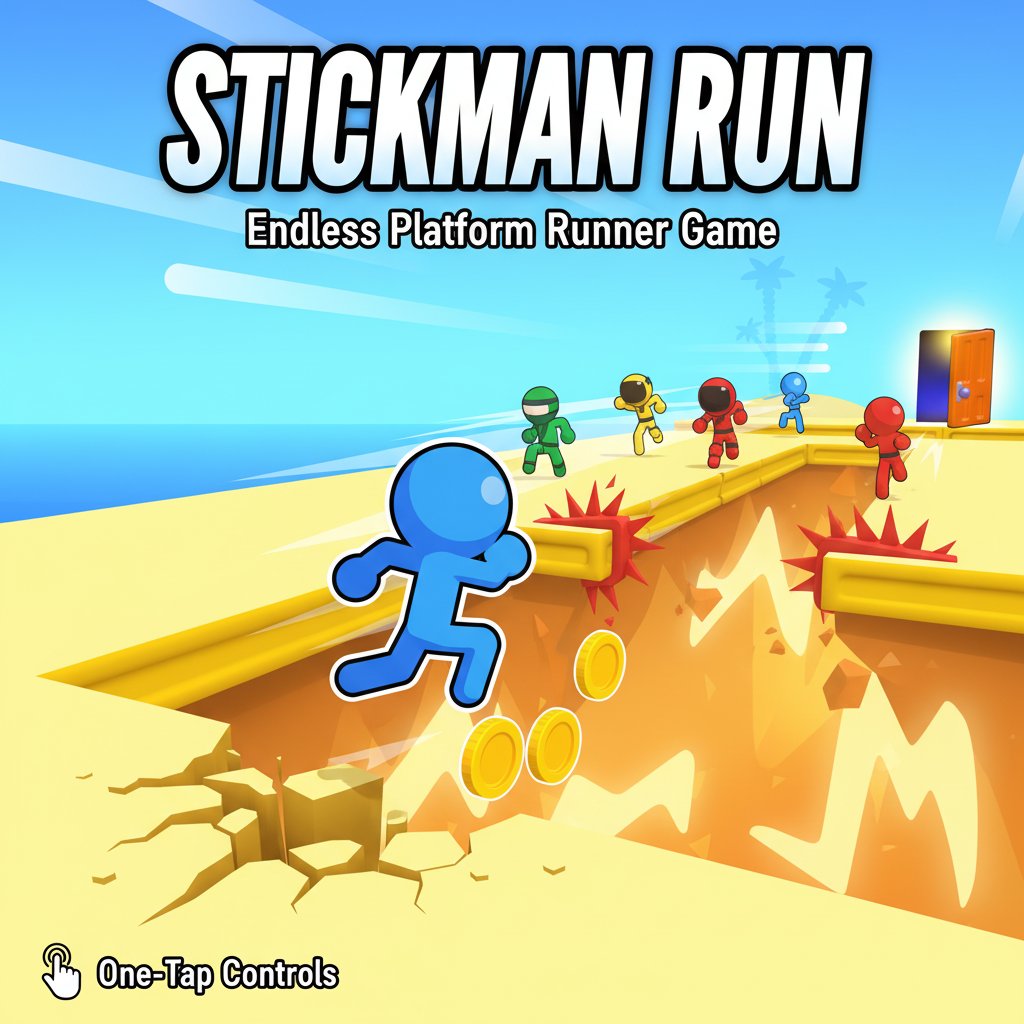
Stickman Run is a thrilling endless platform runner that combines simple controls with challenging gameplay. In this fast-paced adventure, you control a nimble stickman character racing through colorful environments filled with obstacles, gaps, and exciting challenges. The game's core appeal lies in its "easy to learn, hard to master" mechanics that keep players coming back for more.
With vibrant graphics and smooth animations, Stickman Run delivers an engaging experience that works perfectly across all devices. Whether you're looking for a quick gaming break or want to challenge yourself to beat your high score, this game offers endless entertainment.
Core Features
Simple One-Tap Controls
The beauty of Stickman Run lies in its accessibility. With just a single tap or key press, you can make your stickman jump over gaps and obstacles. This intuitive control scheme makes the game instantly playable for users of all ages and skill levels.
Challenging Obstacle Course
Navigate through increasingly difficult levels filled with: - Moving platforms that test your timing - Deadly spikes that require precise jumps - Enemy shooters that try to knock you down - Wall jump sections for advanced maneuvers - Variable gap distances that keep you on your toes
Character Customization System
Collect coins during your runs to unlock a variety of cute and unique character skins. Each skin adds a personal touch to your stickman, allowing you to customize your gaming experience and show off your achievements.
Cross-Platform Compatibility
Enjoy seamless gameplay across all your devices. Whether you prefer playing on your computer during work breaks or on your phone while commuting, Stickman Run adapts perfectly to any screen size.
Game Mechanics
Endless Runner Format
The game features an endless runner format where the challenge continuously increases as you progress. Each run presents new obstacle combinations, ensuring that no two gaming sessions feel exactly the same.
Progressive Difficulty
As you advance further in each run, the game introduces: - Faster movement speeds - More complex obstacle patterns - Tighter timing requirements - Multiple simultaneous threats
Scoring and Progression
Your performance is measured by: - Distance traveled - how far you can run without failing - Coins collected - currency for unlocking new content - Stunts performed - bonus points for wall jumps and trick moves
Operation Guide
Basic Controls
Playing Stickman Run is incredibly straightforward: - Space Bar : Make your stickman jump (desktop) - Up Arrow Key : Alternative jump control (desktop) - Left Mouse Click : Jump command (desktop) - Screen Tap : Jump control (mobile devices)
Advanced Techniques
Master these techniques to achieve higher scores: - Wall Jumping : Use walls to perform double jumps and reach higher platforms - Timing Mastery : Learn enemy shooting patterns to avoid projectiles - Coin Route Planning : Identify the safest paths that maximize coin collection - Rhythm Gaming : Develop a consistent jumping rhythm for better performance
Strategy Tips
- Start with shorter, safer jumps to build confidence
- Focus on survival first, coin collection second
- Practice wall jumps in easier sections
- Watch for visual cues that indicate upcoming obstacles
- Don't get greedy with risky coin grabs
Why Play Stickman Run
Perfect for Quick Gaming Sessions
With its instant-action gameplay, Stickman Run is ideal for: - Coffee break entertainment - Commute gaming - Waiting room distractions - Study break rewards - Casual competitive challenges with friends
Skill Development Benefits
- Reaction Time : Improves quick decision-making abilities
- Hand-Eye Coordination : Enhances timing and precision
- Pattern Recognition : Develops obstacle anticipation skills
- Persistence : Builds determination through repeated attempts
Stress Relief and Fun
The game's simple yet engaging mechanics provide excellent stress relief. The satisfaction of executing perfect jumps and achieving new distance records creates a rewarding gameplay loop that helps players unwind and refocus.
Completely Free Experience
Enjoy the full Stickman Run experience without any cost. No hidden fees, no mandatory purchases - just pure gaming fun accessible to everyone with an internet connection.