
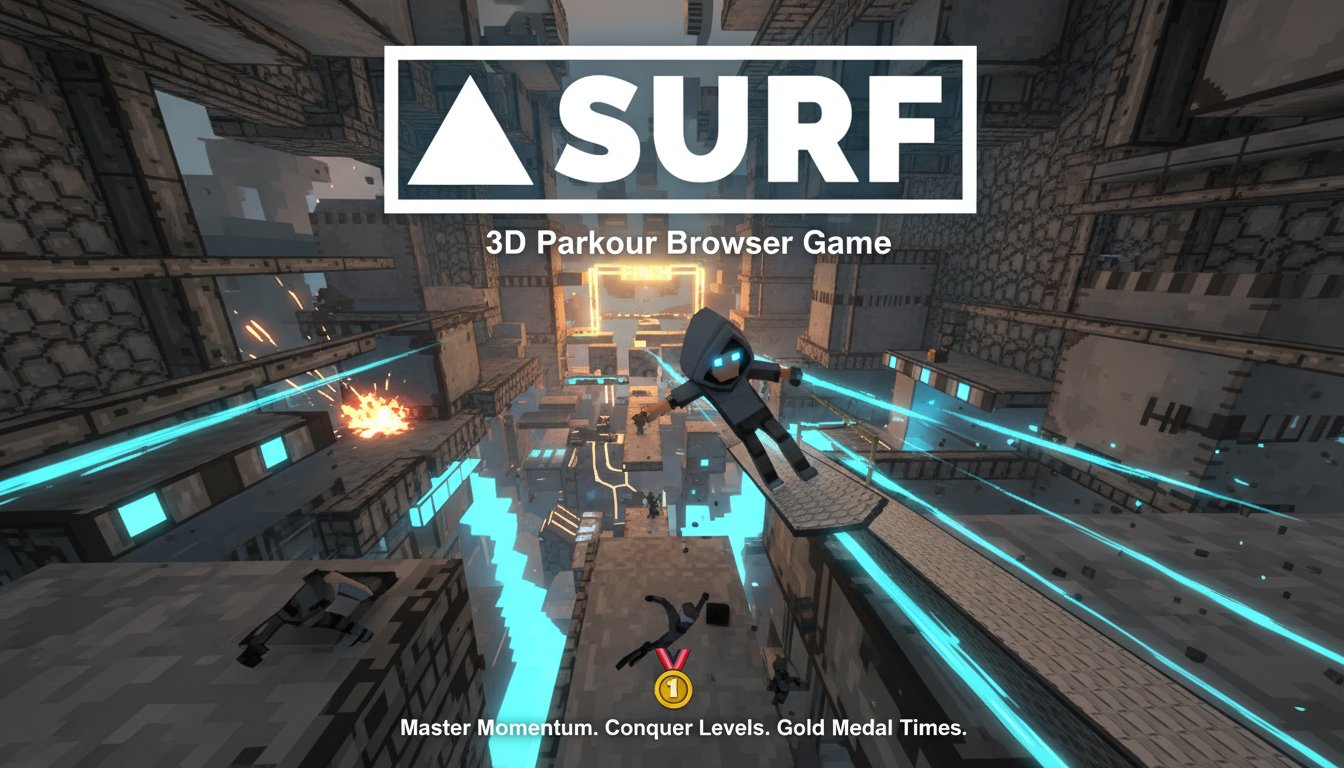
SURF - 3D Parkour Browser Game - Action Game
 Subscriber only
Unreal Top-Down Roguelite
Create a complete UE 5.5 top-down arena roguelite with upgrades and a boss finale.
 Subscriber only
Unreal Mountain Tour
Tour a third-person Unreal world of mountains and water.
 Sports
Basketball Duel
Build a one-on-one basketball game with physics shooting.
 New
NewSolo Racing Game
Build a browser racer with tracks, timing, and a minimap.
 Shooter
Platform Shooter Quest
Build a side-scrolling platform shooter with weapon switching.
 Godot
GodotBaby Bat Climber
Build a compact Godot cave-climbing platformer.
 New
NewHook a Fish Arcade
Build a fishing arcade where catches buy you more time.
 Unity
UnityFarmstead Shop
Build a Unity farm-shop sim: grow, stock, serve, upgrade.
 Unity
UnityChaos Train Arcade
Build a chaotic Unity train arcade of hazards and timing.
 Voxel
VoxelVoxel Village Explorer
Build a voxel village to roam with jump and camera controls.
Subscriber onlyUnreal Top-Down Roguelite
Create a complete UE 5.5 top-down arena roguelite with upgrades and a boss finale.
Subscriber onlyUnreal Mountain Tour
Tour a third-person Unreal world of mountains and water.
SportsBasketball Duel
Build a one-on-one basketball game with physics shooting.
NewSolo Racing Game
Build a browser racer with tracks, timing, and a minimap.
ShooterPlatform Shooter Quest
Build a side-scrolling platform shooter with weapon switching.
GodotBaby Bat Climber
Build a compact Godot cave-climbing platformer.
NewHook a Fish Arcade
Build a fishing arcade where catches buy you more time.
UnityFarmstead Shop
Build a Unity farm-shop sim: grow, stock, serve, upgrade.
UnityChaos Train Arcade
Build a chaotic Unity train arcade of hazards and timing.
VoxelVoxel Village Explorer
Build a voxel village to roam with jump and camera controls.
Prompt

Games are fun. Creating them is even better.
Game Introduction
About the Game
SURF is a thrilling 3D parkour game that brings the beloved Counter-Strike surf mechanics directly to your browser. This challenging action game tests your precision, timing, and momentum control as you navigate through increasingly difficult levels. With its unique physics-based movement system, SURF offers an authentic surfing experience that will push your skills to the limit.
The game features meticulously designed levels that require perfect timing and smooth mouse movements to master. Each level presents a new challenge, demanding players to understand momentum physics and execute flawless runs to achieve coveted gold medal times.
Core Features
Authentic Surf Mechanics
SURF faithfully recreates the physics-based movement system that made Counter-Strike surfing legendary. The game's momentum system rewards smooth, flowing movements while punishing abrupt direction changes.
Challenging Level Design
Every level is carefully crafted to test different aspects of surf movement: - Beginner-friendly tutorials to learn basic mechanics - Intermediate challenges that introduce complex maneuvers - Expert-level courses that demand perfect execution - Time trial modes with bronze, silver, and gold medal targets
Precision Controls
The game offers responsive controls optimized for surf movement: - Smooth mouse-look integration for air strafing - Customizable key bindings for personalized control schemes - Adjustable mouse sensitivity settings for optimal precision - Quick reset functionality to practice difficult sections
Browser-Based Convenience
Enjoy SURF anywhere without downloads: - Completely free to play with no hidden costs - Instant access through any modern web browser - Cross-platform compatibility on PC, Mac, and mobile devices - No installation required - just click and play
Game Mechanics
Movement Physics
SURF's core gameplay revolves around momentum conservation and air strafing. Players must learn to: - Build speed through proper surface contact - Maintain momentum during aerial phases - Execute smooth directional changes - Chain movements for optimal flow
Scoring System
Each level features a competitive timing system: - Bronze Medal : Basic completion time - Silver Medal : Above-average performance - Gold Medal : Expert-level completion requiring near-perfect runs
Operation Guide
Basic Controls
- WASD Keys : Character movement and directional input
- Spacebar : Jump activation for launching off surfaces
- Mouse Movement : Camera control and air strafing direction
- R Key : Instant level reset to practice difficult sections
- Tab Key : Access pause menu, level selection, and settings
Advanced Techniques
Surface Gliding : - Hold A while on surfaces to glide left - Hold D while on surfaces to glide right
Air Strafing : - Hold A in mid-air and move mouse left for left air strafing - Hold D in mid-air and move mouse right for right air strafing
Pro Tips
- Lower mouse sensitivity significantly improves control precision
- Practice smooth, consistent mouse movements rather than jerky corrections
- Focus on maintaining speed through turns rather than rushing
- Study level layouts to plan optimal routes
- Use the reset function liberally to perfect difficult sections
Why Play SURF?
SURF offers a unique gaming experience that combines: - Skill-based progression that rewards dedication and practice - Satisfying physics that feel natural and responsive - Competitive elements with leaderboards and medal systems - Nostalgic appeal for Counter-Strike surf veterans - Accessibility through browser-based gameplay
Whether you're a newcomer to surf mechanics or a seasoned veteran, SURF provides an engaging challenge that will keep you coming back to improve your times and master increasingly difficult levels.