Mine Clone - Free 3D Block Building Adventure Game - Adventure Game
Prompt
Game Introduction
About Mine Clone
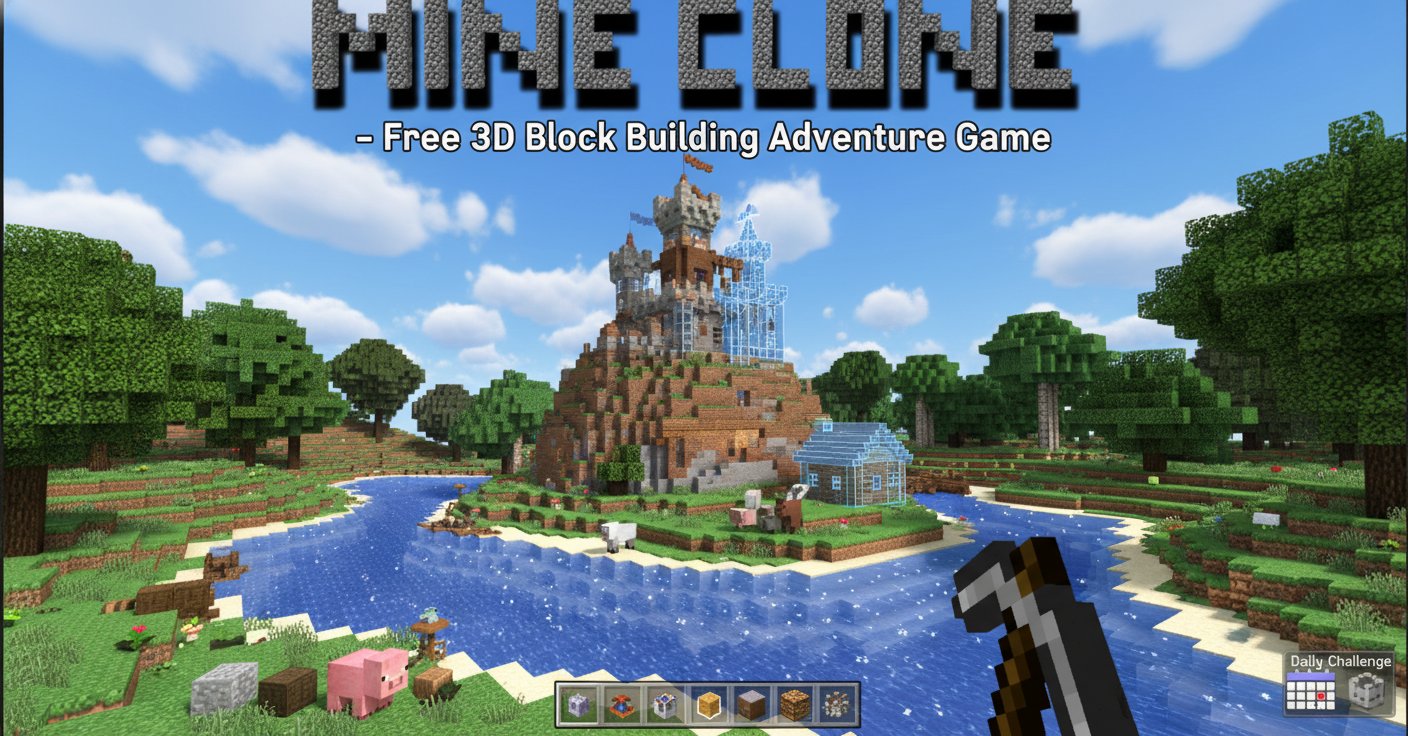
Mine Clone is an exciting 3D block-building adventure game that brings the beloved sandbox experience directly to your browser. This Minecraft-inspired game offers unlimited creative possibilities, allowing players to build anything from simple structures to entire cities using colorful blocks in a vibrant 3D world.
The game features a vast blocky environment filled with diverse landscapes, friendly animals, and endless opportunities for exploration and construction. Whether you're a seasoned builder or new to sandbox games, Mine Clone provides an accessible and engaging experience that captures the essence of creative gameplay.
Core Features
Unlimited Creative Building
Mine Clone empowers your imagination with its comprehensive block-based building system. Create towering castles, underground tunnels, sprawling cities, or abstract art installations. The only limit is your creativity as you place and remove blocks to shape your perfect world.
Interactive Wildlife and Animals
The game world comes alive with various animals and creatures roaming the landscape. Players can interact with these friendly inhabitants, adding life and personality to their creations. From cute pink pigs to other woodland creatures, the world feels dynamic and engaging.
Daily Challenges and Rewards
Stay engaged with daily tasks that provide fresh objectives and rewards. These challenges encourage exploration of different gameplay mechanics and offer incentives to keep building and exploring your blocky universe.
Complete Save and Load System
Never lose your progress! Mine Clone features a reliable save and load functionality that preserves your builds and world state. Return anytime to continue your architectural masterpieces exactly where you left off.
Expansive 3D World
Explore a massive blocky environment with varied terrain, from grassy plains to mountainous regions. The 3D perspective provides an immersive building experience while maintaining the classic block-based aesthetic that fans love.
Game Controls and Operations
Mine Clone features intuitive controls designed for both newcomers and experienced players:
- Movement : Use WASD keys or arrow keys to navigate your character through the world
- Building Actions : Left mouse button to break blocks, right mouse button to place items
- Inventory Management : Press E to open your inventory and manage building materials
- Navigation : Mouse scroll to switch between different tools and weapons
- Quick Actions : Spacebar to jump, F to open task menu, numbers 1-4 for accessories
- Menu Access : Escape key opens the main game menu
The control scheme is designed to be intuitive, allowing players to focus on creativity rather than complex button combinations.
Why Play Mine Clone
Completely Free Experience
Mine Clone is entirely free to play with no hidden costs, premium features, or pay-to-win mechanics. Access all building tools, animals, and game features without spending money.
No Download Required
Play instantly in your web browser without downloading software or installing applications. This makes it perfect for quick creative sessions or extended building marathons.
Perfect for All Ages
The game's family-friendly content and intuitive gameplay make it suitable for players of all ages. Kids can develop spatial reasoning and creativity while adults can enjoy relaxing building sessions.
Creative Expression Platform
Mine Clone serves as a digital canvas for architectural and artistic expression. Build realistic structures, fantasy castles, pixel art, or experimental designs in a judgment-free environment.
Stress-Free Gaming
With no combat pressure or time limits, Mine Clone offers a peaceful gaming experience perfect for unwinding and exercising creativity at your own pace.