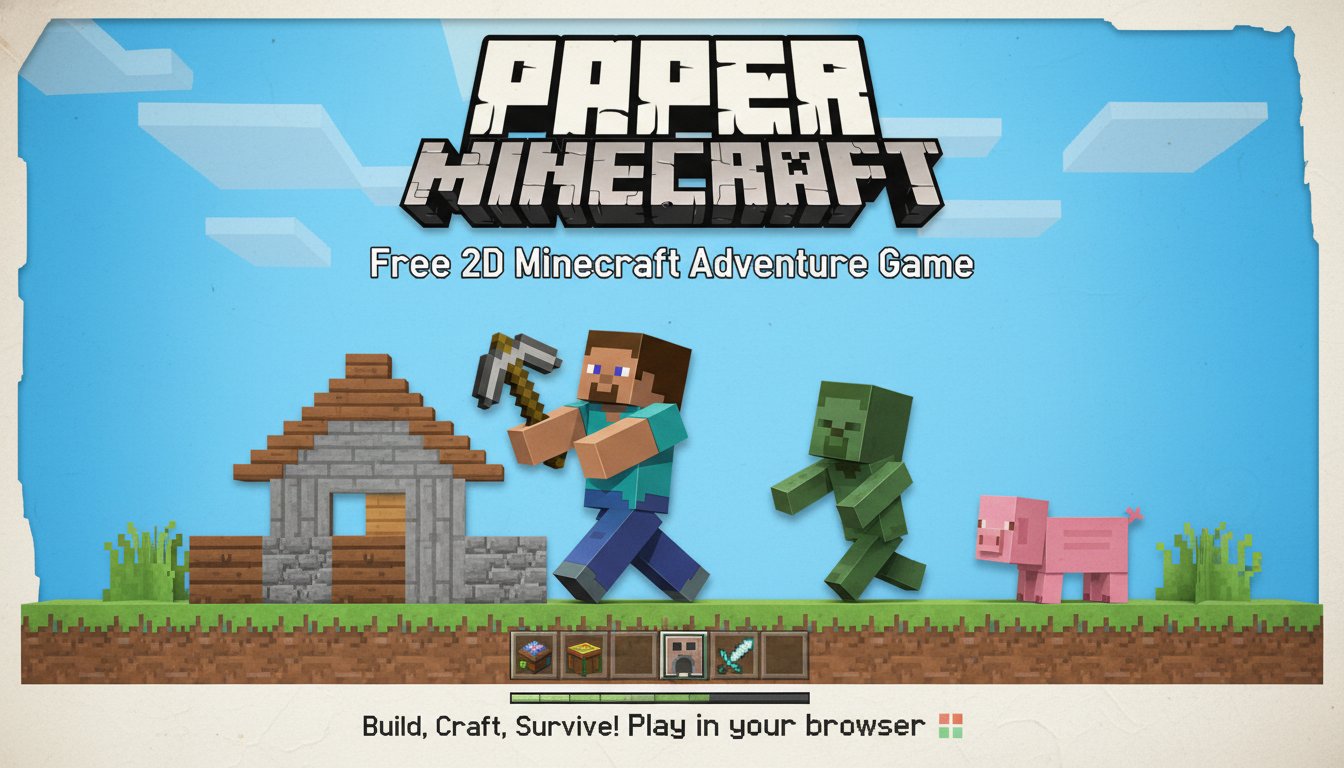
Paper Minecraft - Free 2D Minecraft Adventure Game - Adventure Game
Seele01-Flash
By Grace Torres
Play Paper Minecraft free online! Experience the classic Minecraft gameplay in 2D with survival and creative modes. Build, craft, and survive in your browser - no download required.
SEELE02 CORE

Game Generator

Turn a one-line idea into a playable game demo.

Turn a one-line idea into a playable game demo.Open in workspace
Subscriber only

Unreal City Tour

Explore a photoreal Unreal city with terrain and live weather.

Explore a photoreal Unreal city with terrain and live weather.Open in workspace
Voxel

Voxel Village Explorer

Build a voxel village to roam with jump and camera controls.

Build a voxel village to roam with jump and camera controls.Open in workspace
Voxel

Voxel Hero Adventure

Build a voxel hero who explores, mines, and builds.

Build a voxel hero who explores, mines, and builds.Open in workspace
FPS

Night Mission Survival

Build a first-person night survival with flashlight combat.

Build a first-person night survival with flashlight combat.Open in workspace
Unity

Strawberry Grove Adventure

Build a cozy Unity pixel grove of exploration and collectibles.

Build a cozy Unity pixel grove of exploration and collectibles.Open in workspace
New

River Raid Survival

Build a River Raid-style flight survival run with fuel pressure.

Build a River Raid-style flight survival run with fuel pressure.Open in workspace
Unity

City Eater

Build a Unity game where a growing blob devours the city.

Build a Unity game where a growing blob devours the city.Open in workspace
New

Character Physics World

Build a third-person physics world with day-night and props to touch.

Build a third-person physics world with day-night and props to touch.Open in workspace
Puzzle

Magic Cube Puzzle

Build an interactive Rubik's Cube with scramble and reset.

Build an interactive Rubik's Cube with scramble and reset.Open in workspace
SEELE02 CORE

Game Generator

Turn a one-line idea into a playable game demo.

Turn a one-line idea into a playable game demo.Open in workspace
Subscriber only

Unreal City Tour

Explore a photoreal Unreal city with terrain and live weather.

Explore a photoreal Unreal city with terrain and live weather.Open in workspace
Voxel

Voxel Village Explorer

Build a voxel village to roam with jump and camera controls.

Build a voxel village to roam with jump and camera controls.Open in workspace
Voxel

Voxel Hero Adventure

Build a voxel hero who explores, mines, and builds.

Build a voxel hero who explores, mines, and builds.Open in workspace
FPS

Night Mission Survival

Build a first-person night survival with flashlight combat.

Build a first-person night survival with flashlight combat.Open in workspace
Unity

Strawberry Grove Adventure

Build a cozy Unity pixel grove of exploration and collectibles.

Build a cozy Unity pixel grove of exploration and collectibles.Open in workspace
New

River Raid Survival

Build a River Raid-style flight survival run with fuel pressure.

Build a River Raid-style flight survival run with fuel pressure.Open in workspace
Unity

City Eater

Build a Unity game where a growing blob devours the city.

Build a Unity game where a growing blob devours the city.Open in workspace
New

Character Physics World

Build a third-person physics world with day-night and props to touch.

Build a third-person physics world with day-night and props to touch.Open in workspace
Puzzle

Magic Cube Puzzle

Build an interactive Rubik's Cube with scramble and reset.

Build an interactive Rubik's Cube with scramble and reset.Open in workspace

Prompt

MODEL: Seele01-Flash
Please use Three.js to generate a **mobile-first game** with the theme "**Paper Minecraft Mobile**". Please read the following detailed game design requirements first, and then generate the code accordingly: ### 1. Assets & Environment * **Visual Style:** 2.5D Side-Scrolling aesthetic (similar to "Paper Mario" mixed with "Terraria"). Use an **Orthographic Camera** to maintain a flat 2D gameplay perspective, but use 3D Plane Geometries for characters and blocks to allow for dynamic lighting and shadow casting. * **Textures:** Use "Pixel Art" textures reminiscent of the original Minecraft (dirt, stone, wood, leaves) mapped onto flat planes. * **Asset Logic:** * **World Generation:** A grid-based chunk system generating a 2D vertical slice of terrain (sky, surface, underground caves). * **Character:** The "Steve" character should be a flat plane with simple sprite-sheet animation (idle, walk, mine) that flips scaling on the X-axis when changing direction. * **Layering:** Background layers (parallax clouds, mountains) should be placed on a deeper Z-index to create depth. * **Mobile Optimization:** * Implement **InstancedMesh** for terrain blocks to handle high object counts (hundreds of blocks) without performance drops on mobile GPUs. * Use a texture atlas (sprite sheet) to reduce draw calls. ### 2. Audio Requirements * **BGM (Background Music):** A calm, ambient, procedural piano track similar to C418's style. It should fade out during "Night" cycles and be replaced by subtle wind or cricket ambience. * **Sound Effects (SFX):** * **Mining:** distinct "crunch" (dirt), "crack" (stone), "chop" (wood). * **Interaction:** A high-pitched "pop" sound when collecting floating items. * **UI:** Snappy, short clicks for inventory management. * **Environmental:** Splash sound when entering water. ### 3. Gameplay Loop * **Core Mechanics:** A Sandbox Survival loop. * **Mining & Gathering:** Player destroys blocks to collect resources. * **Crafting:** Open inventory to combine resources (e.g., Wood -> Planks -> Sticks -> Pickaxe). * **Building:** Place collected blocks back into the grid to build structures. * **Game Modes:** * **Survival:** Player has a Health Bar and Hunger Bar. Zombies spawn at night (darkness) and must be fought or avoided. * **Creative:** Player has infinite resources, no health bar, and can toggle "Flight Mode" (double tap jump). * **Physics:** Simple AABB (Axis-Aligned Bounding Box) collision detection for the 2D plane. Gravity applies to the player, sand, and gravel. ### 4. Mobile Controls & Interaction * **Movement (Left Thumb):** A floating dynamic **Virtual Joystick** on the left side of the screen. * Horizontal slide: Move Left/Right. * Vertical slide up: Aim up / Climb ladders. * **Actions (Right Thumb):** * **Jump Button:** Large circular button (bottom right). * **Action Toggle:** A switch to toggle between "Mine Mode" (destroy blocks) and "Place Mode" (put blocks down). * **World Interaction (Touch):** * **Mining/Placing:** Player taps directly on the screen grid to interact with a specific block. Implement a "Range Check" (player can only interact within a 4-block radius). * **Long Press:** Continuous mining (for durability blocks like stone). * **UI Layout:** * **Hotbar:** A row of 5-7 large slots (min 44x44px) centered at the bottom, easily tappable to switch active items. * **Inventory Button:** Top-right corner. * **Orientation:** Force **Landscape Mode** logic (resize canvas on orientation change). * **Feedback:** Trigger `navigator.vibrate(50)` (Haptic Feedback) when a block is successfully destroyed or placed. Do not ask for clarification. Do not request confirmation. Directly execute the generation task based on the given instructions.
A game idea becoming a playable world and reaching an audience
MAKE • SHARE • EARN

Games are fun. Creating them is even better.

Game Introduction

About Paper Minecraft

Paper Minecraft is the ultimate free 2D adaptation of the world's most popular sandbox game. This browser-based adventure combines the classic Minecraft gameplay with a unique 2D perspective, similar to Terraria. Whether you're a longtime Minecraft fan or new to the block-building genre, Paper Minecraft offers an accessible and engaging experience that runs directly in your web browser.

The game features the iconic pixelated art style and core mechanics that made Minecraft famous, but reimagined for side-scrolling gameplay. With both survival and creative modes available, players can choose their preferred way to explore, build, and survive in this blocky 2D universe.

Core Features

Dual Game Modes

Creative Mode provides unlimited resources and the ability to fly, perfect for players who want to focus purely on building magnificent structures without worrying about survival mechanics. Explore diverse biomes including forests, water bodies, rocky terrain, and open fields while constructing your dream creations.

Survival Mode challenges players to gather resources, craft tools, and defend against monsters that emerge at night. Start with nothing and use your ingenuity to farm animals, grow crops, mine valuable materials, and build shelters to protect yourself from hostile creatures.

Rich Crafting System

The game includes Minecraft's beloved crafting mechanics, allowing players to combine raw materials into tools, weapons, building blocks, and survival essentials. The familiar crafting recipes and progression system make it easy for Minecraft veterans to jump right in.

Diverse Biomes and Exploration

Explore varied environments each with unique resources and challenges. From dense forests perfect for wood gathering to deep underground caves filled with precious ores, every biome offers new opportunities for adventure and resource collection.

Gameplay Mechanics

Building and Construction

Place and destroy blocks to create anything from simple shelters to elaborate castles. The 2D perspective offers a fresh take on architectural creativity, allowing for intricate designs that showcase both horizontally and vertically.

Combat and Survival

Face off against classic Minecraft monsters including zombies and other hostile creatures. Craft weapons and armor to defend yourself, while managing hunger and health to stay alive in survival mode.

Resource Management

Mine stone, wood, and rare materials to fuel your crafting ambitions. Strategic resource gathering becomes crucial in survival mode, where every material counts toward your continued existence.

Controls and Operation Guide

Mastering Paper Minecraft is straightforward with intuitive keyboard and mouse controls:

  • Movement : Use A/D keys or left/right arrow keys to move your character
  • Jumping : Press W or up arrow key to jump over obstacles
  • Block Interaction : Left-click to dig blocks or place new ones
  • Inventory : Press E to open your inventory or interact with chests
  • Item Usage : Press F to consume food items or hold objects
  • Crafting : Use spacebar to split item stacks in the crafting interface

The controls are designed to be accessible for both experienced gamers and newcomers to the genre.

Why Play Paper Minecraft

Completely Free : Enjoy the full Minecraft experience without spending a penny. No hidden costs, premium content, or pay-to-win mechanics.

No Download Required : Play instantly in any modern web browser on PC, Mac, or mobile devices. No installation or app store downloads necessary.

Familiar Yet Fresh : Experience beloved Minecraft gameplay with a unique 2D twist that offers new strategic possibilities and visual perspectives.

Cross-Platform Compatibility : Access your favorite sandbox gameplay on any device with an internet connection, making it perfect for gaming on the go.

Educational Value : Built using Scratch, this game showcases the potential of educational programming platforms while delivering professional-quality entertainment.

Paper Minecraft successfully captures the magic of the original while offering its own distinct charm through 2D gameplay mechanics. Whether you're building towering structures in creative mode or fighting for survival against nighttime monsters, this browser-based adventure delivers hours of engaging gameplay without any barriers to entry.

Frequently Asked Questions (FAQ)