
Build A Robot 3 - Casual Game
 Unity
UnityBattle of Balls
Build a Unity arena where rolling balls collide and grow.
 New
NewRiver Raid Survival
Build a River Raid-style flight survival run with fuel pressure.
 Subscriber only
Unreal Mountain Tour
Tour a third-person Unreal world of mountains and water.
 Unity
UnityChaos Train Arcade
Build a chaotic Unity train arcade of hazards and timing.
 Voxel
VoxelVoxel Hero Adventure
Build a voxel hero who explores, mines, and builds.
 Shooter
Platform Shooter Quest
Build a side-scrolling platform shooter with weapon switching.
 New
NewFirst-Person Horror Survival
Build a first-person horror survival with exploration and enemies.
 Godot
GodotBaby Bat Climber
Build a compact Godot cave-climbing platformer.

Time-Attack Racer
Build a no-physics finish-gate racer with nitro, minimap guidance, and synthesized audio.
 SEELE02 CORE
Game Generator
Turn a one-line idea into a playable game demo.
UnityBattle of Balls
Build a Unity arena where rolling balls collide and grow.
NewRiver Raid Survival
Build a River Raid-style flight survival run with fuel pressure.
Subscriber onlyUnreal Mountain Tour
Tour a third-person Unreal world of mountains and water.
UnityChaos Train Arcade
Build a chaotic Unity train arcade of hazards and timing.
VoxelVoxel Hero Adventure
Build a voxel hero who explores, mines, and builds.
ShooterPlatform Shooter Quest
Build a side-scrolling platform shooter with weapon switching.
NewFirst-Person Horror Survival
Build a first-person horror survival with exploration and enemies.
GodotBaby Bat Climber
Build a compact Godot cave-climbing platformer.
Time-Attack Racer
Build a no-physics finish-gate racer with nitro, minimap guidance, and synthesized audio.
SEELE02 COREGame Generator
Turn a one-line idea into a playable game demo.
Prompt

Games are fun. Creating them is even better.
Game Introduction
About the Game
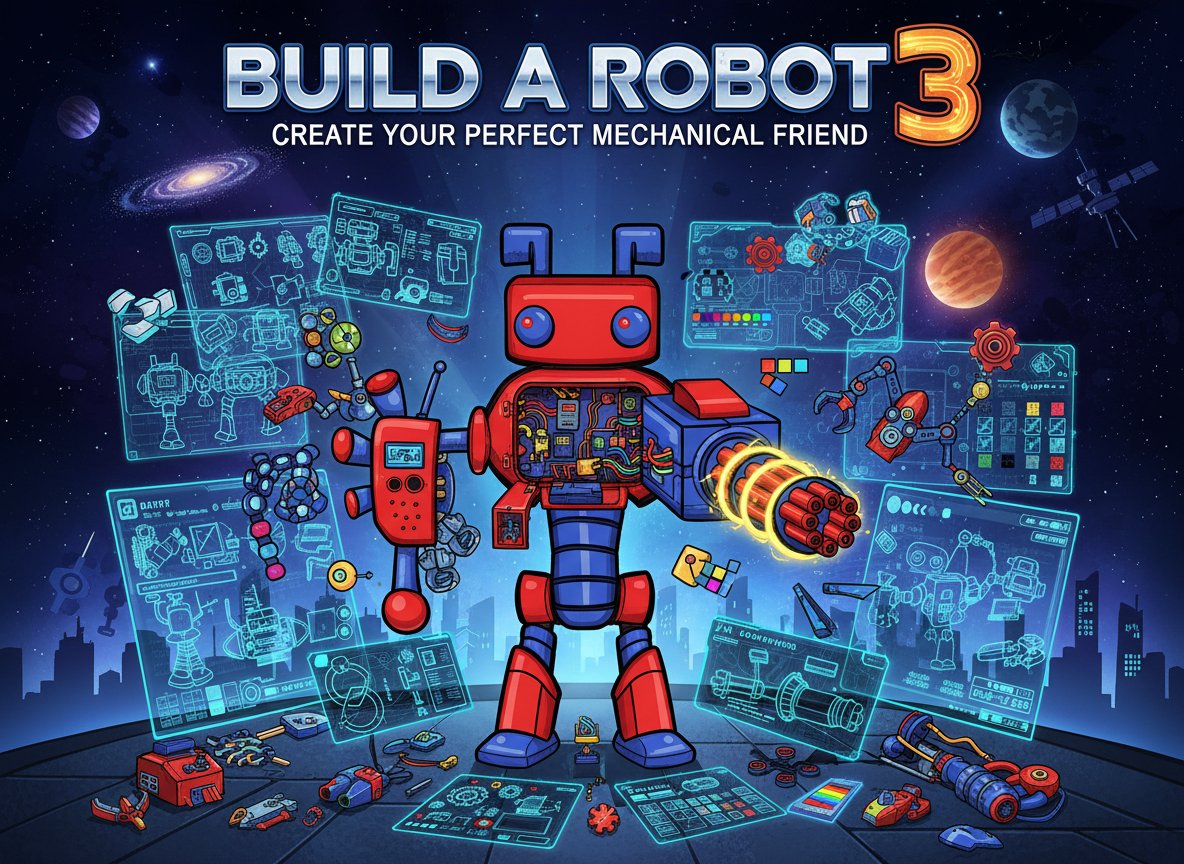
Build A Robot 3 is an entertaining robot customization game that lets your creativity run wild. This fun dress-up style game allows you to design and build your very own mechanical companion from scratch. With an impressive rating of 3.5/5 from players, it's become a favorite among creative gaming enthusiasts who love customization challenges.
In this engaging space-themed environment, you'll have access to a vast array of robot parts, attachments, and color options to create truly unique mechanical beings. Whether you want to build a friendly helper bot or a formidable mechanical warrior, the choice is entirely yours.
Core Features
Extensive Customization Options
The game offers incredible depth in robot customization:
- Diverse Robot Parts : Choose from heads, bodies, arms, legs, and various attachments
- Rich Color Palette : Paint your robot in any color combination imaginable
- Unique Attachments : Add special equipment, weapons, or accessories to make your robot stand out
- Mix and Match Freedom : Combine different styles and components for endless possibilities
User-Friendly Design Interface
Building your robot is intuitive and enjoyable:
- Simple Mouse Controls : Easy drag-and-drop interface for seamless customization
- Real-time Preview : See your changes instantly as you build
- Undo/Redo Functions : Experiment freely without fear of mistakes
- Save Your Creations : Keep your favorite robot designs
Creative Expression
This isn't just about assembly - it's about artistic expression:
- Unlimited Combinations : Millions of possible robot configurations
- Personal Style : Create robots that reflect your personality
- Artistic Freedom : No wrong answers - every creation is valid
- Inspiration Gallery : Get ideas from seeing what others have created
Game Gameplay
Building your robot is straightforward yet deeply satisfying. Start by selecting a basic robot frame, then begin adding components piece by piece. The space-themed background creates an immersive atmosphere as you work on your mechanical masterpiece.
Each component can be positioned, colored, and styled to your liking. The game encourages experimentation - try different combinations to discover unexpected and delightful robot designs. From sleek, modern androids to quirky, colorful companions, the possibilities are truly endless.
Operation Guide
Getting started with Build A Robot 3 is simple:
- Mouse Navigation : Use your mouse to select and place robot parts
- Click and Drag : Move components around the workspace
- Color Selection : Click on color palettes to paint your robot parts
- Part Categories : Browse through different sections for various robot components
- Assembly Tools : Use the interface buttons to rotate, resize, or remove parts
The intuitive design means you can start creating immediately, with no complex tutorials needed. The game is suitable for all ages and skill levels.
Why Play This Game
Perfect for Creative Minds : If you enjoy customization games, art projects, or simply love robots, this game offers endless entertainment. It's particularly appealing to:
- Young Creators : Children who love building and designing
- Art Enthusiasts : Anyone who enjoys digital creative expression
- Robot Fans : Science fiction and robotics enthusiasts
- Casual Gamers : Perfect for relaxing, creative gameplay sessions
The game provides a stress-free environment where you can express creativity without pressure or time limits. It's an excellent choice for anyone looking to unwind while engaging their artistic side.
Educational Value : Beyond entertainment, the game helps develop: - Visual design skills - Color coordination abilities - Spatial awareness - Creative problem-solving
Whether you're looking for a quick creative break or want to spend hours perfecting your robot designs, Build A Robot 3 offers satisfying gameplay that grows with your imagination.