
Burger Clicker - Fun Food Building Clicker Game - Casual Game
 New
NewRiver Raid Survival
Build a River Raid-style flight survival run with fuel pressure.
 Subscriber only
Unreal Top-Down Roguelite
Create a complete UE 5.5 top-down arena roguelite with upgrades and a boss finale.
 Unity
UnityStrawberry Grove Adventure
Build a cozy Unity pixel grove of exploration and collectibles.
 Shooter
Dead City Shooter
Build a third-person zombie shooter in a ruined city.
 Shooter
Rail Shooter Ride
Build a roller-coaster rail shooter that aims as you ride.
 FPS
FPSNight Mission Survival
Build a first-person night survival with flashlight combat.
 Sandbox
Voxel Sandbox Builder
Build a voxel sandbox for placing and breaking blocks freely.
 New
NewHook a Fish Arcade
Build a fishing arcade where catches buy you more time.
 SEELE02 CORE
Game Generator
Turn a one-line idea into a playable game demo.
 Driving
City Car Driving
Build an open-city free-driving game with car selection.
NewRiver Raid Survival
Build a River Raid-style flight survival run with fuel pressure.
Subscriber onlyUnreal Top-Down Roguelite
Create a complete UE 5.5 top-down arena roguelite with upgrades and a boss finale.
UnityStrawberry Grove Adventure
Build a cozy Unity pixel grove of exploration and collectibles.
ShooterDead City Shooter
Build a third-person zombie shooter in a ruined city.
ShooterRail Shooter Ride
Build a roller-coaster rail shooter that aims as you ride.
FPSNight Mission Survival
Build a first-person night survival with flashlight combat.
SandboxVoxel Sandbox Builder
Build a voxel sandbox for placing and breaking blocks freely.
NewHook a Fish Arcade
Build a fishing arcade where catches buy you more time.
SEELE02 COREGame Generator
Turn a one-line idea into a playable game demo.
DrivingCity Car Driving
Build an open-city free-driving game with car selection.
Prompt

Games are fun. Creating them is even better.
Game Introduction
About the Game
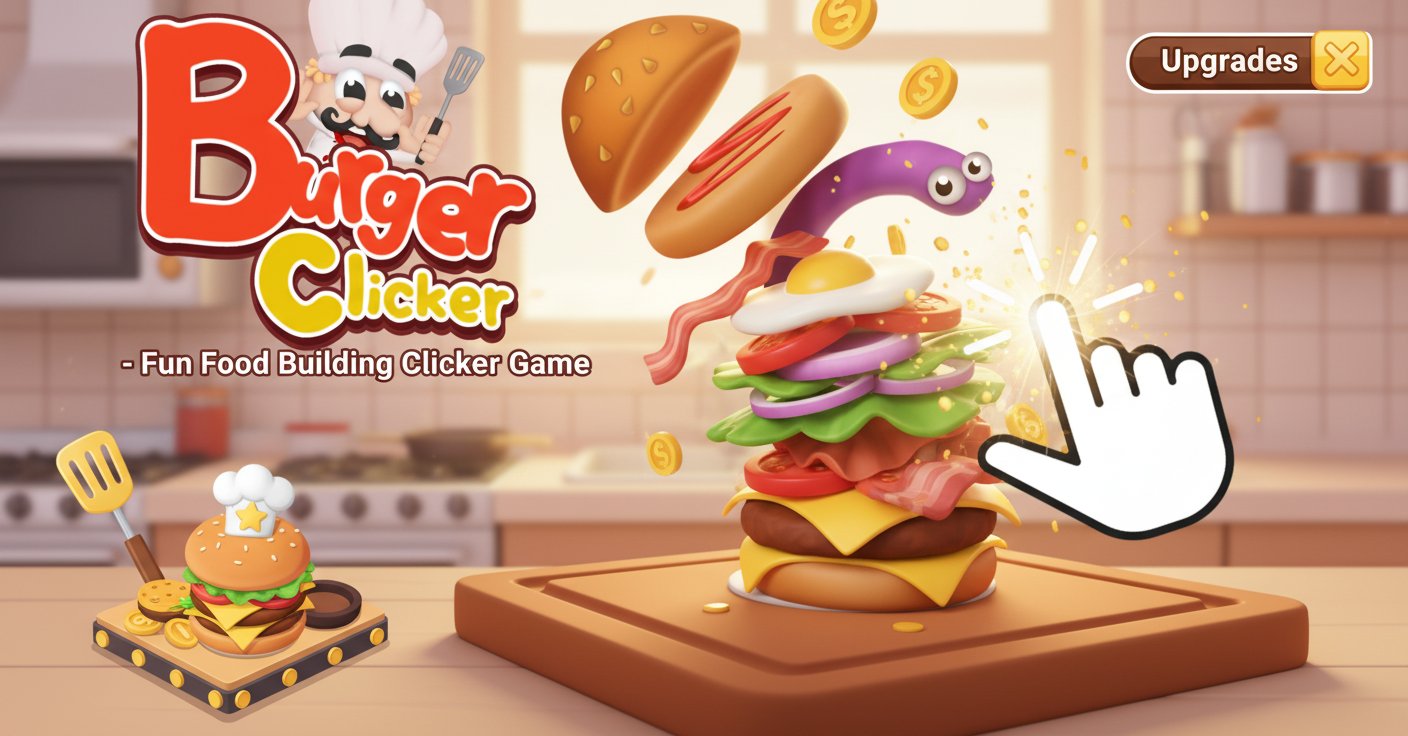
Burger Clicker is a delightfully addictive incremental clicker game that combines food creativity with satisfying progression mechanics. Starting with nothing but a basic hamburger bun, you'll click your way to building the most spectacular and towering burger imaginable. This colorful 3D clicker game features charming cartoon graphics and an intuitive gameplay loop that keeps players engaged for hours.
The game follows the classic clicker formula but adds a unique culinary twist. Every click generates burger coins, which you can invest in upgrades and new ingredients to make your burger bigger, better, and more profitable. Watch as your simple bun transforms into a massive, multi-layered burger masterpiece with each strategic purchase.
Core Features
Endless Burger Building
Start with a humble bun and gradually build upward by purchasing new ingredients. Each addition makes your burger taller and more visually impressive, creating a sense of accomplishment with every upgrade.
Progressive Upgrade System
The game features a well-balanced progression system where each upgrade significantly increases your earning potential. From basic lettuce and tomatoes to exotic toppings, every ingredient serves both visual and mechanical purposes.
Satisfying Click Mechanics
The core clicking action feels responsive and rewarding. Each click on your burger generates coins with satisfying visual and audio feedback, making the repetitive action surprisingly engaging.
Free Browser Gameplay
Enjoy the complete game experience at no cost directly in your web browser. No downloads, installations, or premium purchases required - just pure clicker fun.
Cross-Platform Compatibility
Play seamlessly on desktop computers, laptops, tablets, and smartphones. The game automatically adapts to your screen size for optimal gameplay on any device.
Game Play
Burger Clicker employs the proven incremental game formula that makes "just one more click" irresistible. You begin each session with a basic hamburger bun displayed prominently on screen. Clicking on this bun generates burger coins, which accumulate in your total earnings.
As you gather coins, you can access the upgrade shop to purchase new ingredients and toppings. Early purchases might include classic burger components like lettuce, tomatoes, cheese, and meat patties. Each ingredient not only changes your burger's appearance but also increases the coins earned per click.
The strategic element comes from deciding which upgrades to purchase first. Some ingredients provide higher coin multipliers, while others unlock special abilities or bonus features. Managing your resources efficiently leads to faster progression and more impressive burger creations.
Operation Guide
The game controls are intentionally simple to maintain focus on the addictive progression:
- Left Mouse Click : Click directly on the burger to earn burger coins
- Upgrade Menu : Access the shop to purchase new ingredients and improvements
- Inventory : View your current burger build and available toppings
The interface is designed for one-handed play, making it perfect for casual gaming sessions. Whether you prefer quick clicking bursts or longer building sessions, the controls accommodate all play styles.
Why Play This Game
Burger Clicker offers the perfect blend of simplicity and depth that defines great clicker games. The food theme adds visual appeal and creativity to the standard incremental formula, making progression feel more meaningful than abstract number increases.
The game provides excellent stress relief and satisfies the human desire for visible progress and achievement. Each upgrade brings immediate visual feedback as your burger grows taller and more elaborate. This creates a powerful psychological reward loop that keeps players returning for "just a few more clicks."
For fans of incremental games, Burger Clicker delivers all the satisfying progression elements you expect while adding enough unique touches to feel fresh. The food theme makes it accessible to players who might not typically enjoy clicker games, broadening its appeal significantly.
The completely free, browser-based format means you can start playing immediately without any commitment. Perfect for quick breaks, extended relaxation sessions, or background clicking while multitasking.