
Create-A-Ride - Car Customization Game - Casual Game
 Subscriber only
Unreal Landscape Tour
Tour photoreal Unreal landscapes with cinematic camera work.
 Unity
UnityStrawberry Grove Adventure
Build a cozy Unity pixel grove of exploration and collectibles.
 Survival
Survival Sandbox Arena
Build a survival arena with enemy waves and turret defense.
 New
NewCharacter Physics World
Build a third-person physics world with day-night and props to touch.
 Shooter
Rail Shooter Ride
Build a roller-coaster rail shooter that aims as you ride.
 3D
3DThird Person Explorer
Build a third-person explorer with swappable scenes and a live minimap.
 New
NewFirst-Person Horror Survival
Build a first-person horror survival with exploration and enemies.
 Unity
UnityDesert Quickshot
Build a Unity quickdraw duel with streaks and rising heat.
 SEELE02 CORE
Game Generator
Turn a one-line idea into a playable game demo.
 New
NewSolo Racing Game
Build a browser racer with tracks, timing, and a minimap.
Subscriber onlyUnreal Landscape Tour
Tour photoreal Unreal landscapes with cinematic camera work.
UnityStrawberry Grove Adventure
Build a cozy Unity pixel grove of exploration and collectibles.
SurvivalSurvival Sandbox Arena
Build a survival arena with enemy waves and turret defense.
NewCharacter Physics World
Build a third-person physics world with day-night and props to touch.
ShooterRail Shooter Ride
Build a roller-coaster rail shooter that aims as you ride.
3DThird Person Explorer
Build a third-person explorer with swappable scenes and a live minimap.
NewFirst-Person Horror Survival
Build a first-person horror survival with exploration and enemies.
UnityDesert Quickshot
Build a Unity quickdraw duel with streaks and rising heat.
SEELE02 COREGame Generator
Turn a one-line idea into a playable game demo.
NewSolo Racing Game
Build a browser racer with tracks, timing, and a minimap.
Prompt

Games are fun. Creating them is even better.
Game Introduction
About the Game
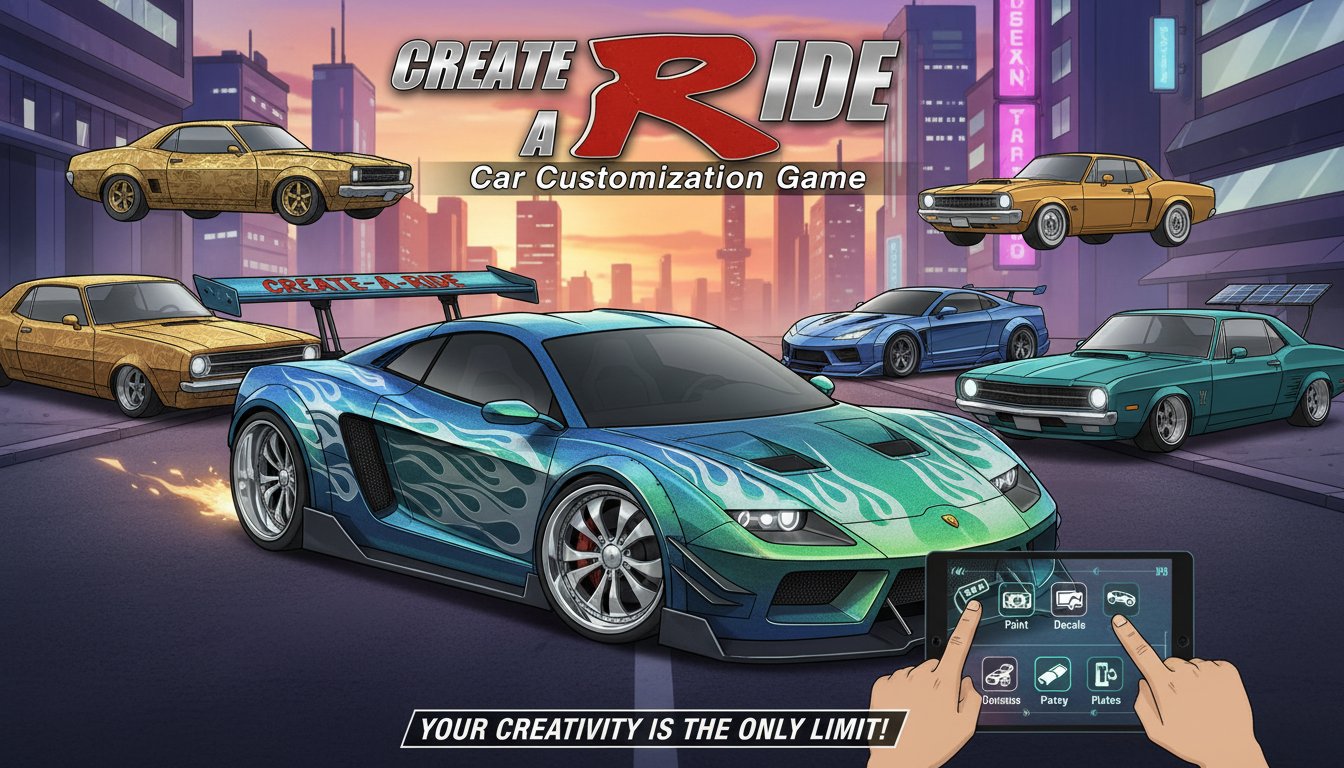
Create-A-Ride is an innovative car customization game that puts the power of automotive design directly in your hands. Think of it as a dress-up game, but for cars! This engaging browser-based experience allows you to transform ordinary vehicles into personalized masterpieces through an extensive range of customization options.
Whether you're a car enthusiast or simply love creative games, Create-A-Ride offers endless possibilities to express your automotive vision. From vibrant paint schemes to eye-catching decals, every detail can be tailored to match your unique style.
Core Features
Comprehensive Paint System
Transform your vehicle with a full spectrum of colors and finishes. Choose from: - Solid colors : Classic single-tone paint jobs for a clean, professional look - Metallic finishes : Add shimmer and depth to your vehicle's appearance - Multi-tone combinations : Create striking two-tone or gradient effects - Custom color mixing : Fine-tune the exact shade you envision
Extensive Decal Library
Personalize your ride with an impressive selection of decals and graphics: - Racing stripes and sport designs - Flame patterns and tribal graphics - Number decals for racing themes - Abstract and artistic designs - Brand logos and sponsor stickers
Performance Parts Upgrade
Soup up your vehicle with various performance and aesthetic parts: - Wheels and rims : Choose from dozens of wheel designs and sizes - Body kits : Spoilers, bumpers, and side skirts for enhanced appearance - Exhaust systems : Different pipe configurations for that perfect look - Interior modifications : Customize seats, steering wheels, and dashboards
Custom License Plates
Add the finishing touch with personalized license plates: - Choose your own text and numbers - Select from different plate designs and colors - Add special characters and symbols - Create plates that reflect your personality
Scenario Testing
Once your customization is complete, take your creation for a test drive in various environments: - Urban city streets - Racing circuits - Scenic countryside roads - Industrial areas - Show and display venues
Gameplay Mechanics
Create-A-Ride features an intuitive point-and-click interface that makes customization accessible to players of all ages. The game operates on a simple yet powerful system where every modification is instantly visible, allowing you to see your changes in real-time.
Step-by-Step Customization Process
- Select your base vehicle : Choose from various car models as your starting point
- Paint and color : Apply your chosen color scheme and finish
- Add decals : Layer on graphics and designs to enhance visual appeal
- Install parts : Upgrade wheels, body kits, and performance components
- Customize plates : Create personalized license plates
- Final review : Take your completed vehicle into different scenarios
Operation Guide
The game uses simple mouse controls that make customization effortless: - Left Mouse Button : Select and apply customization options - Point and Click : Navigate through menus and choose from available parts - Drag and Drop : Position decals and graphics precisely where you want them - Menu Navigation : Use intuitive category tabs to access different customization areas
All customization tools are clearly labeled and organized into logical categories, making it easy to find exactly what you're looking for.
Why Play Create-A-Ride
Perfect for Creative Expression
This game is ideal for anyone who loves automotive design or enjoys creative activities. It provides a safe, virtual environment to experiment with car modifications that might be expensive or impractical in real life.
Educational Value
Players learn about different car parts, design principles, and automotive aesthetics while having fun. It's an excellent introduction to car culture and modification concepts.
Stress-Free Gaming
As a casual game, Create-A-Ride offers relaxing gameplay without time pressure or competitive elements. You can take as long as you want to perfect your design.
Cross-Platform Accessibility
The game runs smoothly on both desktop computers and mobile devices through any modern web browser, making it accessible wherever you are.
No Download Required
Start playing immediately without any installation process. Simply visit the game page and begin customizing right away.
Unlimited Replay Value
With countless customization combinations available, you can create dozens of unique vehicles, each reflecting different styles and preferences.