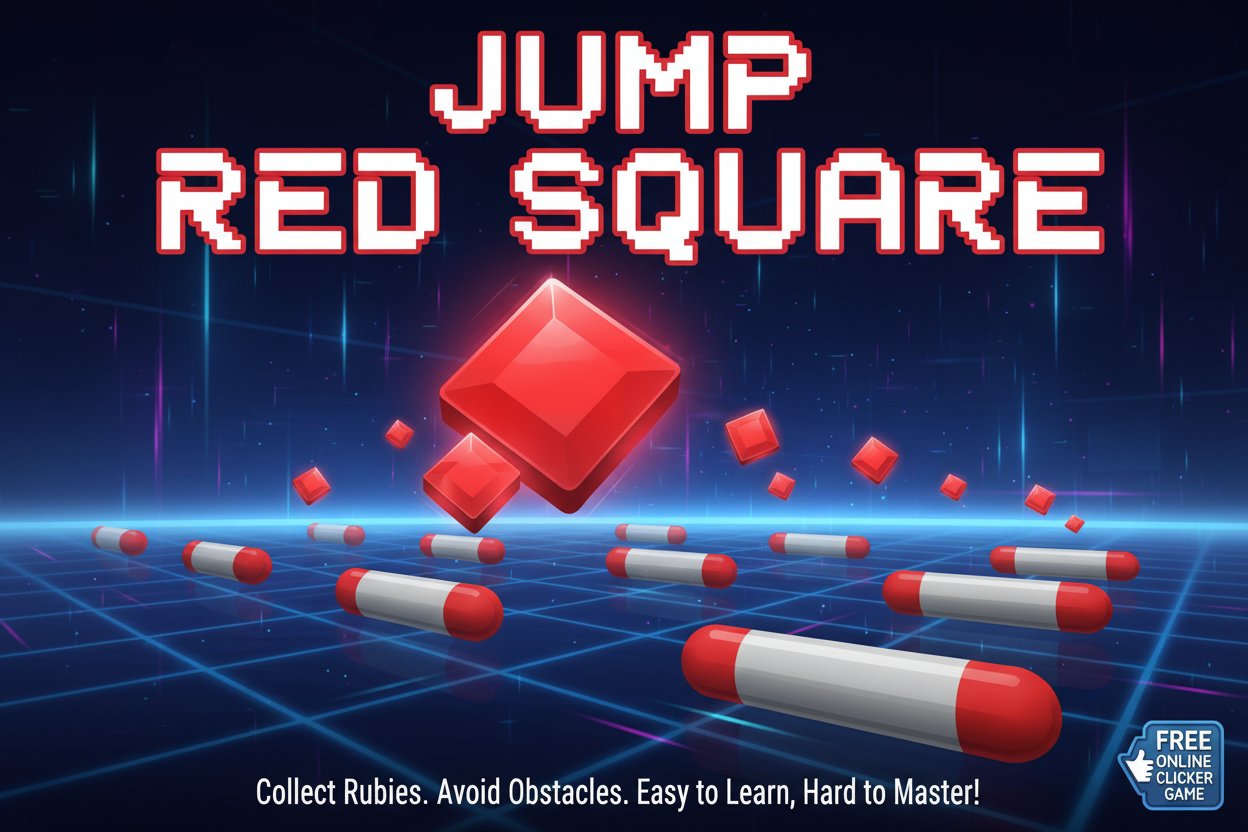
Jump Red Square - Casual Game

Seele01-Flash
By Luna Green
Play Jump Red Square free online! Addictive clicker game where you hop the red square to collect rubies while avoiding gray obstacles. Easy controls, high scores!
Unity

Strawberry Grove Adventure

Build a cozy Unity pixel grove of exploration and collectibles.

Build a cozy Unity pixel grove of exploration and collectibles.Open in workspace
Roguelike

Dungeon Survivors

Build a Vampire-Survivors-style dungeon arena with hero picks.

Build a Vampire-Survivors-style dungeon arena with hero picks.Open in workspace
Subscriber only

Unreal Dungeon Crawler

Build a playable Unreal dungeon crawler, combat-ready.

Build a playable Unreal dungeon crawler, combat-ready.Open in workspace
FPS

Zombie Horror Survival

Build a tense zombie horror survival with map progression.

Build a tense zombie horror survival with map progression.Open in workspace
Subscriber only

Unreal FPS/TPS Shooter

Create a complete UE 5.5 FPS or TPS shooter with combat, UI, and replay.

Create a complete UE 5.5 FPS or TPS shooter with combat, UI, and replay.Open in workspace
Unity

Crimson Illusion Battle

Build a Unity fantasy battle through a crimson illusion realm.

Build a Unity fantasy battle through a crimson illusion realm.Open in workspace
FPS

3D FPS Game

Build a desert FPS with weapon switching and a retro HUD.

Build a desert FPS with weapon switching and a retro HUD.Open in workspace
Puzzle

Box Robot Puzzle

Build crate-pushing puzzles with vehicles and physics timing.

Build crate-pushing puzzles with vehicles and physics timing.Open in workspace
Unity

Endless Runner

Build a polished Unity endless runner with lanes and pickups.

Build a polished Unity endless runner with lanes and pickups.Open in workspace
Sports

Basketball Duel

Build a one-on-one basketball game with physics shooting.

Build a one-on-one basketball game with physics shooting.Open in workspace
Unity

Strawberry Grove Adventure

Build a cozy Unity pixel grove of exploration and collectibles.

Build a cozy Unity pixel grove of exploration and collectibles.Open in workspace
Roguelike

Dungeon Survivors

Build a Vampire-Survivors-style dungeon arena with hero picks.

Build a Vampire-Survivors-style dungeon arena with hero picks.Open in workspace
Subscriber only

Unreal Dungeon Crawler

Build a playable Unreal dungeon crawler, combat-ready.

Build a playable Unreal dungeon crawler, combat-ready.Open in workspace
FPS

Zombie Horror Survival

Build a tense zombie horror survival with map progression.

Build a tense zombie horror survival with map progression.Open in workspace
Subscriber only

Unreal FPS/TPS Shooter

Create a complete UE 5.5 FPS or TPS shooter with combat, UI, and replay.

Create a complete UE 5.5 FPS or TPS shooter with combat, UI, and replay.Open in workspace
Unity

Crimson Illusion Battle

Build a Unity fantasy battle through a crimson illusion realm.

Build a Unity fantasy battle through a crimson illusion realm.Open in workspace
FPS

3D FPS Game

Build a desert FPS with weapon switching and a retro HUD.

Build a desert FPS with weapon switching and a retro HUD.Open in workspace
Puzzle

Box Robot Puzzle

Build crate-pushing puzzles with vehicles and physics timing.

Build crate-pushing puzzles with vehicles and physics timing.Open in workspace
Unity

Endless Runner

Build a polished Unity endless runner with lanes and pickups.

Build a polished Unity endless runner with lanes and pickups.Open in workspace
Sports

Basketball Duel

Build a one-on-one basketball game with physics shooting.

Build a one-on-one basketball game with physics shooting.Open in workspace

Prompt

MODEL: Seele01-Flash
Please use Three.js to generate a **mobile-first game** with the theme "Jump Red Square". Please read the following detailed game design requirements first, and then generate the code accordingly: ### 1. Assets & Environment * **Visual Style:** High-gloss "Hyper-casual" aesthetic. Use an **Orthographic Camera** to maintain a strict 2D gameplay feel within a 3D space. Background should be a clean, solid white or very light grey (`#f0f0f0`). * **Player Character:** A glossy Red Cube (`#ff0000`) with slightly beveled edges (use `RoundedBoxGeometry` if available, or a standard Box with smooth shading). It sits at the bottom center of the screen initially. * **The Obstacle:** A Gray Capsule or rounded horizontal bar (`#808080`) that moves horizontally (left to right) in the middle of the screen, blocking the path between the player and the target. * **The Target:** A floating Ruby/Gem (`#e60000`) located at the top center of the screen. It should rotate slowly on the Y-axis and bob slightly up and down to attract attention. * **Effects:** * When the player moves, emit a faint trail of small square particles. * On collecting the ruby, spawn a particle explosion (confetti-style). * **Optimization:** Use `MeshPhongMaterial` or `MeshStandardMaterial` for performant lighting. Limit total object count. ### 2. Audio Requirements * **BGM:** A minimal, rhythmic, and upbeat "plucky" synthesizer track (similar to Ketchapp games) that loops seamlessly. * **Sound Effects (SFX):** * **Jump/Shoot:** A quick, sharp "swoosh" or air-cutting sound. * **Success (Hit Ruby):** A high-pitched "ding" or "glass chime" sound (rewarding feedback). * **Fail (Hit Obstacle):** A low-frequency "thud" or "wood block" sound. * **UI Click:** Soft "pop" sounds. ### 3. Gameplay Loop * **Core Mechanic (Timing & Precision):** * **State 1 (Idle):** The Player (Red Square) sits at the bottom. The Gray Obstacle moves side-to-side automatically. The speed of the obstacle increases slightly after every successful score. * **State 2 (Action):** Upon user input, the Red Square "launches" vertically upward at high speed. It cannot change direction once launched. * **Collision - Win:** If the Player passes the obstacle and hits the Ruby, increase score by +1, play success effect, and reset the Player to the bottom position instantly for the next round. * **Collision - Loss:** If the Player hits the moving Gray Obstacle, the game ends immediately. Show a "Game Over" UI overlay with the final score and a "Restart" button. * **Progression:** The Gray Obstacle moving speed becomes faster and more erratic (changing direction randomly) as the score gets higher. ### 4. Mobile Controls & Interaction * **Input Method:** Full-screen tap detection. * `touchstart` (for mobile) and `mousedown` (for desktop) should trigger the "Jump" action immediately. * Prevent default browser behaviors (scrolling, zooming) using `touch-action: none` in CSS and `event.preventDefault()` in JS. * **Orientation:** Portrait Mode (Vertical). Camera needs to adjust zoom dynamically based on `window.innerWidth` to keep the player, obstacle, and target visible on all aspect ratios. * **UI/UX:** * Score display: Large, semi-transparent number centered in the background (behind gameplay elements). * Restart Button: A large, thumb-friendly button (at least 60px height) that appears only on the Game Over screen. * **Haptic Feedback:** Trigger `window.navigator.vibrate(10)` on a successful jump and `window.navigator.vibrate([50, 50, 50])` on death (if supported). Do not ask for clarification. Do not request confirmation. Directly execute the generation task based on the given instructions.
A game idea becoming a playable world and reaching an audience
MAKE • SHARE • EARN

Games are fun. Creating them is even better.

Game Introduction

About the Game

Jump Red Square is an engaging and addictive online clicker game that combines simple mechanics with challenging gameplay. With a 3.7/5 player rating, this puzzle game offers endless entertainment as you guide your red square through increasingly difficult obstacles to collect precious rubies.

The game's minimalist design focuses on pure skill-based gameplay, where timing and prediction are everything. Each session presents a new challenge as the gray square obstacles become faster and more unpredictable.

Core Features

Completely Free to Play

Jump Red Square is entirely free with no hidden costs or premium subscriptions. Play unlimited sessions directly in your web browser without any downloads or installations required.

Cross-Platform Compatibility

Built with HTML5 technology, the game runs smoothly on: - Desktop computers (Windows, Mac, Linux) - Mobile phones (iOS and Android) - Tablets and other touch devices - All modern web browsers

Progressive Difficulty System

The game features dynamic difficulty scaling where the gray square obstacles: - Start with predictable side-to-side movements - Gradually increase in speed - Develop more erratic and unpredictable patterns - Challenge even experienced players

Character Customization

Unlock cool character skins by collecting rubies during gameplay. Each skin offers a fresh visual experience while maintaining the same responsive controls.

Competitive Elements

  • High Score System : Beat your personal best each session
  • Global Leaderboards : Compete with players worldwide
  • Achievement Tracking : Monitor your progress over time

Gameplay Mechanics

Jump Red Square follows simple yet engaging mechanics:

  1. Objective : Guide your red square to collect as many rubies as possible
  2. Obstacle Avoidance : Dodge the moving gray square that patrols the play area
  3. Timing Challenge : Click or tap at the right moment to make your square jump
  4. Progressive Challenge : Survive longer to face faster, more unpredictable obstacles

Strategic Elements

Success requires: - Pattern Recognition : Learn how the gray square moves - Timing Precision : Release your square at optimal moments - Risk Assessment : Decide when to go for rubies vs. playing it safe - Adaptability : Adjust to changing obstacle behavior

Controls and Instructions

The game features intuitive one-touch controls:

  • Mouse Click : Click anywhere on screen to make the red square jump (desktop)
  • Touch/Tap : Tap the screen to control the square (mobile devices)
  • No Complex Combinations : Single input for maximum accessibility

Getting Started

  1. Load the game in your browser
  2. Click or tap to make your first jump
  3. Time your clicks to avoid the gray square
  4. Collect rubies to increase your score
  5. Try to beat your previous high score

Why Play Jump Red Square

Perfect for Quick Gaming Sessions

Ideal for short breaks, commutes, or whenever you need a quick mental challenge. Each game session can last from seconds to several minutes, making it perfect for any schedule.

Brain Training Benefits

  • Improves reaction time and hand-eye coordination
  • Enhances pattern recognition skills
  • Develops strategic thinking under pressure
  • Provides stress relief through focused gameplay

Accessible to All Skill Levels

Tagged as an "Easy" game, Jump Red Square welcomes beginners while still offering depth for experienced players. The learning curve is gentle, but mastery takes practice.

No Commitment Required

With instant gameplay and no registration needed, you can jump in and start playing immediately. Perfect for casual gamers who want entertainment without complexity.

Frequently Asked Questions (FAQ)