
Just Hit the Button - Casual Game
 Unity
UnityFarmstead Shop
Build a Unity farm-shop sim: grow, stock, serve, upgrade.
 Unity
UnityStrawberry Grove Adventure
Build a cozy Unity pixel grove of exploration and collectibles.
 Unity
UnityCastle Devour Quest
Build a Unity castle quest with risky rooms and a win goal.
 New
NewSolo Racing Game
Build a browser racer with tracks, timing, and a minimap.
 Subscriber only
Unreal Dungeon Crawler
Build a playable Unreal dungeon crawler, combat-ready.
 FPS
FPSZombie Horror Survival
Build a tense zombie horror survival with map progression.
 Subscriber only
Unreal FPS/TPS Shooter
Create a complete UE 5.5 FPS or TPS shooter with combat, UI, and replay.
 Sandbox
Voxel Sandbox Builder
Build a voxel sandbox for placing and breaking blocks freely.
 New
NewArcade Crossing Game
Build a lane-dodging arcade game with traffic and pickups.
 Puzzle
Box Robot Puzzle
Build crate-pushing puzzles with vehicles and physics timing.
UnityFarmstead Shop
Build a Unity farm-shop sim: grow, stock, serve, upgrade.
UnityStrawberry Grove Adventure
Build a cozy Unity pixel grove of exploration and collectibles.
UnityCastle Devour Quest
Build a Unity castle quest with risky rooms and a win goal.
NewSolo Racing Game
Build a browser racer with tracks, timing, and a minimap.
Subscriber onlyUnreal Dungeon Crawler
Build a playable Unreal dungeon crawler, combat-ready.
FPSZombie Horror Survival
Build a tense zombie horror survival with map progression.
Subscriber onlyUnreal FPS/TPS Shooter
Create a complete UE 5.5 FPS or TPS shooter with combat, UI, and replay.
SandboxVoxel Sandbox Builder
Build a voxel sandbox for placing and breaking blocks freely.
NewArcade Crossing Game
Build a lane-dodging arcade game with traffic and pickups.
PuzzleBox Robot Puzzle
Build crate-pushing puzzles with vehicles and physics timing.
Prompt

Games are fun. Creating them is even better.
Game Introduction
About the Game
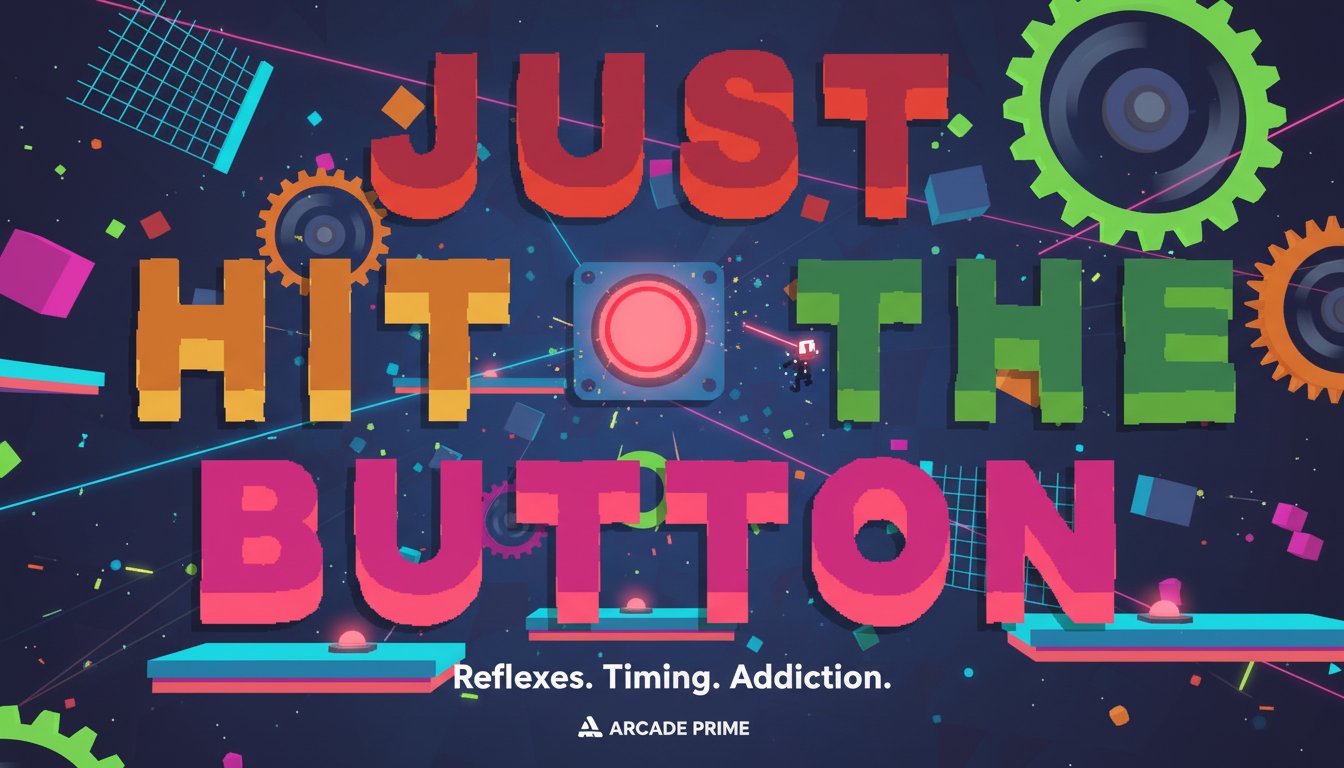
Just Hit the Button is a minimalist arcade game that proves simplicity can be incredibly engaging. The core concept is straightforward: press the buttons that appear on screen. However, beneath this simple premise lies a challenging reflex-testing experience that will keep you coming back for more. The game features colorful, vibrant graphics with a clean 2D design that makes it easy to focus on the action.
What makes this game special is its ability to turn a basic interaction into an addictive challenge. Each level introduces new patterns, timing requirements, and obstacles that test your hand-eye coordination and reaction speed. The difficulty gradually increases, ensuring both newcomers and experienced players find their perfect challenge level.
Core Features
Instant Accessibility
- Completely Free : No payment required, no registration needed
- Browser-Based : Play immediately without downloads or installations
- Cross-Platform : Works perfectly on desktop computers, laptops, and mobile devices
- Lightweight : Quick loading times and smooth performance on any device
Engaging Gameplay Mechanics
- Progressive Difficulty : Levels become increasingly challenging as you advance
- Precise Controls : Responsive mouse controls for accurate button pressing
- Visual Feedback : Clear indicators and satisfying button press animations
- Sound Design : Optional audio cues that enhance the gameplay experience
Replayability Features
- Level Restart : Instantly retry challenging levels with the R key
- Audio Controls : Toggle sound and music on/off during gameplay
- Personal Best Tracking : Challenge yourself to improve your performance
- Addictive Loop : "Just one more try" gameplay that keeps you engaged
Game Mechanics
The gameplay revolves around precise timing and quick reflexes. Buttons appear on screen in various patterns and sequences, and your goal is to click them at the right moment. Some buttons may have specific timing requirements, while others might be part of a sequence that needs to be completed in order.
As you progress through levels, the game introduces obstacles and challenges that make button-pressing more complex. These might include moving targets, time-limited buttons, or patterns that require specific clicking sequences. The key to success is developing muscle memory and improving your reaction time.
Operation Guide
Getting started with Just Hit the Button is incredibly simple:
- Mouse Click : Click on buttons as they appear on screen
- R Key : Restart the current level if you make a mistake
- M Key : Mute or unmute the game's sound and music
- Screen Navigation : Use your mouse to interact with all game elements
The intuitive control scheme means you can focus entirely on the challenge at hand rather than learning complex controls. This accessibility makes it perfect for quick gaming sessions or extended play periods.
Why Play This Game
Perfect for Quick Breaks : Each level can be completed in minutes, making it ideal for short gaming sessions during work breaks or commutes.
Stress Relief : The simple, focused gameplay provides a meditative quality that helps clear your mind and reduce stress.
Reflex Training : Regular play can actually improve your hand-eye coordination and reaction times, making it beneficial beyond entertainment.
Universal Appeal : The game's simple concept makes it accessible to players of all ages and gaming experience levels.
No Commitment Required : Jump in and out of the game whenever you want, with no complex storylines or character progression to remember.
Competitive Element : Challenge yourself to complete levels faster or with fewer mistakes, creating a personal competition that drives replayability.
Whether you're looking for a quick mental challenge, a way to test your reflexes, or simply a fun distraction, Just Hit the Button delivers an unexpectedly engaging experience wrapped in an elegantly simple package.