
Kitten Cannon - Classic Physics Launch Game - Casual Game
 Shooter
Rail Shooter Ride
Build a roller-coaster rail shooter that aims as you ride.
 FPS
FPS3D FPS Game
Build a desert FPS with weapon switching and a retro HUD.
 Unity
UnityCastle Devour Quest
Build a Unity castle quest with risky rooms and a win goal.
 New
NewRiver Raid Survival
Build a River Raid-style flight survival run with fuel pressure.

Time-Attack Racer
Build a no-physics finish-gate racer with nitro, minimap guidance, and synthesized audio.
 Unity
UnityChaos Train Arcade
Build a chaotic Unity train arcade of hazards and timing.
 New
NewArcade Crossing Game
Build a lane-dodging arcade game with traffic and pickups.
 Subscriber only
Unreal Landscape Tour
Tour photoreal Unreal landscapes with cinematic camera work.
 Unity
UnityCupid's Arrow
Build a Unity archery game of timing and matchmaking.
 FPS
FPSNight Mission Survival
Build a first-person night survival with flashlight combat.
ShooterRail Shooter Ride
Build a roller-coaster rail shooter that aims as you ride.
FPS3D FPS Game
Build a desert FPS with weapon switching and a retro HUD.
UnityCastle Devour Quest
Build a Unity castle quest with risky rooms and a win goal.
NewRiver Raid Survival
Build a River Raid-style flight survival run with fuel pressure.
Time-Attack Racer
Build a no-physics finish-gate racer with nitro, minimap guidance, and synthesized audio.
UnityChaos Train Arcade
Build a chaotic Unity train arcade of hazards and timing.
NewArcade Crossing Game
Build a lane-dodging arcade game with traffic and pickups.
Subscriber onlyUnreal Landscape Tour
Tour photoreal Unreal landscapes with cinematic camera work.
UnityCupid's Arrow
Build a Unity archery game of timing and matchmaking.
FPSNight Mission Survival
Build a first-person night survival with flashlight combat.
Prompt

Games are fun. Creating them is even better.
Game Introduction
About the Game
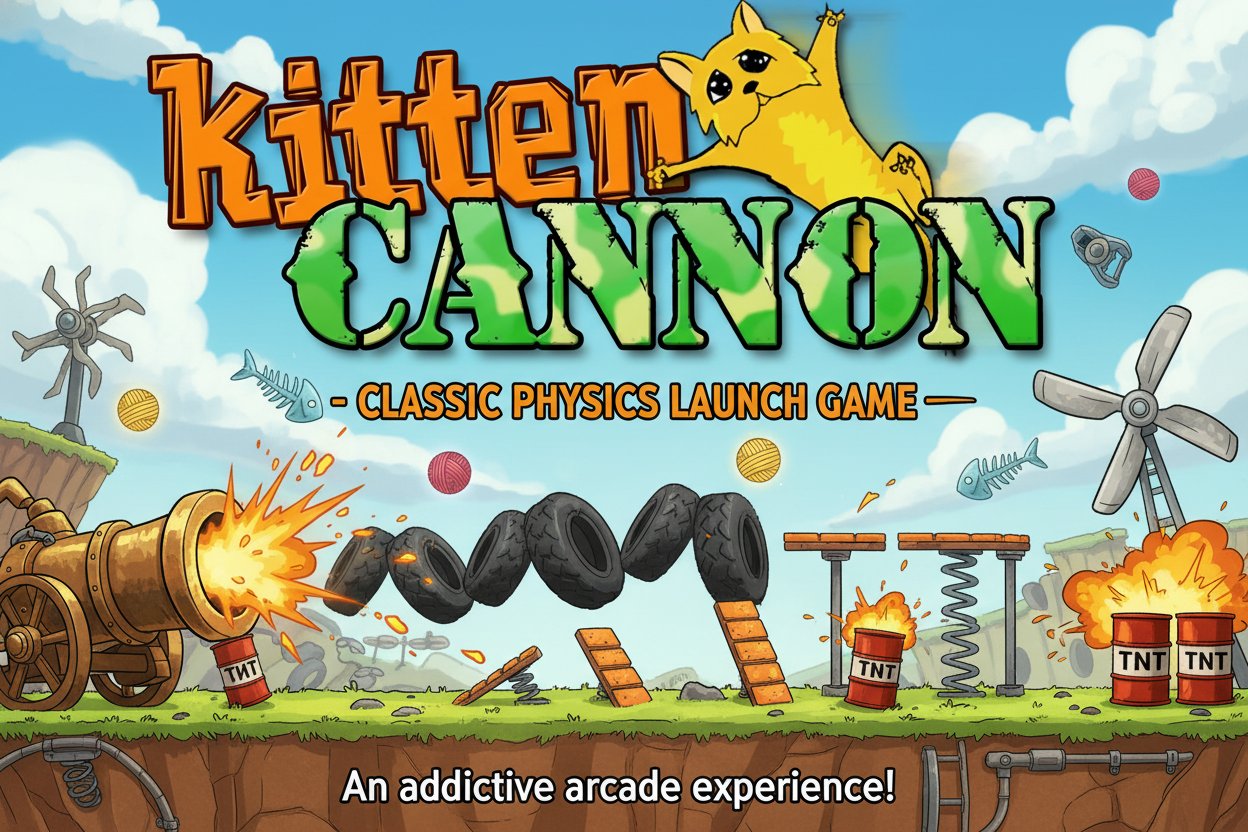
Kitten Cannon is a legendary physics-based launch game that has entertained players for years. In this quirky arcade adventure, you control a cannon loaded with Fluffy, a mischievous orange kitten who just won't stay out of trouble. Your mission is to launch Fluffy as far as possible through a dangerous obstacle course filled with bombs, spikes, springs, and other interactive elements.
The game features a robust physics engine that accurately simulates trajectory, momentum, and collision detection. Every launch feels realistic as Fluffy bounces, tumbles, and flies through the air, interacting with various objects that can either help or hinder the journey.
Core Features
Realistic Physics Simulation
Kitten Cannon's standout feature is its solid physics engine that makes every launch feel authentic. The trajectory system allows you to predict and plan your shots, while the collision mechanics create unpredictable and entertaining interactions with obstacles.
Interactive Obstacle Course
The playing field is packed with diverse obstacles: - Bombs : Explode on contact, launching Fluffy even further - Spikes : Dangerous obstacles that can end your flight - Springs : Bounce Fluffy to new heights and distances - Various props : Each with unique physics properties
Simple Yet Engaging Gameplay
Despite its straightforward concept, Kitten Cannon offers surprising depth. Mastering the perfect angle, power, and timing to achieve maximum distance requires skill and practice. The game's addictive nature comes from the "just one more try" mentality as you attempt to beat your previous record.
Classic Arcade Appeal
As a classic HTML5 game, Kitten Cannon captures the essence of early 2000s flash gaming. Its charming pixel art style, simple controls, and immediate accessibility make it perfect for quick gaming sessions or extended play.
Gameplay Mechanics
The objective is straightforward: launch Fluffy the kitten as far as possible. However, achieving great distances requires understanding the game's physics and obstacle interactions. Each element in the environment affects Fluffy's flight path differently, creating opportunities for strategic launches.
Successful players learn to use obstacles to their advantage, chaining together bounces and explosions to achieve incredible distances. The random placement of some elements ensures that each playthrough offers a unique challenge.
Operation Guide
Kitten Cannon features intuitive controls that anyone can master:
- Arrow Keys : Adjust the cannon's angle up and down
- Spacebar : Fire the cannon (hold to charge power)
- Red Power Meter : Indicates launch strength - watch it carefully for optimal timing
The key to success lies in finding the right balance between angle and power. Too much power with a poor angle might send Fluffy straight into the ground, while perfect angle with insufficient power won't achieve maximum distance.
Pro Tips for Better Launches
- Experiment with different angles to find optimal trajectories
- Use bombs strategically for extra propulsion
- Avoid spikes when possible, but sometimes they're unavoidable
- Springs can provide crucial height for longer flights
- Watch the power meter carefully - timing is everything
Why Play Kitten Cannon
Kitten Cannon represents gaming at its purest form - simple concept, perfect execution, and endless entertainment. It's completely free to play, requires no downloads, and works perfectly on both desktop and mobile devices. The game's physics-based gameplay provides genuine satisfaction when you achieve a perfect launch.
Whether you're looking for a quick distraction or want to challenge yourself to beat distance records, Kitten Cannon delivers timeless arcade fun. Its blend of cute characters, solid mechanics, and strategic depth has made it a beloved classic that continues to entertain players worldwide.
The game's accessibility makes it perfect for players of all ages and skill levels, while its physics-based challenges provide enough depth to keep experienced gamers engaged for hours.