
Learn to Fly - Penguin Flying Adventure Game - Casual Game
 Subscriber only
Unreal Top-Down Roguelite
Create a complete UE 5.5 top-down arena roguelite with upgrades and a boss finale.
 Action
Open World City Action
Build an open-world city romp with driving and police chases.
 Sports
Basketball Duel
Build a one-on-one basketball game with physics shooting.
 Unity
UnityFarmstead Shop
Build a Unity farm-shop sim: grow, stock, serve, upgrade.
 Racing
Track Racing Challenge
Build a closed-circuit racer built around drift corners.
 Sandbox
Voxel Sandbox Builder
Build a voxel sandbox for placing and breaking blocks freely.
 Unity
UnityEgg on the Car Roof
Build a Unity challenge: keep a fragile egg on a moving roof.
 Survival
Survival Sandbox Arena
Build a survival arena with enemy waves and turret defense.
 3D
3DThird Person Explorer
Build a third-person explorer with swappable scenes and a live minimap.
 New
NewSolo Racing Game
Build a browser racer with tracks, timing, and a minimap.
Subscriber onlyUnreal Top-Down Roguelite
Create a complete UE 5.5 top-down arena roguelite with upgrades and a boss finale.
ActionOpen World City Action
Build an open-world city romp with driving and police chases.
SportsBasketball Duel
Build a one-on-one basketball game with physics shooting.
UnityFarmstead Shop
Build a Unity farm-shop sim: grow, stock, serve, upgrade.
RacingTrack Racing Challenge
Build a closed-circuit racer built around drift corners.
SandboxVoxel Sandbox Builder
Build a voxel sandbox for placing and breaking blocks freely.
UnityEgg on the Car Roof
Build a Unity challenge: keep a fragile egg on a moving roof.
SurvivalSurvival Sandbox Arena
Build a survival arena with enemy waves and turret defense.
3DThird Person Explorer
Build a third-person explorer with swappable scenes and a live minimap.
NewSolo Racing Game
Build a browser racer with tracks, timing, and a minimap.
Prompt

Games are fun. Creating them is even better.
Game Introduction
About Learn to Fly
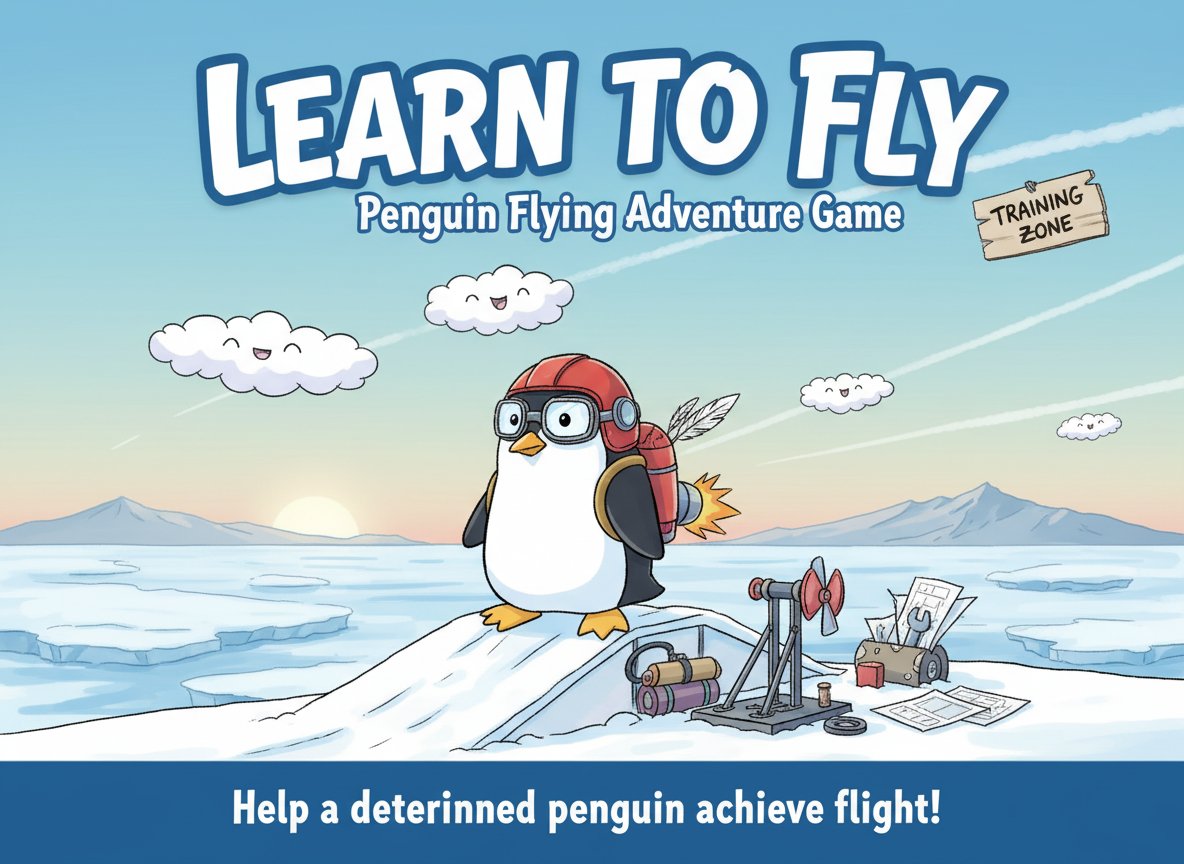
Learn to Fly is a beloved physics-based flying game that has captured hearts with its simple yet addictive gameplay. With an impressive 4.5/5 star rating, this charming adventure follows the journey of a flightless penguin determined to soar through the skies. What starts as a simple dream becomes an epic quest of training, upgrading, and achieving the impossible.
The game combines cute, family-friendly visuals with engaging physics mechanics, making it perfect for players of all ages. Whether you're looking for a quick gaming session or hours of progressive gameplay, Learn to Fly delivers an experience that's both relaxing and rewarding.
Core Features
Adorable Penguin Protagonist
Play as a lovable penguin with big dreams and an even bigger determination to fly. The cute, cartoon-style graphics make every moment delightful, from clumsy first attempts to graceful soaring achievements.
Progressive Training System
Start from the bottom and work your way up through systematic training. Each attempt teaches you something new about flight mechanics, wind patterns, and the art of staying airborne.
Upgrade and Customization Options
Unlock powerful upgrades and equipment to enhance your penguin's flying capabilities. From better launch mechanisms to advanced flying gear, each upgrade brings you closer to aviation mastery.
Physics-Based Flight Mechanics
Experience realistic physics that make every flight feel authentic. Wind resistance, gravity, and momentum all play crucial roles in your penguin's aerial adventures.
Achievement and Progress Tracking
Set new distance records and unlock achievements as you improve. The game tracks your progress, encouraging you to push further and fly higher with each attempt.
Gameplay Mechanics
Launch and Flight System
Begin each attempt with a powerful launch, then use precise controls to guide your penguin through the air. The goal is to achieve maximum distance while maintaining stable flight.
Training Progression
Each flight provides valuable data and experience. Use insights from previous attempts to adjust your strategy, timing, and approach for better results.
Equipment Upgrades
Earn points through successful flights to purchase upgrades. Better equipment means longer flights, more control, and ultimately, the ability to truly fly rather than just glide.
Controls and Operation
Simple Control Scheme
- Arrow Keys : Control flight direction and maintain balance during aerial sequences
- Mouse : Navigate menus, select upgrades, and interact with the training interface
- Spacebar : Activate special abilities and power-ups during flight (when available)
Easy Learning Curve
The intuitive control system makes Learn to Fly accessible to players of all skill levels. New players can quickly grasp the basics, while experienced players can master advanced techniques for maximum distance.
Why Play Learn to Fly
Perfect for All Ages
With its cute graphics, simple controls, and positive message about persistence, Learn to Fly is ideal for family gaming sessions. The game promotes patience, strategic thinking, and the satisfaction of gradual improvement.
Stress-Free Gaming Experience
Unlike competitive games, Learn to Fly offers a relaxing, pressure-free environment where failure is part of the learning process. Every crash is an opportunity to try again with new knowledge.
Addictive Progression System
The combination of immediate feedback and long-term progression creates a compelling gameplay loop. Each flight feels meaningful, whether you're setting a new record or just enjoying the peaceful gliding experience.
No Time Pressure
Play at your own pace without time limits or external pressure. Whether you have five minutes or an hour, Learn to Fly adapts to your schedule and delivers a satisfying gaming experience.
Free and Accessible
Enjoy the complete game experience without any cost. No downloads, no installations – just open your browser and start helping your penguin achieve flight mastery.