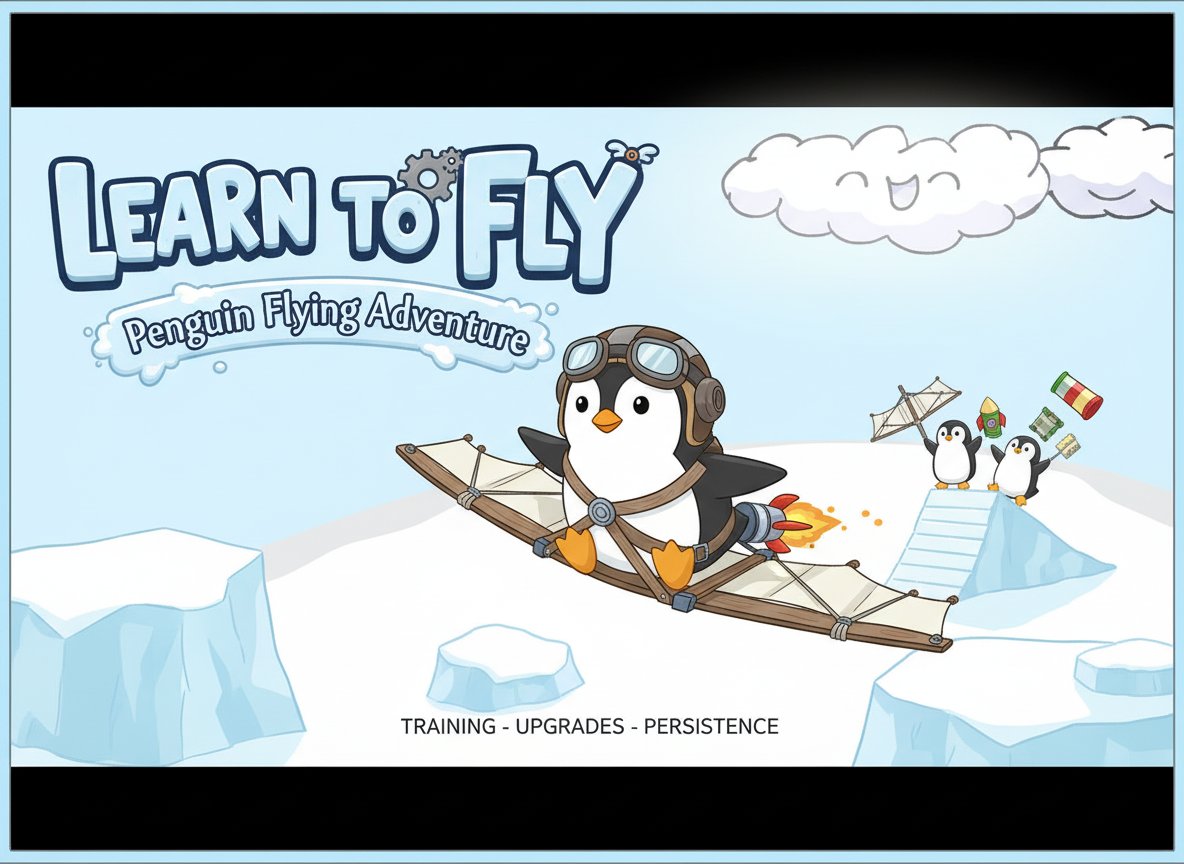
Learn to Fly - Penguin Flying Adventure

Seele01-Flash
By
Learn to Fly is a charming physics-based flying game where you help a determined penguin achieve its dream of flight through training, upgrades, and persistence.

Prompt

MODEL: Seele01-Flash
Please use Three.js to generate a **mobile-first game** with the theme "Learn to Fly (Penguin Launcher)". Please read the following detailed game design requirements first, and then generate the code accordingly: ### 1. Assets & Environment * **Visual Style**: Low-poly 3D with a "Toon/Cel-shaded" aesthetic to match the cute 2D source material. Bright, high-saturation colors (Ice Blue, White, Orange beak). * **Character**: A cute, blocky or capsule-based Penguin model. Procedural animation needed for waddling (idle) and aerodynamic streamlining (during flight). * **Environment**: * **The Ramp**: A large, steep snowy slope at x=0 for the launch phase. * **The Course**: An infinite rolling ocean/ice plane extending along the positive X-axis. * **Background**: Simple skybox with a gradient blue sky. Add floating "Smiling Clouds" (as seen in the reference) positioned at various heights as depth markers. * **Mobile Optimization**: Use simple `MeshLambertMaterial` for performance. Use fog (`scene.fog`) to blend the distant horizon and save rendering resources. Limit dynamic lights to one DirectionalLight (Sun) and one AmbientLight. ### 2. Audio Requirements * **BGM**: A whimsical, lighthearted orchestral track (flutes, pizzicato strings) that loops. * **SFX**: * **Wind**: A white noise loop that modulates in volume and pitch based on the penguin's velocity (crucial for speed feedback). * **Impact**: Comedic "Thud" or "Slide" sound when hitting the water/ice. * **UI**: "Ka-ching" sound for earning money; "Pop" sound for button clicks. * **Rocket**: A burning fuse or thruster sound if the player uses a boost. ### 3. Gameplay Loop * **Phase 1: The Launch**: The penguin starts at the top of a ramp. A UI gauge oscillates back and forth. The player taps to stop the gauge; the fuller the gauge, the higher the initial slide speed. * **Phase 2: The Flight (Physics Core)**: * The penguin leaves the ramp with initial velocity. * **Aerodynamics**: Real-time calculation of Lift vs. Gravity and Drag vs. Speed. * **Mechanic**: Nosing down (diving) increases speed but loses height. Nosing up (climbing) converts speed into height but increases drag. If speed drops too low, the penguin stalls and falls. * **Phase 3: The Landing**: When altitude <= 0, the penguin hits the water/ice. Calculate distance traveled, max altitude, and flight duration. * **Phase 4: The Shop (Progression)**: Convert flight stats into "Cash". Show a UI allowing the player to buy: * **Glider Quality**: Reduces drag. * **Rocket Fuel**: Adds a boost ability. * **Ramp Height**: Increases starting potential energy. ### 4. Mobile Controls & Interaction * **Launch Control**: Single tap anywhere on the screen to stop the power gauge and start the slide. * **Flight Control (Two-Zone Touch)**: * **Right Screen Hold**: Rotate penguin nose **DOWN** (Dive/Accelerate). * **Left Screen Hold**: Rotate penguin nose **UP** (Climb/Brake). * **Double Tap**: Activate Rocket Boost (if purchased). * **Screen Orientation**: Locked to **Landscape** mode for a wider view of the flight path. * **UI & Feedback**: * Large, thumb-friendly buttons (min 44px padding) for the "Shop" and "Replay" menus. * **Visual Feedback**: Speed lines (particle system) appearing at the edges of the screen when velocity is high to convey a sense of speed on small screens. * **Haptic**: Trigger a short vibration on impact/landing. Do not ask for clarification. Do not request confirmation. Directly execute the generation task based on the given instructions.

Game Introduction

About the Game

Learn to Fly is a beloved physics-based launch game that has captured players' hearts with its simple yet addictive gameplay. With an impressive 4.5/5 rating, this free online game puts you in control of an ambitious penguin determined to defy nature and learn how to fly. What starts as a flightless bird's modest attempt at flight evolves into an epic journey of persistence, upgrades, and ultimate triumph.

Core Features

Charming Physics-Based Gameplay

The game combines realistic physics with whimsical cartoon charm. Watch your penguin tumble, glide, and eventually soar as you master the art of flight through practice and strategic upgrades.

Progressive Upgrade System

Start with basic equipment and gradually unlock powerful upgrades including: - Gliders and Wings : Improve your aerodynamic capabilities - Rockets and Boosters : Add explosive power to your launch - Training Equipment : Enhance your penguin's natural abilities - Launch Ramps : Optimize your takeoff angle and speed

Accessible for All Ages

Rated for all ages, Learn to Fly offers family-friendly entertainment with intuitive controls that anyone can master. The game strikes the perfect balance between simple mechanics and engaging progression.

Completely Free Experience

Enjoy the full game experience without any cost. No hidden fees, no premium content locks - just pure flying fun accessible through any web browser.

Gameplay Mechanics

Your journey begins with a penguin that can barely get off the ground. Through a combination of training sessions and equipment purchases, you'll gradually improve your flight capabilities:

  1. Launch Phase : Build momentum on the ramp
  2. Flight Control : Use arrow keys to maintain optimal flight angle
  3. Landing : Maximize distance and earn coins for upgrades
  4. Upgrade : Invest earnings in better equipment and training
  5. Repeat : Each attempt gets you closer to mastering flight

Operation Guide

Controls are simple and intuitive: - Arrow Keys : Control your penguin during flight - up/down to adjust angle, left/right for minor adjustments - Mouse : Navigate menus, purchase upgrades, and interact with the game interface - Spacebar : Sometimes used for special actions (varies by upgrade)

Pro Tips for Success: - Start with training upgrades to improve your penguin's base abilities - Balance speed and angle - too steep climbs waste momentum - Save coins for significant upgrades rather than small improvements - Experiment with different equipment combinations

Why Play Learn to Fly

Addictive Progression Loop

The satisfaction of seeing measurable improvement with each flight creates an incredibly engaging experience. Every upgrade brings visible results, motivating continued play.

Stress-Free Gaming

With no time pressure or complex objectives, Learn to Fly offers a relaxing gaming experience perfect for unwinding or taking quick breaks.

Universal Appeal

The cute penguin protagonist and simple concept appeal to players of all ages, making it perfect for family gaming sessions.

Browser Convenience

No downloads or installations required - simply open your browser and start playing immediately on any device.

Frequently Asked Questions (FAQ)