Toss the Turtle

Seele01-Flash
By
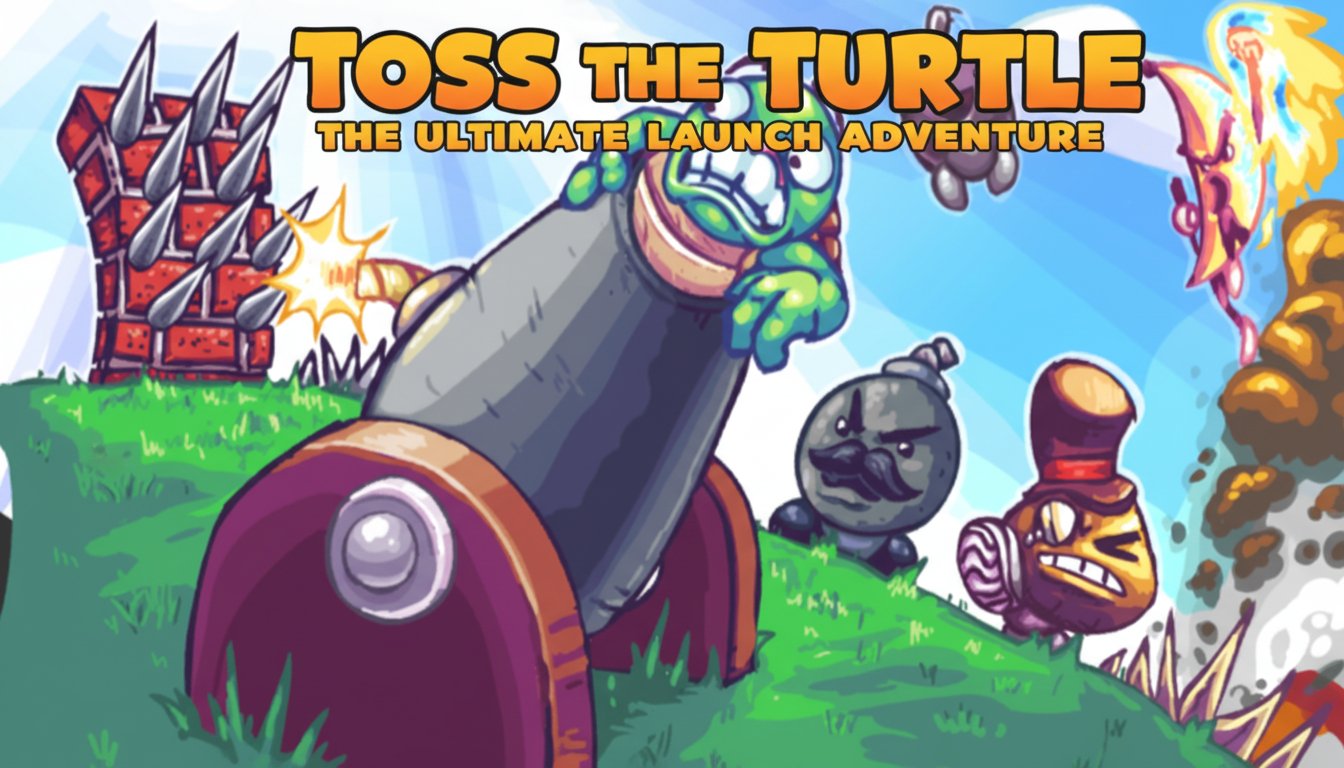
Toss the Turtle is an addictive physics-based launch game where you fire a fearless turtle from a massive cannon to see how far he can fly. Upgrade your equipment and beat distance records in this entertaining browser game.

Prompt

MODEL: Seele01-Flash
Please use Three.js to generate a **mobile-first game** with the theme "Toss the Turtle 3D". Please read the following detailed game design requirements first, and then generate the code accordingly: ### 1. Assets & Environment * **Visual Style:** High-energy "Living Cartoon" aesthetic using **MeshToonMaterial** (Cell Shading) to replicate the original Flash game's 2D vector art style in a 3D environment. Colors should be vibrant and saturated (bright greens, sky blues, chaotic reds). * **Key Models:** * **The Cannon:** A massive, exaggerated metallic cannon with wooden wheels, stationed on a grassy hill on the far left. * **The Turtle:** A round, green, low-poly turtle character. Crucial detail: The face texture should change based on state (e.g., "Determined" in cannon, "Terrified" in air, "Dizzy" on impact). * **Obstacles & Boosts:** 3D models of Spikes (vertical barriers), Bombs with angry faces (boosts), and Bananas (slip hazards) scattered along the ground z-axis. * **Environment:** A side-scrolling 2.5D world. * **Foreground:** Infinite scrolling textured ground with varying friction patches. * **Background:** Parallax scrolling layers (hills, clouds, sun) to create a sense of immense speed and distance. * **Mobile Optimization:** Use instanced rendering for repetitive ground objects (spikes/bombs). Limit dynamic lights; rely on baked ambient occlusion and a single directional light for the toon effect. ### 2. Audio Requirements * **BGM:** Fast-paced, wacky ska-punk or energetic circus-rock loop that encourages speed and chaos. * **Sound Effects (SFX):** * **Launch:** A deep, explosive "BOOM" followed by a whistling projectile sound. * **Turtle:** Comical screaming (with Doppler effect as he flies by), "Oof" and squishy sounds upon hitting the ground. * **Interactions:** Explosion sounds for hitting bombs; metal "clank" for hitting spikes; cash register "Cha-Ching" sound when passing distance milestones. * **UI:** Satisfying "pop" sounds for button clicks. ### 3. Gameplay Loop * **Phase 1: The Launch:** The player aims the cannon and manages a fluctuating "Power Bar". Timing the click correctly results in max power. * **Phase 2: The Flight (Physics):** The turtle becomes a physics projectile (suggest using Cannon.js or simple vector physics). * Gravity pulls the turtle down. * Bouncing on the ground reduces momentum based on friction. * **Goal:** Reach the maximum distance possible. * **Phase 3: Interactions:** * **Good:** Hitting a **Bomb** or **Nuclear Canister** triggers an explosion that propels the turtle upward and forward (adds velocity). * **Bad:** Hitting **Spikes** or vertical walls stops horizontal momentum instantly (Game Over). * **Phase 4: Shop & Upgrades:** After the turtle stops, convert distance traveled into "Cash". A simple UI overlay allows buying: * Better Cannon (higher initial velocity). * Aerodynamic Shell (less air drag). * Jetpack (active boost). ### 4. Mobile Controls & Interaction * **Screen Orientation:** **Landscape Mode** (Essential for horizontal distance games). * **Launch Control:** * **Aiming:** Drag finger up/down on the left side of the screen to rotate the cannon barrel. * **Firing:** A large, pulsating "FIRE" button on the right. Press and hold to fill a power gauge, release to shoot. * **Mid-Air Control:** * **WASD replacement:** Two large transparent arrow buttons (Rotate Left / Rotate Right) on the bottom left to adjust the turtle's angle (landing flat preserves speed, landing on face hurts speed). * **Active Items:** A "Shoot" button on the bottom right (if the player has ammo) to fire a pistol at the turtle to keep him moving, or activate a jetpack. * **Feedback:** * **Haptic:** Trigger device vibration when the cannon fires and when the turtle hits the ground or a bomb. * **Visual:** Screen shake effect on explosions. Damage numbers/Cash numbers popping up in world space. Do not ask for clarification. Do not request confirmation. Directly execute the generation task based on the given instructions.

Game Introduction

About the Game

Toss the Turtle is a wildly entertaining physics-based launch game that combines humor, strategy, and explosive action. In this unique browser game, you take control of a massive cannon with one mission: launch a brave turtle as far as possible across colorful landscapes filled with obstacles, power-ups, and interactive objects.

The game's charm lies in its absurd premise and engaging progression system. Each launch earns you cash based on distance traveled, which you can invest in cannon upgrades, special equipment, and power-ups to achieve even greater distances. With its cartoonish graphics, funny turtle expressions, and satisfying physics mechanics, this game has entertained millions of players worldwide.

Core Features

Addictive Launch Mechanics

The core gameplay revolves around perfecting your launch technique. Adjust the cannon's angle and power, then watch as your turtle hero soars through the sky, bouncing off objects and collecting bonuses along the way.

Comprehensive Upgrade System

Earn cash with every launch to purchase: - Cannon Upgrades : Increase power and accuracy - Turtle Equipment : Helmets, jetpacks, and protective gear - Special Weapons : Guns and explosives for mid-air boosts - Power-ups : Temporary abilities that extend flight distance

Interactive Environment

The flight path is filled with various objects that can help or hinder your turtle's journey. Trampolines bounce you higher, while obstacles can slow you down. Learning to navigate these elements is key to achieving record distances.

Eccentric Visual Design

The game features a distinctive cartoon art style with vibrant colors and humorous character designs. The turtle's expressions change throughout flight, adding personality and charm to every launch.

Gameplay Guide

Success in Toss the Turtle requires both skill and strategy:

  1. Master the Launch : Use your mouse to aim the cannon and hold the left button to build power. Release at the perfect moment for optimal trajectory.

  2. Control Mid-Flight : Once airborne, use WASD keys to guide your turtle's movement, helping him avoid obstacles and hit beneficial objects.

  3. Invest Wisely : Spend your earnings on upgrades that complement your play style. Early cannon improvements often provide the best return on investment.

  4. Learn the Environment : Memorize object locations and effects to plan your flight path strategically.

Operation Guide

The game features intuitive controls: - Mouse Movement : Aim the cannon in any direction - Left Mouse Button : Hold to charge power, release to fire - WASD Keys : Control turtle direction during flight - Menu Navigation : Use mouse to browse upgrades and options

Why Play This Game

Toss the Turtle offers the perfect blend of simple mechanics and deep progression that keeps players coming back. The satisfaction of beating your previous distance record, combined with the humorous presentation and strategic upgrade system, creates an addictive gameplay loop.

The game is completely free to play in your web browser, requiring no downloads or installations. Whether you have five minutes or an hour to spare, you can jump in and start launching. The physics-based gameplay ensures that no two launches are exactly the same, maintaining freshness even after hundreds of attempts.

With its family-friendly cartoon violence and accessible controls, it's suitable for players of all ages who enjoy physics puzzles and progression games.

Frequently Asked Questions (FAQ)