
Monkey Lander - Casual Game
 Shooter
Platform Shooter Quest
Build a side-scrolling platform shooter with weapon switching.
 Unity
UnityBattle of Balls
Build a Unity arena where rolling balls collide and grow.
 Godot
GodotBaby Bat Climber
Build a compact Godot cave-climbing platformer.
 3D
3DThird Person Explorer
Build a third-person explorer with swappable scenes and a live minimap.
 Voxel
VoxelVoxel Hero Adventure
Build a voxel hero who explores, mines, and builds.
 Sports
Basketball Duel
Build a one-on-one basketball game with physics shooting.
 Driving
City Car Driving
Build an open-city free-driving game with car selection.
 Unity
UnityChaos Train Arcade
Build a chaotic Unity train arcade of hazards and timing.
 SEELE02 CORE
Game Generator
Turn a one-line idea into a playable game demo.
 Voxel
VoxelVoxel Village Explorer
Build a voxel village to roam with jump and camera controls.
ShooterPlatform Shooter Quest
Build a side-scrolling platform shooter with weapon switching.
UnityBattle of Balls
Build a Unity arena where rolling balls collide and grow.
GodotBaby Bat Climber
Build a compact Godot cave-climbing platformer.
3DThird Person Explorer
Build a third-person explorer with swappable scenes and a live minimap.
VoxelVoxel Hero Adventure
Build a voxel hero who explores, mines, and builds.
SportsBasketball Duel
Build a one-on-one basketball game with physics shooting.
DrivingCity Car Driving
Build an open-city free-driving game with car selection.
UnityChaos Train Arcade
Build a chaotic Unity train arcade of hazards and timing.
SEELE02 COREGame Generator
Turn a one-line idea into a playable game demo.
VoxelVoxel Village Explorer
Build a voxel village to roam with jump and camera controls.
Prompt

Games are fun. Creating them is even better.
Game Introduction
About the Game
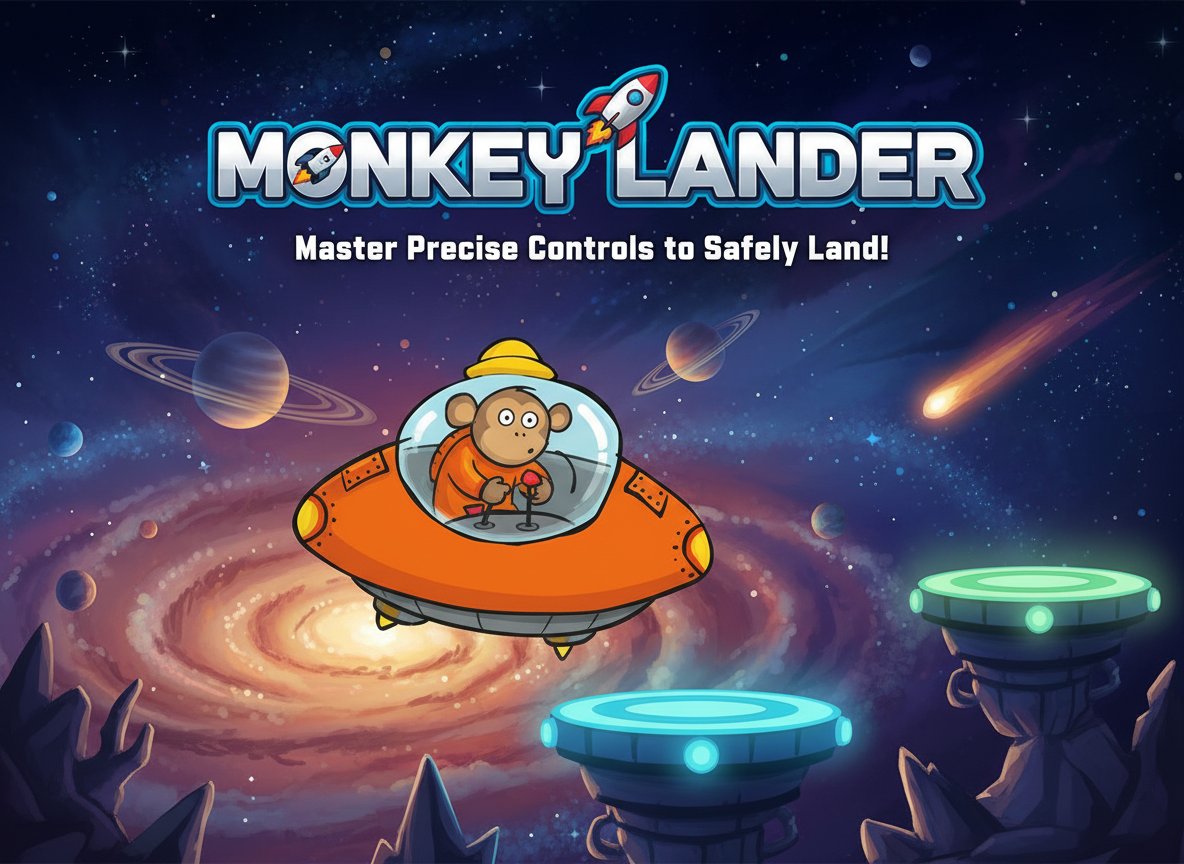
Monkey Lander is a delightful arcade-style flying game that combines cute characters with challenging gameplay mechanics. You take control of an adorable monkey astronaut piloting a spacecraft through various landing scenarios. The game tests your precision and timing skills as you navigate through space to safely land on designated platforms.
This free-to-play browser game offers simple yet engaging gameplay that appeals to players of all ages. With its charming art style featuring a cute monkey character and space theme, Monkey Lander provides hours of entertaining gameplay without any cost or download requirements.
Core Features
Challenging Physics-Based Gameplay
The game features realistic physics that make each landing attempt a genuine challenge. You must carefully control your spacecraft's thrust and direction to achieve soft landings while managing fuel consumption and momentum.
Cute Character Design
Featuring an adorable monkey astronaut as the main character, the game appeals to players who enjoy cute and family-friendly gaming experiences. The charming visual design creates an engaging atmosphere that keeps players coming back.
Progressive Difficulty
As you advance through the game, landing challenges become increasingly difficult with smaller platforms, moving targets, and more complex navigation requirements. This progression system keeps the gameplay fresh and challenging.
Instant Browser Play
No downloads or installations required - simply open your web browser and start playing immediately. The game runs smoothly on all modern browsers and devices.
Game Mechanics
Precision Landing System
The core gameplay revolves around achieving perfect landings on various platforms. Each successful landing requires careful control of speed, angle, and timing. Too fast or at the wrong angle, and your monkey astronaut won't survive the impact.
Fuel Management
Monitor your fuel levels carefully as unlimited thrust isn't available. Strategic use of propulsion is essential for completing longer missions and reaching distant landing zones.
Operation Guide
Basic Controls
- Arrow Keys : Use the directional arrow keys to control your spacecraft
- Up Arrow : Apply upward thrust to counteract gravity
- Left/Right Arrows : Control horizontal movement and rotation
- Down Arrow : Apply downward thrust for faster descent (use carefully)
Landing Tips
- Approach platforms slowly and at a shallow angle
- Use short, controlled bursts of thrust rather than continuous acceleration
- Monitor your fuel gauge to avoid running out mid-flight
- Practice makes perfect - each attempt teaches you better control
Why Play This Game
Perfect for Quick Gaming Sessions : Monkey Lander is ideal for short breaks and casual gaming. Each attempt takes only a few minutes, making it perfect for quick entertainment.
Develops Precision Skills : The game helps improve hand-eye coordination and timing through its challenging landing mechanics.
Family-Friendly Content : With its cute monkey character and non-violent gameplay, it's suitable for players of all ages.
No Financial Commitment : Completely free to play with no hidden costs, premium features, or pay-to-win mechanics.
Cross-Platform Compatibility : Play on any device with a web browser - desktop computers, laptops, tablets, or smartphones.
Whether you're looking for a quick gaming break or want to master the art of precision landing, Monkey Lander offers an entertaining and challenging experience that will keep you engaged attempt after attempt.