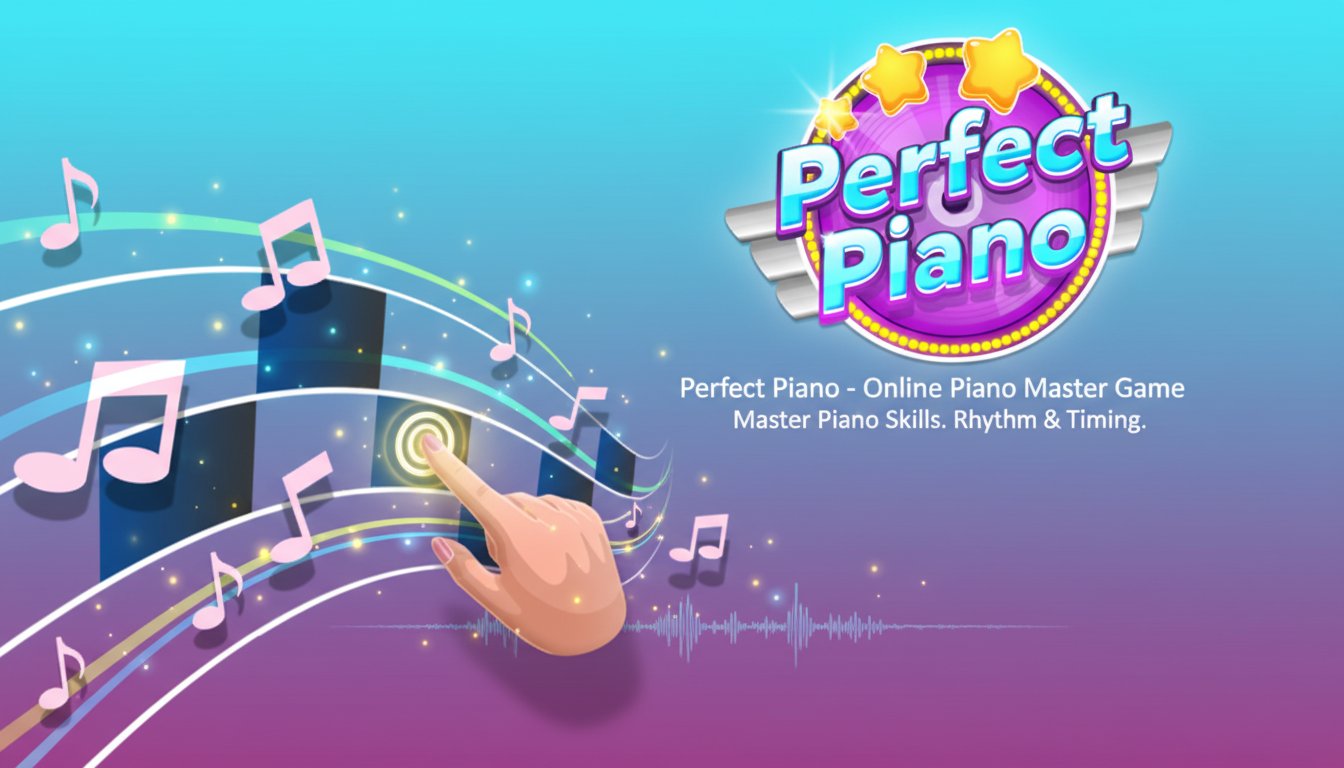
Perfect Piano - Online Piano Master Game

Seele01-Flash
By
Perfect Piano is an entertaining online music game where players can master piano skills by completing beautiful songs. Test your rhythm and timing in this colorful, accessible piano simulator.

Prompt

MODEL: Seele01-Flash
Please use Three.js to generate a **mobile-first game** with the theme "**Perfect Piano - 3D Rhythm Tapper**". Please read the following detailed game design requirements first, and then generate the code accordingly: ### 1. Assets & Environment * **Visual Style**: Adopt a vibrant, "Candy-colored" casual aesthetic similar to *Piano Tiles 2*. Use a gradient background that shifts colors slowly over time (e.g., deep purple to magenta) to keep visual interest without distracting the player. * **Camera Perspective**: Use a fixed perspective camera positioned slightly angled above the gameplay area (tilted top-down view), creating a sense of depth (2.5D) where the notes slide towards the player from the "distance." * **The "Lanes"**: Create 4 distinct vertical lanes. The lanes should be semi-transparent white/glassy strips. * **The "Notes"**: The interactive elements should be 3D rounded rectangular blocks (black or dark blue) that slide down the lanes. When tapped, they should emit a bright glow or burst into small particle effects (stars or musical notes). * **Feedback Effects**: * **Hit**: A ripple effect or a small light flash on the specific lane. * **Miss**: A screen shake effect or a red tint overlay for a split second. * **Perfect**: Text popups like "Perfect!", "Great!" in 3D floating text when timing is precise. * **Mobile Optimization**: Use low-poly geometries for the blocks. Avoid complex shadows; use baked lighting or simple ambient + directional light. Recycle particle systems (object pooling) to prevent garbage collection stutter on mobile devices. ### 2. Audio Requirements * **BGM (Music)**: Implement a mechanic where the music *only* progresses when the player successfully hits a note. If possible, use a simple MIDI-style array or a segmented audio file of a classical piece (e.g., *Canon in D* or *Fur Elise*). Every tap plays the next note/chord in the sequence. * **SFX**: * **Tap Sound**: A soft, pleasant piano key sound (if not using the progressive music mechanic) or a subtle "thud" to confirm feedback. * **Game Over**: A discordant "piano crash" sound or a descending tone. * **UI Sounds**: High-pitched "dings" for button presses. ### 3. Gameplay Loop * **Core Mechanic**: "Don't tap the white tiles" style. Black tiles spawn at the top and move down towards a "Hit Line" at the bottom of the screen. * **Speed Ramp**: The speed of the falling tiles increases gradually as the score gets higher. * **Win/Loss Condition**: * **Loss**: If a black tile touches the bottom edge of the screen without being tapped, or if the player taps an empty lane (a "white tile"). * **Scoring**: +1 point for every successful tap. * **Flow**: Start Screen (Title + "Tap to Start") -> Gameplay -> Game Over Screen (Score + "Restart" button). ### 4. Mobile Controls & Interaction * **Touch Input (Primary)**: Divide the screen width into 4 invisible vertical touch zones corresponding to the 4 visual lanes. * **Multi-touch**: Support multi-touch so players can hit chords (two notes falling simultaneously in different lanes). * **Raycasting**: Use Three.js Raycaster for touch events. The hit detection should be generous (slightly larger than the visible tile) to accommodate "fat finger" errors on mobile. * **Responsiveness**: The visual feedback (tile disappearing/glowing) must happen immediately on `touchstart`, not `touchend`, to ensure the game feels snappy. * **Orientation**: Force or optimize for **Portrait Mode** (vertical), as this mimics a piano keyboard layout better for thumbs. * **UI Layer**: Ensure the score display is at the top center (large font) and does not obscure the falling tiles. The "Restart" button on the Game Over screen should be large (at least 60px height) and centered. Do not ask for clarification. Do not request confirmation. Directly execute the generation task based on the given instructions.

Game Introduction

About the Game

Perfect Piano is a delightful online music game that transforms your browser into a virtual piano studio. This engaging casual game challenges players to become piano masters by completing a variety of beautiful songs through precise timing and rhythm. With its vibrant pink and purple color scheme and intuitive design, Perfect Piano offers an accessible introduction to piano playing for music enthusiasts of all skill levels.

Core Features

Comprehensive Song Collection

Perfect Piano features a diverse library of songs ranging from classical pieces to modern melodies. Each song is carefully designed to provide progressive difficulty, allowing beginners to start with simple tunes while offering challenging compositions for advanced players.

Intuitive Visual Interface

The game employs a user-friendly visual system with flowing musical notes and clear timing indicators. The colorful design makes it easy to follow along with the music, creating an immersive and enjoyable playing experience.

Skill Development System

As you progress through different songs, Perfect Piano helps develop essential musical skills including rhythm recognition, timing precision, and finger coordination. The game tracks your performance and provides feedback to help improve your piano mastery.

Cross-Platform Accessibility

Designed for both desktop and mobile browsers, Perfect Piano ensures you can practice your piano skills anywhere, anytime. The responsive design adapts seamlessly to different screen sizes while maintaining optimal playability.

Gameplay Mechanics

Perfect Piano combines the joy of music creation with engaging gameplay mechanics. Players must hit the correct keys at precisely the right moment as musical notes flow across the screen. The game rewards accuracy and timing, encouraging players to achieve perfect performances on each song.

Progressive Difficulty

Start with beginner-friendly melodies and gradually work your way up to more complex compositions. Each completed song unlocks new challenges, ensuring continuous engagement and skill development.

Performance Scoring

The game features a comprehensive scoring system that evaluates timing accuracy, note precision, and overall performance. Strive for perfect scores while enjoying the beautiful melodies you create.

Controls and Operation

Perfect Piano offers flexible control options to suit different playing preferences:

  • Keyboard Controls : Use F, G, H, and J keys to play different piano notes
  • Mouse Controls : Click with the left mouse button for alternative input
  • Responsive Design : Controls automatically adapt for mobile touch screens

The simple control scheme makes Perfect Piano accessible to players of all ages while still providing the precision needed for advanced musical expression.

Why Play Perfect Piano

Perfect Piano stands out as an excellent choice for music game enthusiasts and aspiring pianists alike. The game offers genuine musical education value while maintaining the fun and engaging elements of a casual browser game. Whether you're looking to develop musical skills, relax with beautiful melodies, or simply enjoy a creative gaming experience, Perfect Piano delivers an exceptional combination of entertainment and learning.

The game's free-to-play model means anyone can start their piano journey immediately, with no downloads or installations required. Simply open your browser and begin creating beautiful music right away.

Frequently Asked Questions (FAQ)