
Phone CASE DIY - Creative Phone Case Designer - Casual Game
 FPS
FPS3D FPS Game
Build a desert FPS with weapon switching and a retro HUD.
 New
NewSolo Racing Game
Build a browser racer with tracks, timing, and a minimap.
 FPS
FPSNight Mission Survival
Build a first-person night survival with flashlight combat.
 Unity
UnityCrimson Illusion Battle
Build a Unity fantasy battle through a crimson illusion realm.
 Puzzle
Magic Cube Puzzle
Build an interactive Rubik's Cube with scramble and reset.
 Sports
Basketball Duel
Build a one-on-one basketball game with physics shooting.
 Subscriber only
Unreal City Tour
Explore a photoreal Unreal city with terrain and live weather.
 Sandbox
Voxel Sandbox Builder
Build a voxel sandbox for placing and breaking blocks freely.
 Unity
UnityChaos Train Arcade
Build a chaotic Unity train arcade of hazards and timing.
 New
NewUnderwater Puzzle
Build an underwater puzzle: restore coral, dodge crabs.
FPS3D FPS Game
Build a desert FPS with weapon switching and a retro HUD.
NewSolo Racing Game
Build a browser racer with tracks, timing, and a minimap.
FPSNight Mission Survival
Build a first-person night survival with flashlight combat.
UnityCrimson Illusion Battle
Build a Unity fantasy battle through a crimson illusion realm.
PuzzleMagic Cube Puzzle
Build an interactive Rubik's Cube with scramble and reset.
SportsBasketball Duel
Build a one-on-one basketball game with physics shooting.
Subscriber onlyUnreal City Tour
Explore a photoreal Unreal city with terrain and live weather.
SandboxVoxel Sandbox Builder
Build a voxel sandbox for placing and breaking blocks freely.
UnityChaos Train Arcade
Build a chaotic Unity train arcade of hazards and timing.
NewUnderwater Puzzle
Build an underwater puzzle: restore coral, dodge crabs.
Prompt

Games are fun. Creating them is even better.
Game Introduction
About the Game
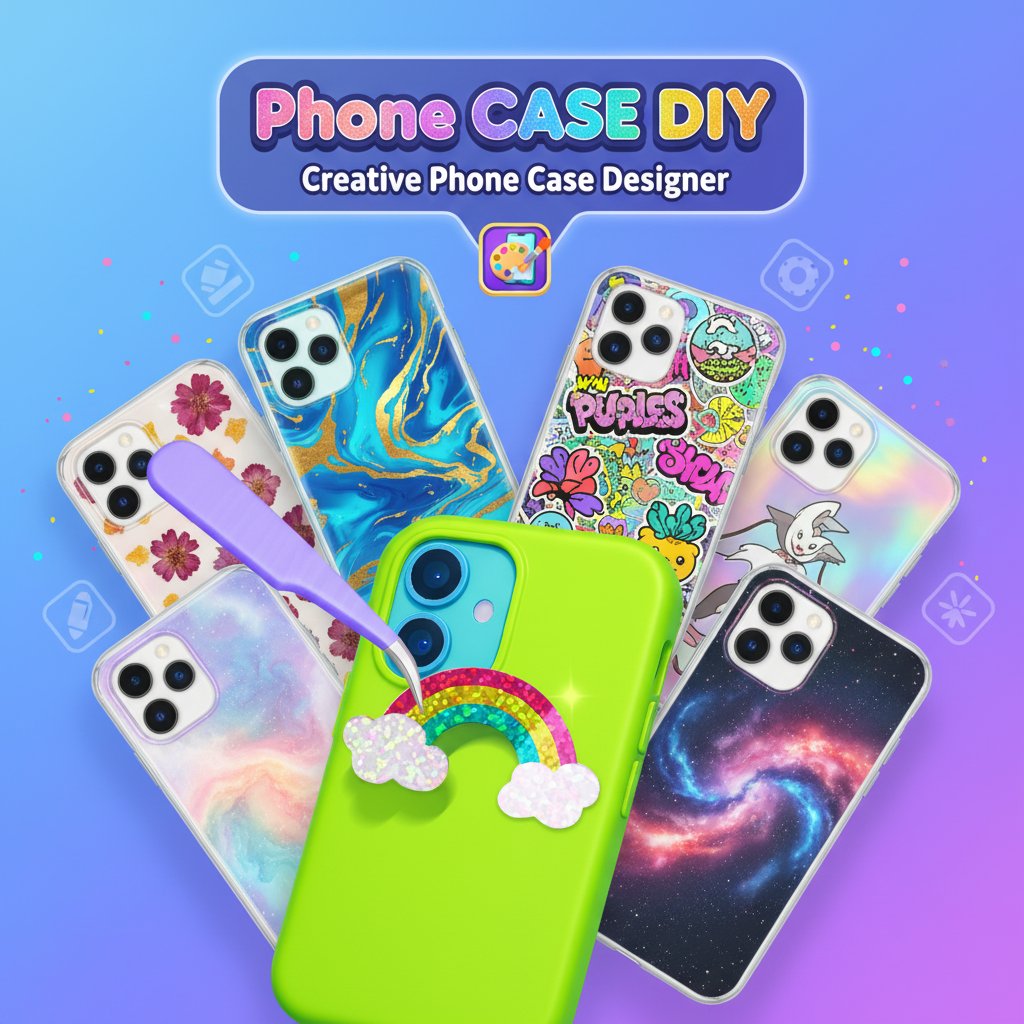
Phone CASE DIY is a delightful 3D decoration and simulation game that transforms you into a creative phone case designer. This free online game offers an immersive experience where you can craft unique, personalized phone cases using a wide variety of decorative elements, colors, and patterns. With its intuitive interface and realistic 3D graphics, you'll feel like you're working in a real phone case design studio.
Core Features
Complete Creative Freedom
Express your artistic vision with unlimited design possibilities. The game provides a comprehensive toolkit featuring:
- Extensive Color Palette : Choose from hundreds of vibrant colors and gradients
- Decorative Elements : Apply stickers, gems, patterns, and special effects
- 3D Realistic Rendering : See your designs come to life with stunning visual detail
- Multiple Phone Models : Design cases for various popular smartphone types
Interactive Design Process
Enjoy a hands-on crafting experience that mimics real phone case creation:
- Layer-by-Layer Building : Add base colors, then decorative layers for depth
- Real-Time Preview : See changes instantly as you design
- Precision Tools : Fine-tune placement and sizing of decorative elements
- Texture Options : Apply different materials like glitter, marble, or metallic finishes
Trending Design Elements
Stay current with popular phone case trends including:
- Rainbow Themes : Create colorful rainbow designs with clouds and sparkles
- Holographic Effects : Add shimmer and iridescent finishes
- Cute Characters : Incorporate adorable animals and emoji-style decorations
- Abstract Patterns : Design modern geometric and artistic patterns
Gameplay Mechanics
The game follows an intuitive design workflow that makes creating professional-looking phone cases easy and enjoyable. Start by selecting your phone model and base case color, then progressively add decorative elements to build your unique design.
Design Categories
- Minimalist Styles : Clean, simple designs with subtle elegance
- Bold Statements : Vibrant, eye-catching designs with multiple elements
- Themed Collections : Seasonal, holiday, or special occasion designs
- Personalized Touches : Add names, initials, or custom messages
Operation Guide
Mouse Controls : - Left Click : Select and place decorative elements - Drag : Move elements around the phone case surface - Right Click : Access element properties and customization options - Scroll Wheel : Zoom in/out for detailed work
Touch Controls (Mobile) : - Tap : Select items from the decoration menu - Drag & Drop : Position elements precisely on the case - Pinch : Zoom for detailed editing - Two-Finger Rotate : Adjust element orientation
Design Process : 1. Choose your phone model from the selection menu 2. Pick a base case color or pattern as your foundation 3. Browse the decoration library and select elements you like 4. Drag decorations onto the case and position them 5. Adjust size, rotation, and layering as needed 6. Apply special effects like glitter or transparency 7. Save your creation or start a new design
Why Play This Game
Perfect for Creative Minds : Whether you're an aspiring designer or just love crafting, this game provides a satisfying outlet for creativity without any real-world costs or cleanup.
Stress-Free Entertainment : The relaxing gameplay and beautiful visuals make it an excellent choice for unwinding after a busy day.
Inspiration for Real Projects : Use the game to experiment with design ideas before creating actual custom phone cases.
Family-Friendly Fun : Safe and appropriate for all ages, making it perfect for family gaming time or introducing kids to digital design.
No Commitment Required : Experiment freely without worrying about wasting materials or making permanent decisions.