
Space Waves - Online Arcade Obstacle Game - Casual Game
 New
NewHook a Fish Arcade
Build a fishing arcade where catches buy you more time.
 Unity
UnityFarmstead Shop
Build a Unity farm-shop sim: grow, stock, serve, upgrade.
 Unity
UnityCity Eater
Build a Unity game where a growing blob devours the city.
 FPS
FPSNight Mission Survival
Build a first-person night survival with flashlight combat.
 3D
3DThird Person Explorer
Build a third-person explorer with swappable scenes and a live minimap.
 Subscriber only
Unreal Top-Down Roguelite
Create a complete UE 5.5 top-down arena roguelite with upgrades and a boss finale.
 Sandbox
Voxel Sandbox Builder
Build a voxel sandbox for placing and breaking blocks freely.
 Voxel
VoxelVoxel Village Explorer
Build a voxel village to roam with jump and camera controls.
 New
NewArcade Crossing Game
Build a lane-dodging arcade game with traffic and pickups.
 Shooter
Dead City Shooter
Build a third-person zombie shooter in a ruined city.
NewHook a Fish Arcade
Build a fishing arcade where catches buy you more time.
UnityFarmstead Shop
Build a Unity farm-shop sim: grow, stock, serve, upgrade.
UnityCity Eater
Build a Unity game where a growing blob devours the city.
FPSNight Mission Survival
Build a first-person night survival with flashlight combat.
3DThird Person Explorer
Build a third-person explorer with swappable scenes and a live minimap.
Subscriber onlyUnreal Top-Down Roguelite
Create a complete UE 5.5 top-down arena roguelite with upgrades and a boss finale.
SandboxVoxel Sandbox Builder
Build a voxel sandbox for placing and breaking blocks freely.
VoxelVoxel Village Explorer
Build a voxel village to roam with jump and camera controls.
NewArcade Crossing Game
Build a lane-dodging arcade game with traffic and pickups.
ShooterDead City Shooter
Build a third-person zombie shooter in a ruined city.
Prompt

Games are fun. Creating them is even better.
Game Introduction
About Space Waves
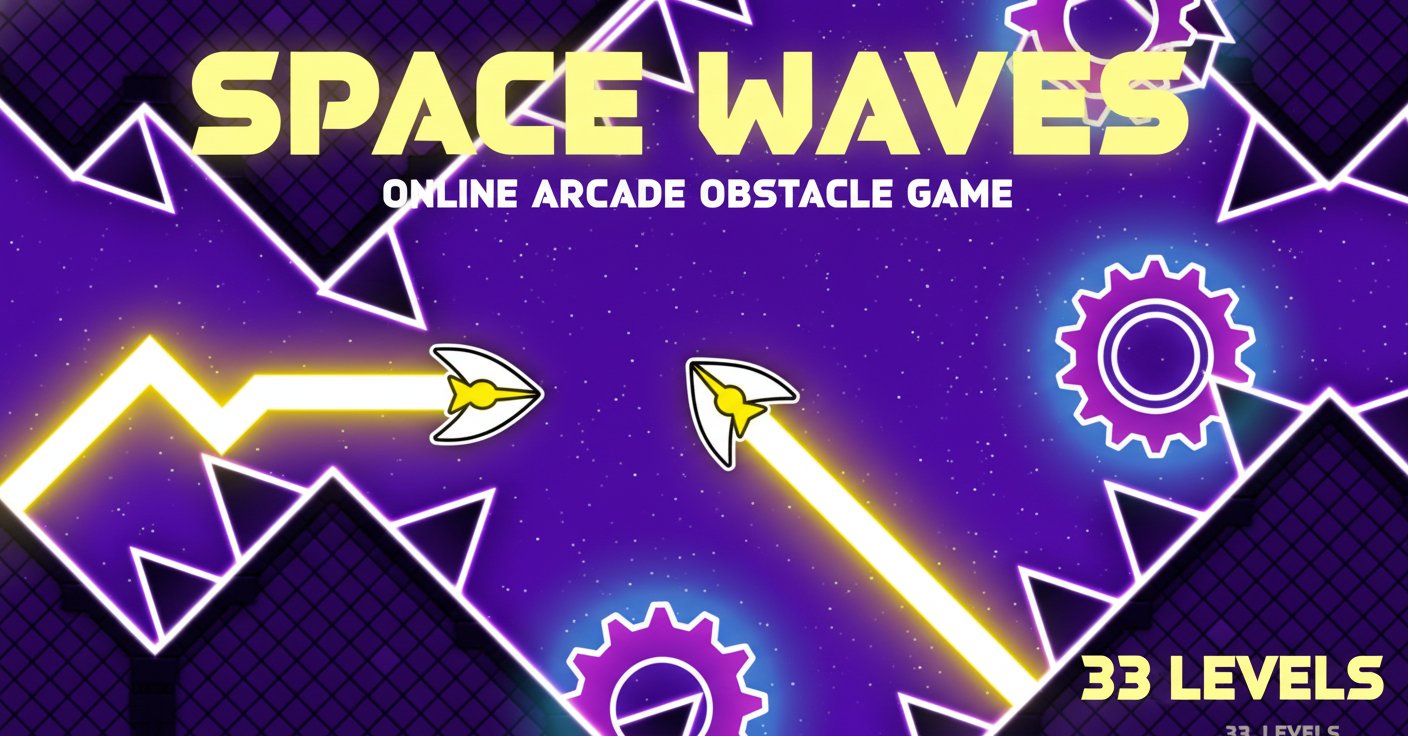
Space Waves is an intense arcade-style obstacle avoidance game that tests your precision and reflexes. With its vibrant purple space theme and sleek 2D graphics, this game challenges players to navigate a yellow arrow through increasingly complex obstacle courses. The game features 33 unique levels, each with its own difficulty rating system that lets you choose your challenge level.
The game's appeal lies in its simple yet addictive gameplay mechanics. Using just one control input, you'll guide your arrow through tight spaces, past rotating mechanical cogs, and around sharp spikes that spell instant death for the unwary pilot.
Core Features
33 Unique Challenging Levels
Each level in Space Waves presents a unique obstacle course with varying difficulty ratings. The game uses a color-coded system where "green" levels offer wider spaces and gentler angles for beginners, while advanced levels feature tighter corridors and more complex obstacle patterns.
Level Selection Freedom
Unlike many arcade games that force linear progression, Space Waves allows you to jump to any level at any time. This means you can start with the most challenging levels if you're feeling brave, or warm up with easier stages to build your skills.
Minimalist One-Button Control
The game's genius lies in its simplicity. With just one input - holding to go up, releasing to go down - you'll need to master the art of momentum and timing to succeed.
Cross-Platform Compatibility
Space Waves runs smoothly on both desktop and mobile browsers, making it perfect for quick gaming sessions whether you're at your computer or on the go.
Game Mechanics
Core Objective
Your mission is straightforward: guide your arrow from the starting point to the end of each level without colliding with any obstacles. However, the execution requires precise timing and smooth control.
Obstacle Types
- Walls : Solid barriers that require careful navigation
- Rotating Cogs : Moving mechanical obstacles that demand timing
- Spikes/Thorns : Sharp hazards positioned to catch careless players
- Tight Passages : Narrow corridors that test your precision
Operation Guide
Desktop Controls
- Hold Left Mouse Button, W Key, or Spacebar : Makes the arrow move upward
- Release the Control : Arrow moves downward due to gravity
- P Key : Pause the game
Mobile Controls
- Hold Screen : Arrow goes up
- Release Screen : Arrow falls down
Mastering the controls requires understanding the physics. Your arrow has momentum, so smooth movements work better than erratic tapping. The key is finding the rhythm between holding and releasing to maintain steady flight through obstacles.
Strategy Tips
Master the Zigzag Technique
When facing dense obstacle fields, move in a zigzag pattern. This technique gives you the momentum benefit of straight-line movement while allowing you to navigate around barriers effectively.
Start with Your Comfort Zone
While you can jump to any level, consider starting with easier "green" levels to understand the physics and timing before tackling the more challenging stages.
Practice Smooth Control
Avoid rapid tapping or jerky movements. Smooth, controlled inputs will help you navigate tight spaces more effectively.
Why Play Space Waves
Space Waves offers the perfect blend of simplicity and challenge that makes arcade games addictive. The game respects your time with its level selection system while providing enough difficulty variation to keep you engaged. Whether you have two minutes or two hours, you can jump in and test your skills.
The game's free-to-play model with no downloads required makes it instantly accessible. Its mobile-friendly design ensures you can practice your obstacle navigation skills anywhere, anytime.
For players who enjoy skill-based challenges, Space Waves delivers that "just one more try" feeling that keeps you coming back to master those particularly tricky levels.