
Tree House Maker - Cozy Decoration Game - Casual Game
 New
NewFirst-Person Horror Survival
Build a first-person horror survival with exploration and enemies.
 New
NewSolo Racing Game
Build a browser racer with tracks, timing, and a minimap.
 Puzzle
Box Robot Puzzle
Build crate-pushing puzzles with vehicles and physics timing.
 New
NewArcade Crossing Game
Build a lane-dodging arcade game with traffic and pickups.
 New
NewRiver Raid Survival
Build a River Raid-style flight survival run with fuel pressure.
 Shooter
Rail Shooter Ride
Build a roller-coaster rail shooter that aims as you ride.
 FPS
FPSNight Mission Survival
Build a first-person night survival with flashlight combat.
 New
NewUnderwater Puzzle
Build an underwater puzzle: restore coral, dodge crabs.
 Subscriber only
Unreal Top-Down Roguelite
Create a complete UE 5.5 top-down arena roguelite with upgrades and a boss finale.
 FPS
FPS3D FPS Game
Build a desert FPS with weapon switching and a retro HUD.
NewFirst-Person Horror Survival
Build a first-person horror survival with exploration and enemies.
NewSolo Racing Game
Build a browser racer with tracks, timing, and a minimap.
PuzzleBox Robot Puzzle
Build crate-pushing puzzles with vehicles and physics timing.
NewArcade Crossing Game
Build a lane-dodging arcade game with traffic and pickups.
NewRiver Raid Survival
Build a River Raid-style flight survival run with fuel pressure.
ShooterRail Shooter Ride
Build a roller-coaster rail shooter that aims as you ride.
FPSNight Mission Survival
Build a first-person night survival with flashlight combat.
NewUnderwater Puzzle
Build an underwater puzzle: restore coral, dodge crabs.
Subscriber onlyUnreal Top-Down Roguelite
Create a complete UE 5.5 top-down arena roguelite with upgrades and a boss finale.
FPS3D FPS Game
Build a desert FPS with weapon switching and a retro HUD.
Prompt

Games are fun. Creating them is even better.
Game Introduction
About Tree House Maker
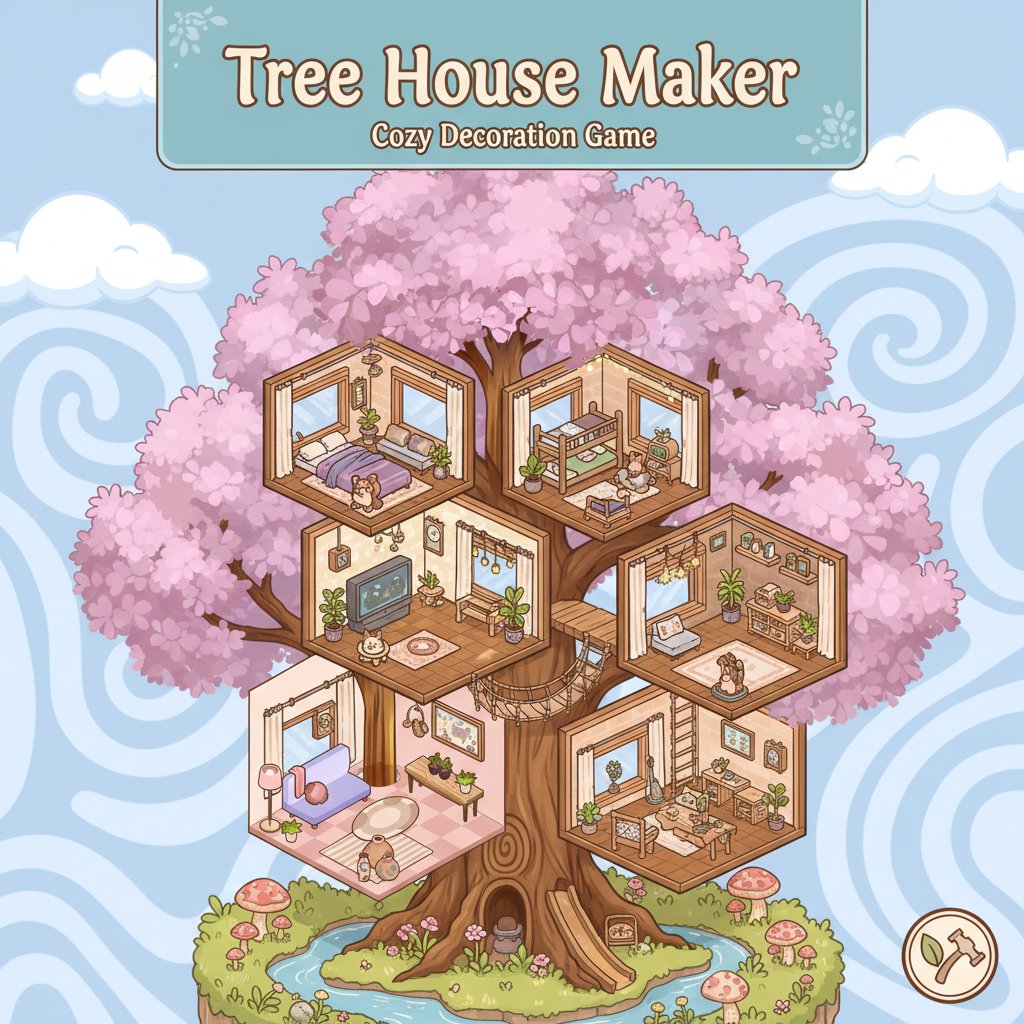
Tree House Maker is a delightful decoration and building game that brings your childhood dreams of the perfect treehouse to life. Set in a serene forest environment, this cozy simulation game lets you design, decorate, and expand your own magical treetop retreat. With its charming isometric graphics and relaxing gameplay, it's perfect for players who love creative building and interior design.
Core Features
Creative Freedom in Design
Express your creativity through unlimited decorating possibilities. Open mystical boxes to discover new furniture pieces, from comfortable sofas and stylish lamps to adorable plants and cozy rugs. Each item can be customized with different colors, allowing you to create a truly unique aesthetic for your treehouse.
Progressive Building System
Start with a simple platform and gradually expand your treehouse floor by floor. The game encourages organic growth as you unlock new rooms and areas, creating a multi-level sanctuary that reflects your personal style and imagination.
Intuitive Drag-and-Drop Interface
The game features user-friendly controls that make decorating effortless and enjoyable. Simply drag furniture to your desired location, rotate items to find the perfect angle, and experiment with different arrangements until you achieve the ideal room layout.
Photo Sharing Feature
Capture your favorite designs and share them with friends! The built-in screenshot feature lets you document your creative achievements and showcase your decorating skills to the community.
Guided Experience with Leaflette
Meet Leaflette, your friendly leaf spirit guide who helps you navigate the building process. This cheerful companion provides helpful tips and encouragement as you create your dream treehouse.
Gameplay Mechanics
The core gameplay revolves around opening mystery boxes that contain various furniture items and decoration pieces. Each box reveals new possibilities for your treehouse, from essential furniture like beds and chairs to decorative elements like artwork and plants. The satisfaction comes from discovering new items and finding creative ways to incorporate them into your growing treehouse.
Operation Guide
Playing Tree House Maker is simple and intuitive:
- Opening Boxes : Click on mystical boxes to reveal new furniture and decoration items
- Item Selection : Click on items or colors to equip or unequip them from your inventory
- Placement : Drag items from your inventory to the desired location in your treehouse
- Positioning : Use the rotate button to adjust items to the perfect angle
- Removal : Use the delete button to remove items you no longer want
- Navigation : Move around your treehouse to access different floors and rooms
Why Play Tree House Maker
This game offers a perfect blend of creativity, relaxation, and satisfaction. Unlike fast-paced action games, Tree House Maker provides a peaceful environment where you can unwind while expressing your creativity. The game is ideal for:
- Stress Relief : The calm, cozy atmosphere helps you relax after a busy day
- Creative Expression : Unlimited decorating options let you bring your vision to life
- Casual Gaming : Perfect for short sessions or extended creative marathons
- All Ages : Simple controls and wholesome content make it suitable for everyone
- Social Sharing : Share your creations and get inspired by others' designs
Whether you're a fan of decoration games, building simulators, or simply enjoy cozy, relaxing gameplay, Tree House Maker offers an enchanting experience that celebrates creativity and imagination.