
11-11 - Block Puzzle Game - Puzzle Game
 Voxel
VoxelVoxel Village Explorer
Build a voxel village to roam with jump and camera controls.
 Unity
UnityCupid's Arrow
Build a Unity archery game of timing and matchmaking.
 Subscriber only
Unreal Mountain Tour
Tour a third-person Unreal world of mountains and water.
 SEELE02 CORE
Game Generator
Turn a one-line idea into a playable game demo.
 Action
Open World City Action
Build an open-world city romp with driving and police chases.
 New
NewCharacter Physics World
Build a third-person physics world with day-night and props to touch.
 Unity
UnityEgg on the Car Roof
Build a Unity challenge: keep a fragile egg on a moving roof.
 Roguelike
Dungeon Survivors
Build a Vampire-Survivors-style dungeon arena with hero picks.
 Unity
UnityEndless Runner
Build a polished Unity endless runner with lanes and pickups.
 Racing
Track Racing Challenge
Build a closed-circuit racer built around drift corners.
VoxelVoxel Village Explorer
Build a voxel village to roam with jump and camera controls.
UnityCupid's Arrow
Build a Unity archery game of timing and matchmaking.
Subscriber onlyUnreal Mountain Tour
Tour a third-person Unreal world of mountains and water.
SEELE02 COREGame Generator
Turn a one-line idea into a playable game demo.
ActionOpen World City Action
Build an open-world city romp with driving and police chases.
NewCharacter Physics World
Build a third-person physics world with day-night and props to touch.
UnityEgg on the Car Roof
Build a Unity challenge: keep a fragile egg on a moving roof.
RoguelikeDungeon Survivors
Build a Vampire-Survivors-style dungeon arena with hero picks.
UnityEndless Runner
Build a polished Unity endless runner with lanes and pickups.
RacingTrack Racing Challenge
Build a closed-circuit racer built around drift corners.
Prompt

Games are fun. Creating them is even better.
Game Introduction
About the Game
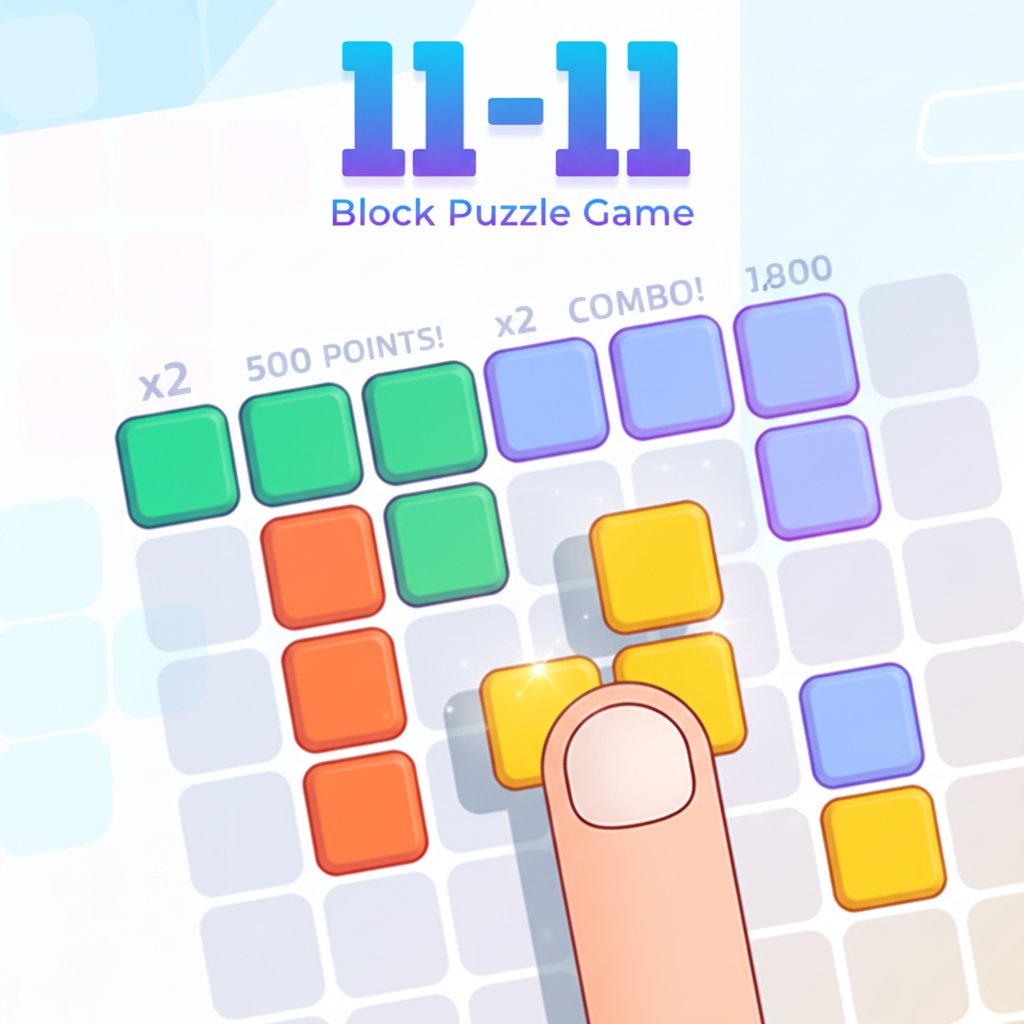
11-11 is a captivating puzzle game that combines the satisfying mechanics of block placement with strategic thinking. This brain-training game challenges players to carefully position colorful blocks on a grid to complete rows and columns for maximum points. With its intuitive drag-and-drop gameplay and progressively challenging scenarios, 11-11 offers an addictive puzzle experience that's perfect for players of all ages.
The game features a clean, minimalist design with vibrant colored blocks that make gameplay both visually appealing and easy to follow. Each puzzle session presents unique block shapes that require careful consideration of placement strategy to avoid running out of space.
Core Features
Strategic Block Placement
The heart of 11-11 lies in its strategic gameplay mechanics. Players must think several moves ahead to efficiently place blocks while maintaining space for future pieces. The game rewards both quick thinking and long-term planning.
Intuitive Controls
Designed with accessibility in mind, 11-11 uses simple mouse controls that make it easy for anyone to pick up and play. The drag-and-drop interface feels natural and responsive across all devices.
Progressive Difficulty
As you advance through the game, the block shapes become more complex and the available space becomes more precious. This creates an engaging difficulty curve that keeps players challenged without becoming frustrating.
Score-Based Progression
Earn points by completing full rows and columns. The scoring system encourages efficient play and strategic thinking, as players work to achieve higher scores and beat their personal bests.
Game Mechanics
11-11 operates on familiar yet refined puzzle principles:
- Block Placement : Drag various shaped blocks from the selection area onto the main game board
- Row/Column Completion : Fill complete horizontal rows or vertical columns to clear them and earn points
- Space Management : Carefully manage board space to ensure you don't get stuck with unplaceable blocks
- Shape Recognition : Analyze upcoming block shapes to plan optimal placement strategies
Operation Guide
Getting started with 11-11 is simple and straightforward:
Basic Controls: - Mouse Cursor : Use your mouse to select and interact with blocks - Drag and Drop : Click and hold on a block, then drag it to your desired position on the board - Block Rotation : Some block shapes can be rotated for better placement options - Strategic Planning : Take time to analyze available blocks before making your move
Gameplay Tips: - Start by focusing on completing easier rows or columns - Always keep an eye on the upcoming block shapes - Try to maintain open spaces for larger, more complex blocks - Don't rush - strategic thinking leads to higher scores
Why Play This Game
Perfect Brain Training
11-11 serves as an excellent cognitive exercise, improving spatial reasoning, pattern recognition, and strategic planning skills. Regular play can enhance your problem-solving abilities while providing entertaining gameplay.
Accessible to Everyone
Whether you're a puzzle game veteran or a complete beginner, 11-11's intuitive design makes it immediately playable. The simple controls and clear visual feedback ensure that players can focus on strategy rather than struggling with complicated mechanics.
Stress-Free Gaming
Unlike time-pressured puzzle games, 11-11 allows players to think at their own pace. This makes it perfect for relaxation, casual gaming sessions, or mental breaks during busy days.
Cross-Platform Compatibility
Play seamlessly across desktop computers, tablets, and mobile devices. The game's responsive design ensures optimal performance regardless of your chosen platform.
Completely Free
Enjoy the full 11-11 experience without any cost. No hidden fees, no premium upgrades required - just pure puzzle gaming enjoyment.