
50 States - Geography Learning Game - Puzzle Game
 Unity
UnityChaos Train Arcade
Build a chaotic Unity train arcade of hazards and timing.
 Voxel
VoxelVoxel Village Explorer
Build a voxel village to roam with jump and camera controls.
 Unity
UnityCrimson Illusion Battle
Build a Unity fantasy battle through a crimson illusion realm.
 New
New3D Block Puzzle
Build a 3D falling-block puzzle with rotations and row clears.
 Unity
UnityStrawberry Grove Adventure
Build a cozy Unity pixel grove of exploration and collectibles.
 Shooter
Platform Shooter Quest
Build a side-scrolling platform shooter with weapon switching.
 Subscriber only
Unreal City Tour
Explore a photoreal Unreal city with terrain and live weather.
 Godot
GodotBaby Bat Climber
Build a compact Godot cave-climbing platformer.
 Unity
UnityEgg on the Car Roof
Build a Unity challenge: keep a fragile egg on a moving roof.
 New
NewRiver Raid Survival
Build a River Raid-style flight survival run with fuel pressure.
UnityChaos Train Arcade
Build a chaotic Unity train arcade of hazards and timing.
VoxelVoxel Village Explorer
Build a voxel village to roam with jump and camera controls.
UnityCrimson Illusion Battle
Build a Unity fantasy battle through a crimson illusion realm.
New3D Block Puzzle
Build a 3D falling-block puzzle with rotations and row clears.
UnityStrawberry Grove Adventure
Build a cozy Unity pixel grove of exploration and collectibles.
ShooterPlatform Shooter Quest
Build a side-scrolling platform shooter with weapon switching.
Subscriber onlyUnreal City Tour
Explore a photoreal Unreal city with terrain and live weather.
GodotBaby Bat Climber
Build a compact Godot cave-climbing platformer.
UnityEgg on the Car Roof
Build a Unity challenge: keep a fragile egg on a moving roof.
NewRiver Raid Survival
Build a River Raid-style flight survival run with fuel pressure.
Prompt

Games are fun. Creating them is even better.
Game Introduction
About the Game
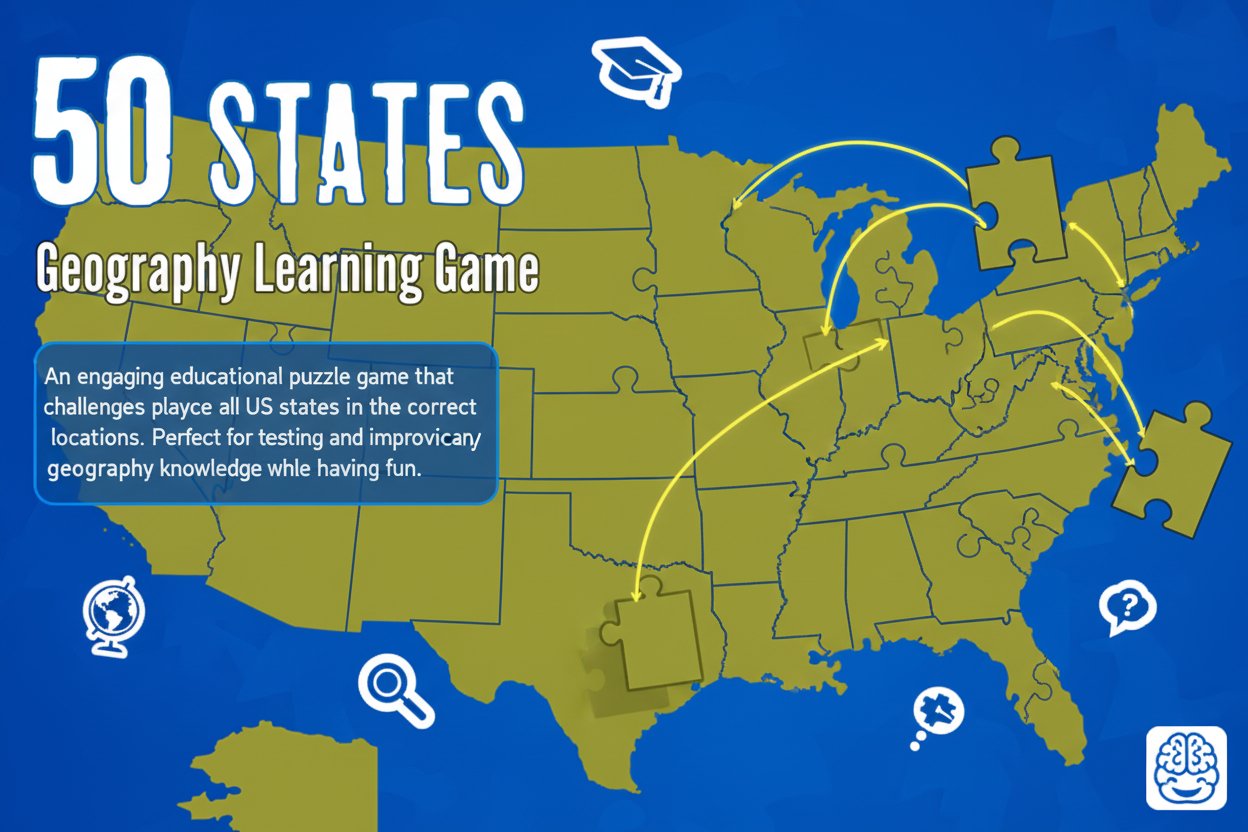
50 States is an interactive educational puzzle game that transforms learning American geography into an enjoyable challenge. Whether you're a student looking to ace your next geography test, a teacher seeking engaging classroom resources, or simply someone who wants to brush up on US map knowledge, this game offers the perfect blend of education and entertainment.
With a solid rating of 3.99 out of 5 stars, players consistently praise the game's educational value and intuitive gameplay mechanics. The game presents you with the outline of the United States and challenges you to correctly position all 50 states by dragging and dropping them into their proper locations.
Core Features
Interactive Learning Experience
The game employs hands-on learning through its drag-and-drop interface. This tactile approach helps reinforce geographical knowledge more effectively than traditional memorization methods.
Immediate Feedback System
When you place a state incorrectly, the game instantly provides feedback showing how many miles off your guess was. This immediate correction helps you learn from mistakes and gradually improve your accuracy.
Progress Tracking
Built-in statistics track your performance throughout the game, allowing you to monitor your improvement and challenge yourself to beat previous scores.
Educational Assistance
If you place a state incorrectly, the game doesn't just tell you you're wrong - it shows you exactly where that state belongs, turning every mistake into a learning opportunity.
Cross-Platform Compatibility
As an HTML5 game, 50 States works seamlessly across desktop computers, tablets, and mobile devices, making geography learning accessible anywhere.
Game Mechanics
The gameplay mechanics are straightforward yet engaging:
- Drag and Drop Interface : Simply click and drag each state shape to where you believe it belongs on the US map
- Distance Feedback : Incorrect placements show you exactly how far off your guess was in miles
- Guided Learning : The game reveals correct locations when you make mistakes, reinforcing proper geographical knowledge
- Score System : Track your accuracy and try to improve with each playthrough
Operation Guide
Getting Started
- Launch the Game : Open 50 States in your web browser - no downloads required
- Understand the Interface : You'll see the US map outline and individual state shapes to place
- Begin Placement : Click and drag any state shape to where you think it belongs
- Learn from Feedback : Pay attention to distance corrections and proper placement guides
- Track Progress : Monitor your statistics to see improvement over time
Tips for Success
- Start with states you're most confident about to build momentum
- Use geographical features like coastlines and borders as reference points
- Pay attention to state sizes and shapes - they're important clues
- Don't worry about mistakes; they're valuable learning opportunities
- Challenge yourself to improve your accuracy score with each attempt
Educational Benefits
50 States serves as an excellent educational tool that makes learning American geography engaging and memorable. The game helps develop:
- Spatial Awareness : Understanding how states relate to each other geographically
- Visual Memory : Associating state shapes with their locations
- Problem-Solving Skills : Using logical thinking to determine correct placements
- Persistence : Encouraging continued learning through score improvement
Why Play This Game
This geography game stands out for several compelling reasons:
Completely Free : Enjoy full access to all features without any cost or hidden fees. The game provides premium educational value at no expense.
Universal Appeal : Suitable for players of all ages, from elementary students to adults looking to refresh their geography knowledge.
Instant Accessibility : No downloads, installations, or account creation required. Simply visit the website and start learning immediately.
Educational Value : Unlike many casual games, 50 States provides genuine learning benefits while maintaining entertainment value.
Self-Paced Learning : Progress at your own speed without time pressure, making it ideal for relaxed learning sessions.
Competitive Element : Challenge friends, family members, or classmates to see who can achieve the highest accuracy score.
Whether you're studying for a geography exam, teaching students about US states, or simply want to test your knowledge, 50 States delivers an educational gaming experience that's both effective and enjoyable.