
Apple Worm - Snake Puzzle Adventure Game - Puzzle Game
 Sports
Basketball Duel
Build a one-on-one basketball game with physics shooting.
 Action
Open World City Action
Build an open-world city romp with driving and police chases.
 Unity
UnityFarmstead Shop
Build a Unity farm-shop sim: grow, stock, serve, upgrade.
 Subscriber only
Unreal City Tour
Explore a photoreal Unreal city with terrain and live weather.
 Subscriber only
Unreal Top-Down Roguelite
Create a complete UE 5.5 top-down arena roguelite with upgrades and a boss finale.
 Racing
Track Racing Challenge
Build a closed-circuit racer built around drift corners.
 New
NewRiver Raid Survival
Build a River Raid-style flight survival run with fuel pressure.
 Unity
UnityChaos Train Arcade
Build a chaotic Unity train arcade of hazards and timing.
 Survival
Survival Sandbox Arena
Build a survival arena with enemy waves and turret defense.
 Subscriber only
Unreal Landscape Tour
Tour photoreal Unreal landscapes with cinematic camera work.
SportsBasketball Duel
Build a one-on-one basketball game with physics shooting.
ActionOpen World City Action
Build an open-world city romp with driving and police chases.
UnityFarmstead Shop
Build a Unity farm-shop sim: grow, stock, serve, upgrade.
Subscriber onlyUnreal City Tour
Explore a photoreal Unreal city with terrain and live weather.
Subscriber onlyUnreal Top-Down Roguelite
Create a complete UE 5.5 top-down arena roguelite with upgrades and a boss finale.
RacingTrack Racing Challenge
Build a closed-circuit racer built around drift corners.
NewRiver Raid Survival
Build a River Raid-style flight survival run with fuel pressure.
UnityChaos Train Arcade
Build a chaotic Unity train arcade of hazards and timing.
SurvivalSurvival Sandbox Arena
Build a survival arena with enemy waves and turret defense.
Subscriber onlyUnreal Landscape Tour
Tour photoreal Unreal landscapes with cinematic camera work.
Prompt

Games are fun. Creating them is even better.
Game Introduction
About Apple Worm
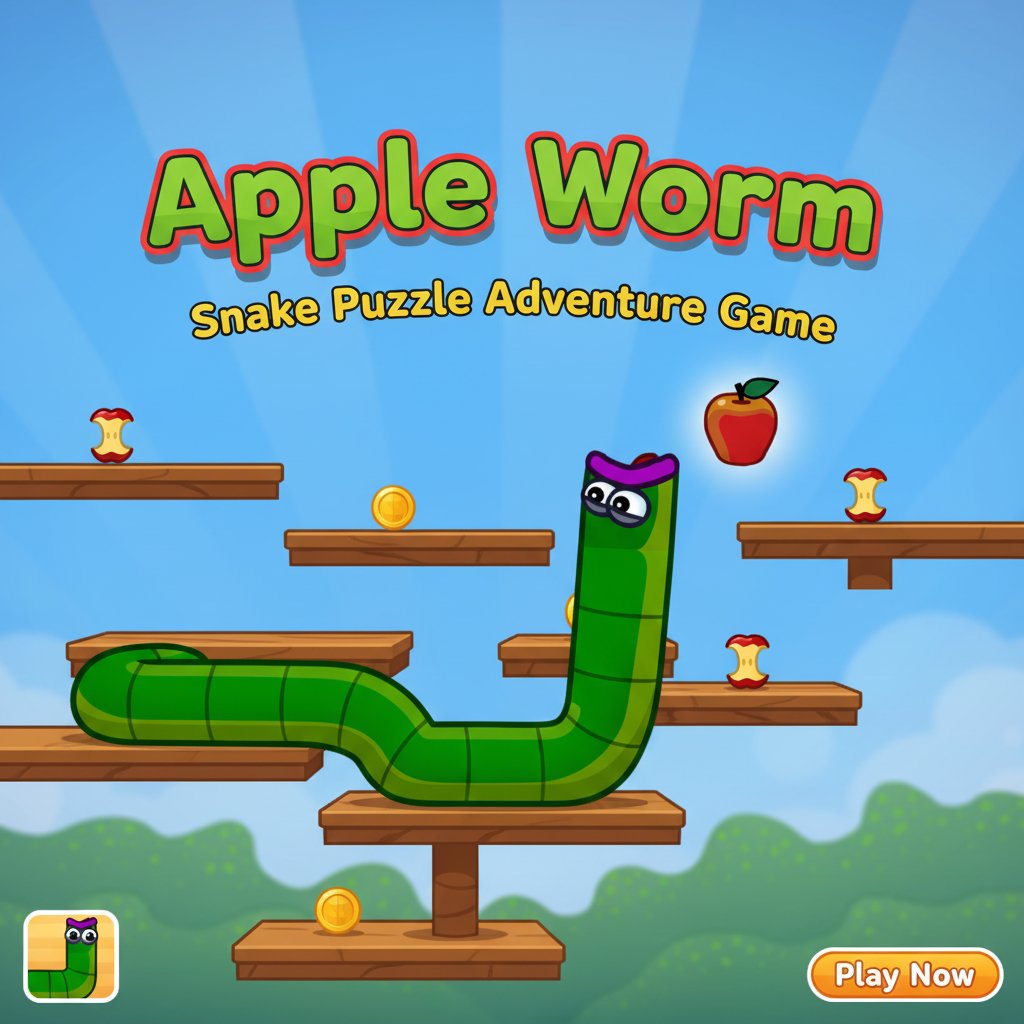
Apple Worm is an innovative puzzle-platform game that combines the classic snake mechanic with challenging physics-based puzzles. This engaging brain teaser features a cute green worm with googly eyes who must navigate through 30 increasingly difficult levels. The game's unique twist lies in its growth mechanic - every apple you eat makes your worm longer, creating both opportunities and obstacles as you progress.
The colorful, cartoon-style graphics and intuitive gameplay make Apple Worm perfect for players of all ages who enjoy logic puzzles and strategic thinking games.
Core Features
Dynamic Growth Mechanics
The heart of Apple Worm lies in its innovative growth system. As your worm consumes apples scattered throughout each level, it grows longer segment by segment. This growth isn't just cosmetic - it fundamentally changes how you approach each puzzle, creating bridges across gaps while potentially trapping you in tight spaces.
30 Challenging Levels
Each of the 30 handcrafted levels presents unique obstacles and puzzle configurations. From simple introductory stages to mind-bending advanced puzzles, the difficulty curve ensures both newcomers and puzzle veterans find appropriate challenges.
Physics-Based Puzzle Solving
The game employs realistic physics that affect how your worm moves and interacts with the environment. You'll need to consider gravity, momentum, and spatial relationships as you plan your route through each level.
Cross-Platform Compatibility
Apple Worm runs smoothly on all devices - desktop computers, tablets, and smartphones - allowing you to enjoy puzzle-solving wherever you are.
Game Mechanics
Strategic Apple Collection
While eating apples is necessary for progression, timing and positioning are crucial. You must carefully plan which apples to eat and when, as growing too large too early can trap you in impossible positions.
Platform Navigation
Use your worm's length strategically to: - Bridge gaps between platforms - Reach higher areas by coiling upward - Create pathways across obstacles - Navigate through narrow passages (before growing too large)
Exit Strategy
Each level requires reaching a designated exit point. The challenge lies in growing just enough to overcome obstacles while maintaining the ability to maneuver through the level's geometry.
How to Play
Basic Controls
- WASD Keys or Arrow Keys : Move your worm in four directions
- On-screen Buttons : Touch controls for mobile devices
- Mouse : Navigate menus and select options
Gameplay Strategy
- Survey the Level : Before moving, examine the entire level layout to plan your route
- Count the Apples : Determine how many apples you need versus how many are available
- Plan Your Growth : Decide the optimal order for apple collection
- Execute Carefully : One wrong move can trap you permanently
- Restart When Needed : Don't hesitate to restart if you get stuck
Pro Tips
- Always plan several moves ahead
- Consider how your current length affects future movements
- Look for alternative paths if your first strategy fails
- Remember that you can't shrink - every apple eaten is permanent
Why Play Apple Worm?
Perfect Brain Training
Apple Worm excellently exercises spatial reasoning, strategic planning, and problem-solving skills. Each puzzle requires careful analysis and forward thinking, making it ideal brain training entertainment.
Unique Gameplay Experience
Unlike traditional snake games focused on endless growth, Apple Worm transforms the concept into a finite puzzle experience where every segment matters. This creates a fresh take on familiar mechanics.
Accessible Yet Challenging
The simple controls and clear visual design make the game immediately accessible, while the puzzle complexity ensures long-term engagement. It's easy to learn but challenging to master.
No Pressure Gaming
Without time limits or lives to lose, you can take your time to think through each puzzle. This creates a relaxing yet intellectually stimulating experience perfect for stress-free gaming sessions.
Free Entertainment
Completely free to play with no hidden costs, advertisements, or in-app purchases. Pure puzzle gaming at its finest.