
Block Toggle - Puzzle Platform Game - Puzzle Game
 Shooter
Rail Shooter Ride
Build a roller-coaster rail shooter that aims as you ride.
 New
NewSolo Racing Game
Build a browser racer with tracks, timing, and a minimap.
 New
NewHook a Fish Arcade
Build a fishing arcade where catches buy you more time.
 Action
Open World City Action
Build an open-world city romp with driving and police chases.
 New
NewRiver Raid Survival
Build a River Raid-style flight survival run with fuel pressure.
 Unity
UnityStrawberry Grove Adventure
Build a cozy Unity pixel grove of exploration and collectibles.
 3D
3DThird Person Explorer
Build a third-person explorer with swappable scenes and a live minimap.
 Racing
Track Racing Challenge
Build a closed-circuit racer built around drift corners.
 Arcade
Pumpkin Night Adventure
Build a Halloween grid-arena survival romp.
 Survival
Survival Sandbox Arena
Build a survival arena with enemy waves and turret defense.
ShooterRail Shooter Ride
Build a roller-coaster rail shooter that aims as you ride.
NewSolo Racing Game
Build a browser racer with tracks, timing, and a minimap.
NewHook a Fish Arcade
Build a fishing arcade where catches buy you more time.
ActionOpen World City Action
Build an open-world city romp with driving and police chases.
NewRiver Raid Survival
Build a River Raid-style flight survival run with fuel pressure.
UnityStrawberry Grove Adventure
Build a cozy Unity pixel grove of exploration and collectibles.
3DThird Person Explorer
Build a third-person explorer with swappable scenes and a live minimap.
RacingTrack Racing Challenge
Build a closed-circuit racer built around drift corners.
ArcadePumpkin Night Adventure
Build a Halloween grid-arena survival romp.
SurvivalSurvival Sandbox Arena
Build a survival arena with enemy waves and turret defense.
Prompt

Games are fun. Creating them is even better.
Game Introduction
About Block Toggle
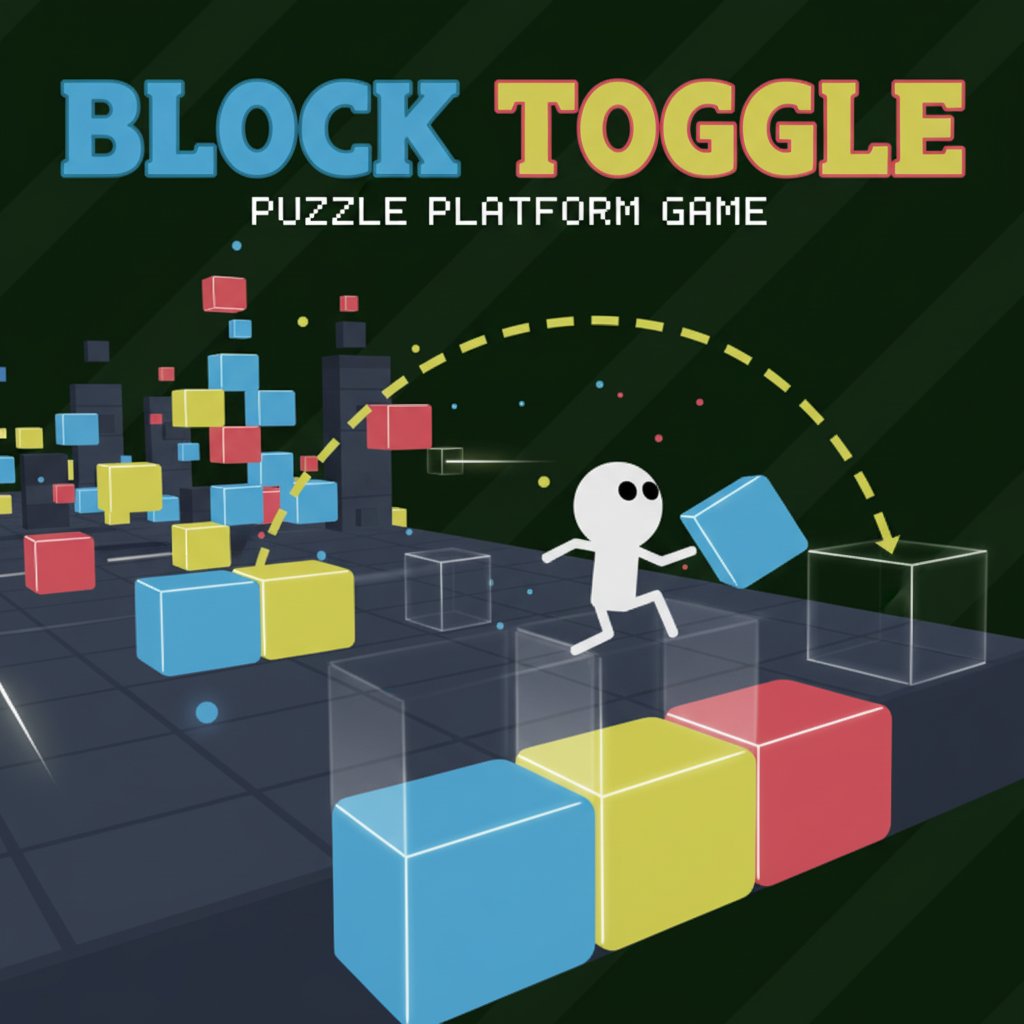
Block Toggle is a captivating puzzle platformer that combines strategic thinking with precise platforming action. In this unique brain game, you control a charming stickman character who must navigate through cleverly designed levels by manipulating the environment itself. The core mechanic revolves around toggling different colored blocks on and off using the number keys 1, 2, and 3, creating and removing platforms to forge your path to victory.
This innovative puzzle game starts with simple concepts but gradually introduces new mechanics and obstacles that will test your spatial reasoning and timing skills. Each level is carefully crafted to teach you new strategies while building upon previously learned concepts.
Core Features
Dynamic Block System
The heart of Block Toggle lies in its revolutionary block-toggling mechanism. Three different colored block types can be controlled independently:
-
Blue blocks (Key 1)
: Toggle on/off to create stable platforms
-
Yellow blocks (Key 2)
: Strategic placement blocks for complex puzzles
-
Red blocks (Key 3)
: Advanced blocks with special properties
Progressive Difficulty Design
Block Toggle masterfully introduces complexity through: - Gradual Learning Curve : Each new mechanic is introduced slowly and clearly - Varied Block Types : Some blocks respond to jumping, others disappear permanently when stepped on - Combination Challenges : Later levels combine multiple mechanics for complex puzzles - Strategic Depth : Multiple solution paths encourage creative problem-solving
Engaging Visual Design
The game features a clean, minimalist art style with: - Bright, contrasting colors for easy block identification - Smooth character animations and responsive controls - Clear visual feedback for all interactions - Intuitive interface design that focuses on gameplay
Gameplay Mechanics
Core Puzzle Elements
Each level presents unique challenges requiring you to: - Analyze the Layout : Study block positions and identify the path forward - Plan Your Route : Determine which blocks to toggle and when - Execute Precisely : Time your movements and toggles perfectly - Adapt and Learn : Discover new block behaviors and incorporate them into your strategy
Advanced Block Behaviors
As you progress, you'll encounter increasingly sophisticated block types: - Jump-Responsive Blocks : Appear or disappear when you jump near them - One-Time Blocks : Disappear forever once stepped on, requiring careful planning - Combination Blocks : Require multiple toggles or specific sequences to activate - Timing-Based Blocks : Add rhythm and precision elements to puzzles
Controls Guide
Movement Controls
- Arrow Up or W : Jump - Essential for navigating platforms and triggering special blocks
- Left/Right Arrows or A/D : Move sideways - Precise movement for platform navigation
Block Toggle Controls
- Key 1 : Toggle blue blocks on/off
- Key 2 : Toggle yellow blocks on/off
- Key 3 : Toggle red blocks on/off
Pro Tips for Success
- Study each level before making your first move
- Experiment with different toggle combinations
- Pay attention to block behavior patterns
- Use the restart option to try new approaches
- Take your time - there's no rush to complete levels
Why Play Block Toggle?
Perfect Brain Training
Block Toggle offers excellent mental exercise by combining: - Spatial Reasoning : Visualize how block toggles affect the level layout - Pattern Recognition : Identify recurring puzzle elements and solutions - Strategic Planning : Think several moves ahead to avoid dead ends - Problem-Solving Skills : Develop creative approaches to complex challenges
Accessibility and Convenience
- Completely Free : Full game experience at no cost
- No Download Required : Play instantly in your web browser
- Cross-Platform Compatible : Works on desktop, tablet, and mobile devices
- Quick Sessions : Perfect for short breaks or extended puzzle-solving marathons
Educational Value
Ideal for players who enjoy: - Logic puzzles and brain teasers - Platform games with a twist - Progressive difficulty challenges - Clean, distraction-free gaming experiences
Whether you're a puzzle game veteran or new to the genre, Block Toggle offers a perfectly balanced challenge that grows with your skills. Each completed level brings a satisfying sense of accomplishment, while the next puzzle beckons with new mysteries to solve.