
Bunny Quest - Puzzle Adventure - Puzzle Game
 New
NewSolo Racing Game
Build a browser racer with tracks, timing, and a minimap.
 SEELE02 CORE
Game Generator
Turn a one-line idea into a playable game demo.
 New
NewHook a Fish Arcade
Build a fishing arcade where catches buy you more time.
 Voxel
VoxelVoxel Village Explorer
Build a voxel village to roam with jump and camera controls.
 3D
3DThird Person Explorer
Build a third-person explorer with swappable scenes and a live minimap.
 Sports
Basketball Duel
Build a one-on-one basketball game with physics shooting.
 Roguelike
Dungeon Survivors
Build a Vampire-Survivors-style dungeon arena with hero picks.
 FPS
FPSNight Mission Survival
Build a first-person night survival with flashlight combat.
 Sandbox
Voxel Sandbox Builder
Build a voxel sandbox for placing and breaking blocks freely.
 New
NewCharacter Physics World
Build a third-person physics world with day-night and props to touch.
NewSolo Racing Game
Build a browser racer with tracks, timing, and a minimap.
SEELE02 COREGame Generator
Turn a one-line idea into a playable game demo.
NewHook a Fish Arcade
Build a fishing arcade where catches buy you more time.
VoxelVoxel Village Explorer
Build a voxel village to roam with jump and camera controls.
3DThird Person Explorer
Build a third-person explorer with swappable scenes and a live minimap.
SportsBasketball Duel
Build a one-on-one basketball game with physics shooting.
RoguelikeDungeon Survivors
Build a Vampire-Survivors-style dungeon arena with hero picks.
FPSNight Mission Survival
Build a first-person night survival with flashlight combat.
SandboxVoxel Sandbox Builder
Build a voxel sandbox for placing and breaking blocks freely.
NewCharacter Physics World
Build a third-person physics world with day-night and props to touch.
Prompt

Games are fun. Creating them is even better.
Game Introduction
About the Game
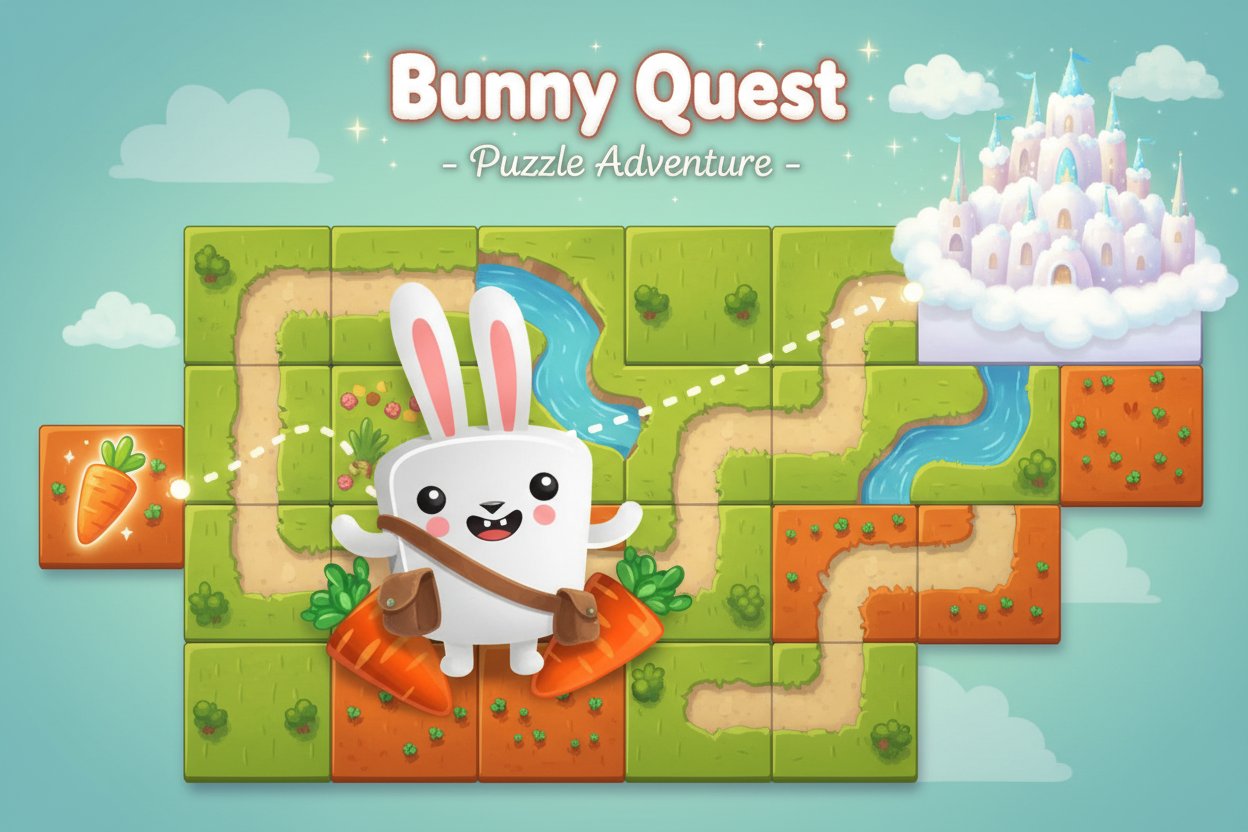
Bunny Quest is a delightful puzzle adventure that combines strategic thinking with adorable characters. This charming game challenges players to help a cute bunny hero complete its quest by rearranging scattered terrain tiles to create a clear path from start to finish. With its easy-to-learn mechanics and engaging puzzle design, Bunny Quest offers entertainment for puzzle lovers of all ages.
The game features a unique tile-manipulation system where players must think tactically about how different terrain pieces connect. Each level presents a scrambled puzzle map filled with various terrain tiles and path segments that need to be reorganized to guide the bunny safely to its destination.
Core Features
Intuitive Puzzle Mechanics
Bunny Quest employs a simple yet engaging click-and-rearrange system. Players interact with floating terrain tiles using mouse controls, making it accessible to both casual gamers and puzzle enthusiasts. The straightforward mechanics hide deeper strategic elements that emerge as levels progress.
Charming Visual Design
The game showcases cute, colorful graphics featuring an adorable bunny protagonist and whimsical environments. The visual style creates an inviting atmosphere that appeals to players seeking both relaxation and mental challenge.
Progressive Difficulty
Starting with simple layouts, the game gradually introduces more complex terrain arrangements and obstacles. This progression ensures players can learn the mechanics naturally while facing increasingly sophisticated puzzles.
Cross-Platform Compatibility
Built with HTML5 technology, Bunny Quest runs smoothly on desktop computers, tablets, and mobile devices. No downloads or installations required - simply open your browser and start playing immediately.
Gameplay Mechanics
The core objective involves rearranging terrain tiles to create a continuous path for the bunny to follow. Players must:
- Analyze the puzzle layout to identify which tiles are paths and which are obstacles
- Use carrots as navigation guides to determine the correct path direction
- Strategically position tiles to connect all path segments
- Create an unobstructed route from the starting point to the fluffy kingdom destination
Each level requires careful observation and planning. Success depends on understanding how different tile types interact and visualizing the complete path before making moves.
Operation Guide
Mouse Controls: - Left Click : Select and move terrain tiles - Drag and Drop : Position tiles in desired locations - Point and Click : Interact with game interface elements
Game Objectives: - Arrange path tiles to form a continuous route - Ensure the bunny can travel from carrot land to fluffy kingdom - Complete each level using the minimum number of tile movements - Use carrot markers as helpful navigation references
The game's intuitive interface makes it easy to experiment with different tile arrangements. If a configuration doesn't work, simply rearrange the pieces until you find the solution.
Why Play Bunny Quest
Perfect for All Ages
Bunny Quest's combination of cute aesthetics and logical challenges makes it suitable for children developing problem-solving skills and adults seeking relaxing brain exercise. The game's easy difficulty rating ensures accessibility without sacrificing engagement.
Mental Exercise Benefits
Regular puzzle-solving helps improve spatial reasoning, planning abilities, and logical thinking. Bunny Quest provides these cognitive benefits within an enjoyable, stress-free environment.
Instant Entertainment
With no download requirements and instant browser compatibility, Bunny Quest offers immediate entertainment whenever you need a quick mental break or puzzle challenge.
Community and Competition
Share your puzzle-solving strategies with friends and family. The game's straightforward mechanics make it perfect for collaborative problem-solving or friendly competition to see who can complete levels fastest.
Whether you're looking for a quick brain teaser during a break or a longer puzzle-solving session, Bunny Quest delivers satisfying gameplay that rewards both quick thinking and careful planning.