
Coin Factory - Puzzle Idle Game - Puzzle Game
 Unity
UnityFarmstead Shop
Build a Unity farm-shop sim: grow, stock, serve, upgrade.
 Puzzle
Magic Cube Puzzle
Build an interactive Rubik's Cube with scramble and reset.
 Unity
UnityEgg on the Car Roof
Build a Unity challenge: keep a fragile egg on a moving roof.
 Arcade
Pumpkin Night Adventure
Build a Halloween grid-arena survival romp.
 New
NewSolo Racing Game
Build a browser racer with tracks, timing, and a minimap.
 Unity
UnityBattle of Balls
Build a Unity arena where rolling balls collide and grow.
 Adventure
Character Adventure Sim
Build a 3D character explorer with traversal and interactive zones.
 FPS
FPSNight Mission Survival
Build a first-person night survival with flashlight combat.
 New
NewArcade Crossing Game
Build a lane-dodging arcade game with traffic and pickups.
 New
NewFirst-Person Horror Survival
Build a first-person horror survival with exploration and enemies.
UnityFarmstead Shop
Build a Unity farm-shop sim: grow, stock, serve, upgrade.
PuzzleMagic Cube Puzzle
Build an interactive Rubik's Cube with scramble and reset.
UnityEgg on the Car Roof
Build a Unity challenge: keep a fragile egg on a moving roof.
ArcadePumpkin Night Adventure
Build a Halloween grid-arena survival romp.
NewSolo Racing Game
Build a browser racer with tracks, timing, and a minimap.
UnityBattle of Balls
Build a Unity arena where rolling balls collide and grow.
AdventureCharacter Adventure Sim
Build a 3D character explorer with traversal and interactive zones.
FPSNight Mission Survival
Build a first-person night survival with flashlight combat.
NewArcade Crossing Game
Build a lane-dodging arcade game with traffic and pickups.
NewFirst-Person Horror Survival
Build a first-person horror survival with exploration and enemies.
Prompt

Games are fun. Creating them is even better.
Game Introduction
About the Game
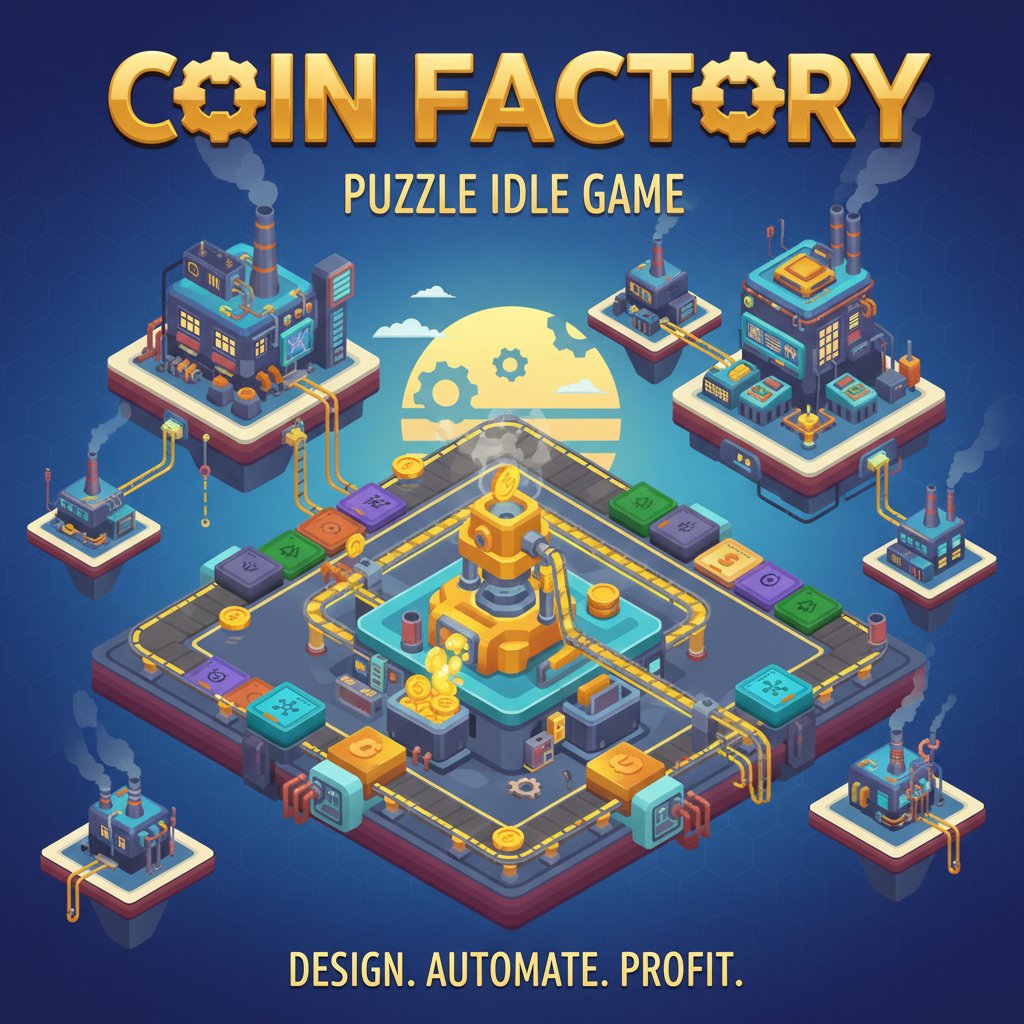
Coin Factory is a captivating puzzle idle game that combines strategic planning with automated gameplay mechanics. In this unique factory-building experience, you'll transform an empty field into a thriving coin production empire. The game challenges your puzzle-solving skills while providing the satisfying progression of idle gameplay.
The colorful, isometric graphics showcase a charming factory environment where every component serves a purpose. From basic coin generators to complex routing systems, every element works together to create your automated money-making machine.
Core Features
Strategic Factory Building
Start with a single coin generator and strategically plan your factory layout. Every placement matters as you design efficient assembly lines that guide coins from generators to the exit. The puzzle element comes from optimizing your layout for maximum efficiency and profit.
Advanced Automation Components
Unlock a variety of specialized facilities to enhance your coin production:
- Accelerators : Boost the speed of coin movement through your assembly lines
- Overclockers : Increase the production rate of your generators
- Central Units : Provide factory-wide bonuses to multiply your earnings
- Jumpers : Create complex routing paths for sophisticated factory designs
Each component opens new strategic possibilities, allowing you to create increasingly complex and efficient money-generating systems.
Daily and Nightly Challenges
For experienced automation experts, the game offers special challenge modes that test your factory-building skills to the limit. These puzzle setups present unique constraints and objectives that push your strategic thinking beyond the standard gameplay.
Idle Game Progression
Enjoy the satisfaction of watching your carefully planned factory generate money automatically. Even when you're not actively playing, your optimized assembly lines continue producing coins, embodying the best aspects of idle gameplay.
Gameplay Mechanics
The game starts simple but gradually introduces complexity as you unlock new components. You'll need to balance immediate coin production with long-term strategic planning. Each upgrade and placement decision affects your overall efficiency, making every choice meaningful.
The puzzle aspect shines when you need to work within space constraints while maximizing throughput. Advanced players will enjoy experimenting with different layouts and component combinations to find optimal factory designs.
Operation Guide
Coin Factory uses intuitive mouse-based controls that make factory building accessible and enjoyable:
- Left Click : Select and place factory components on the grid
- Mouse Drag : Position components precisely for optimal layout
- Right Click : Access upgrade menus for existing facilities
- Mouse Wheel : Zoom in and out to get better views of your factory
The interface is designed for both precision and ease of use, allowing you to focus on strategy rather than wrestling with complex controls.
Why Play This Game
Coin Factory offers a perfect blend of puzzle-solving and idle gameplay that appeals to a wide range of players. Whether you enjoy the immediate satisfaction of solving layout puzzles or the long-term progression of building an automated empire, this game delivers both experiences seamlessly.
The game is completely free to play with no hidden costs or premium restrictions. You can access all content and features without any payments, making it an excellent choice for casual gaming sessions.
For puzzle enthusiasts, the challenge modes provide increasingly complex scenarios that will test your problem-solving abilities. Meanwhile, idle game fans will appreciate the automated progression system that rewards good planning with continuous coin generation.
The cross-platform compatibility means you can enjoy your coin factory on any device, whether you prefer playing on a computer with precise mouse control or on mobile devices during commutes.