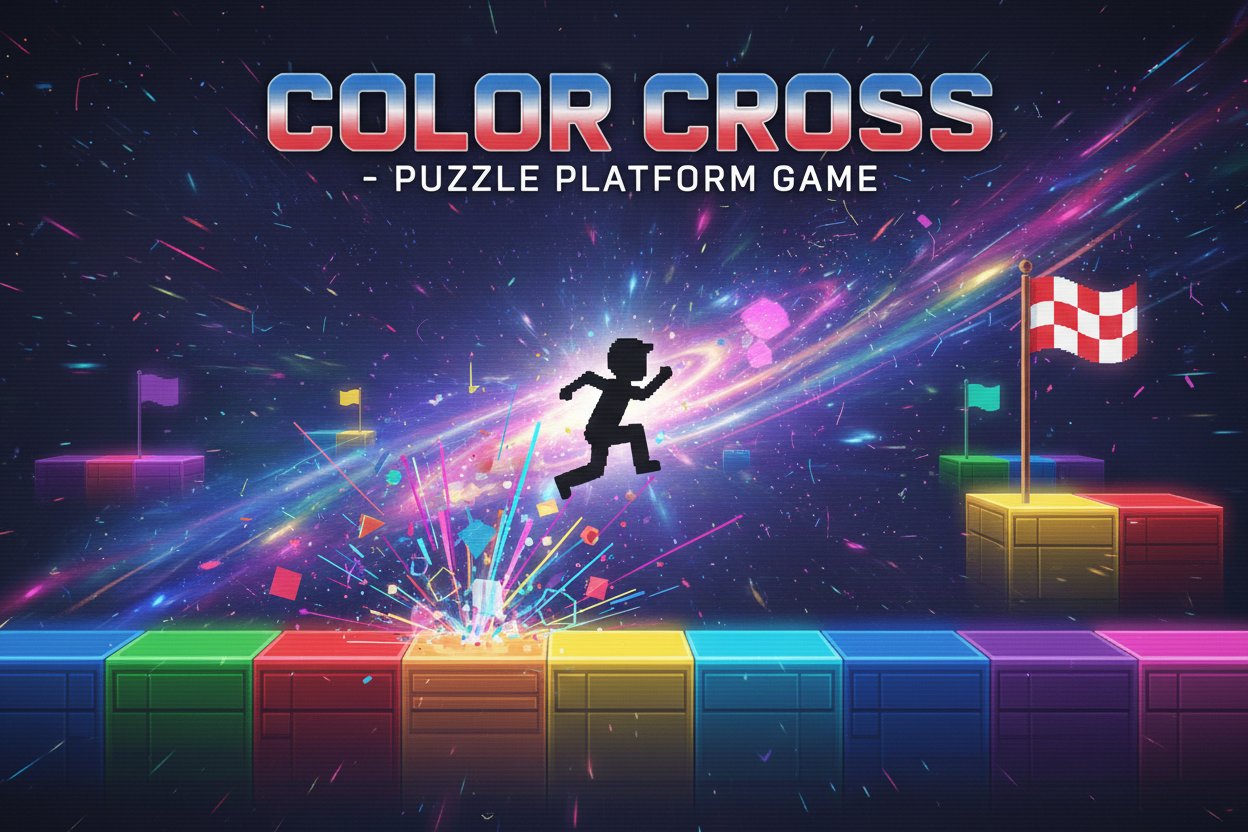
Color Cross - Puzzle Platform Game - Puzzle Game

Seele01-Flash
By Penelope Green
Play Color Cross free online! Master this challenging puzzle platformer where colors switch with every jump. Navigate through tricky platforms and reach the exit flag.
Shooter

Dead City Shooter

Build a third-person zombie shooter in a ruined city.

Build a third-person zombie shooter in a ruined city.Open in workspace
Shooter

Decay Zone Survival

Build a first-person zombie survival with ammo management.

Build a first-person zombie survival with ammo management.Open in workspace
Sports

Basketball Duel

Build a one-on-one basketball game with physics shooting.

Build a one-on-one basketball game with physics shooting.Open in workspace
Unity

Endless Runner

Build a polished Unity endless runner with lanes and pickups.

Build a polished Unity endless runner with lanes and pickups.Open in workspace
Puzzle

Magic Cube Puzzle

Build an interactive Rubik's Cube with scramble and reset.

Build an interactive Rubik's Cube with scramble and reset.Open in workspace
Shooter

Platform Shooter Quest

Build a side-scrolling platform shooter with weapon switching.

Build a side-scrolling platform shooter with weapon switching.Open in workspace
New

Drone Flight Combat

Build a cinematic drone combat run with missiles and a HUD.

Build a cinematic drone combat run with missiles and a HUD.Open in workspace
Godot

Baby Bat Climber

Build a compact Godot cave-climbing platformer.

Build a compact Godot cave-climbing platformer.Open in workspace
FPS

3D FPS Game

Build a desert FPS with weapon switching and a retro HUD.

Build a desert FPS with weapon switching and a retro HUD.Open in workspace
Sandbox

Voxel Sandbox Builder

Build a voxel sandbox for placing and breaking blocks freely.

Build a voxel sandbox for placing and breaking blocks freely.Open in workspace
Shooter

Dead City Shooter

Build a third-person zombie shooter in a ruined city.

Build a third-person zombie shooter in a ruined city.Open in workspace
Shooter

Decay Zone Survival

Build a first-person zombie survival with ammo management.

Build a first-person zombie survival with ammo management.Open in workspace
Sports

Basketball Duel

Build a one-on-one basketball game with physics shooting.

Build a one-on-one basketball game with physics shooting.Open in workspace
Unity

Endless Runner

Build a polished Unity endless runner with lanes and pickups.

Build a polished Unity endless runner with lanes and pickups.Open in workspace
Puzzle

Magic Cube Puzzle

Build an interactive Rubik's Cube with scramble and reset.

Build an interactive Rubik's Cube with scramble and reset.Open in workspace
Shooter

Platform Shooter Quest

Build a side-scrolling platform shooter with weapon switching.

Build a side-scrolling platform shooter with weapon switching.Open in workspace
New

Drone Flight Combat

Build a cinematic drone combat run with missiles and a HUD.

Build a cinematic drone combat run with missiles and a HUD.Open in workspace
Godot

Baby Bat Climber

Build a compact Godot cave-climbing platformer.

Build a compact Godot cave-climbing platformer.Open in workspace
FPS

3D FPS Game

Build a desert FPS with weapon switching and a retro HUD.

Build a desert FPS with weapon switching and a retro HUD.Open in workspace
Sandbox

Voxel Sandbox Builder

Build a voxel sandbox for placing and breaking blocks freely.

Build a voxel sandbox for placing and breaking blocks freely.Open in workspace

Prompt

MODEL: Seele01-Flash
Please use Three.js to generate a **mobile-first game** with the theme "**Color Cross - Retro Shift**". Please read the following detailed game design requirements first, and then generate the code accordingly: ### 1. Assets & Environment * **Visual Style**: "Virtual Boy" Aesthetic. High-contrast monochromatic palette utilizing strict **Red (#FF0000)** and **Black (#000000)**. The game must look like a retro CRT screen. * **Camera**: Use an **OrthographicCamera** locked to a side-scrolling view (2.5D) to emulate a classic 2D platformer feel while using 3D geometry. * **Post-Processing**: Implement a **CRT Shader effect** (using Three.js `EffectComposer`, `RenderPass`, and `ShaderPass`) to create horizontal scanlines, slight screen curvature, and a vignette effect to match the screenshot's texture. * **Models**: * **Player**: A simple blocky pixel-art sprite or a voxel cube (black silhouette) with a slight glowing outline to separate it from the background. * **Platforms**: Two types of platforms: Type A (Red) and Type B (Black/Dark Grey). Use simple `BoxGeometry`. * **Visual Feedback**: When the "Color Switch" occurs, the background intensity should pulse briefly. * **Performance**: Use `InstancedMesh` for rendering multiple platform blocks to ensure 60FPS on mobile devices. Keep texture resolution low (pixel art style). ### 2. Audio Requirements * **BGM**: A tense, rhythmic **8-bit / Chiptune** track. It should be repetitive but driving, matching the puzzle logic. * **SFX**: * **Jump**: A classic retro rising square-wave sound. * **Switch**: A "glitch" or static interference sound every time the player jumps (signifying the dimension shift). * **Land**: A soft thud. * **Death**: A crumbling 8-bit noise followed by a screen shake effect. * **Win**: A short, triumphant high-pitch arpeggio. ### 3. Gameplay Loop * **Core Mechanic (The Polarity Shift)**: * The world has two states: **Red State** and **Black State**. * **Trigger**: Every time the player presses **JUMP**, the world state toggles immediately. * **Collision Logic**: * In **Red State**: Red platforms are solid; Black platforms are non-solid (ghostly/transparent) and cannot be landed on. * In **Black State**: Black platforms are solid; Red platforms are non-solid. * **Objective**: Navigate from the starting point to the "Exit Flag" on the right side of the level. * **The Puzzle**: The player must often "jump in place" to toggle the platform colors correctly before making a leap across a gap. * **Fail State**: If a player jumps and lands on a platform that has become non-solid due to the switch, they fall through. Falling off the screen resets the player to the start. ### 4. Mobile Controls & Interaction * **Orientation**: Forced **Landscape Mode**. * **Touch Controls**: * **Left Zone**: A large, invisible touch area (or virtual D-Pad) on the bottom-left for movement (Left/Right). * **Right Zone**: A large, invisible touch area on the bottom-right for **JUMP**. * **UI/UX**: * Controls must have a visual overlay (semi-transparent pixel art arrows) but accept input from a wide area (minimum 44x44px hit zones, preferably larger). * **Feedback**: Screen shake and haptic vibration (using `navigator.vibrate`) when the player dies or reaches the goal. * **Physics**: Implement "Coyote Time" (allow jumping for 0.1s after leaving a ledge) to make touch controls feel responsive and fair. Gravity should be snappy, not floaty. Do not ask for clarification. Do not request confirmation. Directly execute the generation task based on the given instructions.
A game idea becoming a playable world and reaching an audience
MAKE • SHARE • EARN

Games are fun. Creating them is even better.

Game Introduction

About Color Cross

Color Cross is a captivating free puzzle platform game that combines strategic thinking with precise timing. With a unique color-switching mechanic, this game challenges players to think several moves ahead while navigating through treacherous platforms and obstacles. The game's elegant simplicity masks its deep complexity - easy to learn but incredibly challenging to master.

Core Features

Revolutionary Color-Switching Mechanics

The game's signature feature is its dynamic color system. Every time you jump, all platforms in the level switch between black and red colors. This creates a constantly evolving puzzle where timing and strategy are crucial for success.

Minimalist Visual Design

Color Cross embraces a striking minimalist aesthetic using only two colors: black and red. This clean design philosophy ensures players can focus entirely on the puzzle mechanics without visual distractions.

Progressive Difficulty System

Each level introduces new challenges and platform configurations, gradually building complexity while maintaining the core color-switching mechanic that defines the game experience.

HTML5 Technology

Built with modern HTML5 technology, the game runs smoothly in any web browser without requiring downloads or plugins. Enjoy consistent performance across desktop and mobile devices.

Gameplay Mechanics

Basic Rules

Your objective is simple: navigate from the starting position to the exit flag. However, the execution requires careful planning:

  • Color Matching : You can only land on platforms that match your current color
  • Jump Consequences : Every jump switches all platform colors in the level
  • Strategic Planning : Sometimes jumping in place is necessary to align platform colors with your path

Advanced Strategies

Successful players learn to: - Plan multiple jumps ahead - Use strategic jumps to manipulate platform colors - Identify safe landing zones before committing to a jump sequence - Master the timing between color switches and platform navigation

Controls and Operation

Simple Control Scheme

The game features intuitive controls that are easy to learn:

  • Movement : Use WASD keys or arrow keys for character control
  • Jumping : Press the jump key to leap between platforms
  • Strategic Jumping : Jump in place to change platform colors without moving

Physics-Based Movement

Color Cross incorporates realistic physics, making jump timing and distance calculation crucial elements of successful gameplay.

Why Play Color Cross

Perfect Brain Training

This game serves as excellent mental exercise, improving: - Strategic thinking and planning skills - Pattern recognition abilities - Problem-solving under pressure - Spatial awareness and timing

Accessible Yet Challenging

While anyone can understand the basic mechanics within seconds, mastering Color Cross provides hours of engaging challenge. The difficulty curve ensures both newcomers and experienced players find appropriate challenges.

Free and Instant Play

Enjoy the complete gaming experience without any cost. No downloads, no installations - simply open your browser and start playing immediately.

Cross-Platform Compatibility

Play seamlessly across different devices and platforms. Whether you prefer desktop gaming or mobile play, Color Cross adapts to your preferred gaming environment.

Frequently Asked Questions (FAQ)