
Connect Puzzle - Emoji Matching Game - Puzzle Game
 Sandbox
Voxel Sandbox Builder
Build a voxel sandbox for placing and breaking blocks freely.
 Subscriber only
Unreal City Tour
Explore a photoreal Unreal city with terrain and live weather.

Time-Attack Racer
Build a no-physics finish-gate racer with nitro, minimap guidance, and synthesized audio.
 Unity
UnityEndless Runner
Build a polished Unity endless runner with lanes and pickups.
 Shooter
Platform Shooter Quest
Build a side-scrolling platform shooter with weapon switching.
 Godot
GodotBaby Bat Climber
Build a compact Godot cave-climbing platformer.
 New
New3D Block Puzzle
Build a 3D falling-block puzzle with rotations and row clears.
 Unity
UnityChaos Train Arcade
Build a chaotic Unity train arcade of hazards and timing.
 3D
3DThird Person Explorer
Build a third-person explorer with swappable scenes and a live minimap.
 Unity
UnityCity Eater
Build a Unity game where a growing blob devours the city.
SandboxVoxel Sandbox Builder
Build a voxel sandbox for placing and breaking blocks freely.
Subscriber onlyUnreal City Tour
Explore a photoreal Unreal city with terrain and live weather.
Time-Attack Racer
Build a no-physics finish-gate racer with nitro, minimap guidance, and synthesized audio.
UnityEndless Runner
Build a polished Unity endless runner with lanes and pickups.
ShooterPlatform Shooter Quest
Build a side-scrolling platform shooter with weapon switching.
GodotBaby Bat Climber
Build a compact Godot cave-climbing platformer.
New3D Block Puzzle
Build a 3D falling-block puzzle with rotations and row clears.
UnityChaos Train Arcade
Build a chaotic Unity train arcade of hazards and timing.
3DThird Person Explorer
Build a third-person explorer with swappable scenes and a live minimap.
UnityCity Eater
Build a Unity game where a growing blob devours the city.
Prompt

Games are fun. Creating them is even better.
Game Introduction
About Connect Puzzle
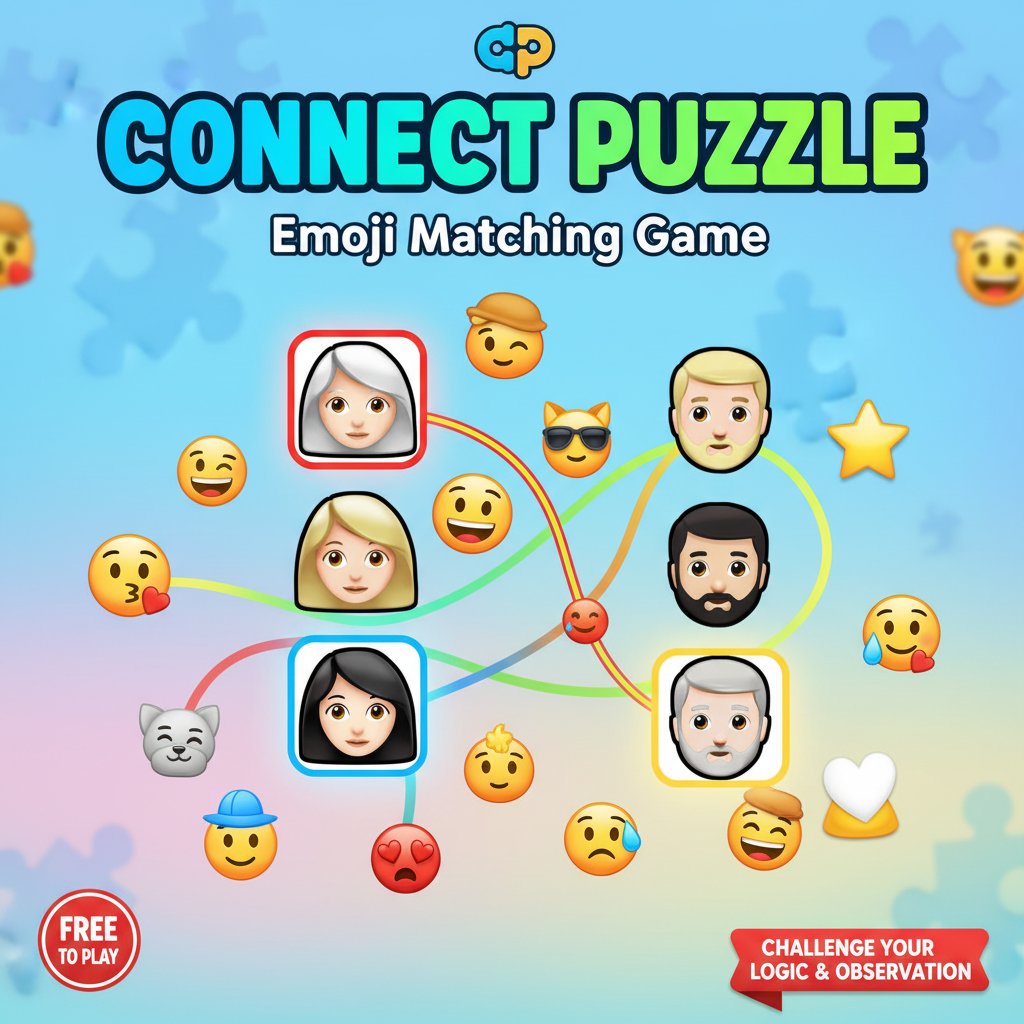
Connect Puzzle is a captivating emoji matching game that transforms simple connection mechanics into an addictive brain-training experience. This puzzle game challenges players to identify and connect matching emoji pairs, starting with straightforward one-to-one matches and progressing to more complex pattern recognition challenges.
The game features a clean, colorful interface with charming emoji characters that represent different people, emotions, and objects. Each level presents a new puzzle where players must use logic and observation skills to identify which emojis belong together.
Core Features
Progressive Difficulty System
Connect Puzzle starts with simple matching exercises perfect for beginners, then gradually introduces more challenging scenarios that will test even experienced puzzle enthusiasts. The difficulty progression keeps players engaged without overwhelming them.
Intuitive Click-to-Connect Gameplay
The game uses a simple point-and-click mechanism that makes it accessible to players of all ages. Simply click on matching emoji pairs to create connections and solve each puzzle.
Endless Entertainment
With hundreds of levels available, Connect Puzzle offers virtually unlimited gameplay. Each level brings new emoji combinations and connection patterns to discover.
Cross-Platform Compatibility
Enjoy seamless gameplay across all your devices. Whether you're on a desktop computer, smartphone, or tablet, Connect Puzzle delivers the same engaging experience.
Game Mechanics
The core gameplay revolves around pattern recognition and logical thinking. Players examine a grid of emoji faces and must determine which ones form matching pairs. The game challenges various cognitive skills:
- Visual Recognition : Identifying similar facial features, expressions, and characteristics
- Logic Processing : Understanding the relationships between different emoji types
- Pattern Matching : Recognizing connections that aren't immediately obvious
How to Play
Connect Puzzle features straightforward controls that anyone can master:
Basic Controls: - Mouse Click : Select and connect matching emoji pairs - Touch Tap : On mobile devices, simply tap the icons you want to connect
Gameplay Steps: 1. Examine all the emoji faces displayed on the screen 2. Look for matching pairs or logical connections 3. Click on the first emoji of a pair 4. Click on its matching counterpart to create a connection 5. Continue until all pairs are successfully matched 6. Complete the level to advance to the next challenge
Why Play Connect Puzzle
Connect Puzzle offers the perfect combination of entertainment and mental exercise. It's an ideal game for:
- Brain Training : Enhance your cognitive abilities through regular play
- Stress Relief : Enjoy relaxing gameplay that helps you unwind
- Quick Entertainment : Perfect for short breaks or longer gaming sessions
- All Ages : Family-friendly content suitable for children and adults
- Skill Development : Improve pattern recognition and logical thinking
The game's emoji-based theme makes it universally appealing, transcending language barriers and cultural differences. Whether you're looking to challenge yourself or simply have fun, Connect Puzzle delivers an engaging experience that grows with your skills.