
Doodle God - Element Creation Puzzle Game - Puzzle Game
 Puzzle
Magic Cube Puzzle
Build an interactive Rubik's Cube with scramble and reset.
 Roguelike
Dungeon Survivors
Build a Vampire-Survivors-style dungeon arena with hero picks.
 Driving
City Car Driving
Build an open-city free-driving game with car selection.
 Unity
UnityEgg on the Car Roof
Build a Unity challenge: keep a fragile egg on a moving roof.
 Action
Open World City Action
Build an open-world city romp with driving and police chases.
 Unity
UnityEndless Runner
Build a polished Unity endless runner with lanes and pickups.
 Arcade
Pumpkin Night Adventure
Build a Halloween grid-arena survival romp.
 Adventure
Character Adventure Sim
Build a 3D character explorer with traversal and interactive zones.
 Sandbox
Voxel Sandbox Builder
Build a voxel sandbox for placing and breaking blocks freely.
 Racing
Track Racing Challenge
Build a closed-circuit racer built around drift corners.
PuzzleMagic Cube Puzzle
Build an interactive Rubik's Cube with scramble and reset.
RoguelikeDungeon Survivors
Build a Vampire-Survivors-style dungeon arena with hero picks.
DrivingCity Car Driving
Build an open-city free-driving game with car selection.
UnityEgg on the Car Roof
Build a Unity challenge: keep a fragile egg on a moving roof.
ActionOpen World City Action
Build an open-world city romp with driving and police chases.
UnityEndless Runner
Build a polished Unity endless runner with lanes and pickups.
ArcadePumpkin Night Adventure
Build a Halloween grid-arena survival romp.
AdventureCharacter Adventure Sim
Build a 3D character explorer with traversal and interactive zones.
SandboxVoxel Sandbox Builder
Build a voxel sandbox for placing and breaking blocks freely.
RacingTrack Racing Challenge
Build a closed-circuit racer built around drift corners.
Prompt

Games are fun. Creating them is even better.
Game Introduction
About the Game
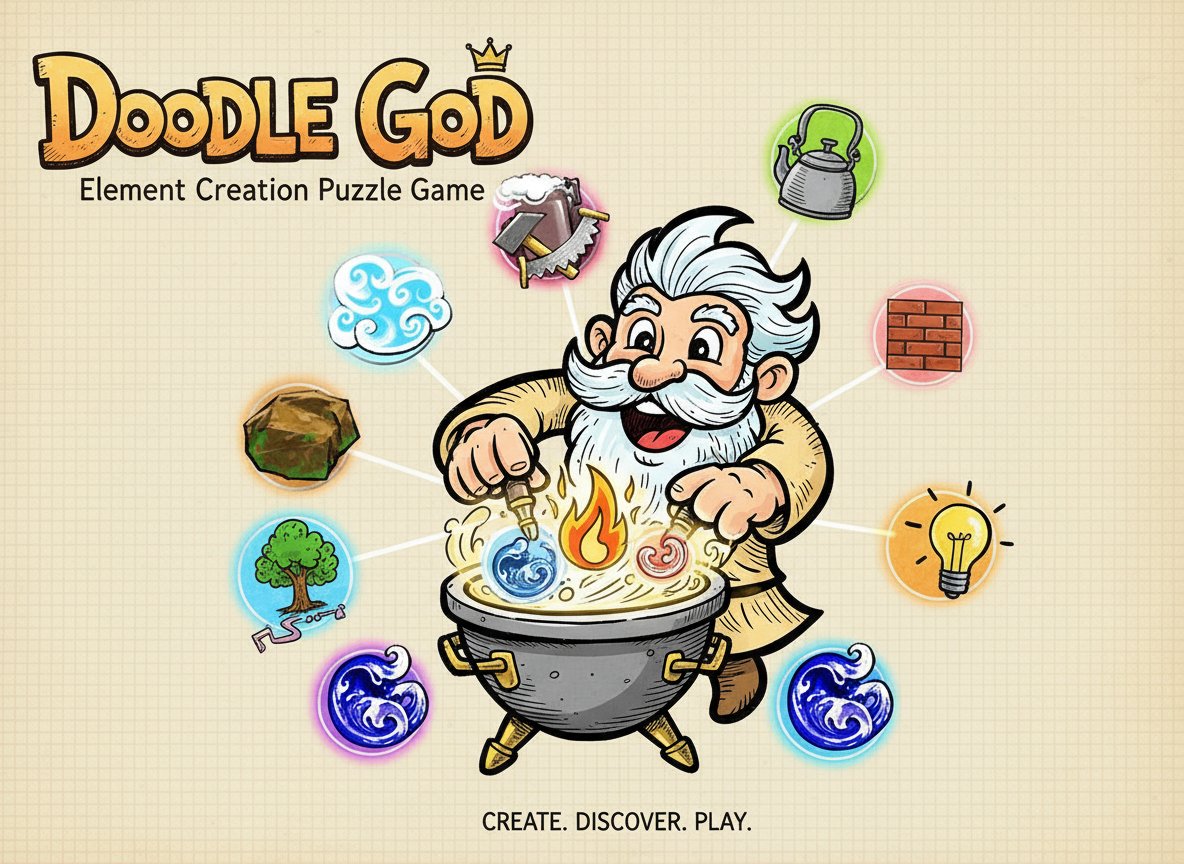
Doodle God is a captivating puzzle game that transforms simple element combination into an addictive creative experience. With a solid 4.2/5 rating, this game challenges players to think like a deity, creating an entire world from just four basic elements: stone, fire, air, and water.
The game's premise is elegantly simple yet endlessly engaging. You begin your cosmic journey with these fundamental building blocks and must discover logical combinations to unlock hundreds of new elements. For example, combining air and water creates steam, while fire and stone might produce metal. Each successful combination opens new possibilities and brings you closer to completing your elemental universe.
Core Features
Endless Discovery and Creativity
Doodle God offers an open-ended gameplay experience where curiosity drives progression. With hundreds of possible element combinations, each discovery feels rewarding and encourages further experimentation. The game rewards both logical thinking and creative intuition.
Progressive Complexity
As you unlock more elements, the combinations become increasingly sophisticated. Simple pairings like earth + water = mud evolve into complex chains involving dozens of previously discovered elements. This gradual complexity keeps the game challenging without becoming overwhelming.
Brain Training Benefits
This puzzle game serves as an excellent brain exercise, enhancing: - Logical reasoning : Understanding cause-and-effect relationships - Pattern recognition : Identifying consistent combination rules - Creative thinking : Imagining unexpected element interactions - Problem-solving : Finding new pathways when stuck
Complete Free-to-Play Experience
Enjoy the full Doodle God experience without any payment requirements. All elements, combinations, and gameplay features are available from the start, making it accessible to puzzle enthusiasts worldwide.
Gameplay Mechanics
The game utilizes an intuitive drag-and-drop interface where players select two elements from their collection and attempt to combine them. Successful combinations reveal new elements with satisfying visual and audio feedback. Failed attempts provide learning opportunities, helping players understand the game's internal logic.
Elements are organized into logical categories as you progress, making it easier to manage your growing collection and plan strategic combinations. The game tracks your discovery progress, showing how many elements you've found versus the total available.
Operation Guide
Mouse Controls : The entire game is controlled using simple mouse interactions: - Click and drag elements from your collection - Drop one element onto another to attempt combination - Browse through discovered elements using the interface - Access hint systems if available for challenging combinations
The interface is designed for intuitive use across all devices, whether you're playing on a desktop computer or mobile device through your browser.
Why Play Doodle God
Doodle God stands out among puzzle games for its unique blend of education and entertainment. Unlike traditional match-3 or tile-based puzzles, this game encourages scientific thinking and creativity. Players often find themselves learning about real-world element relationships while enjoying the satisfaction of discovery.
The game's replay value is exceptional, as different players may discover elements in varying orders, creating personalized learning experiences. Whether you're looking for a quick mental break or an extended puzzle session, Doodle God adapts to your available time and energy level.
Perfect for students, educators, and anyone interested in chemistry or creative problem-solving, this game transforms learning into an engaging interactive experience that feels more like play than study.