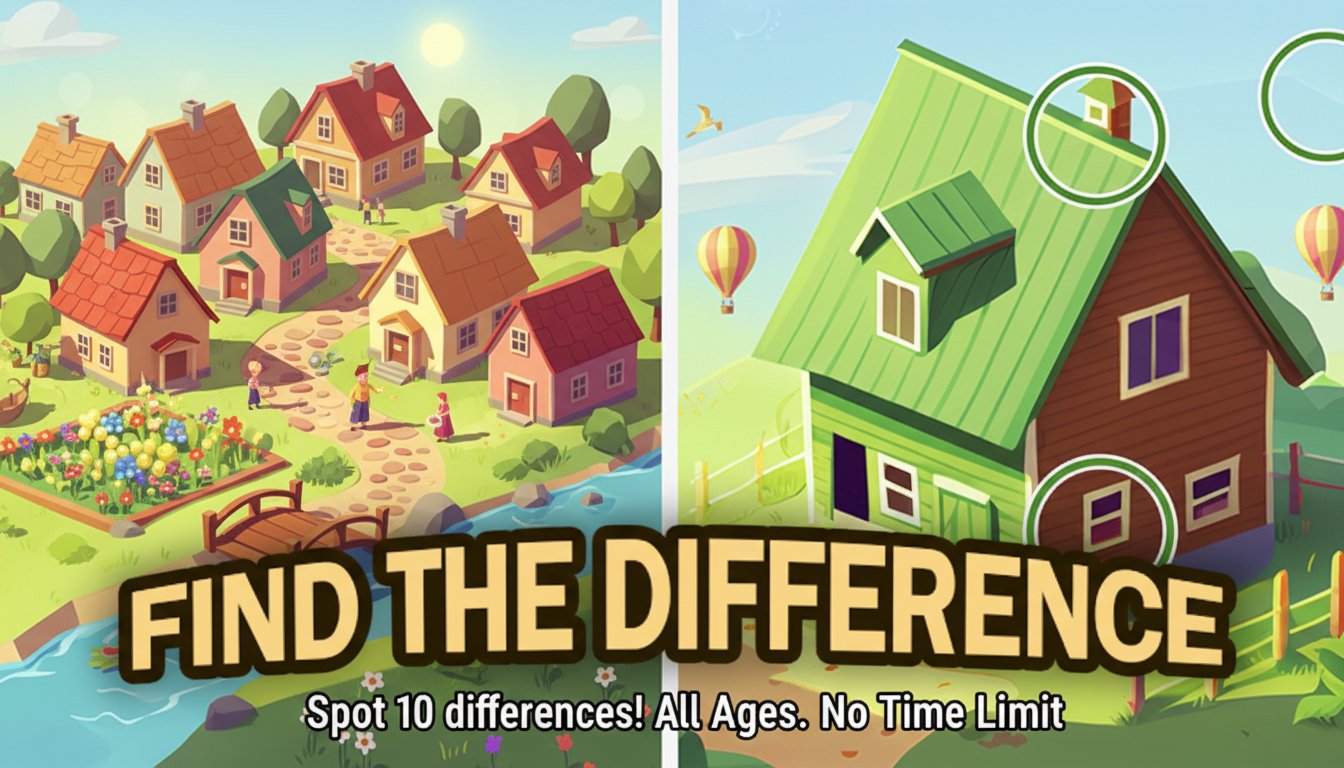
Find The Difference

Seele01-Flash
By
Find The Difference is a captivating puzzle game that challenges your observation skills by asking you to spot 10 differences between similar pictures. Perfect for all ages with no time pressure.

Prompt

MODEL: Seele01-Flash
Please use Three.js to generate a **mobile-first game** with the theme "**Find The Difference**". Please read the following detailed game design requirements first, and then generate the code accordingly: ### 1. Assets & Environment * **Visual Style**: High-quality 2D cartoon/stylized art displayed on 3D planes. The aesthetic should be vibrant and family-friendly (similar to the reference image of the red house). * **Scene Setup**: Use an `OrthographicCamera` to maintain a strict 2D perspective. The background should be a soft, blurred gradient (e.g., light blue to cream) to keep focus on the gameplay images. * **Game Board**: Create two `THREE.Mesh` planes side-by-side (for landscape) or top-and-bottom (for portrait). Texture them with "Image A" (Original) and "Image B" (Modified). * **Feedback Visuals**: * **Correct Selection**: A bright green ring geometry (`THREE.RingGeometry`) or a sprite that animates (scales up and fades) at the location of the click on *both* images simultaneously. * **Wrong Selection**: A small red "X" sprite appears briefly with a subtle screen shake effect. * **Particles**: specific particle explosion (using `THREE.Points`) when a level is completed. * **Mobile Optimization**: Ensure textures are compressed. Use a single geometry buffer for particle effects to reduce draw calls. ### 2. Audio Requirements * **BGM**: A relaxing, looping track featuring acoustic guitar or soft piano. It should be low-tempo to reduce stress, matching the "Relaxing" tag. * **SFX**: * **Correct Find**: A pleasant "Ding" or "Chime" sound (high pitch, clear). * **Wrong Click**: A soft, dull thud or low-pitch wood block sound (avoid harsh buzzers to keep it relaxing). * **Hint Used**: A magical "shimmer" sound. * **Level Complete**: A short, celebratory fanfare. ### 3. Gameplay Loop * **Data Structure**: Define differences using a JSON array of objects, e.g., `[{x: 0.5, y: 0.2, radius: 0.1}, ...]`. These coordinates correspond to UV positions on the plane. * **Core Mechanic**: 1. Player observes two images. 2. Player taps a location. 3. The system calculates the distance between the tap's UV coordinates and the defined difference centers. 4. **If hit**: Mark the difference as "Found" (draw green circle on both images), play sound, increment score counter (0/10). 5. **If miss**: Play error sound, show temporary "X". * **Win Condition**: All 10 differences are found. A "Level Complete" modal overlay appears with a "Next Level" button. * **Hint System**: A floating button (lightbulb icon). Clicking it triggers an animation that briefly highlights an unfound difference area. Limit hints to 3 per level. ### 4. Mobile Controls & Interaction * **Responsive Layout (Crucial)**: * **Portrait Mode**: Stack the two images vertically (Top/Bottom) to maximize screen width usage. * **Landscape Mode**: Place images horizontally (Left/Right). * *The scene must listen to `window.resize` and adjust the camera zoom and plane positions dynamically.* * **Touch Controls**: * **Tap**: Use `THREE.Raycaster`. Support multi-touch so the player can tap on *either* the top image or the bottom image to register the find. * **Pinch-to-Zoom**: Implement a custom camera zoom handler using touch distance deltas. The Orthographic camera zoom property should be updated. * **Pan**: One-finger drag when zoomed in to move the camera view. * **UI Elements**: * Ensure the "Hint" button and "Level Counter" are HTML overlays on top of the canvas. * Button hit areas must be at least **44x44 pixels** for accessibility. * **Haptic Feedback**: Trigger `navigator.vibrate(50)` on a successful find (if supported by the device). Do not ask for clarification. Do not request confirmation. Directly execute the generation task based on the given instructions.

Game Introduction

About Find The Difference

Find The Difference is an engaging puzzle game that puts your observation and concentration skills to the ultimate test. In this relaxing brain-training experience, you'll examine pairs of nearly identical pictures to discover 10 subtle differences hidden within each scene. The game features beautiful, detailed artwork ranging from cozy houses to scenic landscapes, providing hours of entertaining gameplay.

Core Features

Stress-Free Gaming Experience

Unlike many puzzle games, Find The Difference comes with no time limits , allowing you to take your time and enjoy the process of discovery. This makes it perfect for players who want to relax while exercising their minds.

Brain Training Benefits

Regular play helps enhance several cognitive abilities: - Visual Thinking : Improve your ability to process visual information quickly - Memory Enhancement : Strengthen your recall abilities through pattern recognition - Concentration Boost : Develop sustained attention and focus skills - Stress Reduction : Enjoy a calming, meditative gaming experience

Beautiful Artwork and Variety

Each level presents carefully crafted images with subtle differences that challenge even the most observant players. From architectural scenes to nature landscapes, the variety keeps the experience fresh and engaging.

Helpful Hint System

When you're stuck, the built-in hint system provides assistance, though hints are limited to maintain the challenge level.

Gameplay Mechanics

The game follows a simple yet engaging format:

  1. Examine Two Images : Compare side-by-side pictures that appear nearly identical
  2. Spot the Differences : Look for changes in colors, objects, shapes, or missing elements
  3. Click to Mark : Use your mouse to click on differences when you find them
  4. Use Hints Wisely : Access limited hints when you need assistance
  5. Progress Through Levels : Move to new image pairs after completing each puzzle

Operation Guide

Mouse Controls

  • Left Click : Select and mark differences between the two images
  • Scroll Wheel : Zoom in and out to examine details more closely
  • Hint Button : Access helpful clues when you're stuck (limited use)

Tips for Success

  • Start with obvious differences like color changes or missing objects
  • Systematically scan from top to bottom or left to right
  • Use the zoom function to examine small details
  • Take breaks to rest your eyes and maintain focus
  • Don't rush - there's no time pressure

Why Play Find The Difference

Perfect for All Ages : Whether you're a child developing observation skills or an adult looking for relaxing entertainment, this game suits everyone.

Cognitive Benefits : Regular play acts as a brain workout, improving visual processing, memory, and concentration abilities that benefit daily life.

Stress Relief : The calm, no-pressure environment makes it an excellent choice for unwinding after a busy day.

Accessibility : Play instantly in your web browser without downloads, on both desktop and mobile devices.

Free Entertainment : Enjoy hours of puzzle-solving fun without any cost or subscription requirements.

Platform Compatibility

Find The Difference works seamlessly across multiple platforms: - Web browsers (desktop and mobile) - Android devices - iOS devices

The responsive design ensures optimal gameplay experience regardless of your device choice.

Frequently Asked Questions (FAQ)