
Gears - Mechanical Puzzle Game - Puzzle Game
 Subscriber only
Unreal Landscape Tour
Tour photoreal Unreal landscapes with cinematic camera work.
 Shooter
Decay Zone Survival
Build a first-person zombie survival with ammo management.
 Subscriber only
Unreal Dungeon Crawler
Build a playable Unreal dungeon crawler, combat-ready.
 Voxel
VoxelVoxel Village Explorer
Build a voxel village to roam with jump and camera controls.
 New
NewDrone Flight Combat
Build a cinematic drone combat run with missiles and a HUD.
 FPS
FPSZombie Horror Survival
Build a tense zombie horror survival with map progression.
 Unity
UnityCupid's Arrow
Build a Unity archery game of timing and matchmaking.
 Subscriber only
Unreal FPS/TPS Shooter
Create a complete UE 5.5 FPS or TPS shooter with combat, UI, and replay.

Time-Attack Racer
Build a no-physics finish-gate racer with nitro, minimap guidance, and synthesized audio.
 New
NewCharacter Physics World
Build a third-person physics world with day-night and props to touch.
Subscriber onlyUnreal Landscape Tour
Tour photoreal Unreal landscapes with cinematic camera work.
ShooterDecay Zone Survival
Build a first-person zombie survival with ammo management.
Subscriber onlyUnreal Dungeon Crawler
Build a playable Unreal dungeon crawler, combat-ready.
VoxelVoxel Village Explorer
Build a voxel village to roam with jump and camera controls.
NewDrone Flight Combat
Build a cinematic drone combat run with missiles and a HUD.
FPSZombie Horror Survival
Build a tense zombie horror survival with map progression.
UnityCupid's Arrow
Build a Unity archery game of timing and matchmaking.
Subscriber onlyUnreal FPS/TPS Shooter
Create a complete UE 5.5 FPS or TPS shooter with combat, UI, and replay.
Time-Attack Racer
Build a no-physics finish-gate racer with nitro, minimap guidance, and synthesized audio.
NewCharacter Physics World
Build a third-person physics world with day-night and props to touch.
Prompt

Games are fun. Creating them is even better.
Game Introduction
About the Game
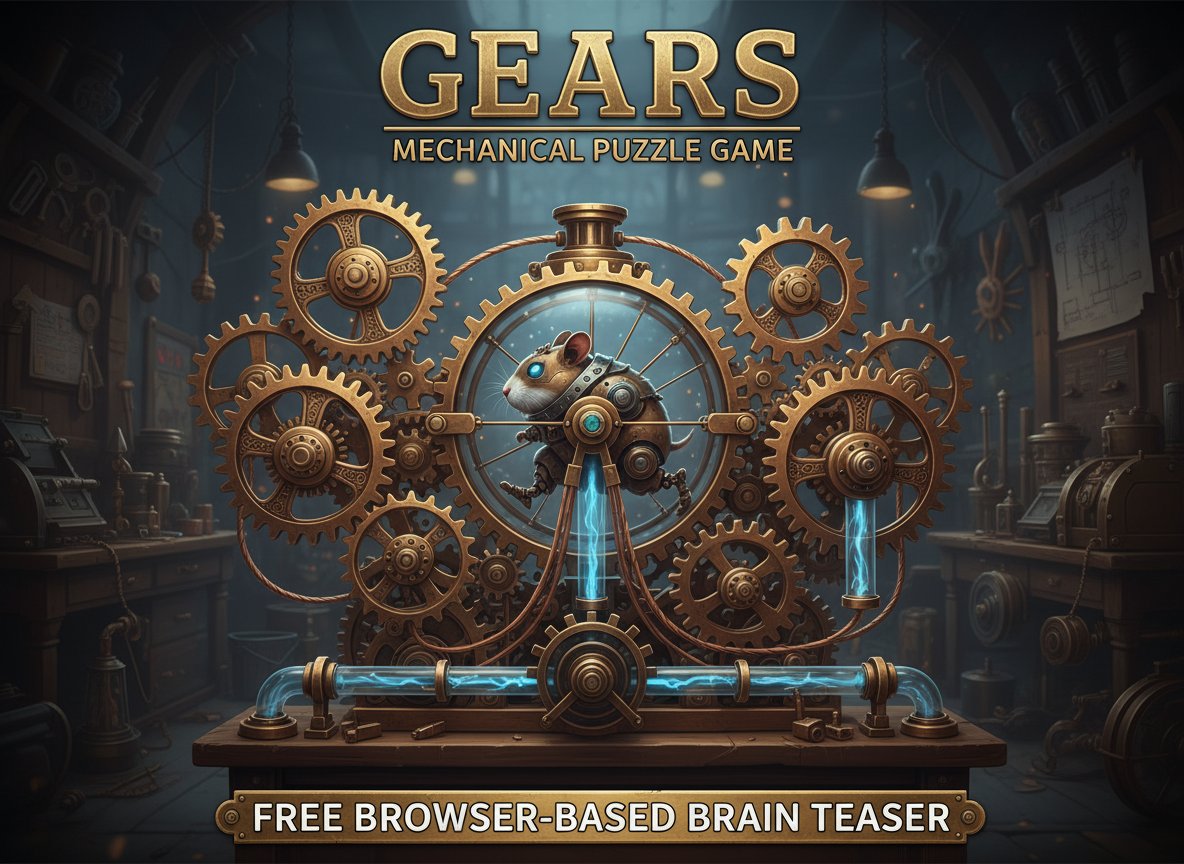
Gears is a captivating mechanical puzzle game that challenges your engineering mindset and problem-solving abilities. In this unique brain teaser, you'll take on the role of a mechanical engineer tasked with repairing broken machinery by carefully placing gears in the correct positions. The game combines logical thinking with mechanical understanding, creating an educational and entertaining experience for puzzle enthusiasts of all ages.
With its intuitive mouse controls and progressively challenging levels, Gears offers hours of engaging gameplay that will test your spatial reasoning and mechanical comprehension. The game's charming visual design features classic gear mechanisms and adorable robot characters that bring the mechanical world to life.
Core Features
Strategic Gear Placement
The heart of Gears lies in its strategic gameplay mechanics. You must analyze complex machinery layouts and determine the optimal placement for various gear sizes and types. Each level presents a unique mechanical puzzle where gears must mesh perfectly to create a functioning system.
Robot-Powered Systems
Add an extra layer of charm with robot hamster wheels that power your repaired machinery. These delightful mechanical companions not only provide the energy source for your contraptions but also add personality and humor to the engineering challenges.
Progressive Difficulty
Start with simple two-gear systems and advance to complex multi-level machinery requiring dozens of precisely placed components. The difficulty curve ensures that beginners can learn the basics while experienced players face increasingly sophisticated engineering challenges.
Educational Value
Gears serves as an excellent introduction to basic mechanical engineering principles. Players naturally learn about gear ratios, mechanical advantage, and how different gear sizes interact to create motion and transfer power.
Gameplay Mechanics
Puzzle Structure
Each level presents you with a partially complete machine that needs repair. You'll see the framework, some fixed gears, and empty spaces where new gears must be placed. Your goal is to create a continuous chain of motion from the power source to the machine's output.
Gear Types and Sizes
The game features various gear types, each with different properties: - Small gears : Provide high speed but low torque - Large gears : Offer high torque but slower rotation - Intermediate gears : Balance speed and power for versatile applications - Special gears : Unique components with specific functions in certain levels
Power Systems
Once your gear system is complete, activate the robot hamster wheel to power the entire mechanism. Watch as your carefully planned gear train comes to life, transferring motion through the system to operate the target machinery.
Operation Guide
Gears features simple and intuitive controls designed for players of all experience levels:
- Mouse Movement : Navigate the game interface and examine machinery layouts
- Left Click : Select and place gears from your inventory
- Drag and Drop : Position gears precisely in available slots
- Right Click : Rotate gears to achieve proper alignment (when applicable)
- Mouse Wheel : Zoom in and out for detailed gear placement in complex levels
The game provides visual feedback to help you understand gear interactions. Correctly placed gears will highlight in green, while incompatible placements show warning indicators to guide your problem-solving process.
Why Play Gears
Educational Entertainment
Gears perfectly balances learning with fun, making it an ideal choice for students, educators, and anyone interested in mechanical systems. The game teaches real engineering principles through interactive gameplay.
Stress-Free Puzzle Solving
Unlike timed puzzle games, Gears allows you to work at your own pace. Take time to analyze each mechanical challenge and experiment with different solutions without pressure.
Universal Appeal
The game's mechanical theme appeals to a wide audience - from children fascinated by how things work to adults who enjoy logical challenges and engineering problems.
Browser Convenience
As a free online game, Gears requires no downloads or installations. Simply open your web browser and start solving mechanical puzzles immediately on any device with internet access.
Replay Value
Each level can be solved in multiple ways, encouraging experimentation and creative thinking. Return to completed levels to try alternative solutions and improve your mechanical engineering skills.