
Jump and Hover - Puzzle Game
 Unity
UnityBattle of Balls
Build a Unity arena where rolling balls collide and grow.
 SEELE02 CORE
Game Generator
Turn a one-line idea into a playable game demo.
 New
NewArcade Crossing Game
Build a lane-dodging arcade game with traffic and pickups.
 Subscriber only
Unreal City Tour
Explore a photoreal Unreal city with terrain and live weather.
 FPS
FPSNight Mission Survival
Build a first-person night survival with flashlight combat.
 Unity
UnityCupid's Arrow
Build a Unity archery game of timing and matchmaking.
 Unity
UnityChaos Train Arcade
Build a chaotic Unity train arcade of hazards and timing.
 New
NewRiver Raid Survival
Build a River Raid-style flight survival run with fuel pressure.
 New
New3D Block Puzzle
Build a 3D falling-block puzzle with rotations and row clears.
 Unity
UnityCastle Devour Quest
Build a Unity castle quest with risky rooms and a win goal.
UnityBattle of Balls
Build a Unity arena where rolling balls collide and grow.
SEELE02 COREGame Generator
Turn a one-line idea into a playable game demo.
NewArcade Crossing Game
Build a lane-dodging arcade game with traffic and pickups.
Subscriber onlyUnreal City Tour
Explore a photoreal Unreal city with terrain and live weather.
FPSNight Mission Survival
Build a first-person night survival with flashlight combat.
UnityCupid's Arrow
Build a Unity archery game of timing and matchmaking.
UnityChaos Train Arcade
Build a chaotic Unity train arcade of hazards and timing.
NewRiver Raid Survival
Build a River Raid-style flight survival run with fuel pressure.
New3D Block Puzzle
Build a 3D falling-block puzzle with rotations and row clears.
UnityCastle Devour Quest
Build a Unity castle quest with risky rooms and a win goal.
Prompt

Games are fun. Creating them is even better.
Game Introduction
About the Game
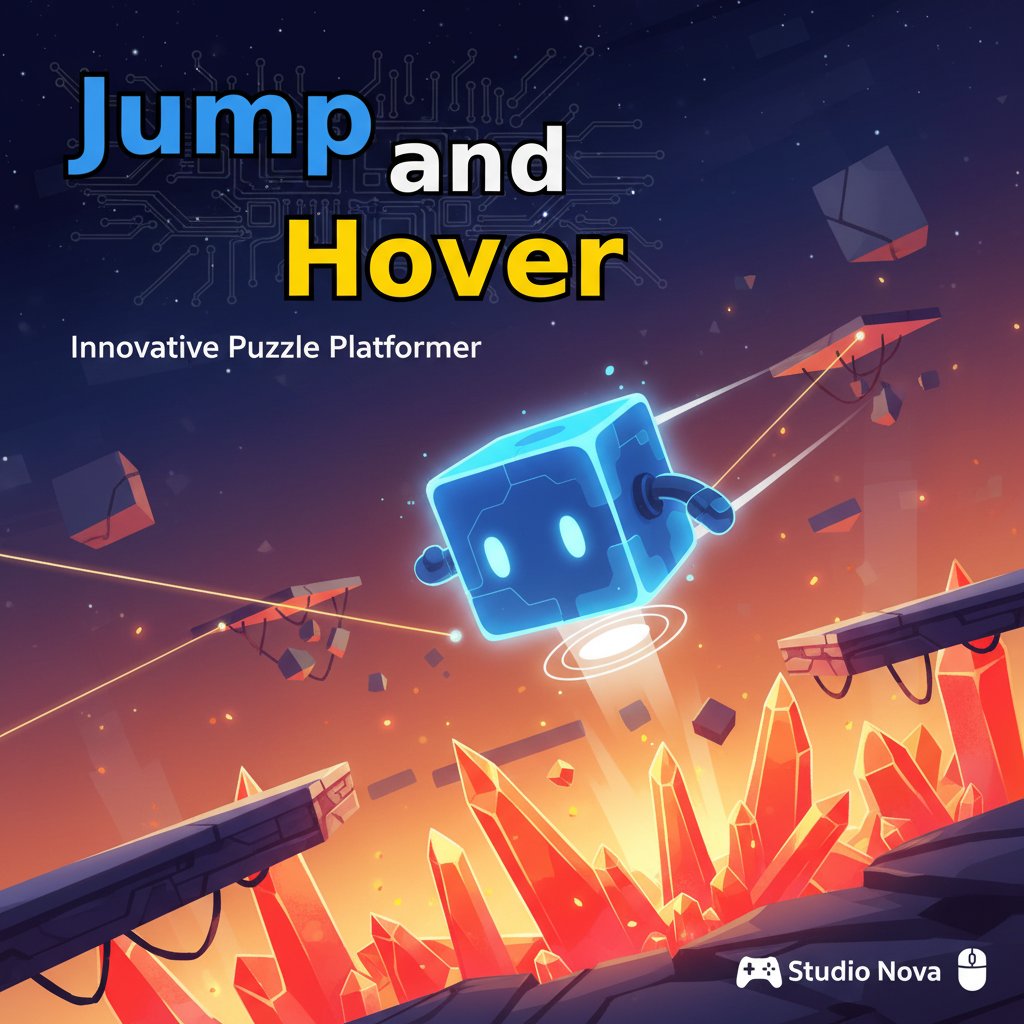
Jump and Hover is a captivating puzzle platform game that combines precision jumping with strategic hover mechanics. This brain-training adventure challenges players to navigate a cube character through increasingly difficult levels filled with deadly obstacles, spikes, and complex platforming challenges. The game's unique hover system adds a strategic layer that sets it apart from traditional platform games.
Core Features
Unique Hover Mechanics
The standout feature of Jump and Hover is its innovative hover system. Unlike traditional platform games, you have a limited hover ability that depletes quickly, requiring careful planning and precise timing for each movement.
Strategic Gameplay Elements
- Limited Hover Timer : Your hover ability drains rapidly, demanding quick decision-making
- Battery Collection System : Scattered batteries throughout levels recharge your hover bar mid-air
- Ground Recharging : Touching solid ground instantly restores your hover capacity
- Obstacle Variety : Navigate through spikes, moving platforms, and complex level designs
Brain Training Benefits
This puzzle platform game excellently develops: - Spatial Reasoning : Plan jump trajectories and hover paths - Timing Precision : Master the split-second decisions required for success - Strategic Planning : Think ahead to conserve hover energy effectively - Problem-Solving Skills : Analyze each level's unique challenges
Game Mechanics
The Hover System Explained
Your cube character's hover ability is the key to success. The hover timer depletes almost immediately once activated, so every second counts. You must decide beforehand which platform to target, as mid-air course corrections are nearly impossible with the limited hover duration.
Battery Collection Strategy
Batteries are strategically placed throughout levels to help you recharge your hover bar while airborne. Learning their locations and incorporating them into your movement strategy is essential for completing challenging sections.
Operation Guide
Movement Controls: - A & D Keys or Left & Right Arrow Keys : Move your cube character horizontally - W Key , Space Bar , or Up Arrow : Jump (tap for single jump) - Hold W , Space Bar , or Up Arrow : Activate hover mode
Additional Controls: - R Key : Reset current level when stuck - ESC or B Key : Return to previous menu
Pro Tips for Success
- Plan Before You Jump : Study the level layout before making your first move
- Conserve Hover Energy : Only use hover when absolutely necessary
- Target Battery Locations : Plan routes that include battery pickups for longer sequences
- Practice Timing : Master the rhythm between jumps and hover activation
- Use Ground Recharging : Touch platforms whenever possible to restore hover capacity
Why Play Jump and Hover
Jump and Hover offers a refreshing twist on the platform game genre that will appeal to puzzle enthusiasts and casual gamers alike. The game's unique mechanics create a perfect balance of challenge and accessibility, making each level completion feel rewarding.
Perfect for All Skill Levels
Whether you're a seasoned puzzle game veteran or new to platform games, Jump and Hover provides: - Intuitive Controls : Easy to learn, challenging to master - Progressive Difficulty : Levels gradually introduce new challenges - Immediate Feedback : Quick reset functionality encourages experimentation - No Download Required : Play instantly in your browser
Cognitive Benefits
Beyond entertainment, this game serves as an excellent brain training tool, improving reaction time, spatial awareness, and strategic planning skills through engaging gameplay.