Jumping Shell - Brain Puzzle Platformer Game

Seele01-Flash
By
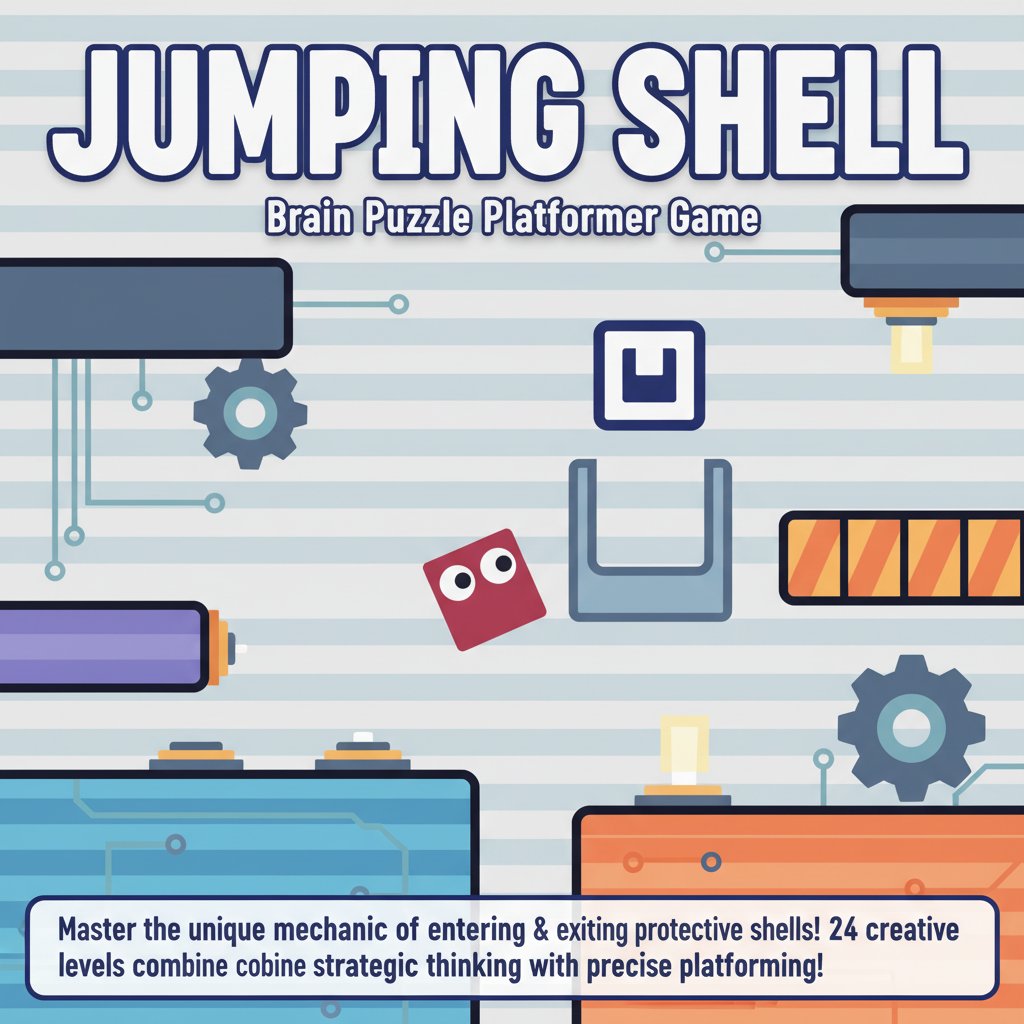
Jumping Shell is an innovative brain puzzle platformer that challenges players to master the unique mechanic of entering and exiting protective shells. With 24 creatively designed levels, this game combines strategic thinking with precise platforming skills.

Prompt

MODEL: Seele01-Flash
Please use Three.js to generate a **mobile-first game** with the theme "Jumping Shell". Please read the following detailed game design requirements first, and then generate the code accordingly: ### 1. Assets & Environment * **Visual Style**: Minimalist "2.5D" Puzzle Platformer. Use an **Orthographic Camera** to strictly replicate the flat, vector-art style of the screenshot while using 3D geometry. * **Character Model**: A simple Red Cube (`0xFF5555`) with two large, white circular eyes (using flat planes or simple spheres) on the front face to give it personality. * **The Shells**: Create "U" shaped hollow block models (Grey/Blueish: `0x6D8296`). These must be designed so the Red Cube fits perfectly inside. Visual clarity is key: the shell should look like a heavy protective layer. * **Environment**: * **Background**: A subtle, horizontal striped pattern (light blue/white) used as a static plane behind the gameplay layer. * **Platforms**: Solid, high-contrast dark colors (Dark Blue/Grey) for ground and walls. * **Target**: A Green Arrow or Doorway indicating the level exit. * **Mobile Optimization**: Use `MeshBasicMaterial` or `MeshLambertMaterial` with no complex shadows. Bake lighting if necessary. Keep geometry low-poly (simple box primitives). ### 2. Audio Requirements * **BGM**: A loop of "Ambient Puzzle Synth" – calm, low-tempo, thinking music. It should not be distracting. * **Sound Effects (SFX)**: * **Jump**: A light, short "whoosh". * **Shell Eject (Double Jump)**: A distinct "pop" or "spring" sound, signifying the separation of the character from the shell. * **Shell Re-entry**: A mechanical "click" or "clack" when landing back into a shell. * **Landing**: A soft thud. * **Win**: A rising major chord chime. ### 3. Gameplay Loop * **Core Mechanic - The Shell**: * The player starts encased in one or more layers of shells. * **Single Jump**: The player jumps *with* the shell (heavier, lower jump height). * **Double Jump (The Twist)**: Initiating a double jump performs an **"Ejection"**. The shell is stripped off and left behind at the position of the jump (becoming a physical platform/block), while the inner character (Red Cube) launches upward with renewed momentum. * **Re-shelling**: If the player lands inside an empty shell, they re-equip it. * **Puzzle Logic**: * Use ejected shells to hold down buttons or create stepping stones to reach higher areas. * Strip off shells to fit through narrow gaps that the full shell cannot fit through. * **Win Condition**: Navigate obstacles using this expand/contract mechanic to reach the Green Arrow/Exit. * **Fail Condition**: Falling off the map or getting crushed by moving walls. ### 4. Mobile Controls & Interaction * **Screen Orientation**: **Landscape Mode** (forced or UI adapted). * **Touch Controls (Virtual Overlay)**: * **Left/Right Movement**: Two large, distinct translucent arrows on the bottom-left of the screen. * **Jump / Action**: A large circular button on the bottom-right. * **Restart**: A small loop icon in the top-right corner (essential for puzzle games). * **Interaction Logic**: * The "Jump" button must detect **Double Taps** specifically to trigger the shell ejection mechanic. * **Haptic Feedback**: Trigger a short vibration (`navigator.vibrate(50)`) when the player ejects from a shell or dies, giving tactile weight to the action. * **UI Layout**: Ensure all buttons have a hit area of at least **44x44 pixels** and are positioned away from the screen edges to prevent accidental browser navigation gestures. Do not ask for clarification. Do not request confirmation. Directly execute the generation task based on the given instructions.

Game Introduction

About Jumping Shell

Jumping Shell is a captivating thinking game that revolutionizes the traditional platformer genre with its unique shell mechanic. Players control a character capable of nesting itself in and out of protective shells, creating a dynamic puzzle-solving experience that requires both strategic planning and quick reflexes.

This innovative brain game features 24 meticulously crafted levels, each presenting distinct challenges that test your problem-solving abilities. The core mechanic revolves around the strategic use of double-jumping to strip away your protective shell and timing your re-entry perfectly to overcome various obstacles.

Core Features

Unique Shell Mechanic System

The game's standout feature is the shell manipulation system. Your character can: - Enter shells for protection and different movement properties - Exit shells by double-jumping to access new areas - Strategic timing to navigate through complex obstacle courses

Progressive Challenge Design

With 24 levels of increasing complexity, Jumping Shell offers: - Varied puzzle types that keep gameplay fresh and engaging - Creative level design that introduces new mechanics gradually - Escalating difficulty that challenges both beginners and puzzle veterans

Built-in Hint System

Stuck on a challenging level? The game includes: - Visual hints that demonstrate level completion strategies - Learning opportunity to understand advanced techniques - No penalty system for using hints, encouraging experimentation

Gameplay Mechanics

Jumping Shell combines classic platforming with innovative puzzle elements:

Movement and Navigation

  • Precise character control with responsive input system
  • Multiple movement states depending on shell status
  • Environmental interaction through shell mechanics

Puzzle-Solving Elements

  • Spatial reasoning to determine optimal shell usage timing
  • Forward planning to navigate complex multi-stage obstacles
  • Adaptability as levels introduce new challenge types

Operation Guide

The game features intuitive controls suitable for all skill levels:

  • Movement : A/D keys or Left/Right Arrow keys for horizontal navigation
  • Jump : W key or Up Arrow for standard jumping
  • Double-Jump/Shell Exit : Double-press W or Up Arrow to exit your shell
  • Menu Navigation : B or ESC to return to previous screens
  • Level Restart : R key for instant level restart

Mastering the Shell Mechanic

  1. Observation : Study each level layout before moving
  2. Planning : Determine where shell exit/entry is needed
  3. Execution : Time your double-jumps precisely
  4. Adaptation : Use hints when encountering new challenge types

Why Play Jumping Shell

Perfect for Brain Training

Jumping Shell serves as an excellent cognitive exercise: - Improves spatial reasoning through 3D puzzle solving - Enhances planning skills via multi-step problem solving - Develops pattern recognition across varied level designs

Accessible Yet Challenging

  • Free to play with no hidden costs or premium content
  • Cross-platform compatibility for seamless gaming anywhere
  • No download required - play instantly in your browser
  • Family-friendly content suitable for all ages

Competitive Social Element

Challenge friends and family: - Speed completion competitions - Level mastery comparisons - Hint usage challenges for added difficulty

Platform Support and Accessibility

Jumping Shell offers universal accessibility: - Desktop computers with full keyboard support - Mobile devices including phones and tablets - Web browser compatibility across all modern browsers - No installation required for immediate gameplay access

Frequently Asked Questions (FAQ)