
Key Master - Typing Defense Game - Puzzle Game
 New
NewHook a Fish Arcade
Build a fishing arcade where catches buy you more time.
 Roguelike
Dungeon Survivors
Build a Vampire-Survivors-style dungeon arena with hero picks.
 New
NewUnderwater Puzzle
Build an underwater puzzle: restore coral, dodge crabs.
 Shooter
Rail Shooter Ride
Build a roller-coaster rail shooter that aims as you ride.
 New
NewArcade Crossing Game
Build a lane-dodging arcade game with traffic and pickups.
 Arcade
Pumpkin Night Adventure
Build a Halloween grid-arena survival romp.
 Adventure
Character Adventure Sim
Build a 3D character explorer with traversal and interactive zones.
 Shooter
Platform Shooter Quest
Build a side-scrolling platform shooter with weapon switching.
 Godot
GodotBaby Bat Climber
Build a compact Godot cave-climbing platformer.
 Sandbox
Voxel Sandbox Builder
Build a voxel sandbox for placing and breaking blocks freely.
NewHook a Fish Arcade
Build a fishing arcade where catches buy you more time.
RoguelikeDungeon Survivors
Build a Vampire-Survivors-style dungeon arena with hero picks.
NewUnderwater Puzzle
Build an underwater puzzle: restore coral, dodge crabs.
ShooterRail Shooter Ride
Build a roller-coaster rail shooter that aims as you ride.
NewArcade Crossing Game
Build a lane-dodging arcade game with traffic and pickups.
ArcadePumpkin Night Adventure
Build a Halloween grid-arena survival romp.
AdventureCharacter Adventure Sim
Build a 3D character explorer with traversal and interactive zones.
ShooterPlatform Shooter Quest
Build a side-scrolling platform shooter with weapon switching.
GodotBaby Bat Climber
Build a compact Godot cave-climbing platformer.
SandboxVoxel Sandbox Builder
Build a voxel sandbox for placing and breaking blocks freely.
Prompt

Games are fun. Creating them is even better.
Game Introduction
About the Game
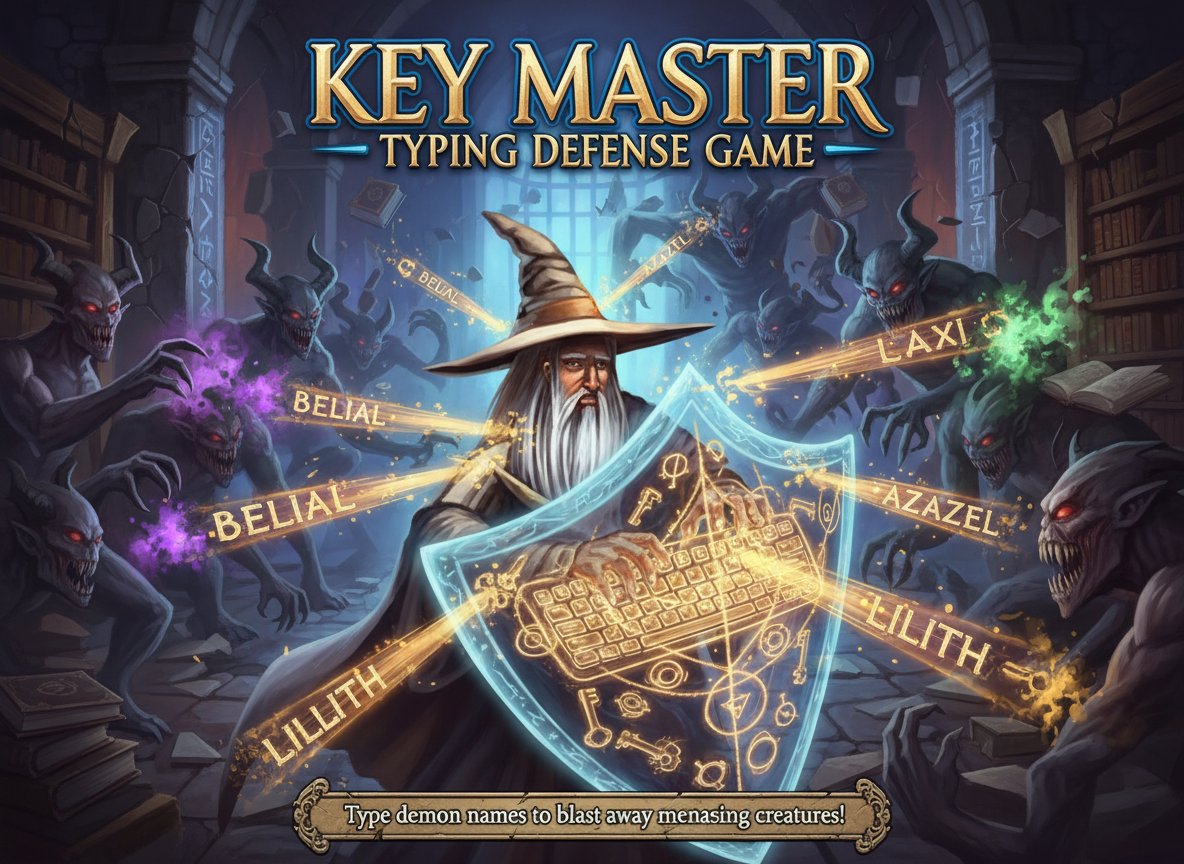
Key Master is a thrilling typing defense puzzle game that transforms keyboard practice into an exciting battle experience. With a solid 3.6/5 rating from players worldwide, this game proves that learning can be incredibly entertaining. Face off against waves of menacing beasts and demons by typing their names with lightning speed and precision.
The game follows a simple yet addictive premise: "Typing is a deadly art - you must practice!" As supernatural creatures advance toward you, your only weapon is your keyboard skills. The faster and more accurately you type, the more effectively you can defend yourself against the demonic invasion.
Core Features
Unique Typing Mechanics
Key Master revolutionizes traditional typing games by adding strategic defense elements. Instead of simple word practice, you're engaged in life-or-death combat where your typing speed directly determines your survival.
Educational Value
While having fun blasting demons, you're simultaneously improving essential computer skills: - Typing Speed : Increase your words-per-minute naturally through gameplay - Accuracy : Develop precise finger placement and reduce typing errors - Hand-Eye Coordination : Enhance reaction time and visual processing - Keyboard Familiarity : Master key positions without looking
Progressive Difficulty
The game features escalating challenges as you advance, ensuring continuous skill development. Early levels allow you to familiarize yourself with mechanics, while later stages test even experienced typists.
Instant Feedback System
Receive immediate visual and audio feedback for every successful demon defeat, creating a satisfying gameplay loop that motivates continued play.
Gameplay Mechanics
Key Master creates tension through its time-pressure mechanics. Demons approach at varying speeds, requiring quick decision-making about which threats to prioritize. Some creatures have longer names that take more time to type, while others move faster across the screen.
The upgrade system adds strategic depth - type specific upgrade words to enhance your abilities temporarily. This mechanic requires players to balance immediate threats with long-term advantages.
Operation Guide
Basic Controls
- Keyboard Only : All gameplay uses standard typing - no mouse required
- Type Demon Names : Look at approaching creatures and type their displayed names
- Complete Words : Press Enter or Space to execute the spell after typing
- Upgrade Activation : Type upgrade words when they appear to activate power-ups
Strategy Tips
- Prioritize Fast Movers : Target demons approaching quickly first
- Practice Common Patterns : Many demon names share letter combinations
- Stay Calm : Panic leads to typing mistakes - maintain steady rhythm
- Use Upgrades Wisely : Time upgrade activations for maximum benefit
Why Play Key Master
Perfect for Students and Professionals
Key Master offers an entertaining way to develop typing skills essential for academic and workplace success. Unlike boring typing tutors, this game makes practice engaging and rewarding.
Accessible Learning
The game requires no prior gaming experience - anyone who can type can play. The gradual difficulty curve ensures players of all skill levels can enjoy and benefit from the experience.
Free and Convenient
Play directly in your web browser without downloads, installations, or subscriptions. The game loads quickly and runs smoothly on most devices.
Measurable Progress
Watch your typing speed and accuracy improve naturally as you advance through levels. The game provides clear indicators of skill development.
Stress Relief with Purpose
Unlike mindless casual games, Key Master offers relaxation while building valuable real-world skills. Transform study breaks into productive typing practice sessions.