
Lightybulb Round 3 - Puzzle Game
 FPS
FPS3D FPS Game
Build a desert FPS with weapon switching and a retro HUD.
 Subscriber only
Unreal Dungeon Crawler
Build a playable Unreal dungeon crawler, combat-ready.
 Shooter
Rail Shooter Ride
Build a roller-coaster rail shooter that aims as you ride.
 FPS
FPSZombie Horror Survival
Build a tense zombie horror survival with map progression.
 New
NewCharacter Physics World
Build a third-person physics world with day-night and props to touch.
 Unity
UnityChaos Train Arcade
Build a chaotic Unity train arcade of hazards and timing.
 Subscriber only
Unreal FPS/TPS Shooter
Create a complete UE 5.5 FPS or TPS shooter with combat, UI, and replay.
 Unity
UnityFarmstead Shop
Build a Unity farm-shop sim: grow, stock, serve, upgrade.
 Subscriber only
Unreal Top-Down Roguelite
Create a complete UE 5.5 top-down arena roguelite with upgrades and a boss finale.
 Unity
UnityCastle Devour Quest
Build a Unity castle quest with risky rooms and a win goal.
FPS3D FPS Game
Build a desert FPS with weapon switching and a retro HUD.
Subscriber onlyUnreal Dungeon Crawler
Build a playable Unreal dungeon crawler, combat-ready.
ShooterRail Shooter Ride
Build a roller-coaster rail shooter that aims as you ride.
FPSZombie Horror Survival
Build a tense zombie horror survival with map progression.
NewCharacter Physics World
Build a third-person physics world with day-night and props to touch.
UnityChaos Train Arcade
Build a chaotic Unity train arcade of hazards and timing.
Subscriber onlyUnreal FPS/TPS Shooter
Create a complete UE 5.5 FPS or TPS shooter with combat, UI, and replay.
UnityFarmstead Shop
Build a Unity farm-shop sim: grow, stock, serve, upgrade.
Subscriber onlyUnreal Top-Down Roguelite
Create a complete UE 5.5 top-down arena roguelite with upgrades and a boss finale.
UnityCastle Devour Quest
Build a Unity castle quest with risky rooms and a win goal.
Prompt

Games are fun. Creating them is even better.
Game Introduction
About the Game
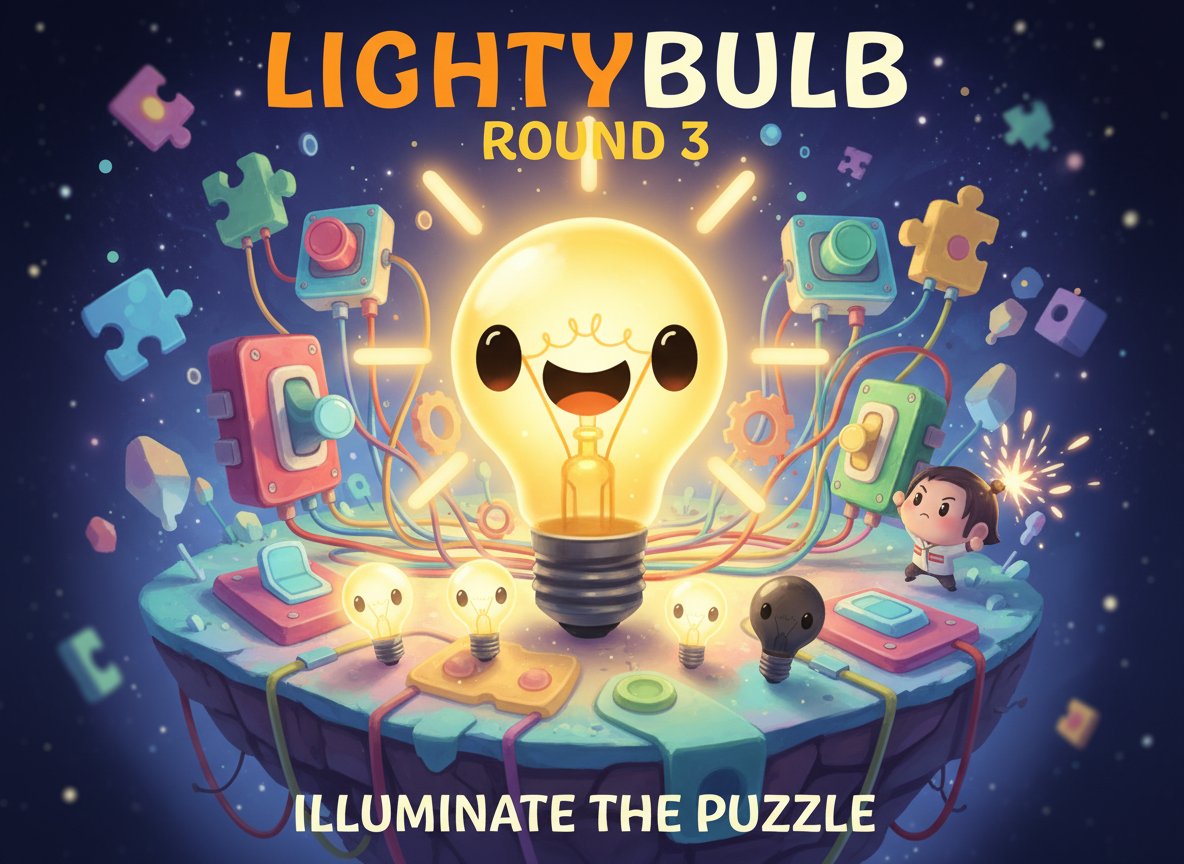
Lightybulb Round 3 is a charming physics and platform-style puzzle game that challenges your problem-solving skills. The concept seems simple - turn on a lightbulb by flipping switches - but the execution requires strategic thinking and careful observation. This delightful puzzle game combines cute visuals with increasingly complex challenges that will keep you engaged for hours.
The game features an adorable lightbulb character with expressive eyes and a smile that you'll want to illuminate. Each level presents a unique puzzle where you must figure out the correct sequence and method of switch activation to bring light to the darkness.
Core Features
Brain-Teasing Puzzle Mechanics
Unlike simple switch-flipping games, Lightybulb Round 3 requires you to think several steps ahead. Each puzzle involves multiple switches that must be activated in specific ways - some need clicking, others require holding, and many demand a combination of both techniques.
Progressive Difficulty System
The game starts with straightforward puzzles to teach you the basics, then gradually introduces more complex scenarios. As you advance, you'll encounter puzzles with multiple switches, timing elements, and intricate sequences that challenge even experienced puzzle solvers.
Cute and Engaging Visuals
The game features adorable artwork with a cute lightbulb character as the star. The bright, colorful graphics create a welcoming atmosphere that makes even the most challenging puzzles feel approachable and fun.
Mobile-Friendly Design
Optimized for both desktop and mobile play, you can enjoy Lightybulb Round 3 anywhere. The HTML5 technology ensures smooth performance across all devices without requiring downloads or installations.
Gameplay Mechanics
Switch Puzzle Solving
Each level presents a different configuration of switches and lightbulbs. Your goal is to analyze the setup, understand the connections, and determine the correct activation sequence. Some switches control multiple bulbs, while others work in combination with nearby switches.
Pattern Recognition
Success in Lightybulb Round 3 depends on recognizing patterns and understanding cause-and-effect relationships. The on-screen clues provide hints about the solution, but deciphering them requires careful observation and logical thinking.
Physics-Based Challenges
The game incorporates physics elements where switches might affect platforms, moving parts, or other mechanical elements that indirectly influence the lighting system. This adds an extra layer of complexity to the puzzle-solving experience.
Operation Guide
Basic Controls
- Mouse Click : Activate switches and interact with puzzle elements
- Click and Hold : Some switches require sustained pressure
- Sequential Clicking : Many puzzles require switches to be activated in specific order
- Observation : Study on-screen clues and visual hints before making moves
Puzzle-Solving Strategy
- Analyze the Setup : Before touching any switches, examine the entire puzzle layout
- Read the Clues : Pay attention to visual hints and numbered sequences
- Test Theories : Try different approaches if your first attempt doesn't work
- Learn from Mistakes : Each failed attempt provides valuable information about the correct solution
Success Indicators
When you successfully solve a puzzle, the lightbulb will illuminate with a happy expression, and you'll advance to the next challenge. Failed attempts will reset the puzzle, allowing you to try again with new insights.
Why Play This Game
Perfect for All Ages
With its cute graphics and intuitive gameplay, Lightybulb Round 3 appeals to both children and adults. The puzzles are challenging enough to engage experienced gamers while remaining accessible to newcomers.
Mental Exercise
This game provides excellent brain training, improving problem-solving skills, pattern recognition, and logical thinking. It's entertainment that also exercises your mind.
Stress-Free Gaming
The cute visuals and gentle gameplay create a relaxing experience without time pressure or competitive elements. You can solve puzzles at your own pace and enjoy the satisfaction of each completed challenge.
No Download Required
As a browser-based HTML5 game, you can start playing immediately without installations, registrations, or downloads. Perfect for quick gaming sessions during breaks or extended puzzle-solving marathons.