
Lineum - Line Drawing Puzzle Game - Puzzle Game
 Unity
UnityCastle Devour Quest
Build a Unity castle quest with risky rooms and a win goal.
 Subscriber only
Unreal Top-Down Roguelite
Create a complete UE 5.5 top-down arena roguelite with upgrades and a boss finale.
 Subscriber only
Unreal Landscape Tour
Tour photoreal Unreal landscapes with cinematic camera work.
 Voxel
VoxelVoxel Hero Adventure
Build a voxel hero who explores, mines, and builds.
 Subscriber only
Unreal Dungeon Crawler
Build a playable Unreal dungeon crawler, combat-ready.
 Unity
UnityCity Eater
Build a Unity game where a growing blob devours the city.
 FPS
FPSZombie Horror Survival
Build a tense zombie horror survival with map progression.
 Shooter
Rail Shooter Ride
Build a roller-coaster rail shooter that aims as you ride.
 Subscriber only
Unreal FPS/TPS Shooter
Create a complete UE 5.5 FPS or TPS shooter with combat, UI, and replay.
 Subscriber only
Unreal Mountain Tour
Tour a third-person Unreal world of mountains and water.
UnityCastle Devour Quest
Build a Unity castle quest with risky rooms and a win goal.
Subscriber onlyUnreal Top-Down Roguelite
Create a complete UE 5.5 top-down arena roguelite with upgrades and a boss finale.
Subscriber onlyUnreal Landscape Tour
Tour photoreal Unreal landscapes with cinematic camera work.
VoxelVoxel Hero Adventure
Build a voxel hero who explores, mines, and builds.
Subscriber onlyUnreal Dungeon Crawler
Build a playable Unreal dungeon crawler, combat-ready.
UnityCity Eater
Build a Unity game where a growing blob devours the city.
FPSZombie Horror Survival
Build a tense zombie horror survival with map progression.
ShooterRail Shooter Ride
Build a roller-coaster rail shooter that aims as you ride.
Subscriber onlyUnreal FPS/TPS Shooter
Create a complete UE 5.5 FPS or TPS shooter with combat, UI, and replay.
Subscriber onlyUnreal Mountain Tour
Tour a third-person Unreal world of mountains and water.
Prompt

Games are fun. Creating them is even better.
Game Introduction
About the Game
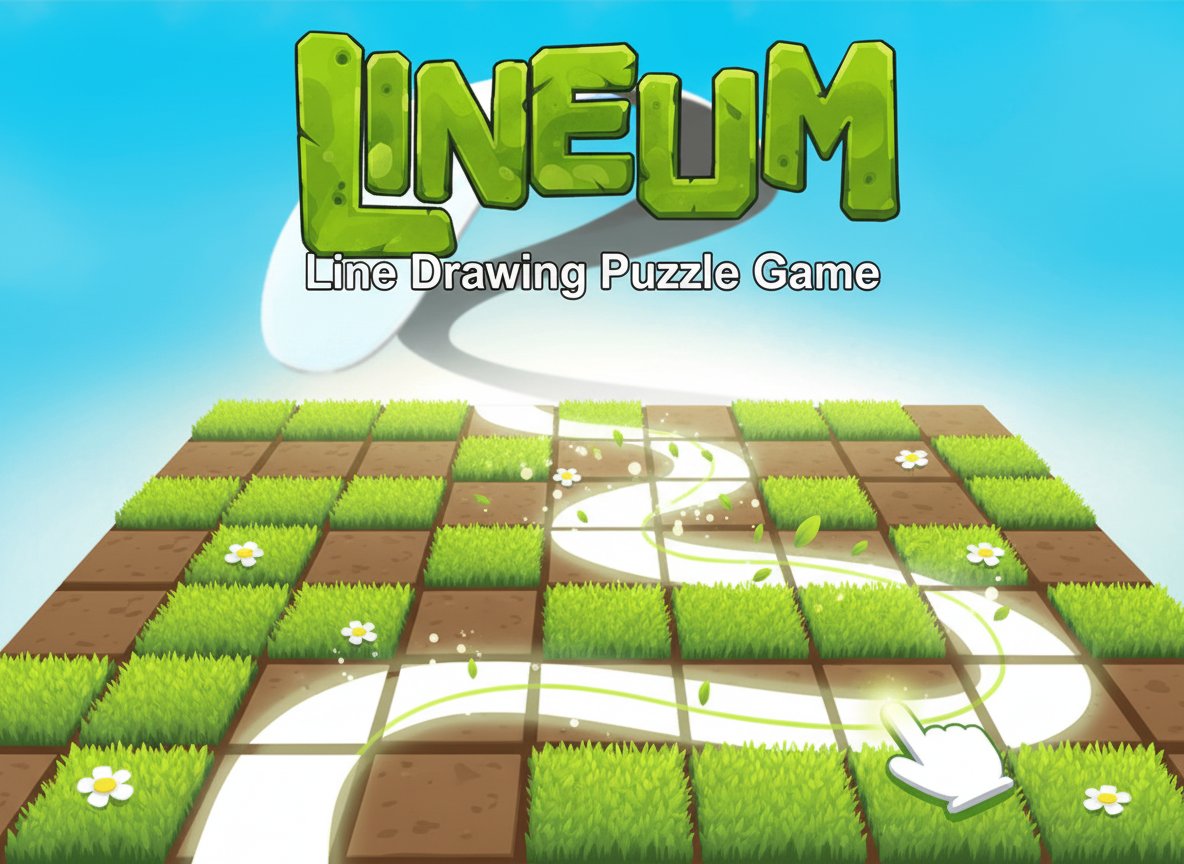
Lineum is a captivating puzzle game that combines simple mechanics with increasingly challenging gameplay. With a solid 3.3/5 rating from over 120 players, this brain teaser has proven its ability to engage puzzle enthusiasts of all skill levels. The game's core concept is deceptively simple: draw a continuous line to flip tiles and turn them all green.
Core Features
Simple Yet Challenging Gameplay
Lineum offers the perfect balance of accessibility and difficulty. While anyone can understand the basic mechanics within seconds, mastering the advanced levels requires strategic thinking and careful planning.
Mobile-Friendly Design
Optimized for both desktop and mobile devices, you can enjoy Lineum anywhere. The intuitive mouse controls on desktop and touch controls on mobile ensure smooth gameplay across all platforms.
Progressive Difficulty
Start with simple grids and work your way up to complex puzzles that will test your spatial reasoning and logical thinking skills. Each level presents a unique challenge that builds upon previous concepts.
Hint System
Stuck on a particularly challenging puzzle? The built-in hint system helps you get started by suggesting the optimal starting position for your line.
Completely Free
Enjoy unlimited gameplay without any cost. No downloads, no subscriptions - just pure puzzle-solving fun directly in your browser.
Game Mechanics
Line Drawing Rules
The beauty of Lineum lies in its straightforward yet restrictive rules: - Draw one continuous line across the grid - Cannot cross your own line path - No diagonal movements allowed - Cannot traverse the same path twice - Must flip all tiles to green to complete the level
Strategic Planning Required
Success in Lineum depends on choosing the correct starting cell. One wrong move can make a level impossible to complete, encouraging players to think several steps ahead before making their first move.
Operation Guide
Desktop Controls: - Use your mouse to click and drag, creating the continuous line path - Click the hint button when you need guidance on where to start - Navigate menus with mouse clicks
Mobile Controls: - Touch and drag to draw your line path - Tap the hint button for assistance - All menu interactions use simple touch controls
Why Play Lineum
Perfect Brain Training
Lineum serves as an excellent mental exercise, improving spatial reasoning, logical thinking, and problem-solving skills. It's like a gym workout for your brain, but much more entertaining.
Stress-Free Gaming
Unlike action games that demand quick reflexes, Lineum allows you to take your time and think through each move. This makes it perfect for relaxation while still providing mental stimulation.
Suitable for All Ages
With its all-ages content rating, Lineum is appropriate for children, adults, and seniors alike. It's an ideal game for family puzzle time or solo brain training sessions.
No Commitment Required
As a browser-based HTML5 game, Lineum requires no downloads or installations. You can start playing immediately and stop whenever you want, making it perfect for quick mental breaks or extended puzzle sessions.