
Link - Connect Color Dots Puzzle Game - Puzzle Game
 Shooter
Rail Shooter Ride
Build a roller-coaster rail shooter that aims as you ride.
 Voxel
VoxelVoxel Village Explorer
Build a voxel village to roam with jump and camera controls.
 Shooter
Platform Shooter Quest
Build a side-scrolling platform shooter with weapon switching.
 Godot
GodotBaby Bat Climber
Build a compact Godot cave-climbing platformer.
 New
NewUnderwater Puzzle
Build an underwater puzzle: restore coral, dodge crabs.
 Subscriber only
Unreal Top-Down Roguelite
Create a complete UE 5.5 top-down arena roguelite with upgrades and a boss finale.
 Unity
UnityEgg on the Car Roof
Build a Unity challenge: keep a fragile egg on a moving roof.
 New
NewCharacter Physics World
Build a third-person physics world with day-night and props to touch.
 Shooter
Decay Zone Survival
Build a first-person zombie survival with ammo management.
 3D
3DThird Person Explorer
Build a third-person explorer with swappable scenes and a live minimap.
ShooterRail Shooter Ride
Build a roller-coaster rail shooter that aims as you ride.
VoxelVoxel Village Explorer
Build a voxel village to roam with jump and camera controls.
ShooterPlatform Shooter Quest
Build a side-scrolling platform shooter with weapon switching.
GodotBaby Bat Climber
Build a compact Godot cave-climbing platformer.
NewUnderwater Puzzle
Build an underwater puzzle: restore coral, dodge crabs.
Subscriber onlyUnreal Top-Down Roguelite
Create a complete UE 5.5 top-down arena roguelite with upgrades and a boss finale.
UnityEgg on the Car Roof
Build a Unity challenge: keep a fragile egg on a moving roof.
NewCharacter Physics World
Build a third-person physics world with day-night and props to touch.
ShooterDecay Zone Survival
Build a first-person zombie survival with ammo management.
3DThird Person Explorer
Build a third-person explorer with swappable scenes and a live minimap.
Prompt

Games are fun. Creating them is even better.
Game Introduction
About the Game
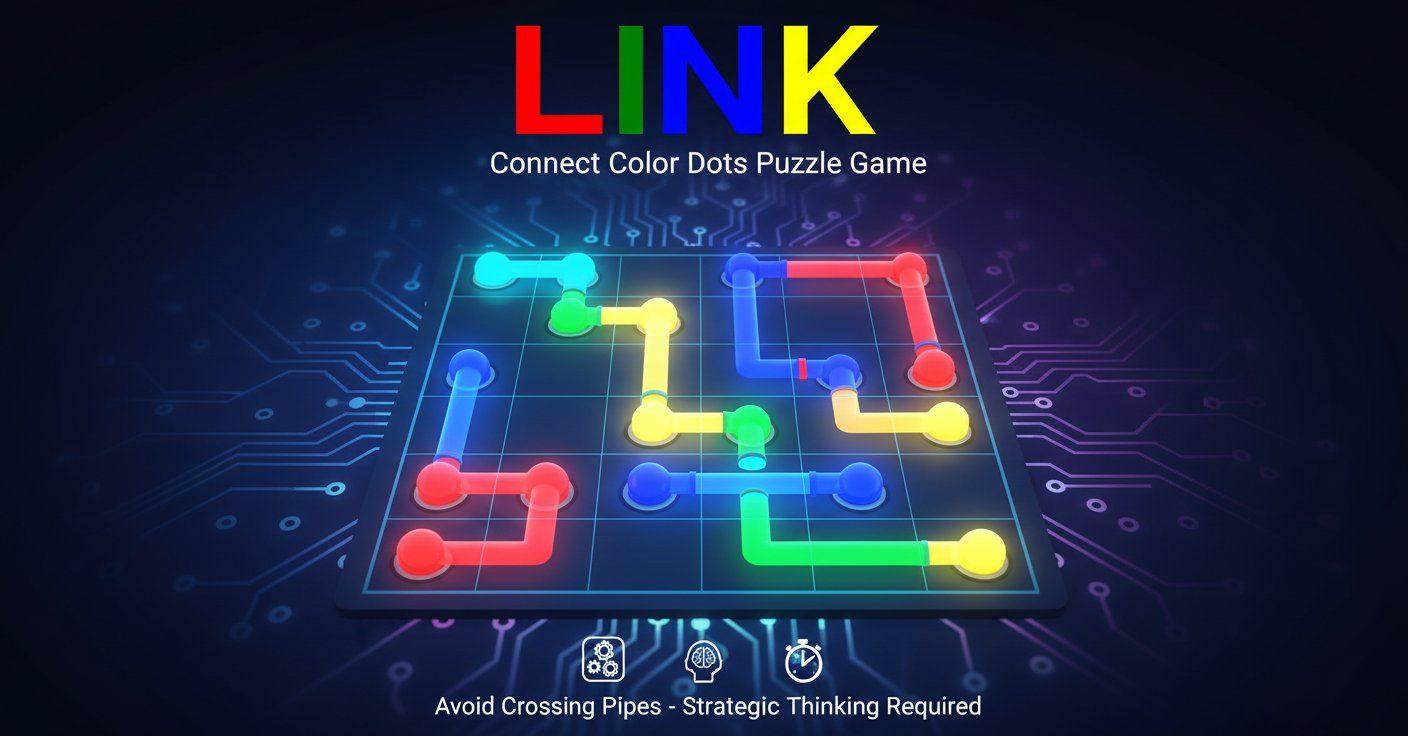
Link is a captivating color connect puzzle game that challenges your logical thinking and spatial awareness. This free browser-based puzzle game combines simple mechanics with increasingly complex challenges, making it perfect for puzzle enthusiasts of all skill levels. The game features colorful dot-connecting gameplay where strategy and careful planning are essential for success.
Core Features
Link offers an engaging puzzle experience with several standout features:
- Free to Play : Completely free browser game with no downloads required
- Intuitive Gameplay : Simple click-and-connect mechanics that anyone can learn
- Progressive Difficulty : Levels gradually increase in complexity to keep you challenged
- Multiple Control Options : Support for both mouse and keyboard controls
- Hint System : Built-in hint feature (press 'I') when you get stuck
- Cross-Platform : Works on any device with a modern web browser
Strategic Puzzle Mechanics
The core challenge lies in connecting dots of matching colors while avoiding pipe intersections. Each puzzle requires careful planning as crossing pipes will break your connections. This creates a unique spatial reasoning challenge that becomes increasingly complex as you progress through the levels.
Clean Visual Design
The game features a clean, minimalist design with vibrant colors that make it easy to distinguish between different dot types. The grid-based layout provides clear visual feedback, helping you plan your connections effectively.
Game Mechanics
In Link, your objective is to connect all dots of the same color using continuous lines or "pipes". The challenge increases as you must:
- Connect matching colored dots without any gaps
- Ensure no pipes cross or intersect with each other
- Fill the entire grid to complete each puzzle
- Think several moves ahead to avoid dead ends
The game combines elements of logic puzzles, spatial reasoning, and strategic planning. Each level presents a unique challenge that requires both patience and problem-solving skills.
Controls Guide
Link supports multiple control schemes for maximum accessibility:
Mouse Controls: - Left-click on a colored dot to start creating a connection - Move your mouse to extend the link to other dots - Click on matching colored dots to complete the connection
Keyboard Controls: - Arrow keys: Navigate around the grid - Enter: Select a dot or confirm a connection - Backspace: Go back or undo last move - I key: Get a helpful hint when stuck
The dual control system ensures the game is accessible whether you prefer mouse precision or keyboard navigation.
Why Play Link
Link stands out in the puzzle game genre for several compelling reasons:
Mental Exercise : Each puzzle provides excellent brain training, improving logical thinking and spatial awareness skills. The game challenges you to think multiple steps ahead and consider various solution paths.
Stress-Free Gaming : With no time limits or pressure mechanics, Link offers a relaxing puzzle experience perfect for unwinding or taking a mental break.
Progressive Learning : The difficulty curve is perfectly balanced, introducing new concepts gradually while building on previously learned skills.
Instant Accessibility : No downloads, registrations, or installations required. Simply open your browser and start playing immediately.
Universal Appeal : The simple concept makes it accessible to all ages, while the increasing complexity keeps experienced puzzle solvers engaged.
Whether you're looking for a quick mental challenge during a break or a longer puzzle-solving session, Link provides the perfect balance of accessibility and depth that makes it truly addictive.