
Magic Pen - Physics Drawing Puzzle Game - Puzzle Game
 Shooter
Decay Zone Survival
Build a first-person zombie survival with ammo management.
 SEELE02 CORE
Game Generator
Turn a one-line idea into a playable game demo.
 Sandbox
Voxel Sandbox Builder
Build a voxel sandbox for placing and breaking blocks freely.
 New
NewDrone Flight Combat
Build a cinematic drone combat run with missiles and a HUD.
 Action
Open World City Action
Build an open-world city romp with driving and police chases.
 Puzzle
Magic Cube Puzzle
Build an interactive Rubik's Cube with scramble and reset.
 Racing
Track Racing Challenge
Build a closed-circuit racer built around drift corners.
 New
NewArcade Crossing Game
Build a lane-dodging arcade game with traffic and pickups.
 Subscriber only
Unreal Top-Down Roguelite
Create a complete UE 5.5 top-down arena roguelite with upgrades and a boss finale.
 Survival
Survival Sandbox Arena
Build a survival arena with enemy waves and turret defense.
ShooterDecay Zone Survival
Build a first-person zombie survival with ammo management.
SEELE02 COREGame Generator
Turn a one-line idea into a playable game demo.
SandboxVoxel Sandbox Builder
Build a voxel sandbox for placing and breaking blocks freely.
NewDrone Flight Combat
Build a cinematic drone combat run with missiles and a HUD.
ActionOpen World City Action
Build an open-world city romp with driving and police chases.
PuzzleMagic Cube Puzzle
Build an interactive Rubik's Cube with scramble and reset.
RacingTrack Racing Challenge
Build a closed-circuit racer built around drift corners.
NewArcade Crossing Game
Build a lane-dodging arcade game with traffic and pickups.
Subscriber onlyUnreal Top-Down Roguelite
Create a complete UE 5.5 top-down arena roguelite with upgrades and a boss finale.
SurvivalSurvival Sandbox Arena
Build a survival arena with enemy waves and turret defense.
Prompt

Games are fun. Creating them is even better.
Game Introduction
About the Game
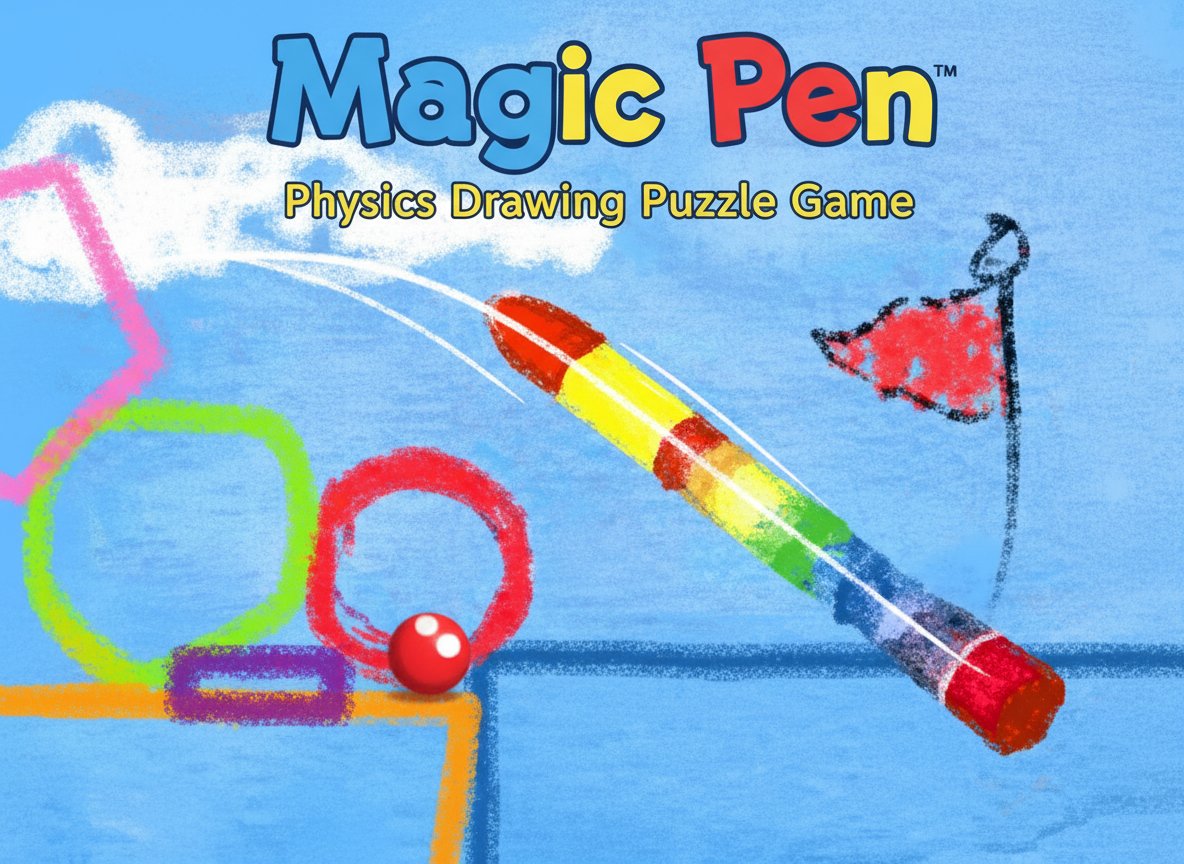
Magic Pen is a captivating physics-based puzzle game that challenges players to think creatively and solve problems through drawing. With a solid 3.6/5 rating from players worldwide, this innovative game combines artistic expression with logical thinking as you help a red ball reach its target flag in each level.
The game's unique concept revolves around using your mouse as a magical drawing tool to create shapes, platforms, ramps, and mechanical contraptions. Every line you draw becomes a physical object that obeys realistic physics laws, making each solution feel satisfying and rewarding.
Core Features
Creative Problem-Solving Gameplay
Magic Pen stands out by offering unlimited creative solutions to each puzzle. Unlike traditional puzzle games with predetermined solutions, here you can:
- Draw any shape to create platforms, ramps, or barriers
- Pin objects to create stable anchor points
- Build hinged contraptions for moving mechanisms
- Experiment freely with different approaches to the same problem
Realistic Physics Engine
The game features a sophisticated physics simulation that makes every drawn object behave naturally:
- Objects fall under gravity and bounce realistically
- Different shapes affect how objects roll and slide
- Weight and momentum play crucial roles in solutions
- Interactive elements respond to collisions and forces
Progressive Difficulty System
Start with simple puzzles and gradually face more complex challenges that require:
- Multi-step solutions involving several drawn objects
- Timing-based mechanics where sequence matters
- Resource management as drawing space becomes limited
- Creative engineering to build elaborate contraptions
Game Mechanics
Drawing and Creation Tools
Magic Pen provides several essential tools for puzzle-solving:
- Freeform Drawing : Create any shape imaginable with your mouse
- Pin Tool : Secure objects to fixed positions for stability
- Hinge Tool : Create rotating joints for movable mechanisms
- Eraser : Remove unwanted elements and refine your designs
Physics-Based Interactions
Every element in the game follows realistic physics principles:
- The red ball responds to gravity, friction, and collisions
- Drawn shapes have mass and can be pushed or moved by the ball
- Slopes and angles affect rolling speed and direction
- Objects can stack, balance, and create chain reactions
Operation Guide
Basic Controls
The game features intuitive controls that anyone can master:
- Mouse Movement : Draw shapes and lines by clicking and dragging
- A Key : Switch to eraser tool to remove drawn objects
- S Key : Activate pin tool to create fixed anchor points
- D Key : Use hinge tool for rotating mechanical joints
- Q Key : Access the main menu and level selection
Strategic Tips
- Start Simple : Begin with basic ramps and platforms before attempting complex machines
- Observe Physics : Watch how objects interact to understand the game's physics
- Experiment Freely : There's no penalty for trying different approaches
- Use Pins Wisely : Anchored objects provide stability for larger constructions
- Think in Steps : Break complex puzzles into smaller, manageable parts
Why Play Magic Pen
Educational and Entertaining
Magic Pen offers a perfect blend of education and entertainment , making it ideal for players of all ages. The game naturally teaches:
- Physics concepts through hands-on experimentation
- Engineering principles via construction challenges
- Creative thinking by encouraging unique solutions
- Problem-solving skills through puzzle progression
Accessibility and Convenience
Enjoy Magic Pen with complete freedom:
- 100% Free : No purchases, subscriptions, or hidden costs
- No Download Required : Play instantly in any modern web browser
- Cross-Platform : Works seamlessly on computers, tablets, and smartphones
- All Ages Content : Safe and appropriate for players of every age
- Offline Capable : Play without internet once loaded
Endless Replay Value
With multiple solutions possible for each level and the freedom to create your own challenges, Magic Pen offers virtually unlimited gameplay . The creative nature of the puzzles means you can always return to find new and more elegant solutions.
Perfect for Short Sessions
Each level can be completed in just a few minutes, making Magic Pen ideal for:
- Quick brain training during breaks
- Creative relaxation after work or study
- Educational playtime for students
- Casual gaming sessions anytime, anywhere