
Math Push - Mathematical Puzzle Game - Puzzle Game
 Driving
City Car Driving
Build an open-city free-driving game with car selection.
 Shooter
Platform Shooter Quest
Build a side-scrolling platform shooter with weapon switching.
 Godot
GodotBaby Bat Climber
Build a compact Godot cave-climbing platformer.
 Unity
UnityFarmstead Shop
Build a Unity farm-shop sim: grow, stock, serve, upgrade.
 Roguelike
Dungeon Survivors
Build a Vampire-Survivors-style dungeon arena with hero picks.
 Shooter
Decay Zone Survival
Build a first-person zombie survival with ammo management.
 FPS
FPS3D FPS Game
Build a desert FPS with weapon switching and a retro HUD.
 Unity
UnityBattle of Balls
Build a Unity arena where rolling balls collide and grow.
 New
NewDrone Flight Combat
Build a cinematic drone combat run with missiles and a HUD.
 New
NewSolo Racing Game
Build a browser racer with tracks, timing, and a minimap.
DrivingCity Car Driving
Build an open-city free-driving game with car selection.
ShooterPlatform Shooter Quest
Build a side-scrolling platform shooter with weapon switching.
GodotBaby Bat Climber
Build a compact Godot cave-climbing platformer.
UnityFarmstead Shop
Build a Unity farm-shop sim: grow, stock, serve, upgrade.
RoguelikeDungeon Survivors
Build a Vampire-Survivors-style dungeon arena with hero picks.
ShooterDecay Zone Survival
Build a first-person zombie survival with ammo management.
FPS3D FPS Game
Build a desert FPS with weapon switching and a retro HUD.
UnityBattle of Balls
Build a Unity arena where rolling balls collide and grow.
NewDrone Flight Combat
Build a cinematic drone combat run with missiles and a HUD.
NewSolo Racing Game
Build a browser racer with tracks, timing, and a minimap.
Prompt

Games are fun. Creating them is even better.
Game Introduction
About the Game
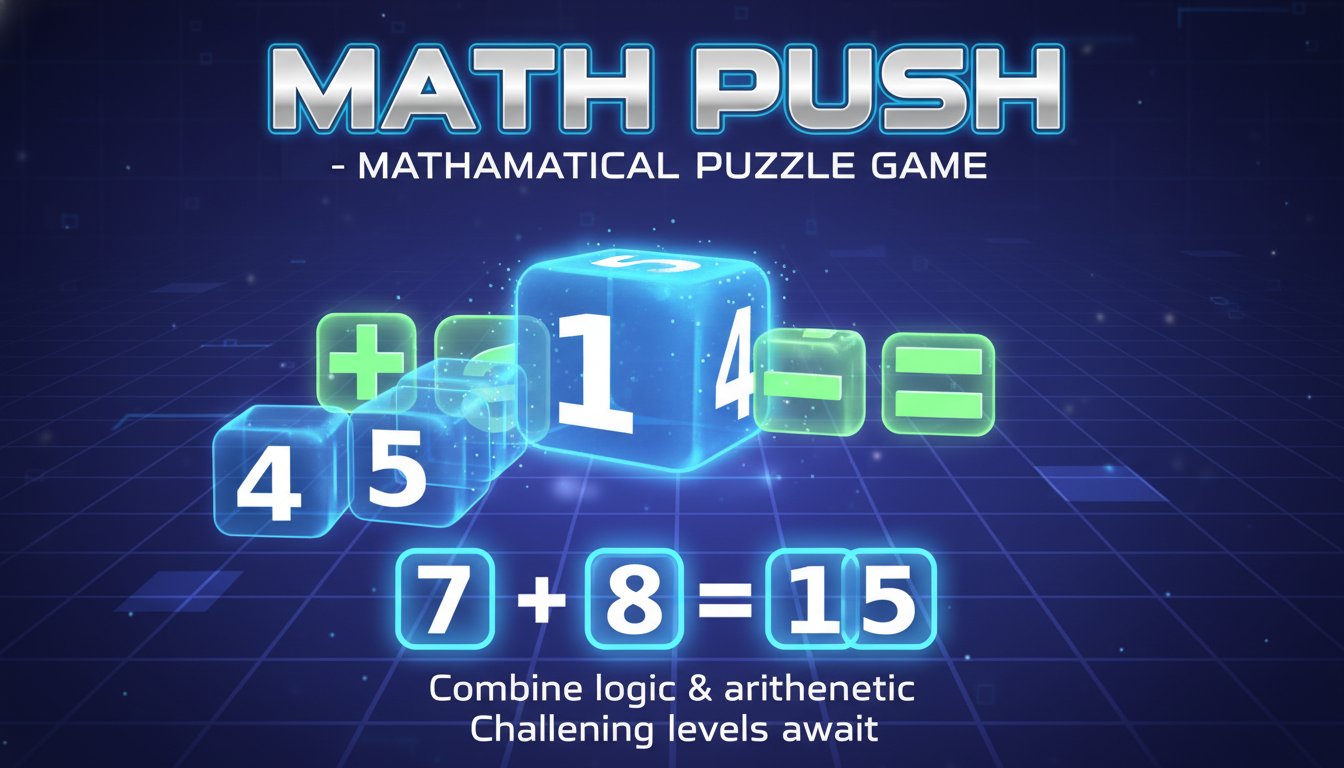
Math Push is a captivating puzzle game that transforms mathematical problem-solving into an engaging block-moving challenge. This unique game combines the satisfaction of puzzle-solving with the mental stimulation of arithmetic, creating an experience that's both educational and entertaining.
The game features a clean, intuitive 2D interface with numbered blocks and mathematical operators displayed on a grid. Players must strategically move these elements to form correct mathematical expressions, making each level a brain-teasing adventure that rewards logical thinking and mathematical skills.
Core Features
Educational Entertainment
Math Push brilliantly disguises learning as play, making it perfect for students, educators, and anyone looking to sharpen their mathematical reasoning skills. The game progressively increases in difficulty, ensuring continuous mental growth.
Strategic Block Movement
Every move matters in Math Push. You'll need to think several steps ahead to position numbers and operators correctly, creating a satisfying blend of strategy and mathematics that keeps players engaged for hours.
Progressive Challenge System
The game features multiple levels of increasing complexity, starting with simple addition and subtraction before introducing more complex mathematical concepts. Each solved puzzle unlocks new challenges that test your growing skills.
Minimalist Design
The clean 2D graphics focus your attention on the puzzle elements without distractions, featuring a calming purple background with clearly visible white numbers and green mathematical operators.
Game Mechanics
Math Push operates on simple yet engaging mechanics. Players move numbered blocks and mathematical operators around a grid to create valid equations. The challenge lies in positioning these elements correctly while working within the constraints of the puzzle layout.
The game rewards careful planning and logical thinking. You'll often need to move blocks in a specific sequence to avoid getting stuck, making each level a mini-strategy challenge that combines spatial reasoning with mathematical knowledge.
Operation Guide
Mastering Math Push is straightforward with these essential controls:
- Movement : Use WASD keys or Arrow Keys to move blocks in four directions
- Undo Move : Press Z or U to reverse your last move when you make a mistake
- Reset Level : Hit R to restart the current puzzle from the beginning
- Navigate Back : Use Esc or B to return to the previous menu
The game responds instantly to your inputs, allowing for smooth gameplay and quick corrections when needed. The undo feature is particularly valuable for experimenting with different solutions without penalty.
Why Play Math Push
Math Push offers a unique gaming experience that combines entertainment with education. It's perfect for players who enjoy:
- Mental Stimulation : Exercise your brain with challenging mathematical puzzles
- Skill Development : Improve arithmetic skills and logical reasoning
- Stress-Free Learning : Learn math concepts in a relaxed, game-like environment
- Quick Sessions : Perfect for short gaming breaks or extended puzzle-solving sessions
- Achievement Satisfaction : Experience the rewarding feeling of solving complex mathematical challenges
Whether you're a student looking to improve your math skills, a teacher seeking educational games, or simply someone who enjoys brain teasers, Math Push delivers an engaging experience that makes mathematics fun and accessible.