
One Line - Draw to Protect - Puzzle Game
 3D
3DThird Person Explorer
Build a third-person explorer with swappable scenes and a live minimap.
 Driving
City Car Driving
Build an open-city free-driving game with car selection.
 Unity
UnityCupid's Arrow
Build a Unity archery game of timing and matchmaking.
 Voxel
VoxelVoxel Village Explorer
Build a voxel village to roam with jump and camera controls.
 Subscriber only
Unreal Landscape Tour
Tour photoreal Unreal landscapes with cinematic camera work.
 New
NewUnderwater Puzzle
Build an underwater puzzle: restore coral, dodge crabs.
 Puzzle
Magic Cube Puzzle
Build an interactive Rubik's Cube with scramble and reset.
 Voxel
VoxelVoxel Hero Adventure
Build a voxel hero who explores, mines, and builds.
 Roguelike
Dungeon Survivors
Build a Vampire-Survivors-style dungeon arena with hero picks.
 FPS
FPSNight Mission Survival
Build a first-person night survival with flashlight combat.
3DThird Person Explorer
Build a third-person explorer with swappable scenes and a live minimap.
DrivingCity Car Driving
Build an open-city free-driving game with car selection.
UnityCupid's Arrow
Build a Unity archery game of timing and matchmaking.
VoxelVoxel Village Explorer
Build a voxel village to roam with jump and camera controls.
Subscriber onlyUnreal Landscape Tour
Tour photoreal Unreal landscapes with cinematic camera work.
NewUnderwater Puzzle
Build an underwater puzzle: restore coral, dodge crabs.
PuzzleMagic Cube Puzzle
Build an interactive Rubik's Cube with scramble and reset.
VoxelVoxel Hero Adventure
Build a voxel hero who explores, mines, and builds.
RoguelikeDungeon Survivors
Build a Vampire-Survivors-style dungeon arena with hero picks.
FPSNight Mission Survival
Build a first-person night survival with flashlight combat.
Prompt

Games are fun. Creating them is even better.
Game Introduction
About the Game
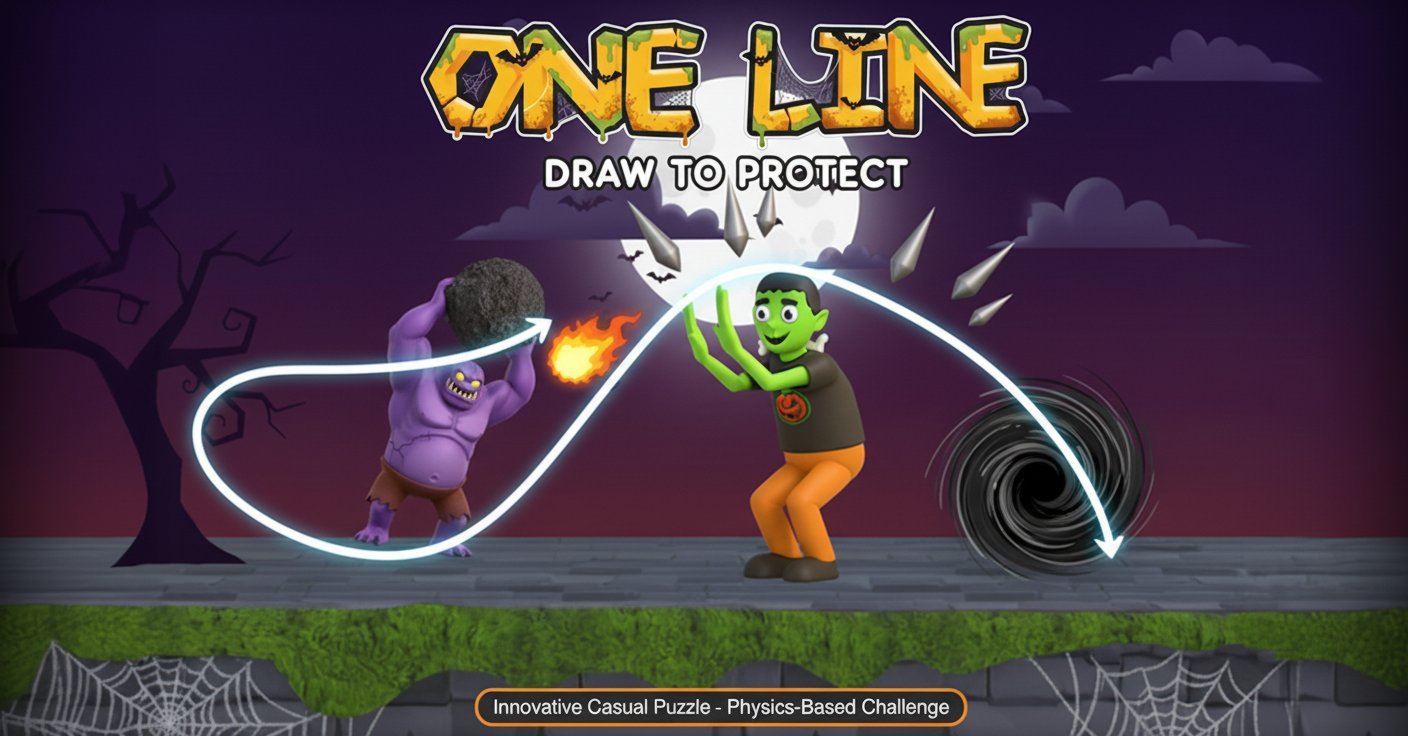
One Line is a captivating casual art drawing game that challenges your creativity and problem-solving abilities. In this unique puzzle experience, your mission is simple yet engaging: use a single continuous line to protect an oblivious man from a variety of dangerous situations. From heavy rainfall and aggressive bees to falling boulders and even angry giants, each level presents new threats that require creative solutions.
The game combines artistic drawing mechanics with physics-based puzzle solving, creating an experience that's both relaxing and mentally stimulating. With its simple concept but increasingly complex challenges, One Line offers hours of entertaining gameplay that will keep you thinking outside the box.
Core Features
One Line stands out with several compelling features that make it addictive and enjoyable:
- Free-to-Play : Completely free online game with no downloads required
- Creative Problem Solving : Multiple solutions for each level encourage experimentation
- Progressive Difficulty : Levels start simple but gradually introduce more complex challenges
- Physics-Based Gameplay : Realistic physics interactions make your drawings feel authentic
- Cross-Platform Support : Play seamlessly on desktop computers and mobile devices
- Hint System : Built-in hints help when you're stuck on challenging levels
- Quick Gameplay Sessions : Each level requires only 3 seconds of protection, perfect for short breaks
Unique Drawing Mechanics
The game's core innovation lies in its single-line drawing constraint. You must protect the character using only one continuous line, which can serve multiple purposes: blocking falling objects, redirecting threats, creating shields, or even building temporary shelters. This limitation forces creative thinking and makes each solution feel rewarding.
Diverse Threat Scenarios
Every level introduces different dangers that require unique approaches. Whether you're deflecting bullets, creating umbrellas for rain protection, or building barriers against charging giants, the variety keeps gameplay fresh and engaging.
Gameplay Mechanics
The gameplay is intuitive yet challenging:
Basic Objective
Your primary goal is to keep the innocent man safe for exactly 3 seconds. While this might sound easy, the various threats and physics interactions create complex scenarios that demand creative solutions.
Drawing Strategy
Success depends on understanding how your drawn line will interact with the environment. Consider factors like: - Trajectory of threats : Anticipate where dangers will come from - Physics interactions : How will your line affect falling or moving objects? - Multiple functions : Can your single line serve multiple protective purposes? - Timing : Some threats require immediate protection, others need delayed responses
Progressive Challenge System
The game starts with simple scenarios like protecting against rain, then gradually introduces more complex situations involving multiple simultaneous threats, moving dangers, and physics-based puzzles that require precise timing and placement.
Operation Guide
Playing One Line is straightforward but mastering it requires practice:
- Mouse Control : Drag the left mouse button to draw your protective line
- Touch Control : On mobile devices, use your finger to draw directly on the screen
- Line Creation : Click and drag to create a continuous line - lifting your mouse/finger ends the line
- Strategy Planning : Observe the threat before drawing to plan your protection strategy
- Hint Usage : Click the hint button when stuck to see an ideal solution
- Level Completion : Protect the man for 3 full seconds to advance to the next challenge
The controls are designed to be accessible for players of all skill levels, focusing on creativity rather than complex input combinations.
Why Play One Line
One Line offers a unique gaming experience that combines several appealing elements:
Mental Stimulation
Each level is essentially a mini-puzzle that exercises your problem-solving abilities and spatial reasoning skills. The game encourages lateral thinking and creative approaches to protection.
Stress Relief
Despite its challenging nature, the drawing mechanics and casual pace make it an excellent stress-relief activity. The satisfaction of successfully protecting the character creates positive feedback loops.
Accessibility
With no download requirements and browser-based play, you can enjoy One Line anywhere with an internet connection. The simple controls make it suitable for players of all ages and experience levels.
Replayability
Since most levels have multiple valid solutions, you can replay levels to discover new approaches and improve your techniques. This adds significant replay value beyond the initial completion.
Perfect for Short Sessions
Each level takes only minutes to complete, making it ideal for quick gaming sessions during breaks, commutes, or whenever you have a few spare minutes.