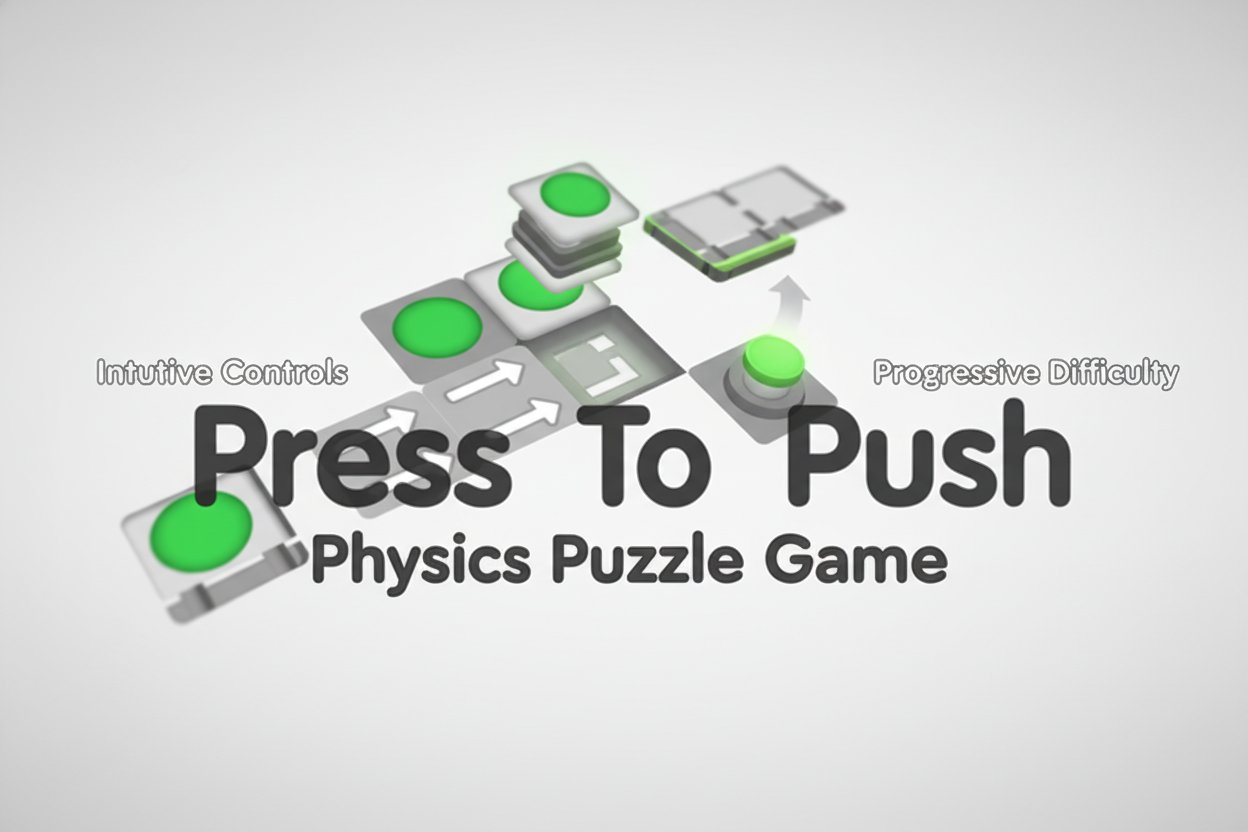
Press To Push - Physics Puzzle Game

Seele01-Flash
By
Press To Push is an engaging physics-based puzzle game that challenges players to manipulate blocks and buttons through cause-and-effect mechanics. With progressively difficult levels and intuitive controls, it's perfect for puzzle enthusiasts seeking a mental challenge.

Prompt

MODEL: Seele01-Flash
Please use Three.js to generate a **mobile-first game** with the theme "Press To Push". Please read the following detailed game design requirements first, and then generate the code accordingly: ### 1. Assets & Environment * **Visual Style:** Hyper-casual, minimalist "Clean Lab" aesthetic. Use a high-key lighting setup with soft shadows (Ambient Occlusion). The overall look should be sterile but inviting, utilizing a palette of white, light greys, and vibrant greens for interactive elements. * **Camera:** Use an **Orthographic Camera** positioned at an isometric angle (approx 45 degrees) to ensure grid alignment is clear for the player. The camera should auto-zoom to fit the level bounds within the screen width. * **Models (Primitives):** * **Base Platform:** White rounded cubes forming the grid map. * **Pushing Mechanism:** Grey base blocks with a distinct **Vibrant Green Circular Button** on top and white arrows indicating direction. * **Pistons:** A hidden geometry inside the Pushing Mechanism that extends (scales up) when activated. * **Movable Blocks:** Light green cubes that need to be pushed. * **Target Slots:** Recessed square holes in the platform, slightly darker grey, matching the dimensions of the Movable Blocks. * **Mobile Optimization:** Use `InstancedMesh` for the floor grid to reduce draw calls. Limit shadow map resolution to 1024x1024. Use simple Lambert or Phong materials instead of Standard materials if frame rate drops below 60fps on mobile. ### 2. Audio Requirements * **BGM:** A calm, looping, "smart" puzzle track. Think minimal synth-plucked melodies with plenty of silence/reverb, similar to "Zen" playlists. * **Sound Effects (SFX):** * **Button Press:** A satisfying, tactile mechanical "Click" or "Ka-chunk". * **Piston Extend:** A quick pneumatic "Whoosh" or servo motor sound. * **Block Slide:** A sound of heavy plastic sliding on smooth plastic. * **Block Fall (into slot):** A satisfying "Thud" or a musical "Ding" note. * **Win:** A short, uplifting major-chord arpeggio. ### 3. Gameplay Loop * **Mechanic:** The game is a sequence-based logic puzzle. The level consists of a grid. 1. **Input:** The player taps a "Pushing Mechanism" (block with a button). 2. **Action:** The mechanism extends a piston in the direction of its arrow. 3. **Reaction:** If the piston hits a Movable Block, the block slides until it hits an obstacle or falls into a Target Slot. 4. **Constraint:** The piston retracts after the push. Mechanisms cannot be moved. * **Win Condition:** All Movable Blocks are successfully pushed into the Target Slots. Upon winning, trigger a particle confetti effect and a "Next Level" button. * **Lose/Stuck Condition:** If a block is pushed into a corner or a position where it can no longer reach a target, the player must use a "Restart" button. * **Physics/Logic:** Do not use a heavy physics engine like Cannon.js. Instead, use **Grid-based Logic with Tweening**. Calculate the destination grid cell immediately upon input, then animate the block moving there smoothly using `TWEEN.js` or a simple lerp function. This ensures precise alignment. ### 4. Mobile Controls & Interaction * **Input Method:** Single-touch Raycasting. * Use `raycaster.intersectObjects` on `touchstart` (not `click` to avoid 300ms delay) to detect which button was tapped. * **Orientation:** Portrait Mode preference (for one-handed play), but the camera logic should adapt the zoom level if the user rotates to Landscape. * **UI Layout:** * **Top Center:** "Level X" text. * **Top Right:** "Restart" icon (circular arrow), min-size 48x48px for touch accessibility. * **Bottom:** No controls needed (tap to play), keeping the view unobstructed. * **Haptic Feedback:** Trigger a short vibration (using `navigator.vibrate(15)`) whenever a button is pressed and when a block drops into a hole. * **Visual Feedback:** When a button is tapped, it should visually depress (scale Y axis down) instantly before the piston extends. Highlight the button slightly when the player's finger is holding down (if applicable). Do not ask for clarification. Do not request confirmation. Directly execute the generation task based on the given instructions.

Game Introduction

About the Game

Press To Push is a captivating physics puzzle game that transforms simple mechanics into complex brain teasers. With a solid 4.3/5 rating from players, this game challenges you to think strategically about cause and effect while manipulating blocks and buttons to solve increasingly difficult puzzles.

The game presents a world where everything is interconnected - every button press, every block push, and every movement creates a chain reaction that brings you closer to solving each puzzle. Your mission is to navigate blocks from point A to point B using nothing but your wit and precise timing.

Core Features

Completely Free to Play

Press To Push is entirely free with no hidden costs, advertisements, or premium content. Simply open your browser and start solving puzzles immediately.

Physics-Based Puzzle Mechanics

The game utilizes realistic physics simulation where every action has consequences. Blocks respond to gravity, momentum, and collision detection, making each puzzle feel authentic and satisfying to solve.

Progressive Difficulty System

Start with simple single-button puzzles and advance to complex multi-stage challenges requiring precise timing and strategic planning. Each level builds upon previous concepts while introducing new mechanics.

Cross-Platform Compatibility

Built with HTML5 technology, the game runs smoothly on desktop computers, tablets, and smartphones without requiring downloads or installations.

Intuitive Visual Design

Clean, minimalist graphics with green blocks and clear directional arrows make it easy to understand puzzle mechanics at a glance. The visual feedback system helps players understand the results of their actions immediately.

Game Mechanics

Button and Block System

The core gameplay revolves around pressing buttons that activate mechanisms to push blocks. Each button may trigger different effects - some push blocks horizontally, others vertically, and some activate complex sequences.

Cause and Effect Puzzles

Every action creates a reaction. Understanding these relationships is key to solving puzzles efficiently. Players must analyze each level to determine the correct sequence of button presses.

Strategic Planning Required

As levels progress, you'll encounter puzzles requiring multiple steps to be executed in precise order. Success depends on planning ahead and understanding how each element interacts.

Controls and Interface

Simple Click-to-Play Controls

  • Mouse : Point and click on buttons to activate them
  • Touch Screen : Tap buttons directly on mobile devices
  • Visual Feedback : Clear indicators show which buttons can be pressed and their effects

The control scheme is designed for accessibility, ensuring players of all ages can enjoy the puzzle-solving experience without complex button combinations.

Why Play Press To Push?

Perfect for Brain Training

This game excellent for developing logical thinking, spatial reasoning, and problem-solving skills. Each puzzle requires analysis and planning, making it an ideal brain exercise.

Stress-Free Gaming Experience

With no time limits or pressure mechanics, players can take their time to analyze each puzzle thoroughly. This creates a relaxing yet mentally stimulating gaming experience.

Suitable for All Skill Levels

Whether you're new to puzzle games or a seasoned veteran, the progressive difficulty ensures there's always an appropriate challenge level.

No Download Required

Instant access through any modern web browser means you can start playing immediately without storage concerns or installation processes.

Tips for Success

  • Study each level carefully before making your first move
  • Trace the path blocks need to follow to reach their destinations
  • Consider the order of operations - some buttons must be pressed in specific sequences
  • Use the visual arrows and indicators to understand block movement patterns
  • Don't rush - take time to analyze cause-and-effect relationships

Frequently Asked Questions (FAQ)