
Spot the Differences - Find Hidden Objects Puzzle Game - Puzzle Game
 New
NewFirst-Person Horror Survival
Build a first-person horror survival with exploration and enemies.
 Unity
UnityEndless Runner
Build a polished Unity endless runner with lanes and pickups.
 New
NewCharacter Physics World
Build a third-person physics world with day-night and props to touch.
 Shooter
Dead City Shooter
Build a third-person zombie shooter in a ruined city.
 Shooter
Rail Shooter Ride
Build a roller-coaster rail shooter that aims as you ride.
 New
NewSolo Racing Game
Build a browser racer with tracks, timing, and a minimap.
 Unity
UnityChaos Train Arcade
Build a chaotic Unity train arcade of hazards and timing.
 Subscriber only
Unreal Mountain Tour
Tour a third-person Unreal world of mountains and water.
 Subscriber only
Unreal Landscape Tour
Tour photoreal Unreal landscapes with cinematic camera work.
 Subscriber only
Unreal Dungeon Crawler
Build a playable Unreal dungeon crawler, combat-ready.
NewFirst-Person Horror Survival
Build a first-person horror survival with exploration and enemies.
UnityEndless Runner
Build a polished Unity endless runner with lanes and pickups.
NewCharacter Physics World
Build a third-person physics world with day-night and props to touch.
ShooterDead City Shooter
Build a third-person zombie shooter in a ruined city.
ShooterRail Shooter Ride
Build a roller-coaster rail shooter that aims as you ride.
NewSolo Racing Game
Build a browser racer with tracks, timing, and a minimap.
UnityChaos Train Arcade
Build a chaotic Unity train arcade of hazards and timing.
Subscriber onlyUnreal Mountain Tour
Tour a third-person Unreal world of mountains and water.
Subscriber onlyUnreal Landscape Tour
Tour photoreal Unreal landscapes with cinematic camera work.
Subscriber onlyUnreal Dungeon Crawler
Build a playable Unreal dungeon crawler, combat-ready.
Prompt

Games are fun. Creating them is even better.
Game Introduction
About the Game
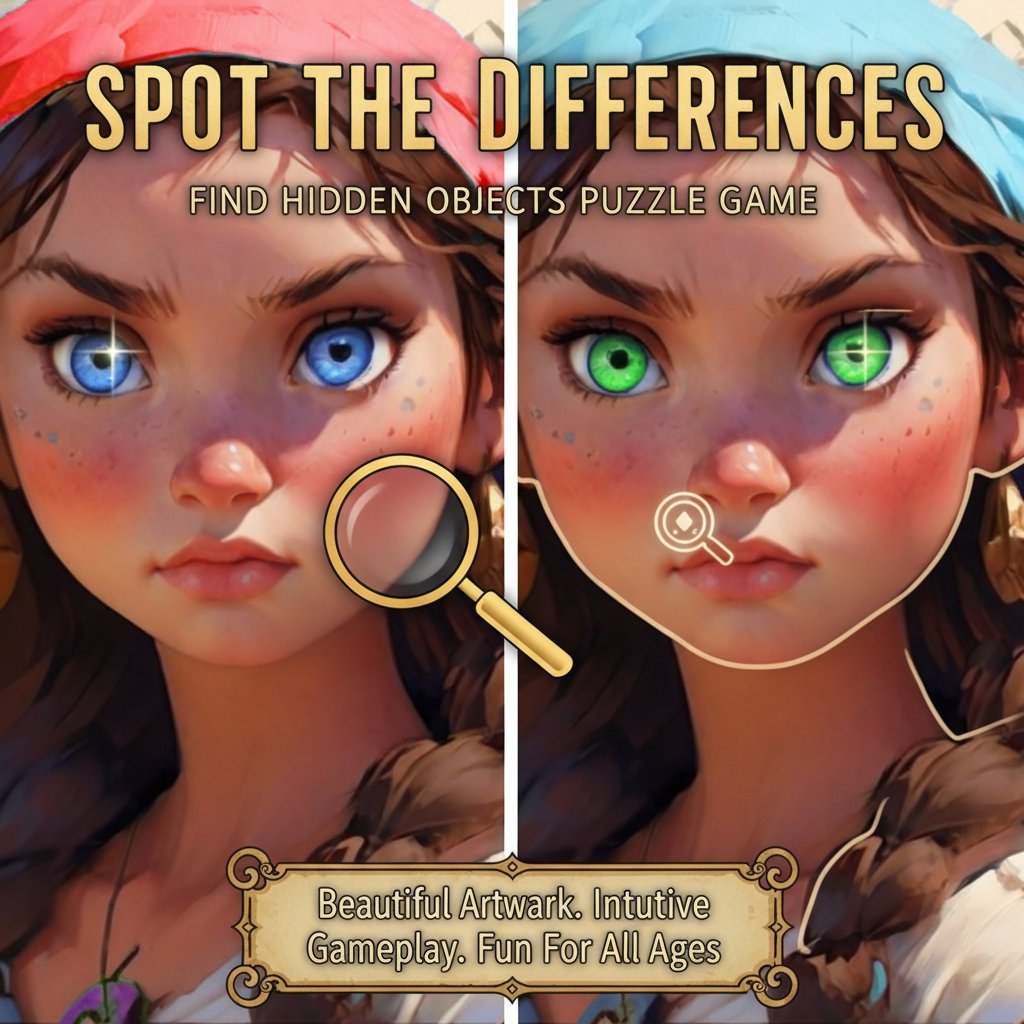
Spot the Differences is a captivating puzzle game that challenges your visual perception and attention to detail. This classic observation game presents you with pairs of beautiful images that appear identical at first glance, but contain subtle differences waiting to be discovered. With its charming artwork featuring fairy tale scenes, delicious food imagery, and picturesque street views, each level provides a delightful visual experience while testing your detective skills.
Core Features
Beautiful and Diverse Artwork
The game features countless adorable paintings spanning various themes including enchanting fairy tale scenes, mouth-watering culinary displays, and charming urban landscapes. Each image is carefully crafted to provide both visual appeal and challenging gameplay.
Progressive Difficulty System
As you advance through levels, the differences become more subtle and challenging to spot, ensuring that the game remains engaging for both beginners and experienced players. The difficulty progression helps train your observation skills gradually.
Strategic Lives System
Each level provides exactly three lives, adding a strategic element to the gameplay. You must carefully examine both images before making your selections, as incorrect clicks will cost you precious lives.
Built-in Hint System
When you're stuck on a particularly challenging difference, the hint button provides helpful assistance without completely solving the puzzle for you. This feature ensures that players never feel completely frustrated while maintaining the challenge.
Gameplay Mechanics
Simple Click-to-Spot Interface
The game uses an intuitive point-and-click interface where players simply click on areas where they spot differences. The responsive controls work seamlessly across all devices, making it easy to play whether you're using a mouse, touchpad, or touchscreen.
Visual Feedback System
When you successfully identify a difference, the game provides clear visual feedback, highlighting the found discrepancy on both images. This helps you track your progress and learn to recognize similar differences in future levels.
Operation Guide
Basic Controls: - Mouse Click/Tap : Click or tap on any area where you notice a difference between the two images - Hint Button : Use when you're stuck to receive assistance finding remaining differences - Menu Navigation : Use mouse or touch to navigate through game menus and level selection
Gameplay Tips: 1. Start by scanning both images systematically from top to bottom 2. Pay attention to colors, shapes, objects, and shadows 3. Look for added or removed elements, color changes, or size variations 4. Use the hint system strategically when you're down to the last few differences 5. Take your time - there's no time pressure, only the three-life limit
Why Play This Game
Spot the Differences offers the perfect combination of relaxation and mental stimulation. Unlike fast-paced action games, this puzzle game allows you to play at your own pace while actively training your observation and concentration skills. The beautiful artwork makes each level a visual treat, turning what could be a simple exercise into an enjoyable artistic experience.
The game is completely free to play and requires no downloads or installations - simply open your web browser and start playing immediately. Whether you have five minutes or an hour to spare, you can enjoy this engaging puzzle game that helps improve your attention to detail and visual processing skills.
Perfect for: - Brain training and cognitive exercise - Stress relief and relaxation - Improving concentration and focus - Family-friendly entertainment - Quick mental breaks during work or study - Developing visual perception skills
With its cross-platform compatibility, you can enjoy the same high-quality experience whether you're playing on a desktop computer, laptop, tablet, or smartphone. Start your observation adventure today and discover how many differences your keen eyes can spot!